

リリースノート
1.1.0 (Minimum required CE version 6.1.0)
Added
- Azure US Government、Azure China(21Vianet)、およびカスタムクラウドテナントをサポートするために、Azureクラウド設定パラメータが追加されました。
- DCE URI形式のバリデーションと、DCE URIが選択したAzureクラウドに属しているかどうかのチェックを追加しました。
Changed
- デフォルトマッピングを更新しました。
- 選択した値に適用されるパラメータのみを表示するようにプラグイン構成を更新しました。
Fixed
- 非パブリック クラウド テナントのAADSTS900382エラー(Confidential Client is not supported in Cross Cloud request)を修正しました。
- データにASCII以外の文字が含まれているときに、インジェストリクエストが1 MBのAPI制限を超えてしまう問題を修正しました。
1.0.0
Added
- 初回リリース。
- ログの種類: アラート、イベント、WebTx
- Transformation: CEF (only supported in Single Table mode) and JSON
このドキュメントでは、Microsoft Azure Log Analytics v1.1.0を設定する方法を説明しますNetskope Cloud ExchangeプラットフォームのLog Shipperモジュールを備えたプラグイン。プラグインは次のものをプッシュします:
- アラート(DLP、マルウェア、ポリシー、侵害されたクレデンシャル、悪意のあるサイト、検疫、修復、セキュリティ評価、ウォッチリスト、UBA、CTEP、デバイス、コンテンツ)
- イベント(ページ、アプリケーション、監査、インフラストラクチャ、ネットワーク、インシデント、エンドポイント、クライアントステータス)
- Cloud Exchange (CE) からの WebTx レコード。
データは、データ収集ルール(DCR)を介して、1つまたは複数のMicrosoft Azure Log Analyticsカスタムログテーブルに取り込まれます。CEFおよびJSON形式がサポートされています。CEFはシングルテーブルモードでのみサポートされます。
前提条件
この設定を完了するには、以下が必要です。
- Netskopeテナント(または、例えば本番環境と開発/テスト環境など、複数のテナント)。
- Netskope Cloud Exchangeテナントには、テナントプラグインとログシッパープラグインが既に設定済みです。
- Netskope Log Streamingからアラート、イベント、WebTxを取得するために、AWS Log StreamingプラグインまたはAzure Log Streamingプラグインがすでに設定されていること。
- Log Analyticsワークスペースを含むMicrosoft Azureサブスクリプション。
- クライアントシークレットを持つMicrosoft Entra IDアプリケーション(クライアント)。
- Azureで構成されたデータ収集ルール(DCR)とデータ収集エンドポイント(DCE)。
- DCR 上で Entra ID アプリケーションに割り当てられたMonitoring Metrics Publisherロール。
- 以下のホストへの接続: https://portal.azure.com/ 。
- Secrets Managerの構成については、Secrets Manager を参照してください。Azure Key VaultをSecrets Managerとして設定するには、Prerequisites for Azure Key Vault Secrets Manager を参照してください。
Microsoft Azure Log Analytics プラグインのサポート
プラグインは、データ収集ルール(DCR)を通じて、これらを1つまたは複数のMicrosoft Azure Log Analyticsカスタムログテーブルにプッシュします:
- アラート(DLP、マルウェア、ポリシー、侵害されたクレデンシャル、悪意のあるサイト、検疫、修復、セキュリティ評価、ウォッチリスト、UBA、CTEP、デバイス、コンテンツ)
- イベント(ページ、アプリケーション、監査、インフラストラクチャ、ネットワーク、インシデント、エンドポイント、クライアントステータス)
- Cloud Exchange (CE) からの WebTx レコード。
CEFおよびJSON形式がサポートされています。CEFはシングルテーブルモードでのみサポートされています。
| データ型 | サポート |
|---|---|
| イベント | はい |
| アラート | はい |
| ウェブテキサス | はい |
| Cloud Exchangeログ | いいえ |
権限
プラグインの設定には、以下の権限が必要です:
データ収集ルール(DCR)に対するモニタリングメトリクスパブリッシャーロール
APIの詳細
使うAPI一覧
| APIエンドポイント | 方法 | 使うケース |
|---|---|---|
| {authority_host}/{tenant_id}/oauth2/v2.0/token | 役職 | Microsoft Entra IDからOAuth 2.0アクセストークンを取得します。 |
| {dce_uri}/dataCollectionRules/{dcr_immutable_id}/streams/Custom-{table}?api-version=2023-01-01 | 役職 | ログレコードをAzure Log Analyticsカスタムログテーブルに取り込む |
OAuth 2.0アクセストークンを取得する
Endpoint: POST {authority_host}/{tenant_id}/oauth2/v2.0/token
認証ホストとトークンスコープは、プラグイン設定で選択した Azure Cloud によって異なります。
| Azureクラウド | 認証ホスト | トークンスコープ | DCEドメイン |
|---|---|---|---|
| Azureパブリック(商用) | login.microsoftonline.com | https://monitor.azure.com/.default | ingest.monitor.azure.com |
| Azure US Government | login.microsoftonline.us | https://monitor.azure.us/.default | ingest.monitor.azure.us |
| Azure China (21Vianet) | login.chinacloudapi.cn | https://monitor.azure.cn/.default | ingest.monitor.azure.cn |
| カスタムクラウド | 入力するカスタム認証局ホスト | 入力したカスタム トークン スコープ | 適用できない |
Request Headers:
| 鍵 | Value |
|---|---|
| Content-Type | application/x-www-form-urlencoded |
Request Body
{
  "grant_type": "client_credentials",
  "client_id": "{app_id}",
  "client_secret": "{app_secret}",
  "scope": "{token_scope}"
}
Sample Response
{
  "token_type": "Bearer",
  "expires_in": 3600,
  "access_token": "<token>"
}
ログレコードを取り込む
Endpoint: POST {dce_uri}/dataCollectionRules/{dcr_immutable_id}/streams/Custom-{table}?api-version=2023-01-01
Request Header
| 鍵 | Value |
|---|---|
| Authorization | ベアラー {access_token} |
| Content-Type | アプリケーション/json |
Request Body
[
  {
    "TimeGenerated": "2024-01-01T00:00:00Z",
    "Application": "Netskope CE",
    "DataType": "alerts",
    "SubType": "policy",
    "RawData": "<record or CEF string>"
  }
]
パフォーマンスマトリックス
これらの測定値は、ログレコードを送信するためにプラグインを数時間実行することにより、上記の仕様の大型CEスタック上で収集されました。
| デスクリプション | 仕様 |
|---|---|
| スタックの詳細 | サイズ:大 RAM:32 GB CPU:16コア |
| 1分あたりにプッシュされるアラートとイベントの数 | ~119k EPM (単一テーブルの場合) ~128k EPM (データタイプ別テーブル) |
| 1分あたりのWebTx送信数 | ~140k EPM (単一テーブルの場合) ~130k EPM (データタイプ別テーブルの場合) |
ユーザーエージェント
netskope-ce-7.0.0-cls-microsoft-azure-log-analytics-v1.1.0
ワークフロー
- Log Analyticsワークスペースを設定します。
- アプリケーションを設定し、テナントID、アプリケーションID、およびクライアントシークレットを取得します。
- Azureでデータ収集エンドポイント(DCE)を構成します。
- Log Analyticsワークスペースで基本テーブルを構成し、データ収集ルールの不変IDを取得します。
- DCR上のEntra IDアプリケーションに、モニタリングメトリクス発行者の役割を割り当てます。
- Microsoft Azure Log Analyticsプラグインを設定します。
- ログシッパーのビジネスルールを設定します。
- ログシッパーのログ配送を設定します。
- Microsoft Azure Log Analyticsプラグインを検証します。
動画を見る
再生ボタンをクリックして動画をご覧ください。
Log Analyticsワークスペースを構成する
-
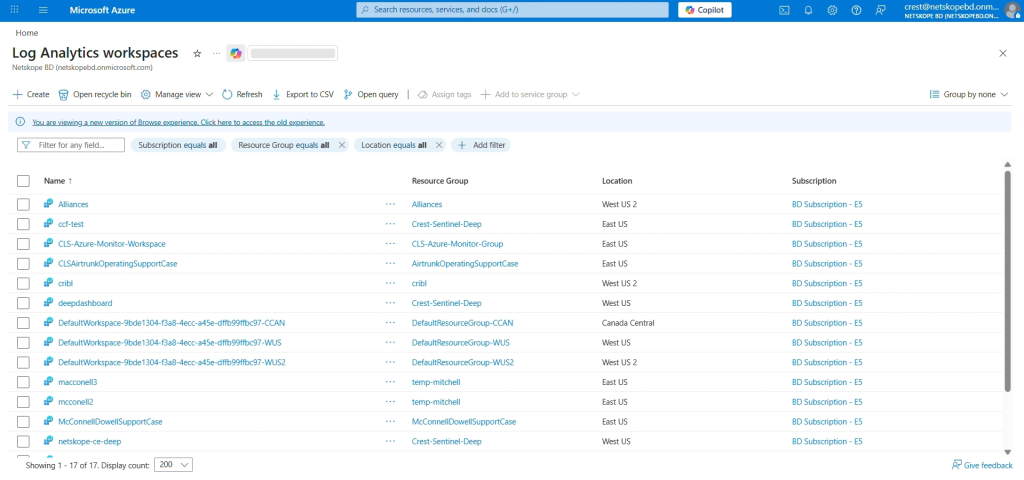
Azureにログインし、Log Analytics Workspacesを選択します。
-
Create Tabをクリックしてください。
-
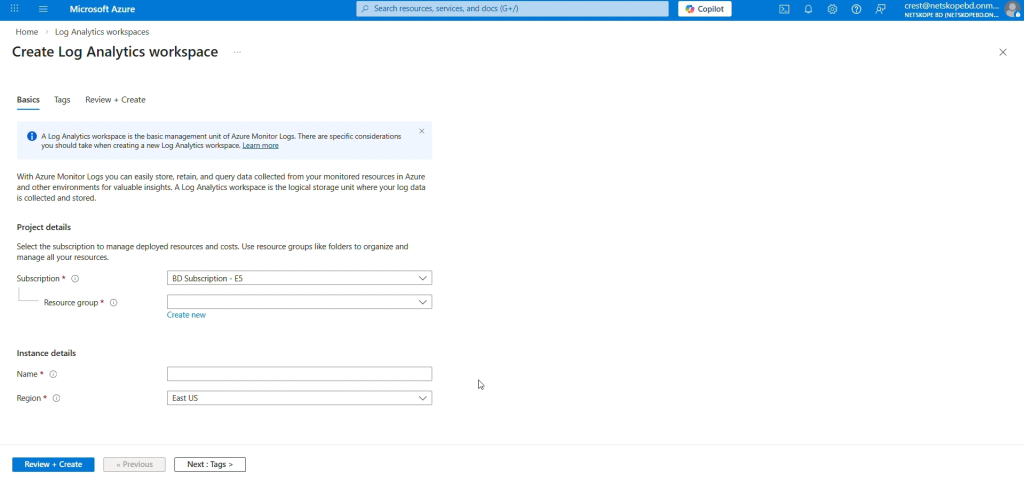
Subscriptionをクリックし、既存のリソースグループを選択するか、新しいリソースグループを作成します。
-
Log Analyticsワークスペースの名前を入力し、リージョンを選択してから、 Next > Next > Createをクリックします。


アプリケーションを設定し、テナントID、アプリケーションID、およびクライアントシークレットを取得します。
-
グローバル管理者ロールを持つアカウントでAzureにログインしてください。
-
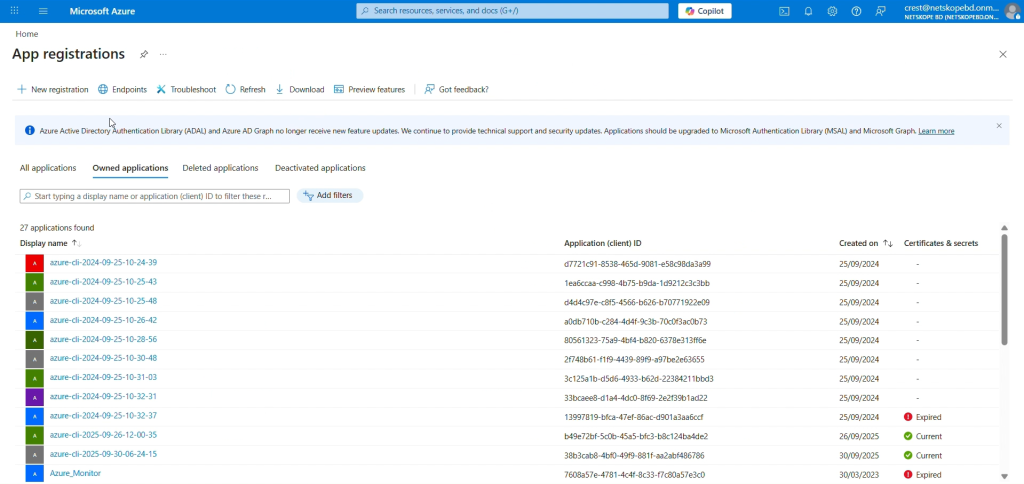
Azure App Registration > New Registrationへ移動してください。
-
登録フォームで、アプリケーションの名前を入力し、 Registerをクリックしてください。
-
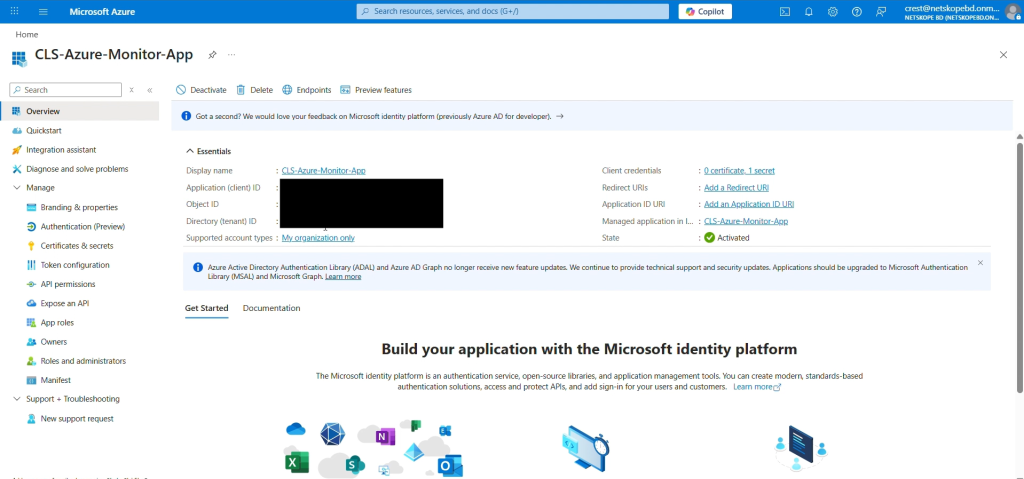
申込ページに表示されているテナントIDと申込者(クライアント)IDをコピーしてください。
-
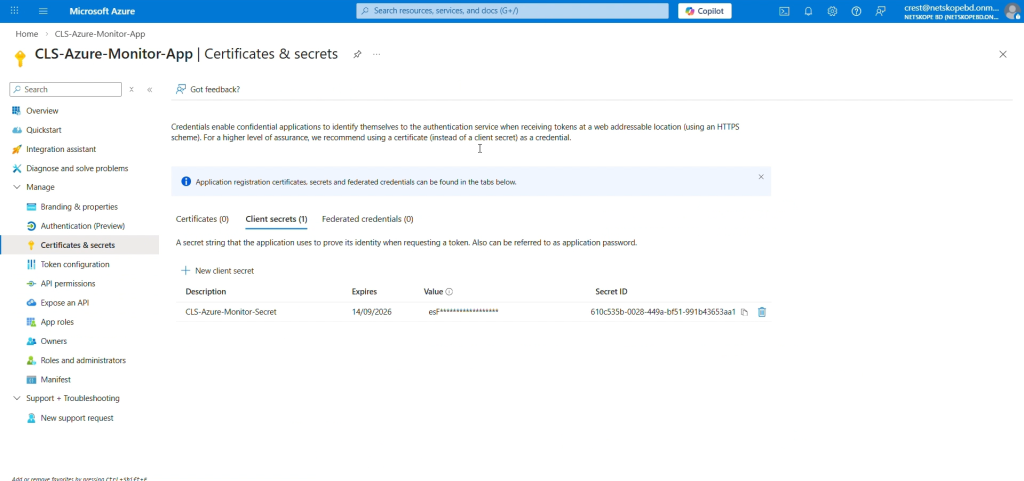
Add a Certificate or Secretをクリックし、次にNew client secretをクリックしてクライアントシークレットを生成します。デスク リプションと有効期限を追加し、 Addをクリックします。
-
シークレットIDの値は一度しか表示されないため、コピーしておいてください。


データ収集エンドポイントを設定し、DCE URIを取得します。
-
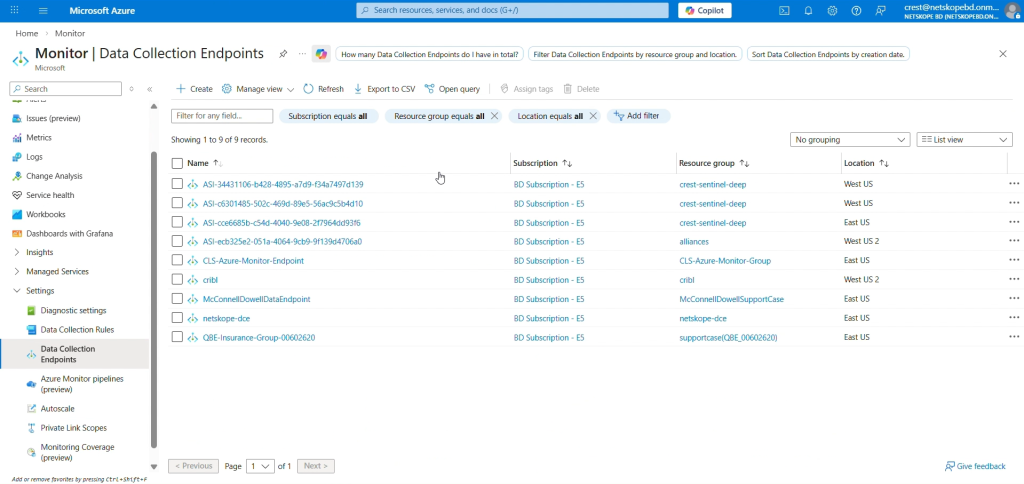
Azure ホームに移動し、Azure サービスからMonitorを選択します。
-
左側のパネルでData Collection Endpoints Select 、次にCreateをクリックします。
-
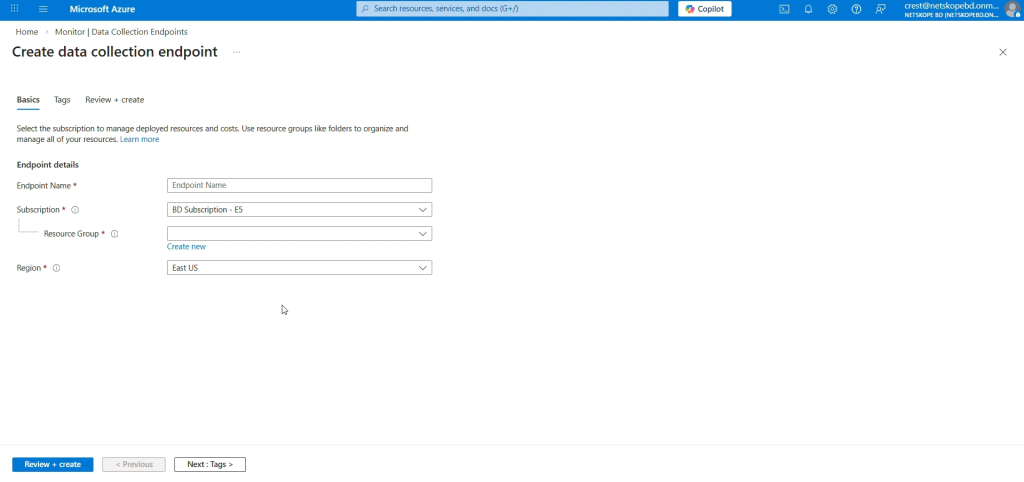
データ収集エンドポイントの名前を入力し、サブスクリプションとリソースグループを選択し、リージョンを選択し(そのリージョンがLog Analytics Workspaceのリージョンであることを確認してください)、最後に Review + createをクリックします。
-
概要タブから、データ収集エンドポイント(DCE)URIとなるログ取り込みをコピーします。


Log Analyticsワークスペースで基本テーブルを構成し、データ収集ルールの不変IDを取得します。
-
カスタムログ分析テーブルでは、システム上に以下の内容のJSONファイルを作成するために、サンプルデータをアップロードする必要があります。
For Single table:
[
    {
        "RawData": {},
        "Application":  "",
        "DataType": "",
        "SubType": "",
        "TimeGenerated": "2022-11-01 12:00:00.576165"
    }
]
For Per Data Type Tables:
Alerts:
{
  "Application": "",
  "DataType": "",
  "SubType": "",
  "TimeGenerated": "2022-11-01 12:00:00.576165",
  "id": "",
  "access_key_id": "",
  "access_method": "",
  "account_id": "",
  "account_name": "",
  "AccountType": "",
  "acked": "",
  "act_user": "",
  "action": "",
  "actions_taken": "",
  "activity": "",
  "activity_status": "",
  "activity_type": "",
  "aggregated_user": "",
  "alert": "",
  "alert_detection_stage": "",
  "alert_id": "",
  "alert_name": "",
  "alert_source": "",
  "alert_type": "",
  "all_policy_matches": "",
  "anomaly_type": "",
  "anomalyData": "",
  "app": "",
  "app_activity": "",
  "app_category": "",
  "app_cci_apphosting_provider": "",
  "app_gdpr_level": "",
  "app_name": "",
  "app_scopes": "",
  "app_session_id": "",
  "appact": "",
  "appcategory": "",
  "appsuite": "",
  "archive_subfiles": "",
  "asset_id": "",
  "asset_object_id": "",
  "audit_category": "",
  "audit_type": "",
  "bcc": "",
  "bin_timestamp": "",
  "block_reason": "",
  "breach_date": "",
  "breach_description": "",
  "breach_id": "",
  "breach_media_references": "",
  "breach_score": "",
  "breach_target_references": "",
  "browser": "",
  "browser_session_id": "",
  "browser_version": "",
  "bypass_traffic": "",
  "category": "",
  "cc": "",
  "cci": "",
  "ccl": "",
  "channel": "",
  "classification_name": "",
  "client_bytes": "",
  "client_packets": "",
  "cloud_provider": "",
  "co": "",
  "collaborated": "",
  "company": "",
  "compliance_standards": "",
  "computer_name": "",
  "conn_duration": "",
  "conn_endtime": "",
  "conn_starttime": "",
  "connection_id": "",
  "connection_type": "",
  "CononicalName": "",
  "count": "",
  "created_date": "",
  "createdTime": "",
  "custom_attr": "",
  "custom_connector": "",
  "data_type": "",
  "department": "",
  "departmentNumber": "",
  "destination_file_directory": "",
  "destination_file_name": "",
  "destination_file_path": "",
  "detection_engine": "",
  "detection_type": "",
  "device": "",
  "device_classification": "",
  "deviceClassification": "",
  "dinsid": "",
  "displayName": "",
  "distinguishedName": "",
  "division": "",
  "dlp_fail_reason": "",
  "dlp_file": "",
  "dlp_fingerprint_classification": "",
  "dlp_fingerprint_match": "",
  "dlp_fingerprint_score": "",
  "dlp_incident_id": "",
  "dlp_is_unique_count": "",
  "dlp_mail_parent_id": "",
  "dlp_parent_id": "",
  "dlp_profile": "",
  "dlp_rule": "",
  "dlp_rule_count": "",
  "dlp_rule_score": "",
  "dlp_rule_severity": "",
  "dlp_scan_failed": "",
  "dlp_unique_count": "",
  "dns_profile": "",
  "domain": "",
  "domain_ip": "",
  "download_app": "",
  "driver": "",
  "dst_country": "",
  "dst_geoip_src": "",
  "dst_latitude": "",
  "dst_location": "",
  "dst_longitude": "",
  "dst_region": "",
  "dst_timezone": "",
  "dst_zipcode": "",
  "dsthost": "",
  "dstip": "",
  "dstport": "",
  "dynamic_classification": "",
  "edr_app": "",
  "eeml": "",
  "email_from_user": "",
  "email_modified": "",
  "email_source": "",
  "email_title": "",
  "email_user": "",
  "employeeType": "",
  "encrypt_failure": "",
  "encryption_status": "",
  "end_time": "",
  "endpoint_count": "",
  "endpoints": "",
  "enterprise": "",
  "enterprise_id": "",
  "event_type": "",
  "event_uuid": "",
  "evt_src_chnl": "",
  "exposure": "",
  "ext_labels": "",
  "external_collaborator_count": "",
  "external_email": "",
  "fastscan_results": "",
  "file_category": "",
  "file_cls_encrypted": "",
  "file_exposure": "",
  "file_id": "",
  "file_lang": "",
  "file_md5": "",
  "file_name": "",
  "file_owner": "",
  "file_password_protected": "",
  "file_path": "",
  "file_size": "",
  "file_type": "",
  "filename": "",
  "filepath": "",
  "fllg": "",
  "flpp": "",
  "forward_to_proxy_xau": "",
  "from_object": "",
  "from_storage": "",
  "from_user": "",
  "from_user_category": "",
  "fromlogs": "",
  "gateway": "",
  "gid": "",
  "group": "",
  "home_pop": "",
  "hostname": "",
  "http_method": "",
  "http_port": "",
  "http_status": "",
  "http_transaction_count": "",
  "iaas_asset_tags": "",
  "iaas_remediated": "",
  "iaas_remediated_by": "",
  "iaas_remediated_on": "",
  "iaas_remediation_action": "",
  "incident_id": "",
  "instance": "",
  "instance_id": "",
  "instance_name": "",
  "internal_collaborator_count": "",
  "ip_protocol": "",
  "ja3": "",
  "ja3s": "",
  "justification_reason": "",
  "justification_type": "",
  "last_app": "",
  "last_country": "",
  "last_device": "",
  "last_location": "",
  "last_name": "",
  "last_region": "",
  "last_timestamp": "",
  "legal_hold_profile_name": "",
  "lh_custodian_email": "",
  "lh_custodian_name": "",
  "lh_dest_app": "",
  "lh_dest_instance": "",
  "lh_fileid": "",
  "lh_filename": "",
  "lh_filepath": "",
  "lh_original_filename": "",
  "lh_shared": "",
  "lh_shared_with": "",
  "lh_version": "",
  "loc": "",
  "local_md5": "",
  "local_sha1": "",
  "local_sha256": "",
  "local_source_time": "",
  "location": "",
  "log_file_name": "",
  "logintype": "",
  "loginurl": "",
  "mail": "",
  "mal_id": "",
  "mal_sev": "",
  "mal_type": "",
  "malicious": "",
  "malsite_active": "",
  "malsite_category": "",
  "malsite_confidence": "",
  "malsite_consecutive": "",
  "malsite_country": "",
  "malsite_first_seen": "",
  "malsite_hostility": "",
  "malsite_id": "",
  "malsite_ip_host": "",
  "malsite_last_seen": "",
  "malsite_latitude": "",
  "malsite_longitude": "",
  "malsite_region": "",
  "malsite_reputation": "",
  "malware_id": "",
  "malware_name": "",
  "malware_profile": "",
  "malware_severity": "",
  "malware_type": "",
  "managed_app": "",
  "managementID": "",
  "manager": "",
  "matched_username": "",
  "md5": "",
  "memberOf": "",
  "message_id": "",
  "message_size": "",
  "metadata": "",
  "mime_type": "",
  "ml_detection": "",
  "modified": "",
  "modified_date": "",
  "netskope_activity": "",
  "netskope_pop": "",
  "network": "",
  "network_session_id": "",
  "notify_template": "",
  "ns_activity": "",
  "nsdeviceuid": "",
  "num_sessions": "",
  "num_users": "",
  "numbytes": "",
  "object": "",
  "object_count": "",
  "object_id": "",
  "object_type": "",
  "org": "",
  "organization_unit": "",
  "orig_ty": "",
  "orignal_file_path": "",
  "os": "",
  "os_details": "",
  "os_family": "",
  "os_user_name": "",
  "os_version": "",
  "other_categories": "",
  "outer_doc_type": "",
  "owner": "",
  "owner_pdl": "",
  "page": "",
  "page_site": "",
  "parent_id": "",
  "password_type": "",
  "pid": "",
  "policy": "",
  "policy_action": "",
  "policy_actions": "",
  "policy_id": "",
  "policy_name": "",
  "policy_name_enforced": "",
  "pop_id": "",
  "process_cert_subject": "",
  "process_name": "",
  "process_path": "",
  "profile_emails": "",
  "profile_hits": "",
  "profile_id": "",
  "protocol": "",
  "protocol_port": "",
  "publisher_cn": "",
  "publisher_name": "",
  "q_admin": "",
  "q_app": "",
  "q_instance": "",
  "q_original_filename": "",
  "q_original_filepath": "",
  "q_original_shared": "",
  "q_original_version": "",
  "q_shared_with": "",
  "qdomain": "",
  "qtype": "",
  "quarantine_action_reason": "",
  "quarantine_file_id": "",
  "quarantine_file_name": "",
  "quarantine_profile": "",
  "quarantine_profile_id": "",
  "record_type": "",
  "redirect_url": "",
  "referer": "",
  "region_id": "",
  "region_name": "",
  "related_malware": "",
  "remediation_profile": "",
  "req": "",
  "req_cnt": "",
  "request_id": "",
  "request_type": "",
  "resource_category": "",
  "resource_group": "",
  "resp": "",
  "resp_cnt": "",
  "retro_scan_name": "",
  "risk_level": "",
  "risk_level_id": "",
  "risk_score": "",
  "sa_profile_id": "",
  "sa_profile_name": "",
  "sa_rule_compliance": "",
  "sa_rule_id": "",
  "sa_rule_name": "",
  "sa_rule_severity": "",
  "sAMAccountName": "",
  "sAMAccountType": "",
  "sanctioned_instance": "",
  "scan_time": "",
  "scan_type": "",
  "scanner_result": "",
  "scopes": "",
  "score": "",
  "sender": "",
  "serial": "",
  "server_bytes": "",
  "server_packets": "",
  "serverity": "",
  "session_duration": "",
  "session_number_unique": "",
  "sessionid": "",
  "severity": "",
  "severity_id": "",
  "severity_level": "",
  "severity_level_id": "",
  "sfwder": "",
  "sha1": "",
  "sha256": "",
  "shared_credential_user": "",
  "shared_domains": "",
  "shared_type": "",
  "shared_with": "",
  "sharedType": "",
  "signature": "",
  "signature_id": "",
  "site": "",
  "smtp_client_domain": "",
  "smtp_status": "",
  "smtp_to": "",
  "spet": "",
  "spst": "",
  "src_country": "",
  "src_geoip_src": "",
  "src_latitude": "",
  "src_location": "",
  "src_longitude": "",
  "src_network": "",
  "src_region": "",
  "src_time": "",
  "src_timezone": "",
  "src_zipcode": "",
  "srcip": "",
  "srcport": "",
  "start_time": "",
  "sub_type": "",
  "subject": "",
  "subtype_field": "",
  "suppression_count": "",
  "suppression_end_time": "",
  "suppression_key": "",
  "suppression_start_time": "",
  "surhn": "",
  "tags": "",
  "telemetry_app": "",
  "thr": "",
  "threat_match_field": "",
  "threat_match_value": "",
  "threat_source_id": "",
  "threat_type": "",
  "threshold": "",
  "threshold_time": "",
  "timestamp": "",
  "TitleField": "",
  "title_field": "",
  "to_object": "",
  "to_storage": "",
  "to_user": "",
  "to_user_category": "",
  "total_collaborator_count": "",
  "total_packets": "",
  "traffic_type": "",
  "transaction_id": "",
  "true_filetype": "",
  "true_obj_category": "",
  "true_obj_type": "",
  "true_type_id": "",
  "trust_computer_checked": "",
  "tss_fail_reason": "",
  "tss_license": "",
  "tss_mode": "",
  "TSS_scan": "",
  "tss_scan_failed": "",
  "tunnel_id": "",
  "tunnel_type": "",
  "tunnel_up_time": "",
  "tur": "",
  "two_factor_auth": "",
  "type_field": "",
  "uba_ap1": "",
  "uba_ap2": "",
  "uba_inst1": "",
  "uba_inst2": "",
  "universal_connector": "",
  "ur_normalized": "",
  "url": "",
  "usb_device_id": "",
  "usb_device_name": "",
  "usb_device_sn": "",
  "usb_device_type": "",
  "usb_is_encrypted": "",
  "usb_product_id": "",
  "usb_vendor_id": "",
  "user": "",
  "user_category": "",
  "user_confidence_index": "",
  "user_confidence_level": "",
  "user_generated": "",
  "user_id": "",
  "user_name": "",
  "user_role": "",
  "User_SPACE_Id": "",
  "User_SPACE_Name": "",
  "user_tmp": "",
  "useragent": "",
  "userCountry": "",
  "usergroup": "",
  "userip": "",
  "userkey": "",
  "userPrincipalName": "",
  "usr_display_name": "",
  "usr_status": "",
  "usr_title": "",
  "usr_udf_businesssegmentlevel1": "",
  "usr_udf_businesssegmentlevel2": "",
  "usr_udf_businesssegmentlevel3": "",
  "usr_udf_businesssegmentlevel4": "",
  "usr_udf_companyname": "",
  "usr_udf_employeeid": "",
  "usr_udf_primarydomain": "",
  "usr_udf_supervisorid": "",
  "usr_udf_supervisorname": "",
  "violating_user": "",
  "violating_user_type": "",
  "watchlist_name": "",
  "web_universal_connector": "",
  "web_url": "",
  "windowId": "",
  "workspace": "",
  "workspace_id": "",
  "zip_password": ""
}
Events:
{
  "Application": "",
  "DataType": "",
  "SubType": "",
  "TimeGenerated": "2022-11-01 12:00:00.576165",
  "id": "",
  "access_method": "",
  "acting_user": "",
  "action": "",
  "activity": "",
  "activity_type": "",
  "alert": "",
  "alert_detection_stage": "",
  "alert_generated": "",
  "alert_name": "",
  "alert_type": "",
  "app": "",
  "app_activity": "",
  "app_cci_apphosting_provider": "",
  "app_gdpr_level": "",
  "app_session_id": "",
  "appact": "",
  "appcategory": "",
  "appsuite": "",
  "event_as": "",
  "asn": "",
  "assignee": "",
  "audit_category": "",
  "audit_log_event": "",
  "audit_type": "",
  "bcc": "",
  "boolean_metric_value": "",
  "browser": "",
  "browser_session_id": "",
  "browser_version": "",
  "bypass_reason": "",
  "bypass_traffic": "",
  "category": "",
  "cc": "",
  "cci": "",
  "ccl": "",
  "channel": "",
  "channel_id": "",
  "city": "",
  "classification": "",
  "client_bytes": "",
  "client_install_time": "",
  "client_packets": "",
  "client_version": "",
  "cloud_provider": "",
  "computer_name": "",
  "conn_duration": "",
  "conn_endtime": "",
  "conn_starttime": "",
  "connection_id": "",
  "connection_type": "",
  "CononicalName": "",
  "continent": "",
  "count": "",
  "count_metric_value": "",
  "country": "",
  "custom_attr": "",
  "custom_connector": "",
  "data_center": "",
  "data_type": "",
  "destination_app": "",
  "destination_file_directory": "",
  "destination_file_name": "",
  "destination_file_path": "",
  "destination_instance_id": "",
  "destination_site": "",
  "details": "",
  "device": "",
  "device_classification": "",
  "device_hash": "",
  "device_id": "",
  "device_name": "",
  "device_sn": "",
  "device_type": "",
  "dinsid": "",
  "dlp_fail_reason": "",
  "dlp_file": "",
  "dlp_incident_id": "",
  "dlp_is_unique_count": "",
  "dlp_mail_parent_id": "",
  "dlp_match_info": "",
  "dlp_parent_id": "",
  "dlp_profile": "",
  "dlp_profile_name": "",
  "dlp_rule": "",
  "dlp_rule_count": "",
  "dlp_rule_severity": "",
  "dlp_scan_failed": "",
  "dlp_unique_count": "",
  "dns_profile": "",
  "dom": "",
  "domain": "",
  "domain_ip": "",
  "driver": "",
  "dst_country": "",
  "dst_geoip_src": "",
  "dst_latitude": "",
  "dst_location": "",
  "dst_longitude": "",
  "dst_region": "",
  "dst_timezone": "",
  "dst_zipcode": "",
  "dsthost": "",
  "dstip": "",
  "dstport": "",
  "dynamic_classification": "",
  "eeml": "",
  "email_from_user": "",
  "email_modified": "",
  "email_user": "",
  "encryption_status": "",
  "end_time": "",
  "endpoint_policy_match_desired_action": "",
  "enriched": "",
  "event_recovered": "",
  "executable_hash": "",
  "executable_signed": "",
  "exposure": "",
  "ext_labels": "",
  "file_lang": "",
  "file_md5": "",
  "file_origin": "",
  "file_owner": "",
  "file_path": "",
  "file_size": "",
  "file_type": "",
  "filepath": "",
  "fllg": "",
  "flow_status": "",
  "flpp": "",
  "forward_to_proxy_profile": "",
  "forward_to_proxy_xau": "",
  "from_user": "",
  "from_user_category": "",
  "fromlogs": "",
  "guid": "",
  "heart_beat": "",
  "host_info_client_version": "",
  "host_info_device_make": "",
  "host_info_device_model": "",
  "host_info_hostname": "",
  "host_info_last_update_timestamp": "",
  "host_info_mac_addresses": "",
  "host_info_managementID": "",
  "host_info_nsdeviceuid": "",
  "host_info_old_nsdeviceuid": "",
  "host_info_os": "",
  "host_info_os_version": "",
  "host_info_serial_number": "",
  "host_info_steering_config": "",
  "hostname": "",
  "http_transaction_count": "",
  "incident_id": "",
  "inline_dlp_match_info": "",
  "instance": "",
  "instance_id": "",
  "internal_collaborator_count": "",
  "ip_protocol": "",
  "isp": "",
  "ja3": "",
  "ja3s": "",
  "justification": "",
  "justification_reason": "",
  "justification_type": "",
  "last_connected_from_private_ip": "",
  "last_connected_from_public_ip": "",
  "last_event_timestamp": "",
  "last_seen_device_event_actor": "",
  "last_seen_device_event_event": "",
  "last_seen_device_event_event_details": "",
  "last_seen_device_event_npa_status": "",
  "last_seen_device_event_service_name": "",
  "last_seen_device_event_status": "",
  "last_seen_device_event_status_v2": "",
  "last_seen_device_event_timestamp": "",
  "latest_incident_id": "",
  "latitude": "",
  "legal_hold_profile_name": "",
  "lh_custodian_email": "",
  "lh_custodian_name": "",
  "lh_dest_app": "",
  "lh_dest_instance": "",
  "lh_fileid": "",
  "lh_filename": "",
  "lh_filepath": "",
  "lh_original_filename": "",
  "lh_shared": "",
  "lh_shared_with": "",
  "lh_version": "",
  "local_source_time": "",
  "location": "",
  "log_file_name": "",
  "logintype": "",
  "loginurl": "",
  "longitude": "",
  "mal_sev": "",
  "managed_app": "",
  "managementID": "",
  "md5": "",
  "metric_name": "",
  "metric_true_count": "",
  "metric_type": "",
  "metric_value": "",
  "mime_type": "",
  "modified": "",
  "netskope_activity": "",
  "netskope_pop": "",
  "network": "",
  "network_session_id": "",
  "notify_template": "",
  "ns_activity": "",
  "nsdeviceuid": "",
  "num_sessions": "",
  "num_users": "",
  "numbytes": "",
  "oauth": "",
  "object": "",
  "object_id": "",
  "object_type": "",
  "org": "",
  "organization": "",
  "organization_unit": "",
  "original_file_snapshot_id": "",
  "orignal_file_path": "",
  "os": "",
  "os_details": "",
  "os_family": "",
  "os_user_name": "",
  "os_version": "",
  "other_categories": "",
  "owner": "",
  "owner_pdl": "",
  "package_version": "",
  "page": "",
  "page_site": "",
  "parent_id": "",
  "pid": "",
  "policy": "",
  "policy_action": "",
  "policy_action_enforced": "",
  "policy_id": "",
  "policy_name": "",
  "policy_name_enforced": "",
  "policy_version": "",
  "pop_name": "",
  "pop_pinned": "",
  "port": "",
  "postal_code": "",
  "printer_identifier": "",
  "process_cert_subject": "",
  "process_name": "",
  "process_path": "",
  "product_id": "",
  "protocol": "",
  "protocol_port": "",
  "publisher_cn": "",
  "publisher_ip": "",
  "publisher_name": "",
  "publisher_pop": "",
  "publisher_port": "",
  "q_shared_with": "",
  "qdomain": "",
  "qtype": "",
  "rbi_template_id": "",
  "rbi_template_name": "",
  "record_type": "",
  "referer": "",
  "region": "",
  "req": "",
  "req_cnt": "",
  "request_id": "",
  "resp": "",
  "resp_cnt": "",
  "resp_content_len": "",
  "resp_content_type": "",
  "response_time": "",
  "retro_scan_name": "",
  "risk_score": "",
  "sa_rule_compliance": "",
  "sAMAccountName": "",
  "sampled_text_size": "",
  "sanctioned_instance": "",
  "scan_type": "",
  "serial": "",
  "server_bytes": "",
  "server_packets": "",
  "serverity": "",
  "session_duration": "",
  "session_number_unique": "",
  "sessionid": "",
  "severity": "",
  "severity_level": "",
  "sha256": "",
  "shared_with": "",
  "site": "",
  "smtp_block_reason": "",
  "smtp_client_domain": "",
  "smtp_to": "",
  "source_file_directory": "",
  "source_file_name": "",
  "source_file_path": "",
  "spet": "",
  "spst": "",
  "src_country": "",
  "src_geoip_src": "",
  "src_latitude": "",
  "src_location": "",
  "src_longitude": "",
  "src_network": "",
  "src_region": "",
  "src_time": "",
  "src_timezone": "",
  "src_zipcode": "",
  "srcip": "",
  "srcport": "",
  "ssl_decrypt_policy": "",
  "start_time": "",
  "status": "",
  "sub_type": "",
  "subtype_field": "",
  "supporting_data": "",
  "suppression_end_time": "",
  "suppression_key": "",
  "suppression_start_time": "",
  "tags": "",
  "telemetry_app": "",
  "thr": "",
  "threat_type": "",
  "timestamp": "",
  "title_field": "",
  "to_user": "",
  "total_collaborator_count": "",
  "total_packets": "",
  "traffic_type": "",
  "transaction_id": "",
  "true_obj_category": "",
  "true_obj_type": "",
  "tss_fail_reason": "",
  "tss_mode": "",
  "tss_scan_failed": "",
  "tunnel_id": "",
  "tunnel_type": "",
  "tunnel_up_time": "",
  "tur": "",
  "type_field": "",
  "unc_path": "",
  "universal_connector": "",
  "ur_normalized": "",
  "url": "",
  "usb_device": "",
  "user": "",
  "user_category": "",
  "user_confidence_index": "",
  "user_confidence_level": "",
  "user_generated": "",
  "user_id": "",
  "user_info_device_classification_status": "",
  "user_info_orgkey": "",
  "user_info_userkey": "",
  "user_info_username": "",
  "useragent": "",
  "userip": "",
  "userkey": "",
  "userPrincipalName": "",
  "vendor_id": "",
  "violation": "",
  "web_universal_connector": "",
  "workspace": "",
  "workspace_id": "",
  "zip_file_id": "",
  "zip_password": "",
  "zipcode": ""
}
WebTx:
{ "Application": "", "DataType": "", "SubType": "", "TimeGenerated": "2022-11-01 12:00:00.576165", "bytes": "", "c_ip": "", "cs_bytes": "", "cs_content_type": "", "cs_dns": "", "cs_host": "", "cs_method": "", "cs_referer": "", "cs_uri": "", "cs_uri_port": "", "cs_uri_query": "", "cs_uri_scheme": "", "cs_user_agent": "", "cs_username": "", "date_field": "", "rs_bytes": "", "rs_status": "", "s_ip": "", "sc_bytes": "", "sc_content_type": "", "sc_status": "", "sr_bytes": "", "time_field": "", "time_taken": "", "x_action": "", "x_action_reason": "", "x_c_authn_source": "", "x_c_authn_surrogate": "", "x_c_authn_surrogate_status": "", "x_c_authn_user": "", "x_c_authz_groups": "", "x_c_authz_ou": "", "x_c_authz_source": "", "x_c_browser": "", "x_c_browser_version": "", "x_c_country": "", "x_c_device": "", "x_c_device_classification": "", "x_c_device_uid": "", "x_c_hostname": "", "x_c_latitude": "", "x_c_local_time": "", "x_c_local_timestamp": "", "x_c_location": "", "x_c_longitude": "", "x_c_nsclient_client_profile": "", "x_c_nsclient_steering_profile": "", "x_c_nsclient_version": "", "x_c_os": "", "x_c_os_family": "", "x_c_os_version": "", "x_c_region": "", "x_c_timezone": "", "x_c_user_confidence_index": "", "x_c_zipcode": "", "x_category": "", "x_category_id": "", "x_client_ssl_err": "", "x_cs_access_method": "", "x_cs_access_proxy": "", "x_cs_app": "", "x_cs_app_activity": "", "x_cs_app_category": "", "x_cs_app_cci": "", "x_cs_app_ccl": "", "x_cs_app_from_user": "", "x_cs_app_instance_id": "", "x_cs_app_instance_name": "", "x_cs_app_instance_tag": "", "x_cs_app_instance_tags": "", "x_cs_app_object_id": "", "x_cs_app_object_name": "", "x_cs_app_object_type": "", "x_cs_app_suite": "", "x_cs_app_tags": "", "x_cs_app_to_user": "", "x_cs_connect_host": "", "x_cs_connect_port": "", "x_cs_connect_user_agent": "", "x_cs_connect_xau": "", "x_cs_domain_fronted_sni": "", "x_cs_dst_ip": "", "x_cs_dst_port": "", "x_cs_http_version": "", "x_cs_ip_connect_xff": "", "x_cs_ip_xff": "", "x_cs_nsclient_tunnel_type": "", "x_cs_page_id": "", "x_cs_parent_process": "", "x_cs_pid": "", "x_cs_ppid": "", "x_cs_process": "", "x_cs_session_id": "", "x_cs_site": "", "x_cs_sni": "", "x_cs_src_ip": "", "x_cs_src_ip_egress": "", "x_cs_src_port": "", "x_cs_ssl_cipher": "", "x_cs_ssl_engine_action": "", "x_cs_ssl_engine_action_reason": "", "x_cs_ssl_fronting_error": "", "x_cs_ssl_handshake_error": "", "x_cs_ssl_ja3": "", "x_cs_ssl_malformed_ssl": "", "x_cs_ssl_version": "", "x_cs_timestamp": "", "x_cs_traffic_type": "", "x_cs_tunnel_id": "", "x_cs_uri_path": "", "x_cs_url": "", "x_cs_userip": "", "x_cs_xau": "", "x_eip_policy_footprint": "", "x_eip_policy_name": "", "x_error": "", "x_other_category": "", "x_other_category_id": "", "x_policy_action": "", "x_policy_categories": "", "x_policy_dst_host": "", "x_policy_dst_host_source": "", "x_policy_dst_ip": "", "x_policy_justification_reason": "", "x_policy_justification_type": "", "x_policy_name": "", "x_policy_src_ip": "", "x_r_cert_end": "", "x_r_cert_enddate": "", "x_r_cert_expired": "", "x_r_cert_incomplete_chain": "", "x_r_cert_issuer_cn": "", "x_r_cert_mismatch": "", "x_r_cert_revocation_check": "", "x_r_cert_revoked": "", "x_r_cert_self_signed": "", "x_r_cert_start": "", "x_r_cert_startdate": "", "x_r_cert_subject_cn": "", "x_r_cert_untrusted_root": "", "x_r_cert_valid": "", "x_r_country": "", "x_r_latitude": "", "x_r_location": "", "x_r_longitude": "", "x_r_region": "", "x_r_zipcode": "", "x_request_id": "", "x_rs_file_category": "", "x_rs_file_language": "", "x_rs_file_md5": "", "x_rs_file_sha256": "", "x_rs_file_size": "", "x_rs_file_type": "", "x_s_country": "", "x_s_custom_signing_ca_error": "", "x_s_dp_name": "", "x_s_latitude": "", "x_s_location": "", "x_s_longitude": "", "x_s_region": "", "x_s_zipcode": "", "x_sc_notification_name": "", "x_server_ssl_err": "", "x_sr_dst_ip": "", "x_sr_dst_port": "", "x_sr_forward_dest": "", "x_sr_headers_name": "", "x_sr_headers_value": "", "x_sr_src_ip": "", "x_sr_src_port": "", "x_sr_ssl_cipher": "", "x_sr_ssl_client_certificate_error": "", "x_sr_ssl_engine_action": "", "x_sr_ssl_engine_action_reason": "", "x_sr_ssl_handshake_error": "", "x_sr_ssl_ja3s": "", "x_sr_ssl_malformed_ssl": "", "x_sr_ssl_version": "", "x_ssl_bypass": "", "x_ssl_bypass_reason": "", "x_ssl_policy_action": "", "x_ssl_policy_categories": "", "x_ssl_policy_dst_host": "", "x_ssl_policy_dst_host_source": "", "x_ssl_policy_dst_ip": "", "x_ssl_policy_issuer": "", "x_ssl_policy_name": "", "x_ssl_policy_src_ip": "", "x_support": "", "x_tenant_id": "", "x_tp_engine": "", "x_tp_malware_name": "", "x_tp_result": "", "x_tp_severity": "", "x_transaction_id": "", "x_type": "" } -
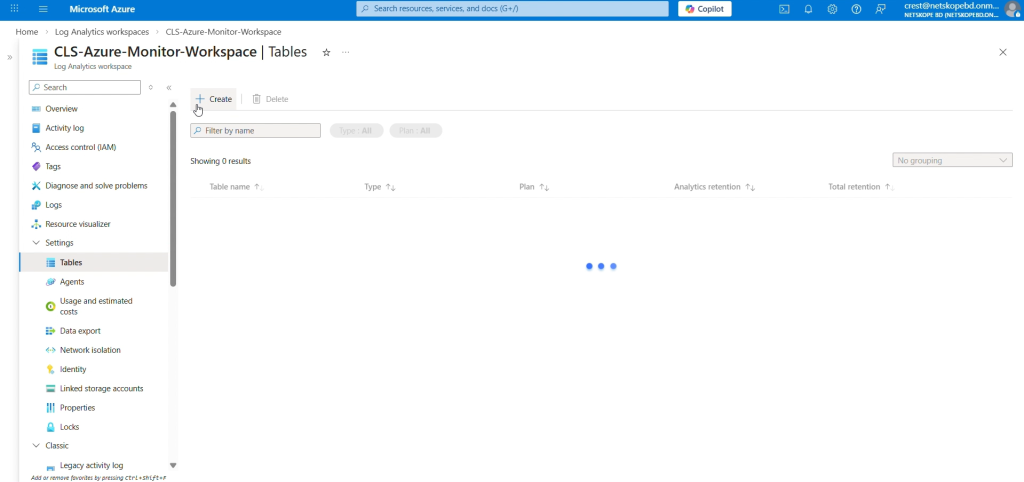
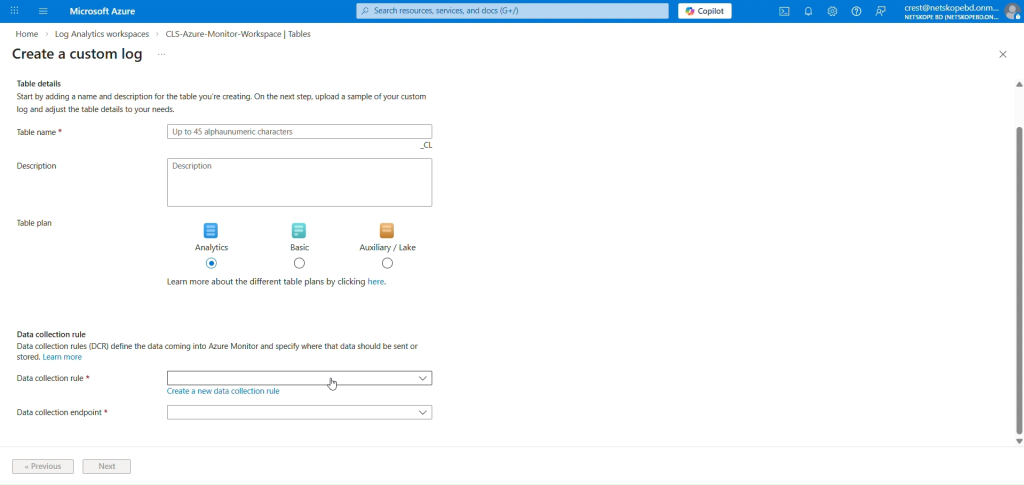
Azureホームページタブで [0] に移動し、以前に作成したワークスペースを選択して、[1]Log Analytics Workspaces Tablesを選択します。CreateNew Custom log (DCR based)[2] をクリックして [3] を選択します。
-
テーブルの名前を入力してください。
-
データ収集規則については、Create a new data collection ruleをクリックし、ドロップダウンからサブスクリプションとリソース グループを選択します。Log Analytics Workspaceのリージョンを入力し、Doneをクリックします。テーブル プランを基本に設定してください。
-
新しいデータ収集ルールは、「データ収集ルール」フィールドで選択されます。Nextをクリックしてください。
-
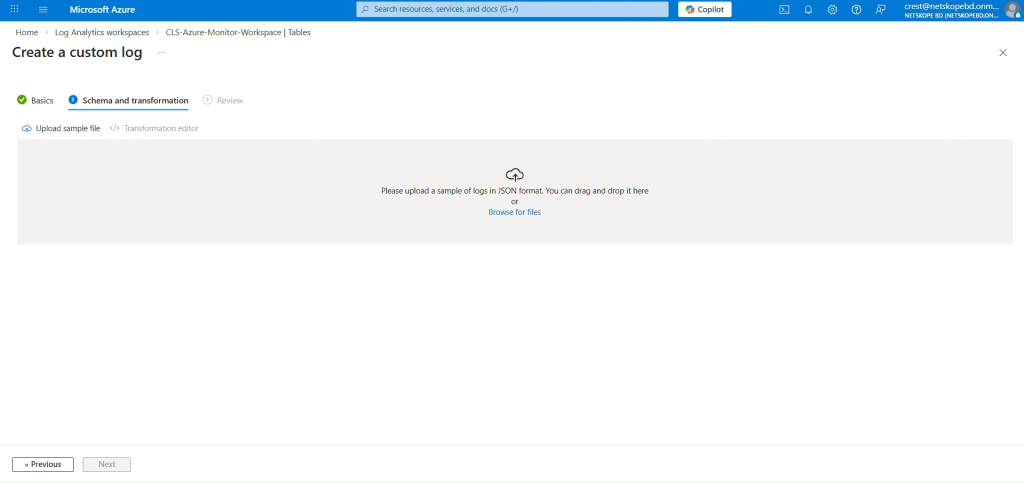
「スキーマと変換」タブで、 Browse for filesをクリックし、以前に作成したサンプルデータJSONファイルを選択します。
-
NextをクリックしてからCreateをクリックしてください。
-
カスタムログテーブルには、接尾辞「_CL」が付きます。
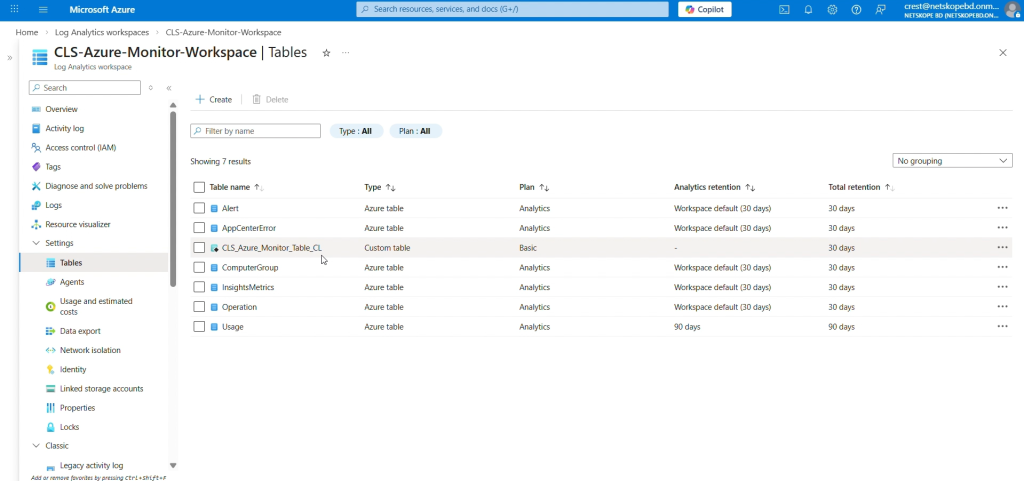 ここでは、テーブルプランをアナリティクスからベーシックに変更しています。ベーシックなログデータプランを使用すると、デバッグ、トラブルシューティング、監査のために大量の詳細ログをログアナリティクスワークスペースに取り込んで保存する際のコストを削減できるためです。テーブルプランが変更されず、アナリティクスとして維持されている場合、ログは問題なくテーブルに取り込まれます。分析テーブルの保持期間は、30日から730日まで設定可能です。基本テーブルの保持期間は8日間に固定されています。基本ログテーブルは、データを8日間保持します。既存のテーブルのプランを「基本ログ」に変更すると、Azure は 8 日以上経過したデータであっても、テーブルの元の保持期間内であればアーカイブします。
-
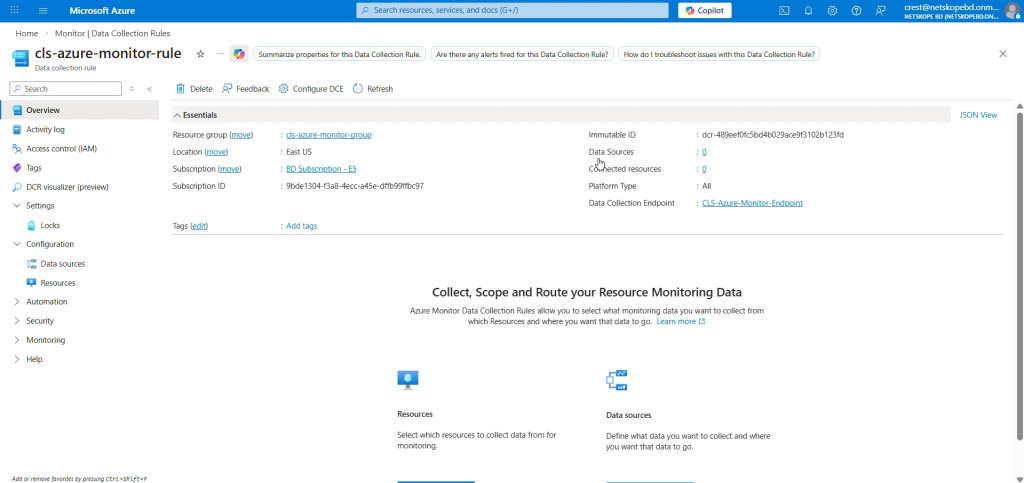
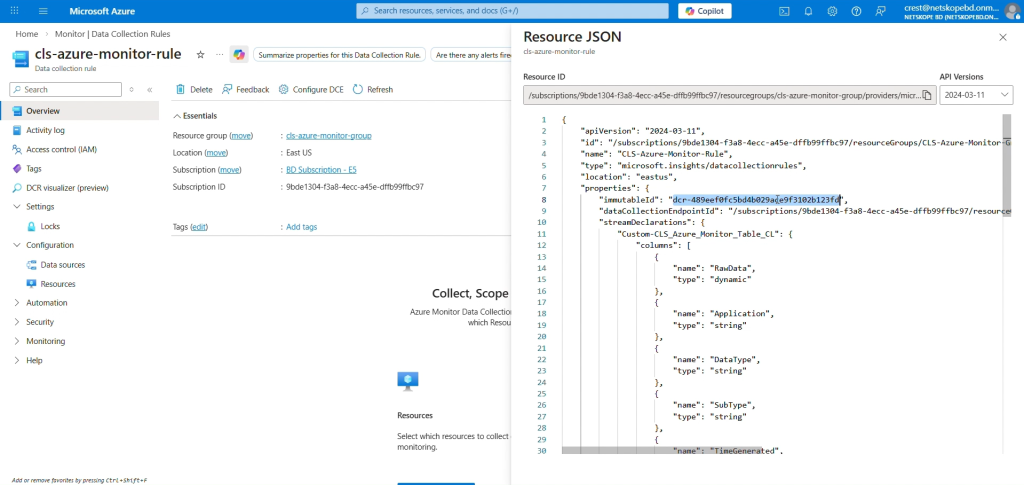
データ収集の不変IDを取得するには、Homeに移動し、MonitorからAzure Services > Data Collection Rulesを選択し、カスタムテーブルの作成中に作成したDCRを選択します。
-
概要タブで、右上隅のJSON Viewクリックし、immutableIdをコピーします。


DCRとDCEに権限を割り当てる
-
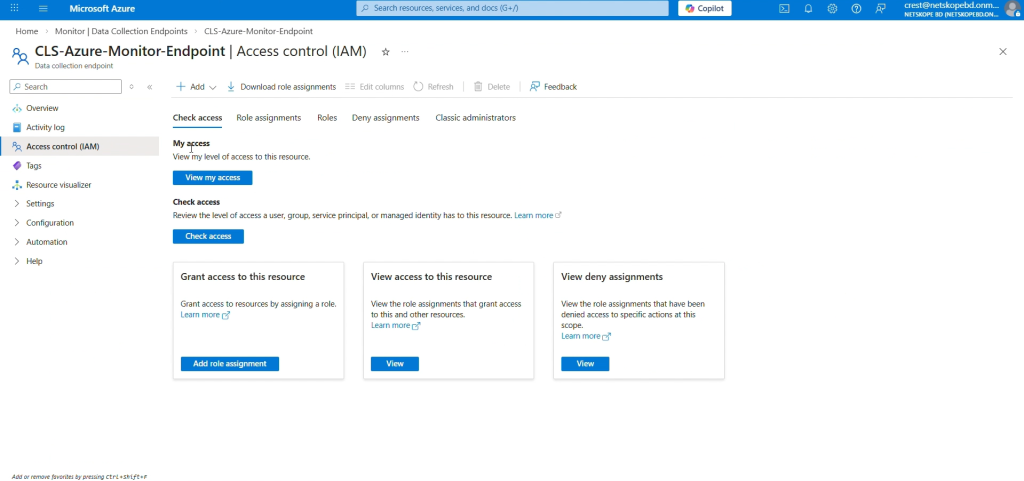
Azure ホームページで、 Monitor > Data Collection Endpointに移動し、以前に作成したエンドポイントを選択します。
-
Select Access control (IAM) して Add role assignmentをクリックします。
-
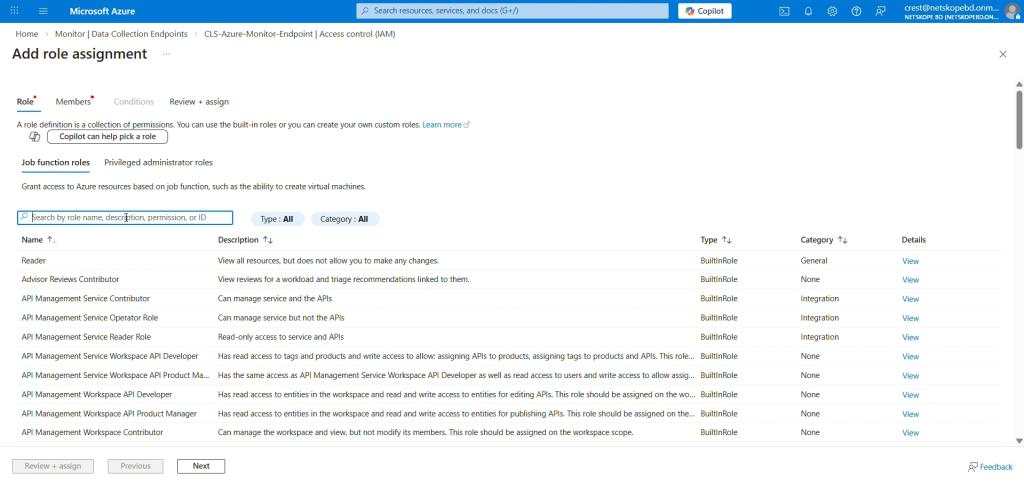
役割の一覧からMonitoring Metrics Publisherを選択し、 Nextをクリックします。
-
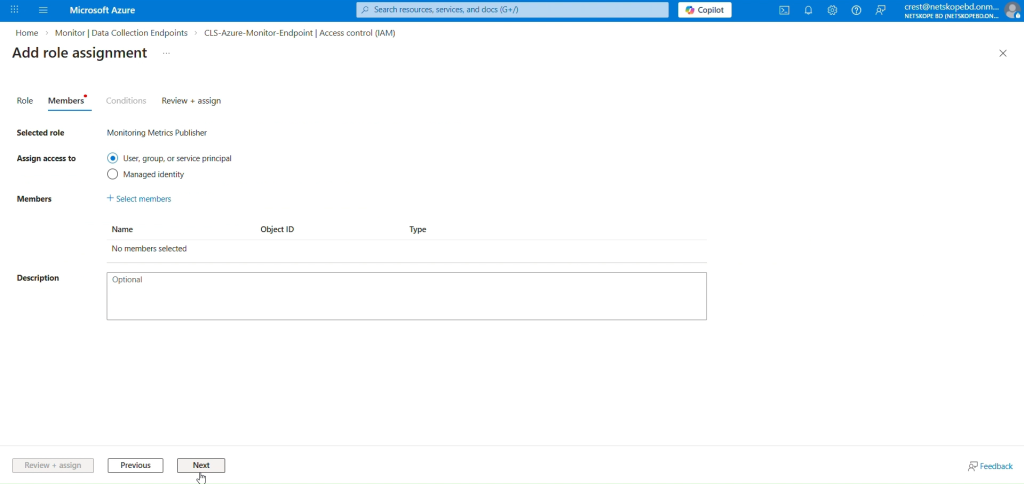
アクセス権限を割り当てるユーザー、グループ、またはサービスプリンシパルSelect 。
-
Select Membersをクリックして、検索ボックスに作成したアプリケーションを検索し、それを選択します。
-
Review + assignをクリックしてください。
-
これらの手順を繰り返して、DCR(データ収集ルール)に権限を割り当てます。


Microsoft Azure Log Analyticsプラグインを構成する
-
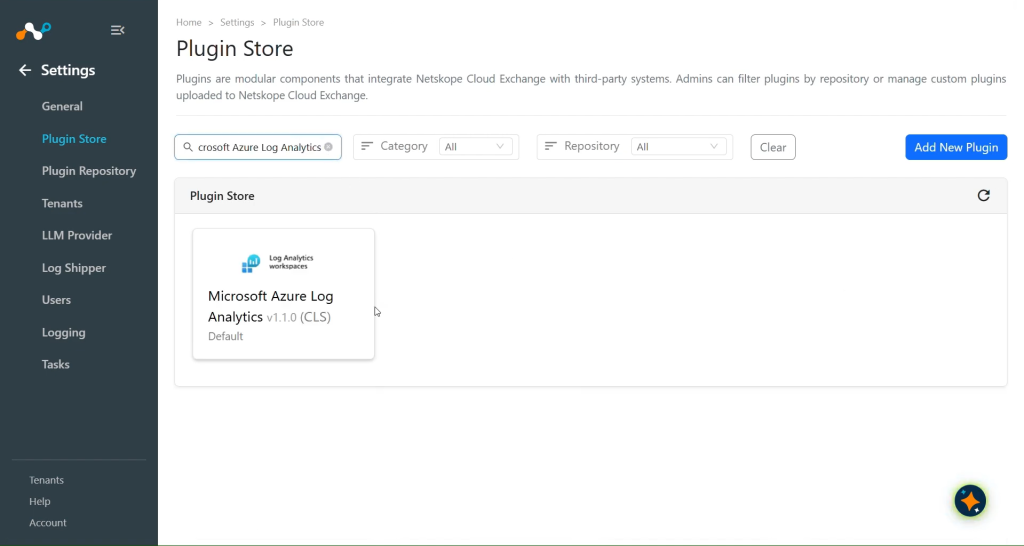
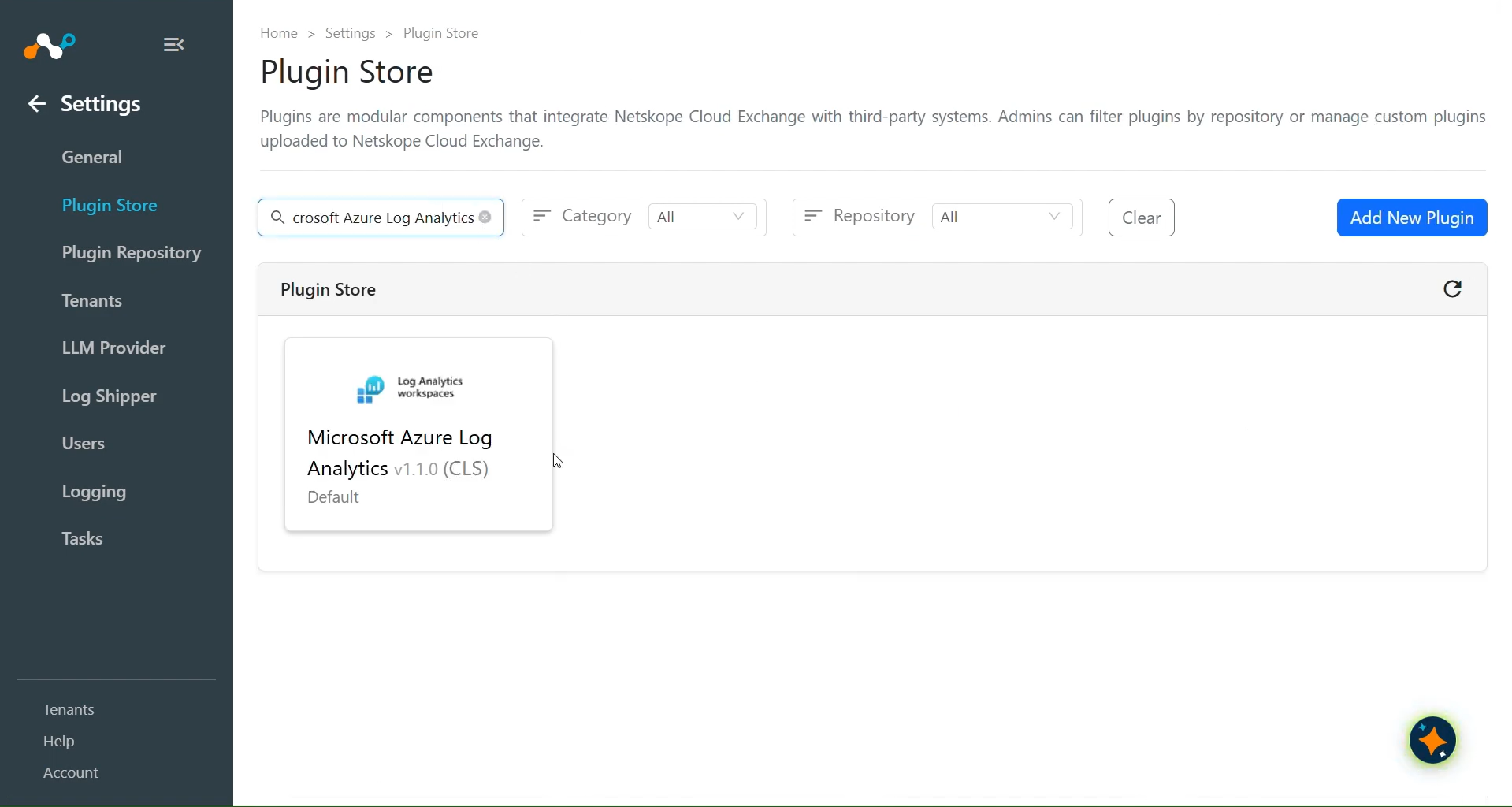
Cloud Exchange で、 Settings > Plugin Storeに移動します。Microsoft Azure Log Analytics v1.1.0 (CLS)プラグインを検索して選択してください。
-
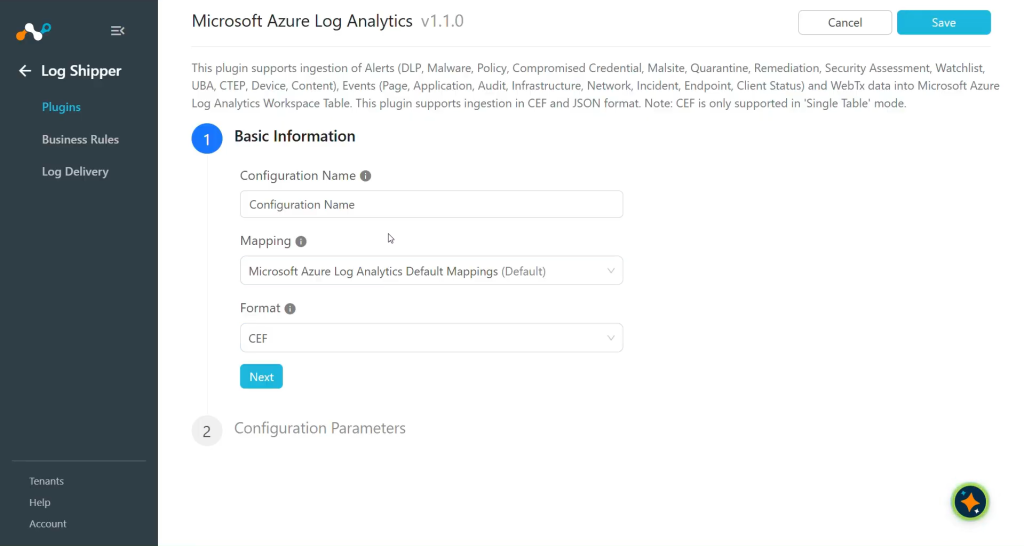
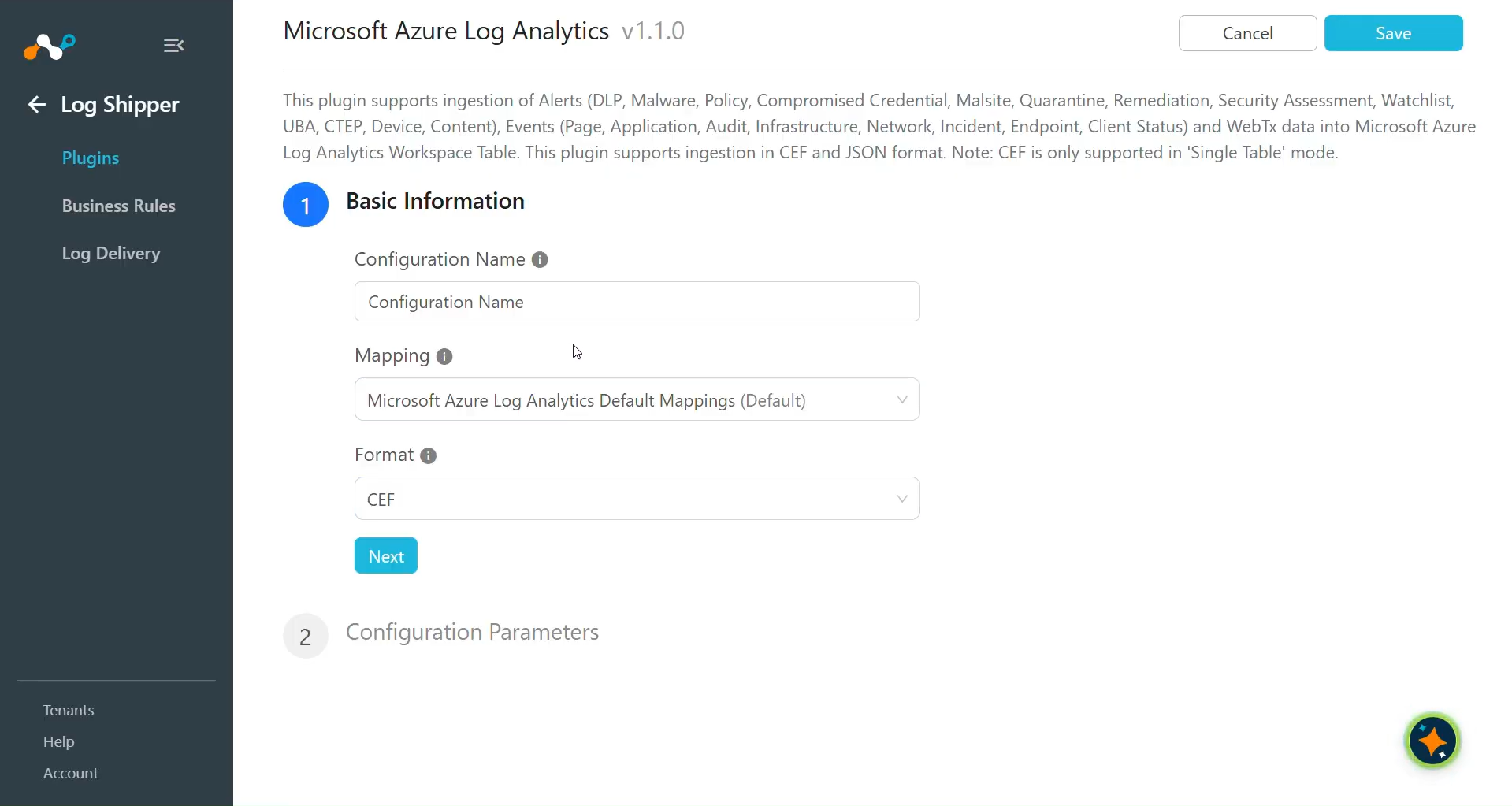
設定名を入力し、要件に従ってマッピングと形式を選択します。
-
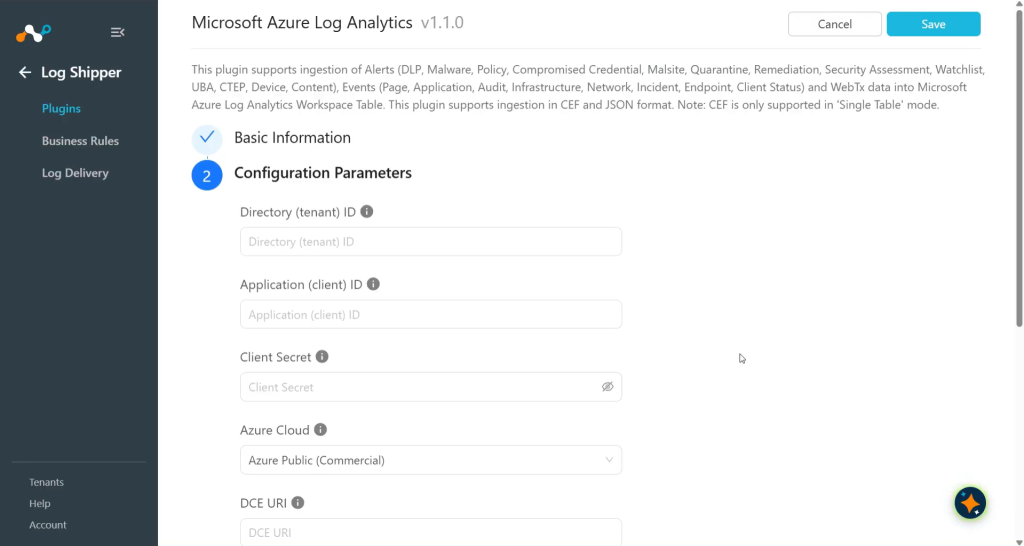
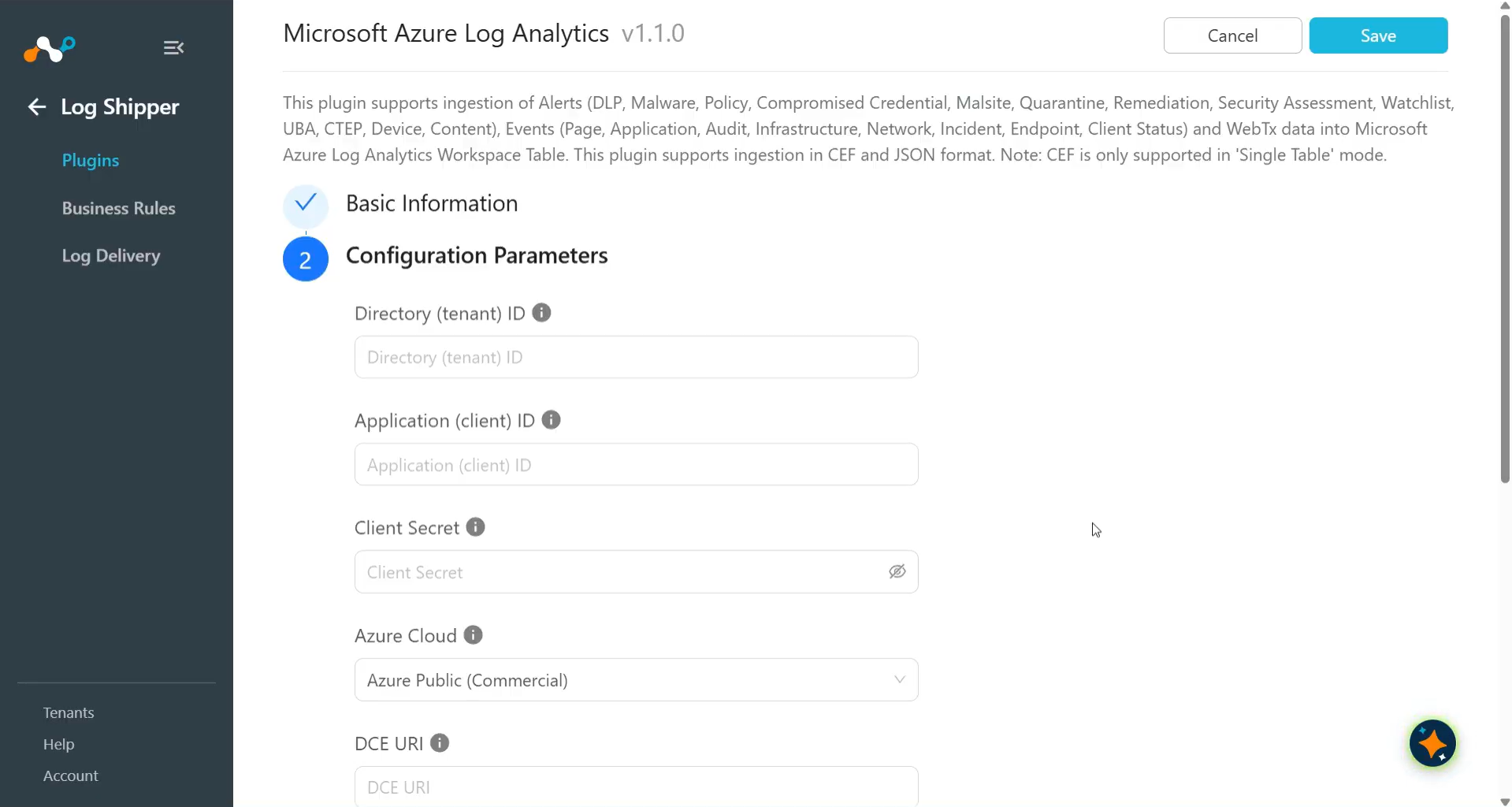
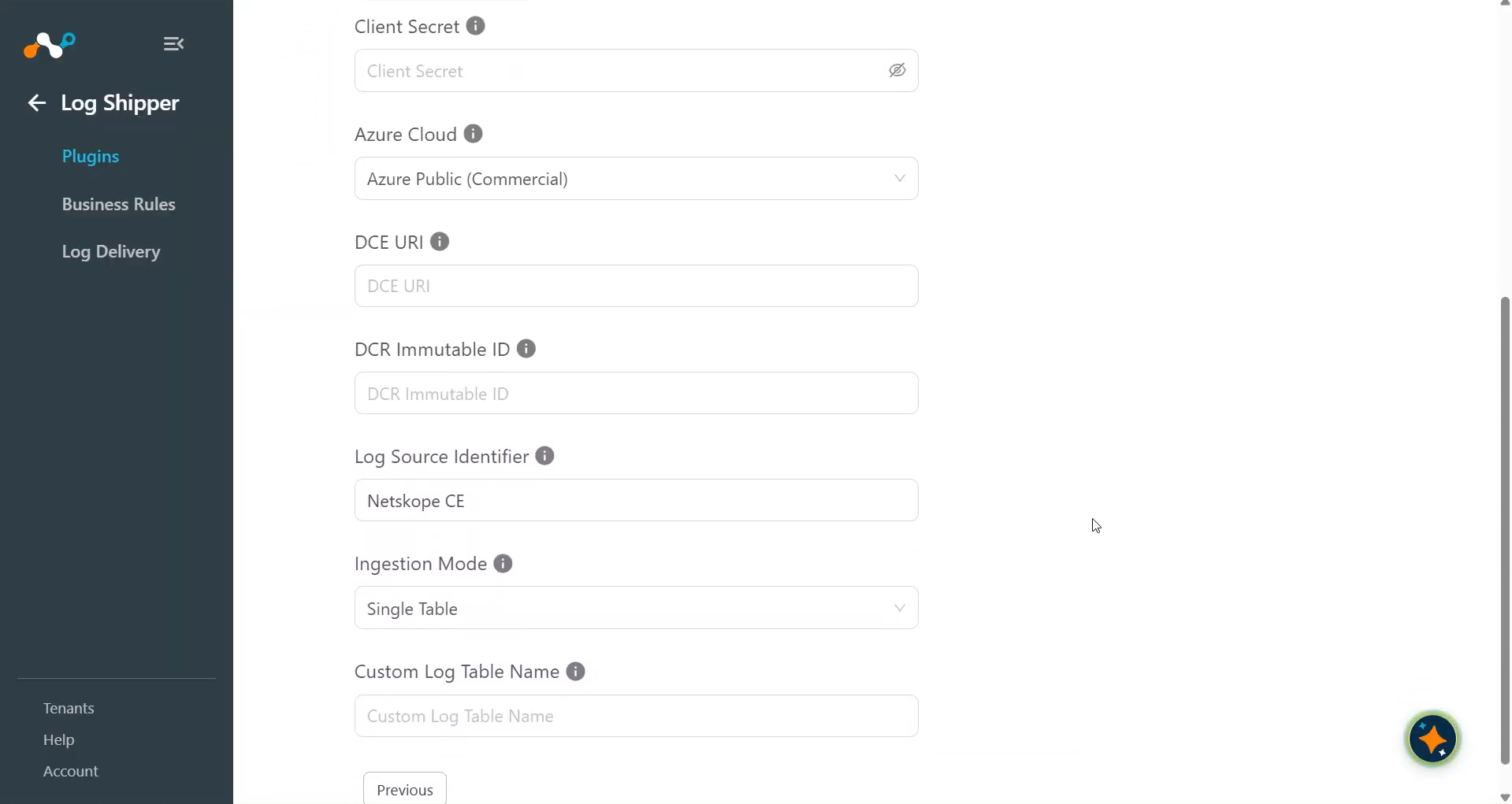
Nextをクリックして、設定パラメータを入力してください。
- Directory (tenant) ID: Microsoft Entra ID アプリケーションのディレクトリ(テナント)ID。
- Application (client) ID: Microsoft Entra IDアプリケーションのアプリケーション(クライアント)ID。
- Client Secret: Microsoft Entra ID アプリケーションのクライアントシークレット。
- Azure Cloud: Azure cloud that hosts the Microsoft Entra ID application and the Log Analytics workspace. Select Azure Public (Commercial), Azure US Government, Azure China (21Vianet), or Custom Cloud. The default is Azure Public (Commercial). Select Custom Cloud for any other Azure cloud.
- Custom Authority Host: AzureクラウドのMicrosoft Entra ID権限ホスト(例:login.microsoftonline.us)。ホスト名のみを入力してください。Azure CloudがCustom Cloudの場合のみ必要です。
- Custom Token Scope: AzureクラウドのAzure Monitorトークン範囲(例:https://monitor.azure.us/.default)。Azure Cloudがカスタムクラウドの場合にのみ必要です。
- DCE URI: データ収集エンドポイントのURI。URIはhttps://で始まり、選択したAzure Cloudに属している必要があります。
- DCR Immutable ID: データ収集ルールの不変のIDです。
- Log Source Identifier: すべての行の「アプリケーション」列に書き込まれる値。デフォルトは Netskope CE です。
- Ingestion Mode: Select Single Table to send all data to one table, or Per Data Type to route each data type to a separate table.
- Custom Log Table Name: すべてのレコードを受け取る宛先テーブルの名前。Ingestion ModeがSingle Tableの場合のみ必要です。
- Data Types to Ingest: Select one or more of Alerts, Events, and WebTx. Required only when Ingestion Mode is Per Data Type.
- Alerts Custom Log Table Name: Destination table for Alerts data. Required only when Ingestion Mode is Per Data Type.
- Events Custom Log Table Name: Destination table for Events data. Required only when Ingestion Mode is Per Data Type.
- WebTx Custom Log Table Name: Destination table for WebTx data. Required only when Ingestion Mode is Per Data Type.
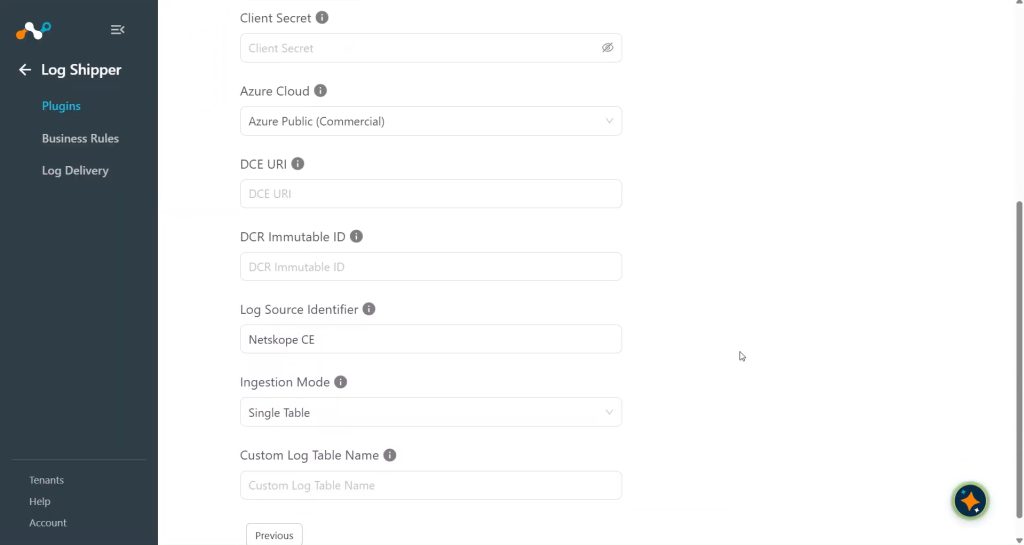 CEF形式は、データ型ごとの取り込みモードではサポートされていません。
-
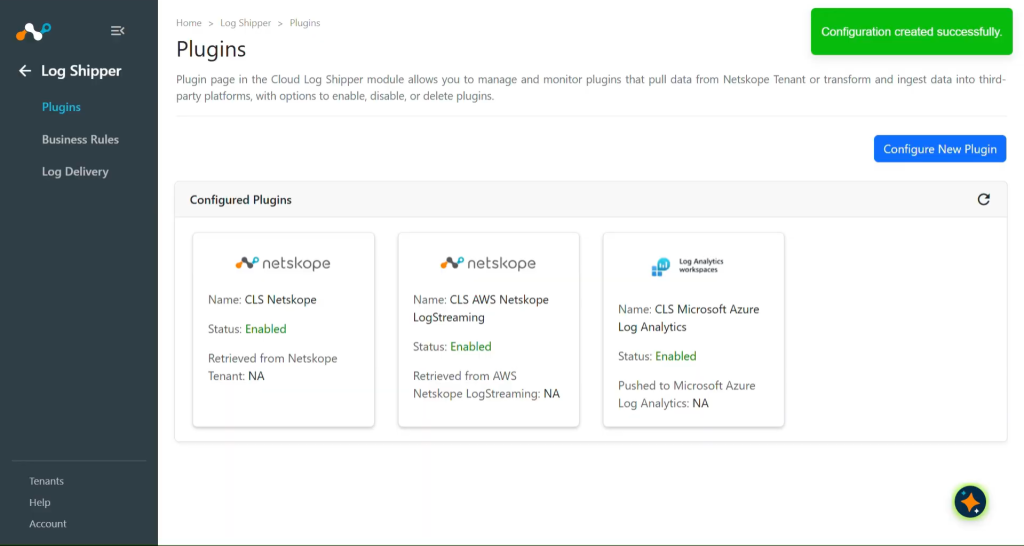
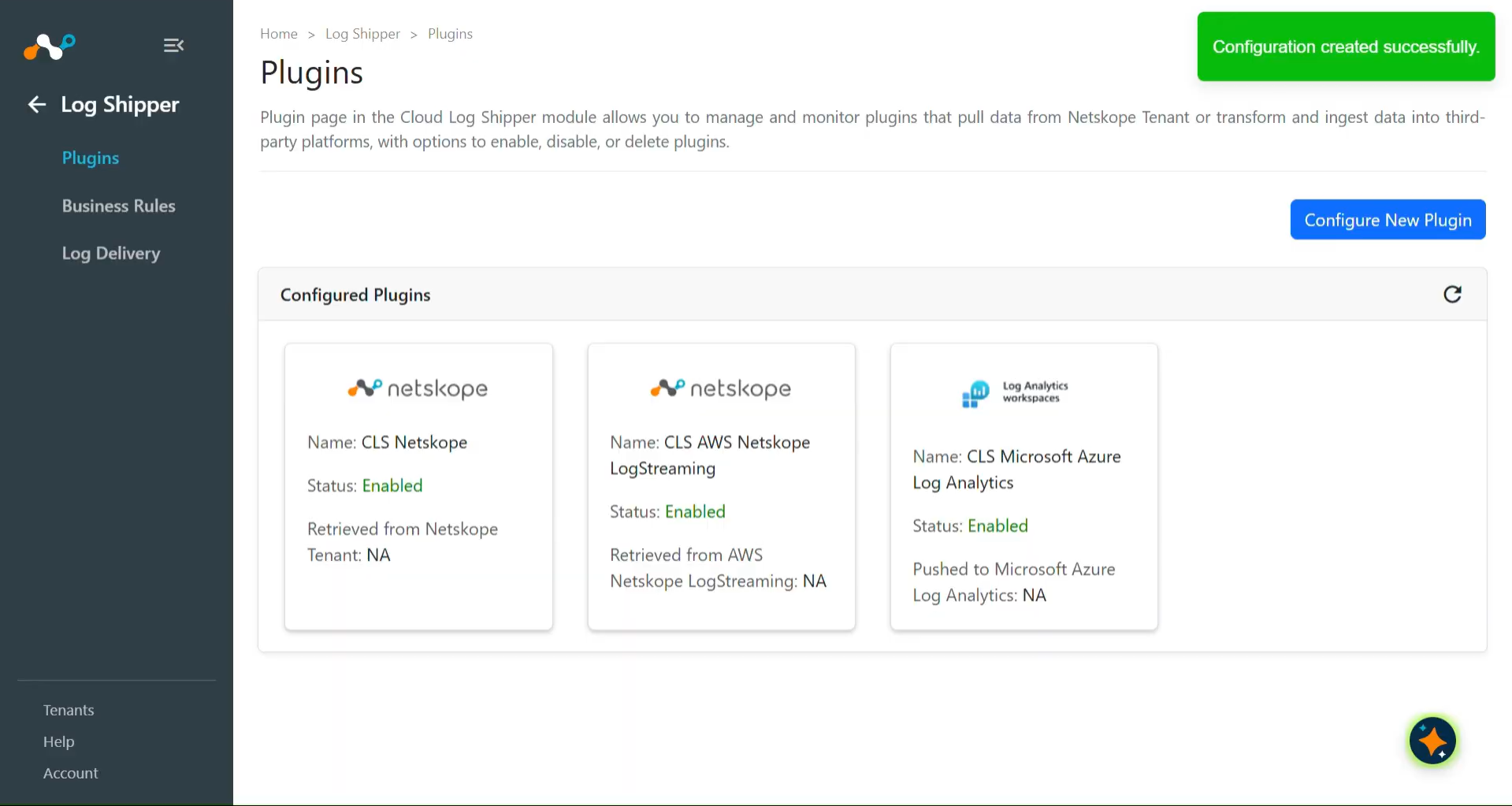
Saveをクリックします。新しいプラグインがログシッパー > プラグインページに表示されます。
Microsoft Azure Log Analytics のログシッパービジネスルールを構成する
-
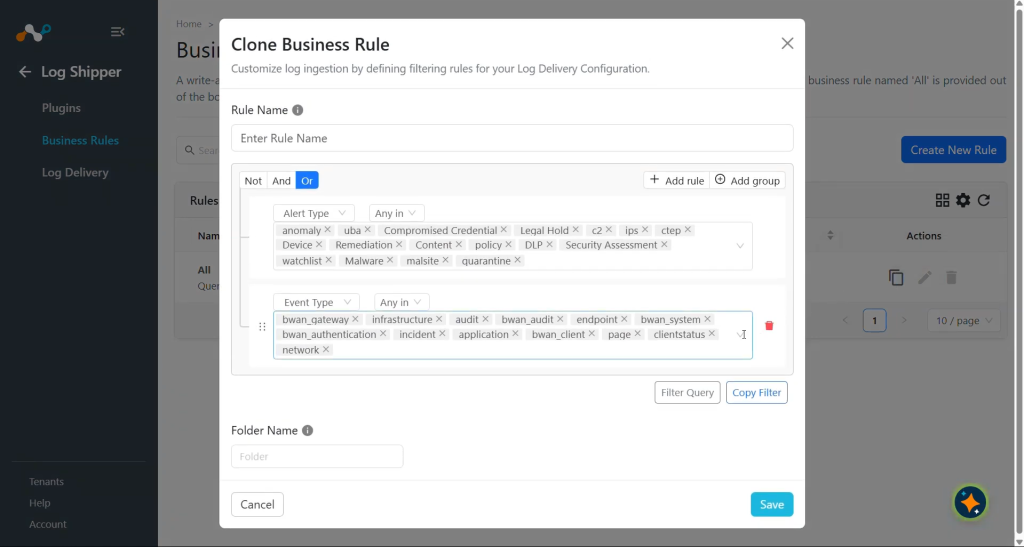
Log ShipperでBusiness Rulesに移動し、 Add Business Ruleをクリックします。
-
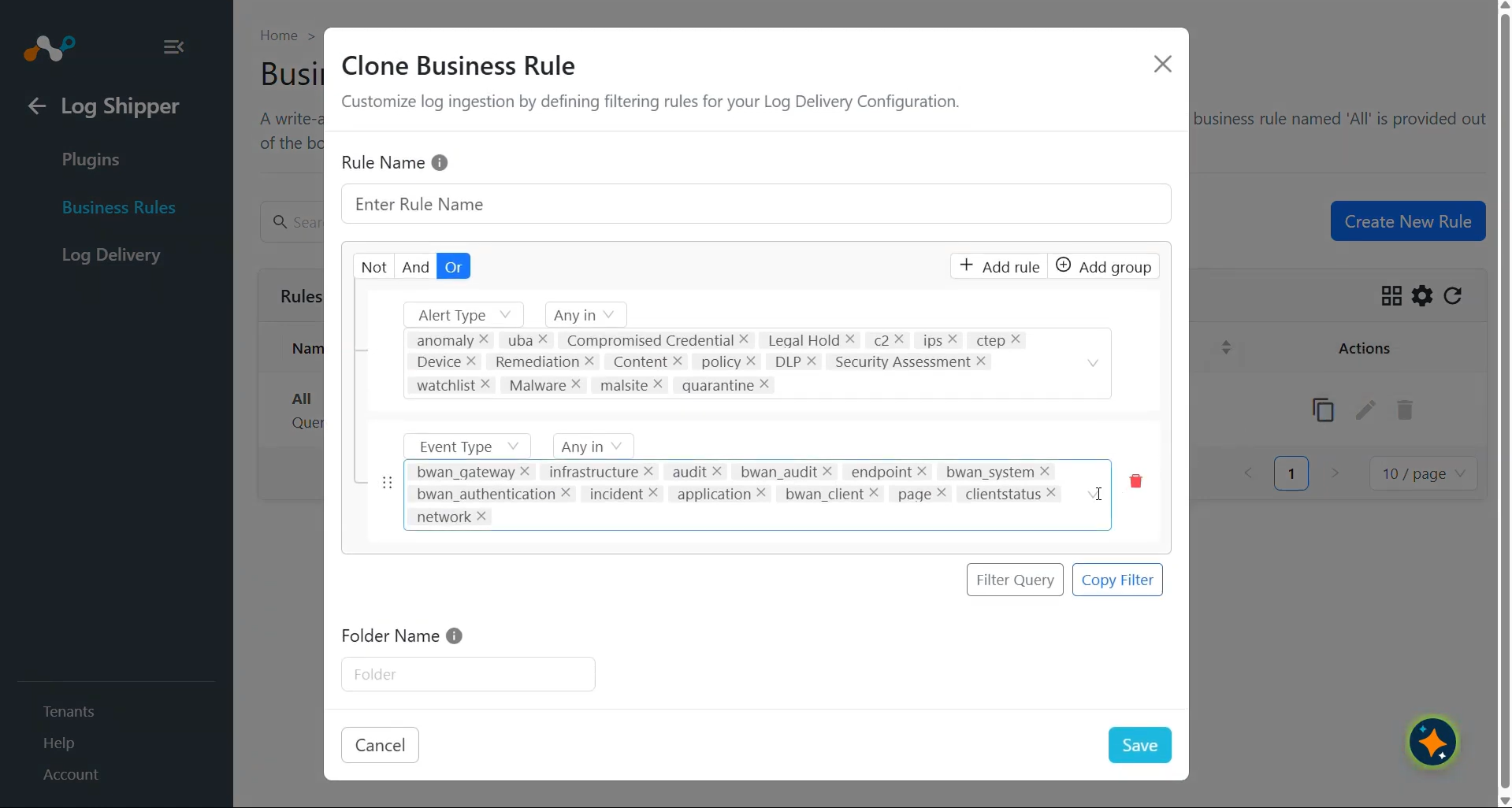
デフォルトでは、すべてのアラートとイベントをフィルタリングするビジネスルールが設定されています。特定の種類のアラートやイベントを除外したい場合は、 Create New Ruleをクリックして、ルール名とフィルターを追加して新しいビジネスルールを設定します。
-
Saveをクリックしてください。
Microsoft Azure Log Analyticsのログシッパーログ配信を構成する
-
Log ShipperでLog Deliveryに移動し、 Add Log Delivery Configurationをクリックします。
-
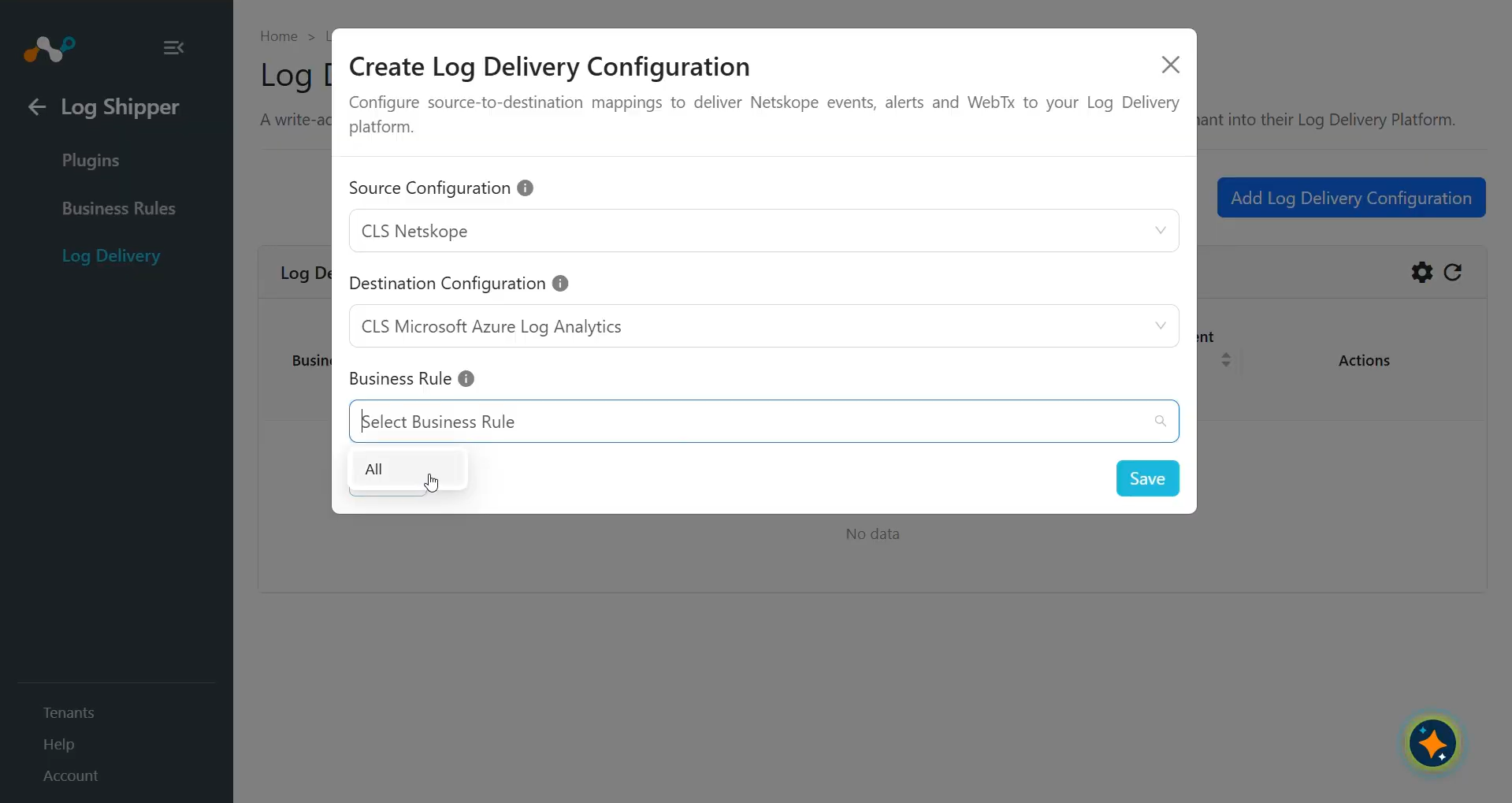
ソース構成、宛先構成、およびビジネスルールSelect 。
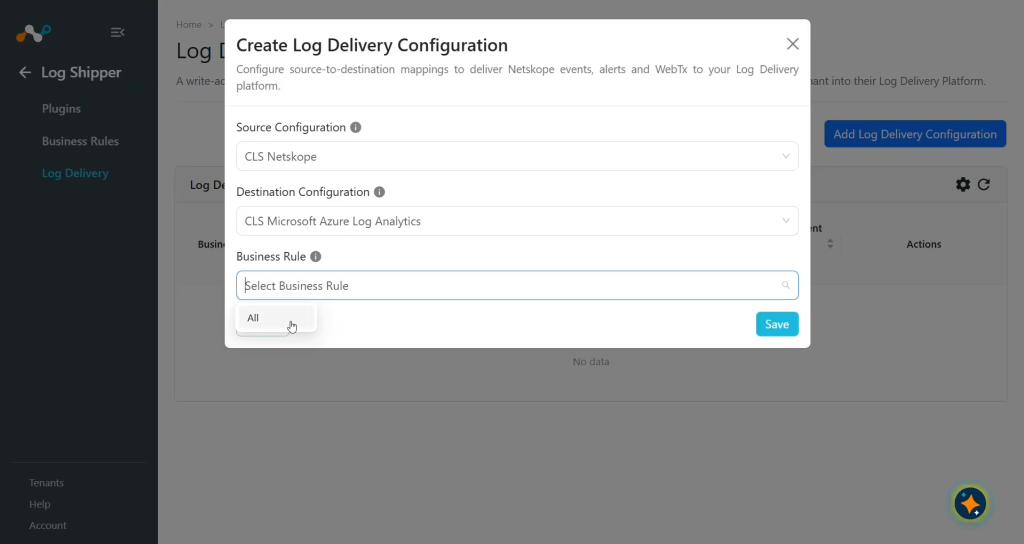
-
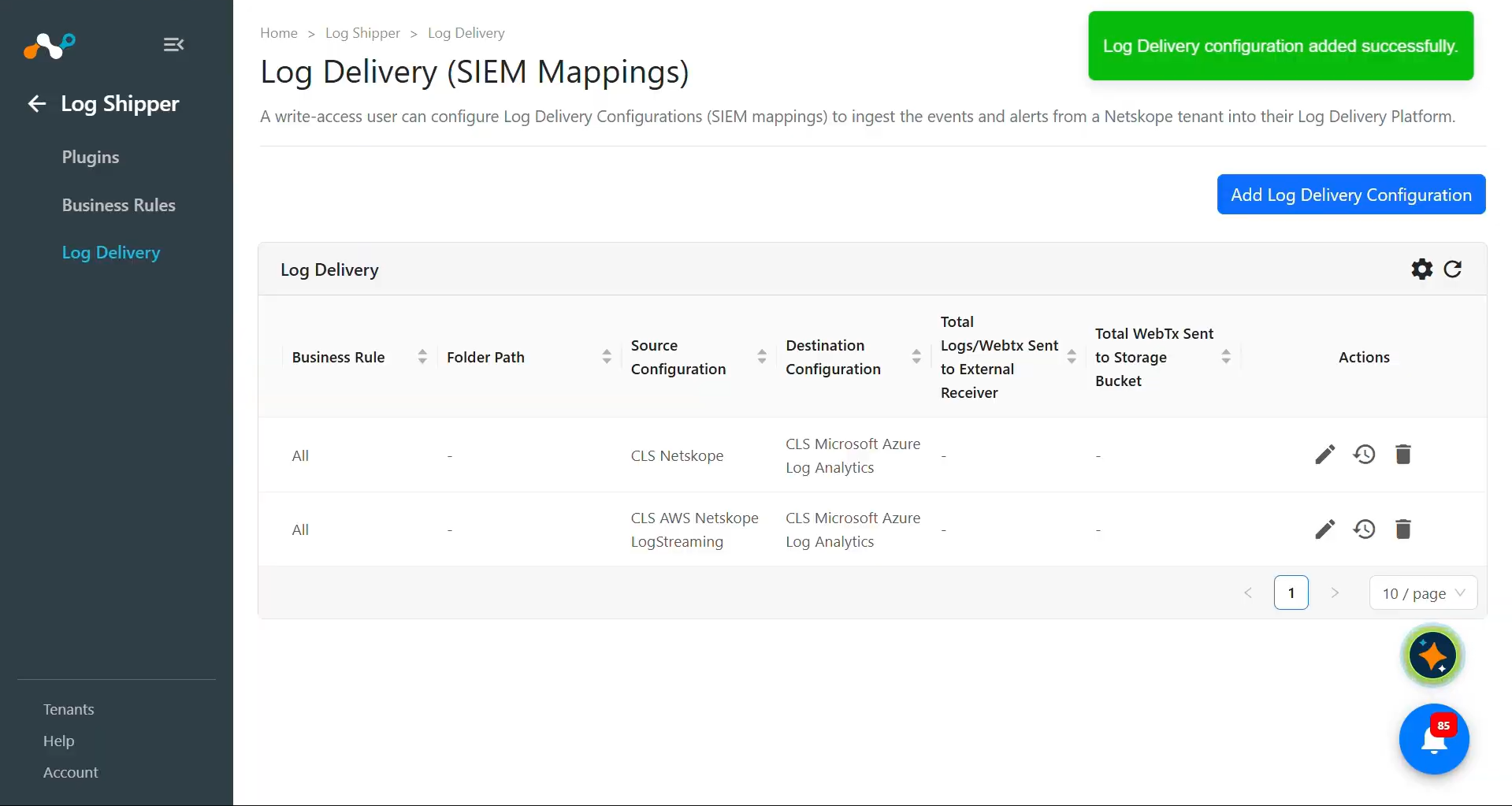
Saveをクリックしてください。
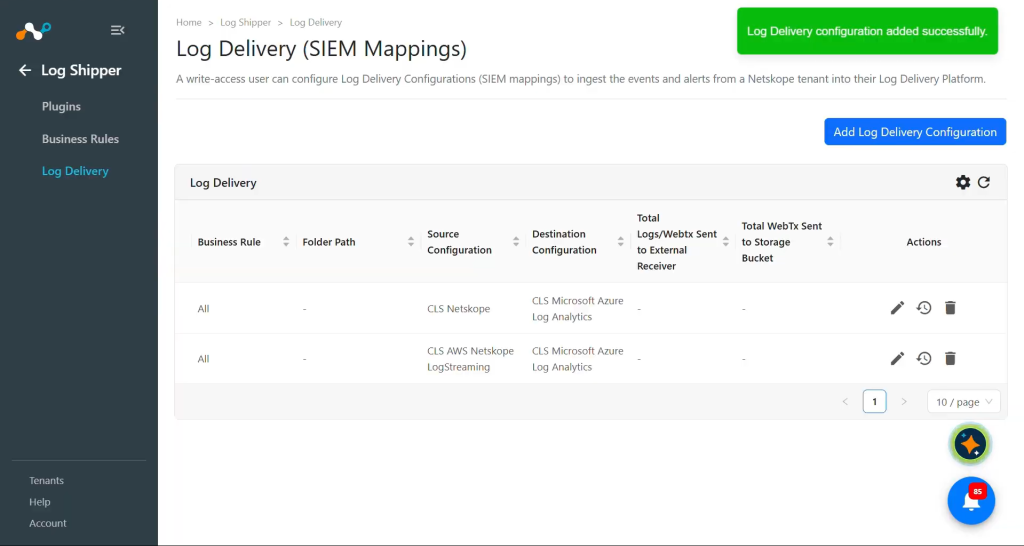
ログ配信が追加されると、 Netskopeテナントからのデータの取得と Azure Monitor プラットフォームへの取り込みが開始されます。
Microsoft Azure Log Analyticsプラグインを検証する
プルを検証する
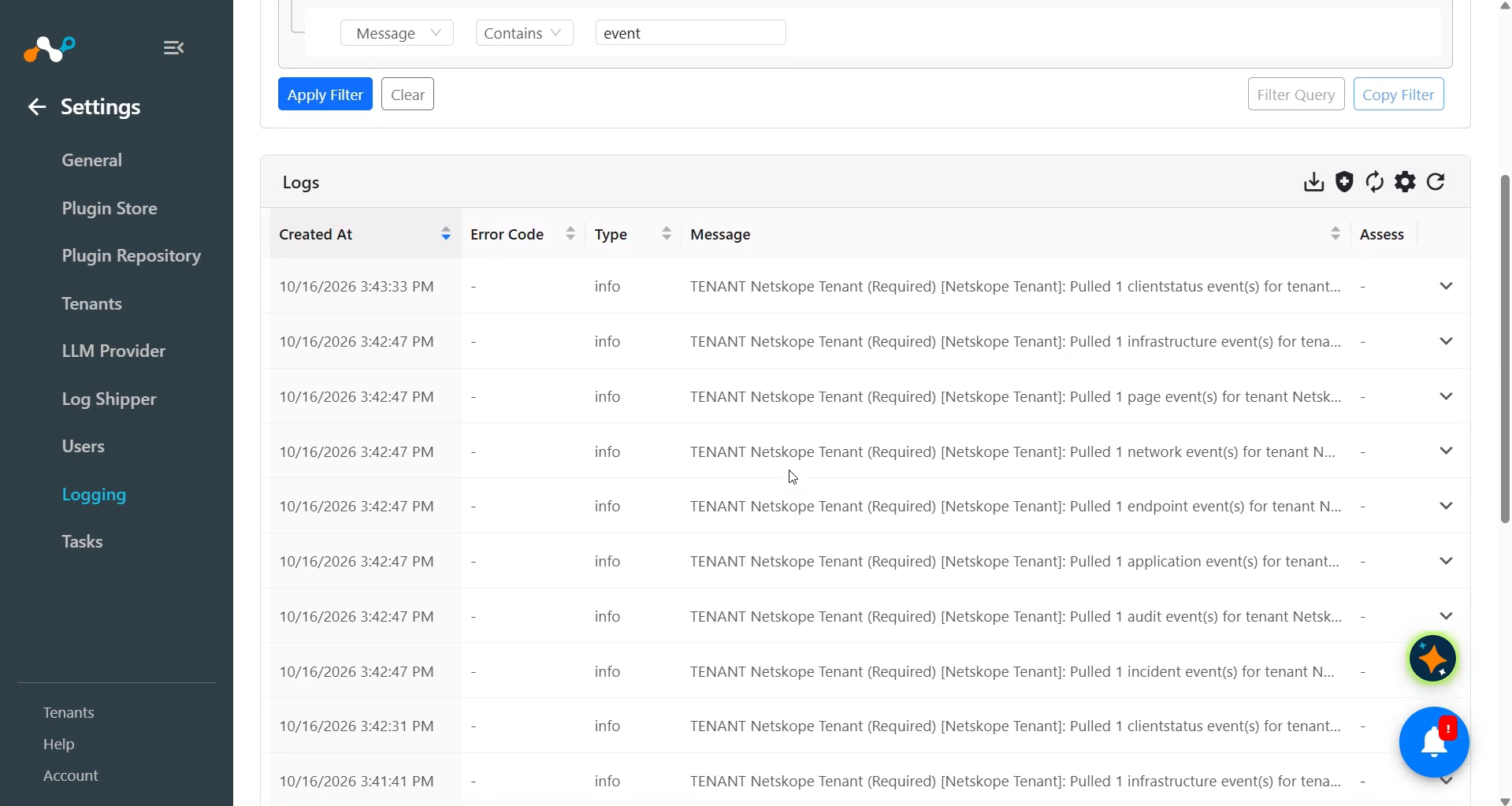
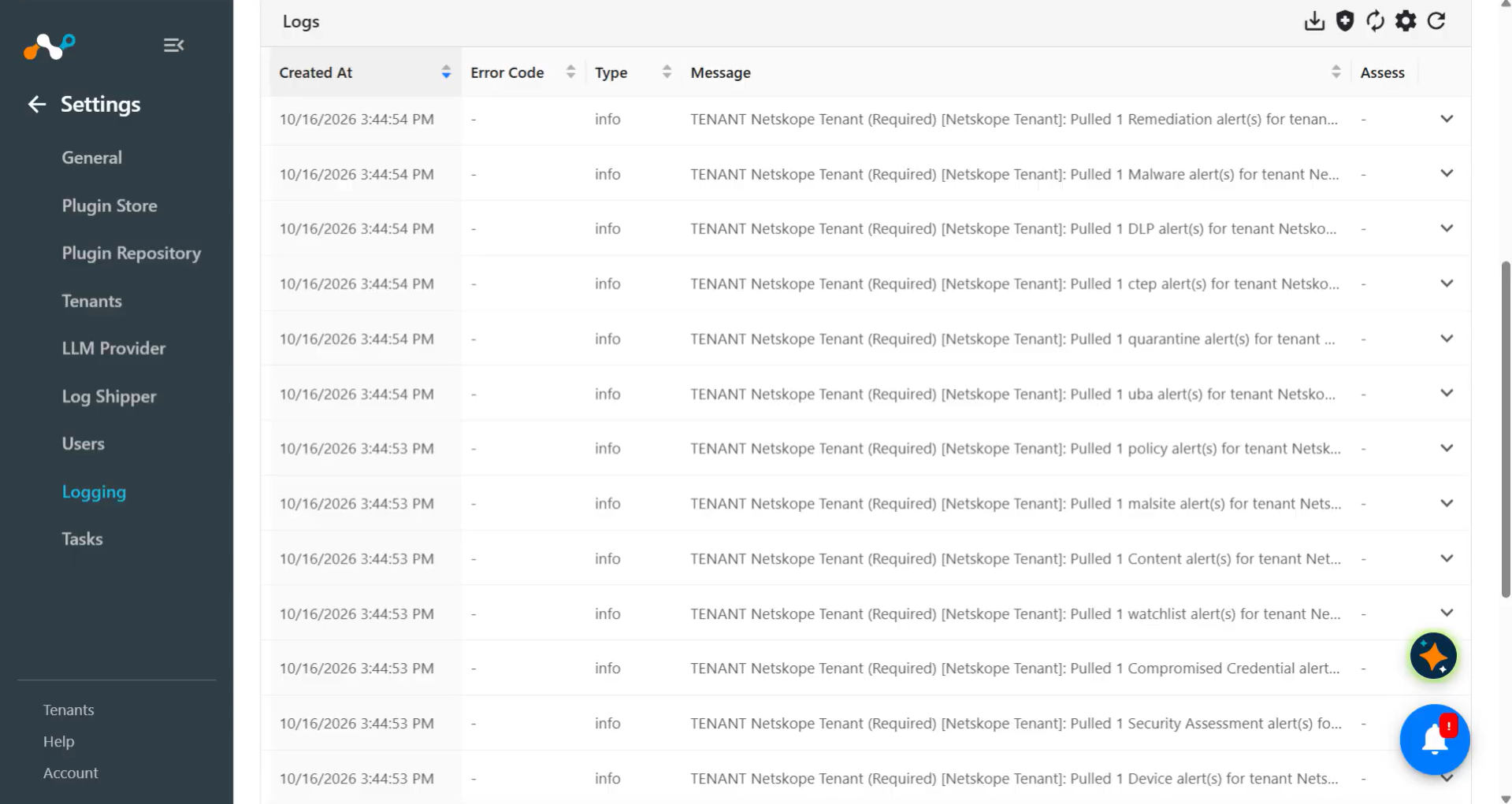
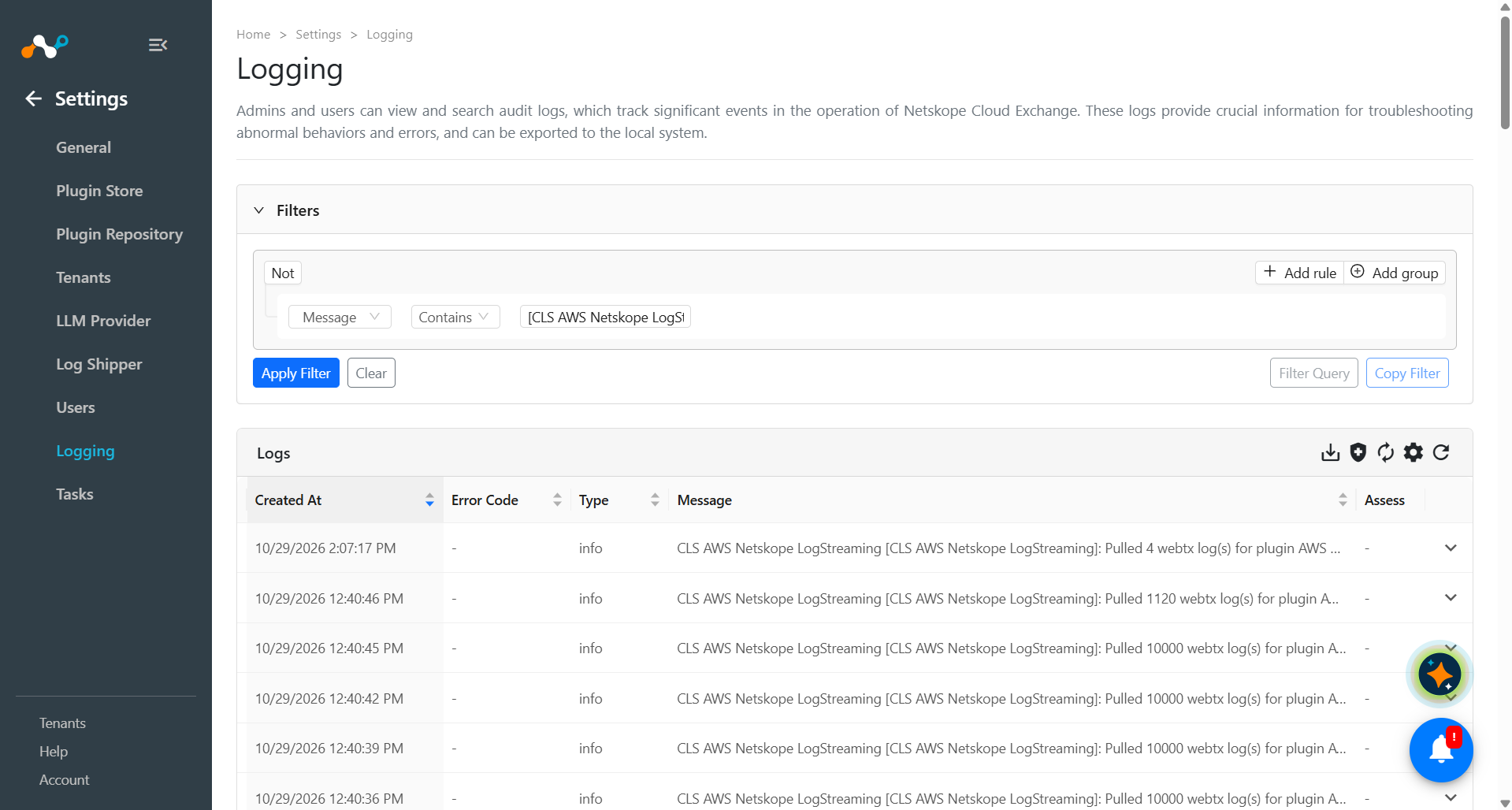
Netskopeテナントからのアラート、イベント、WebTxの取得を検証します。
Cloud ExchangeでLoggingに移動し、取得したログを検索します。
プッシュ通知を検証する
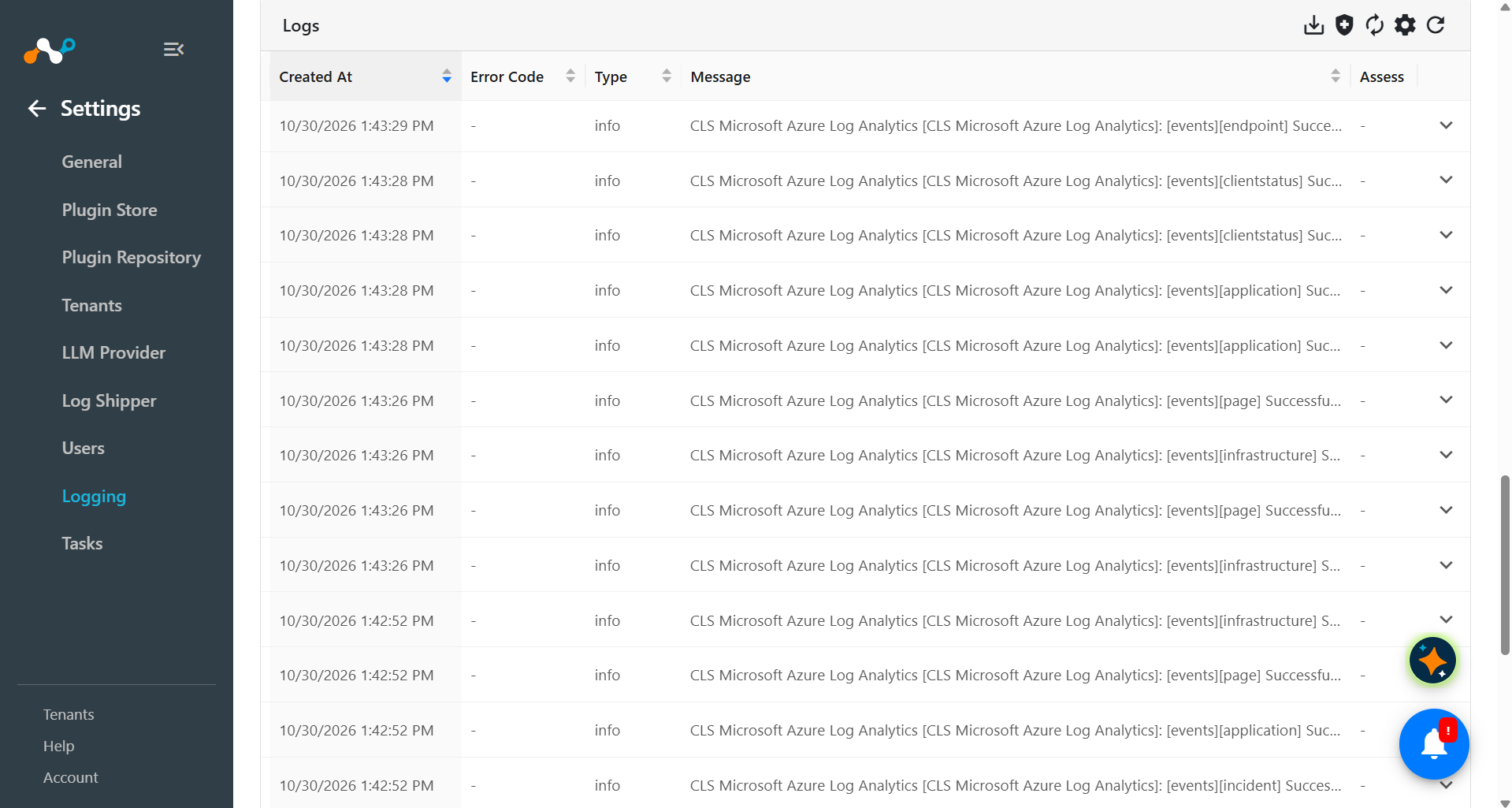
Cloud Exchange でプラグインワークフローを検証するには、Logging に移動し、message contains ingested というフィルターを使用して、取り込まれたイベント、アラート、WebTx を検索します。
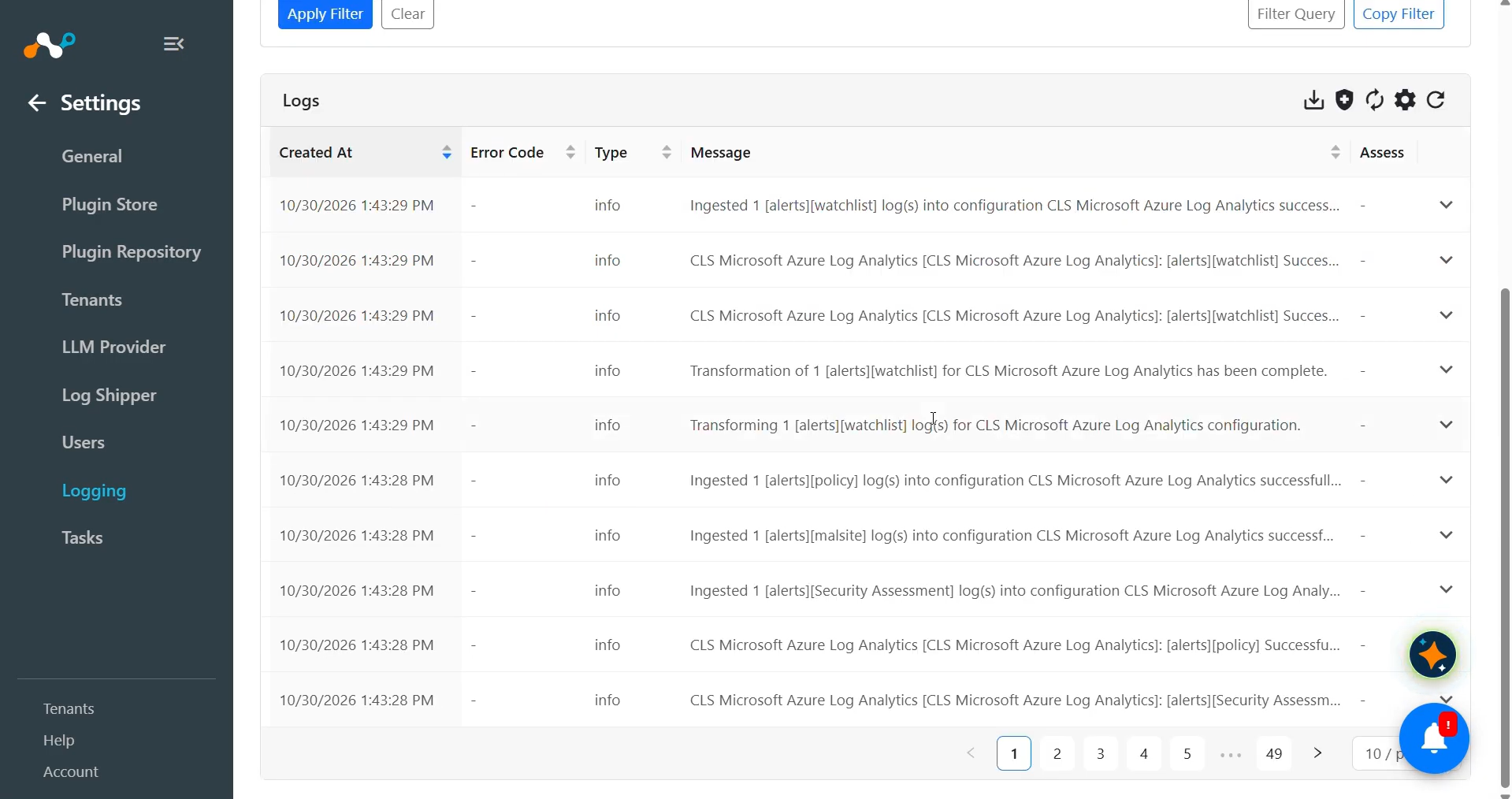
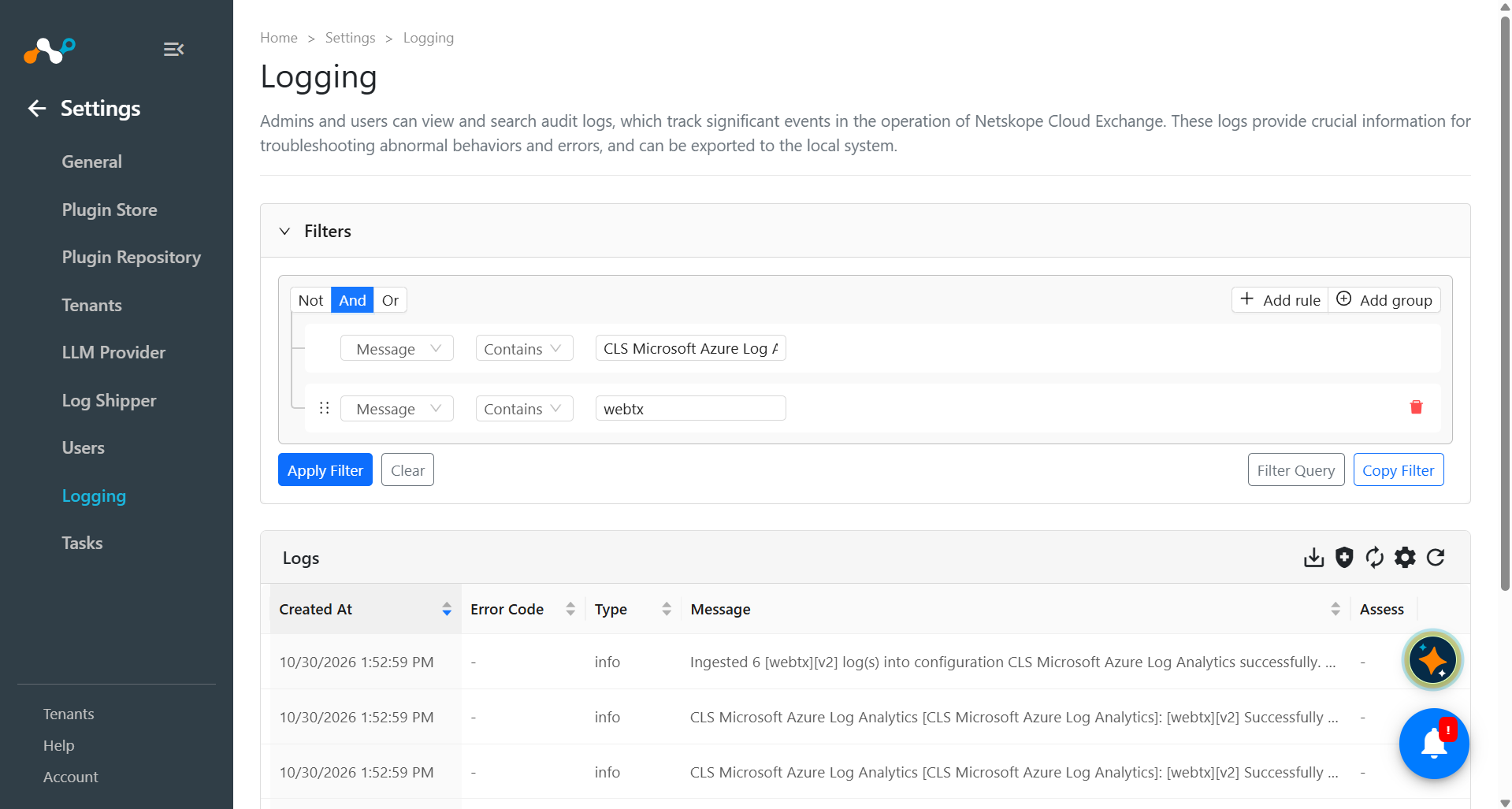
Microsoft Azure Log Analytics へのプッシュを検証するには:
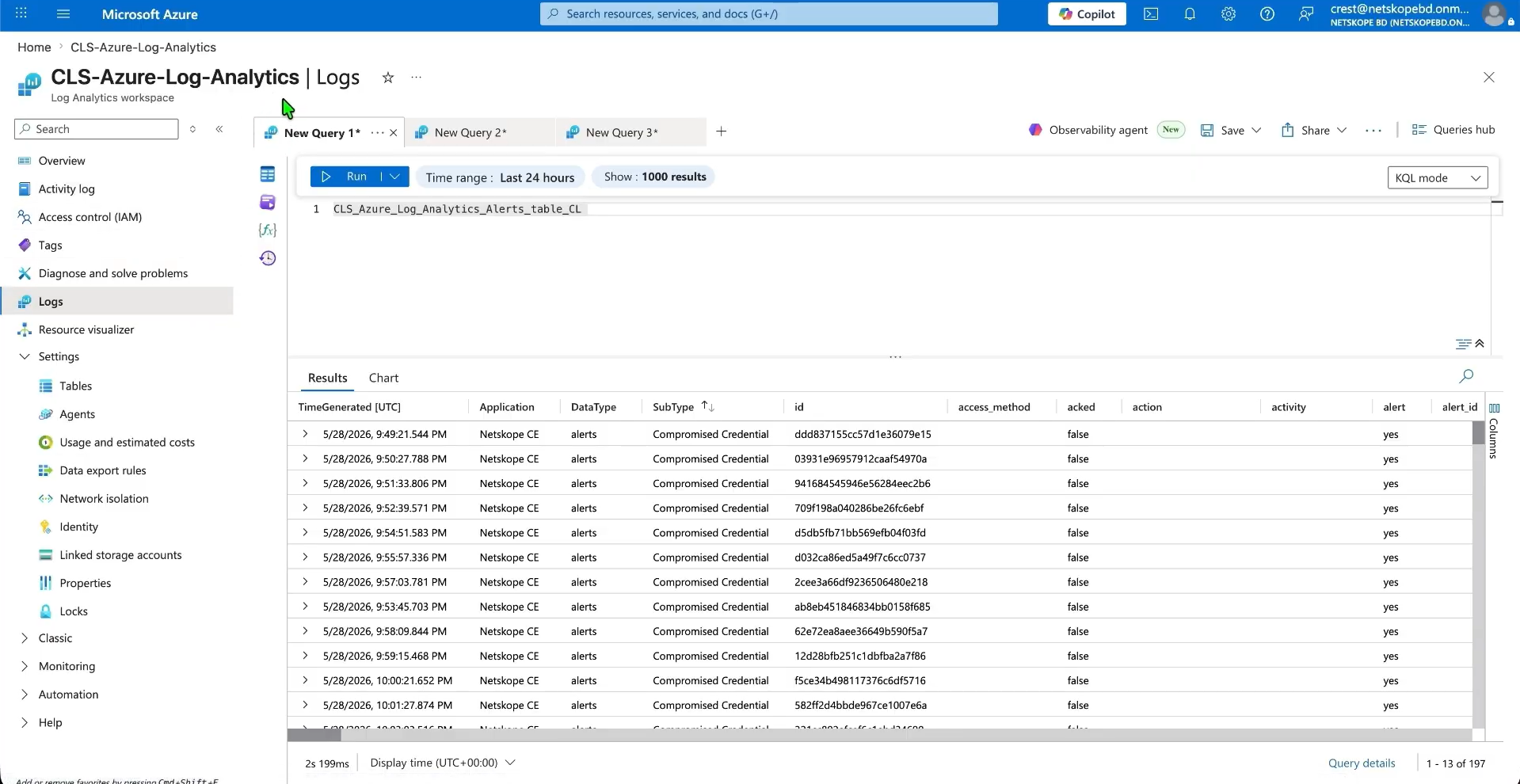
- Azure Portal で、 Log Analytics workspaceに移動してLogsを開きます。
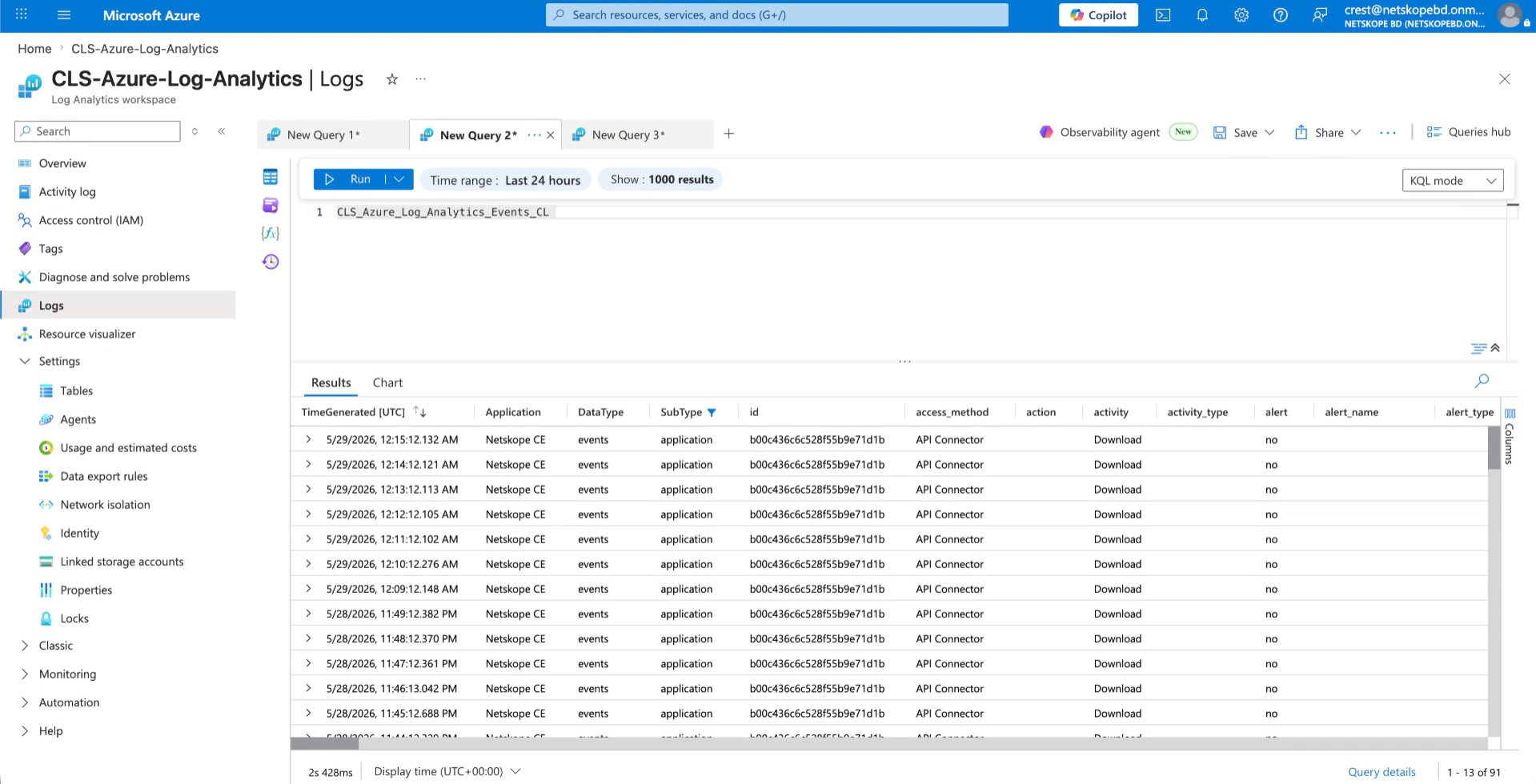
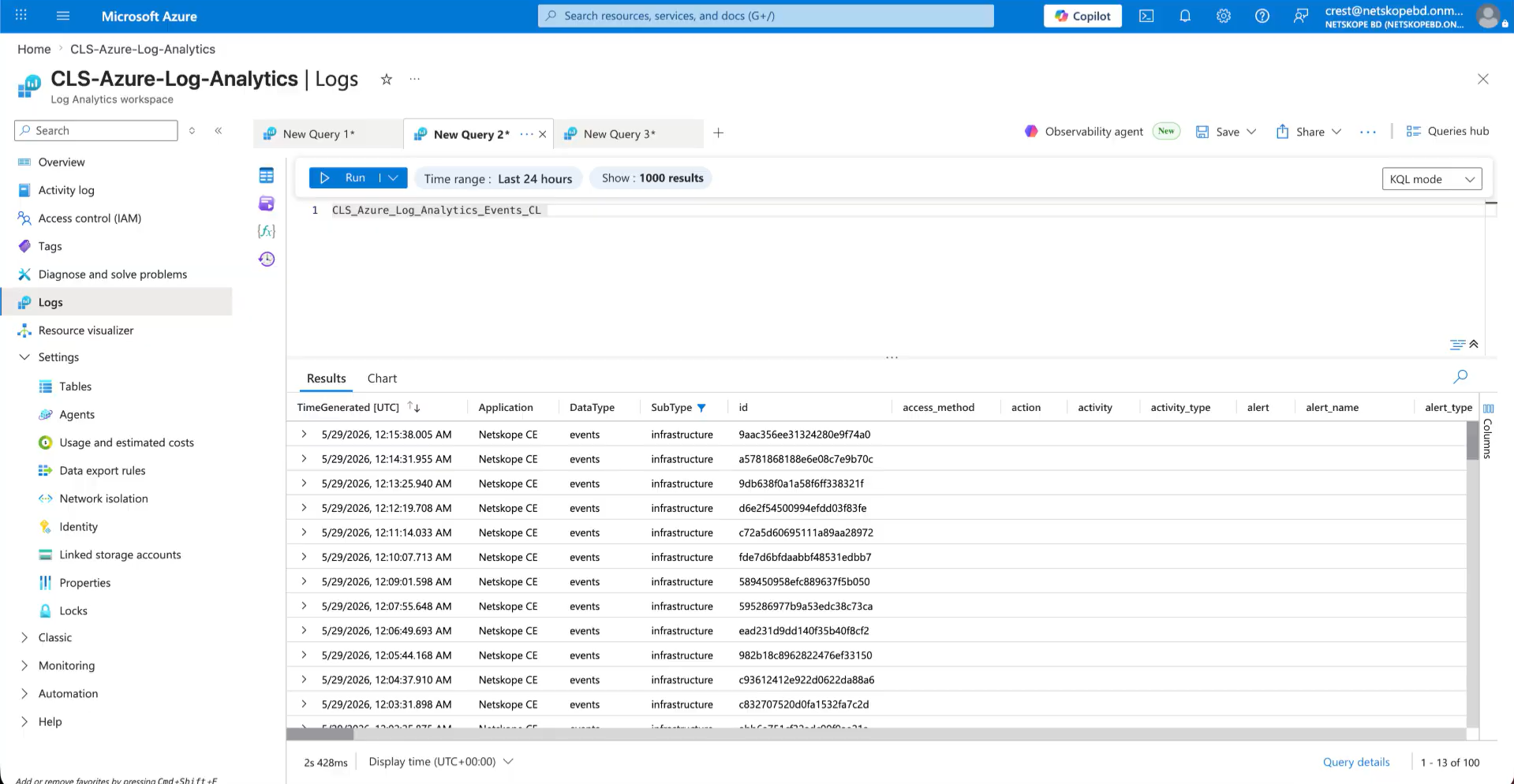
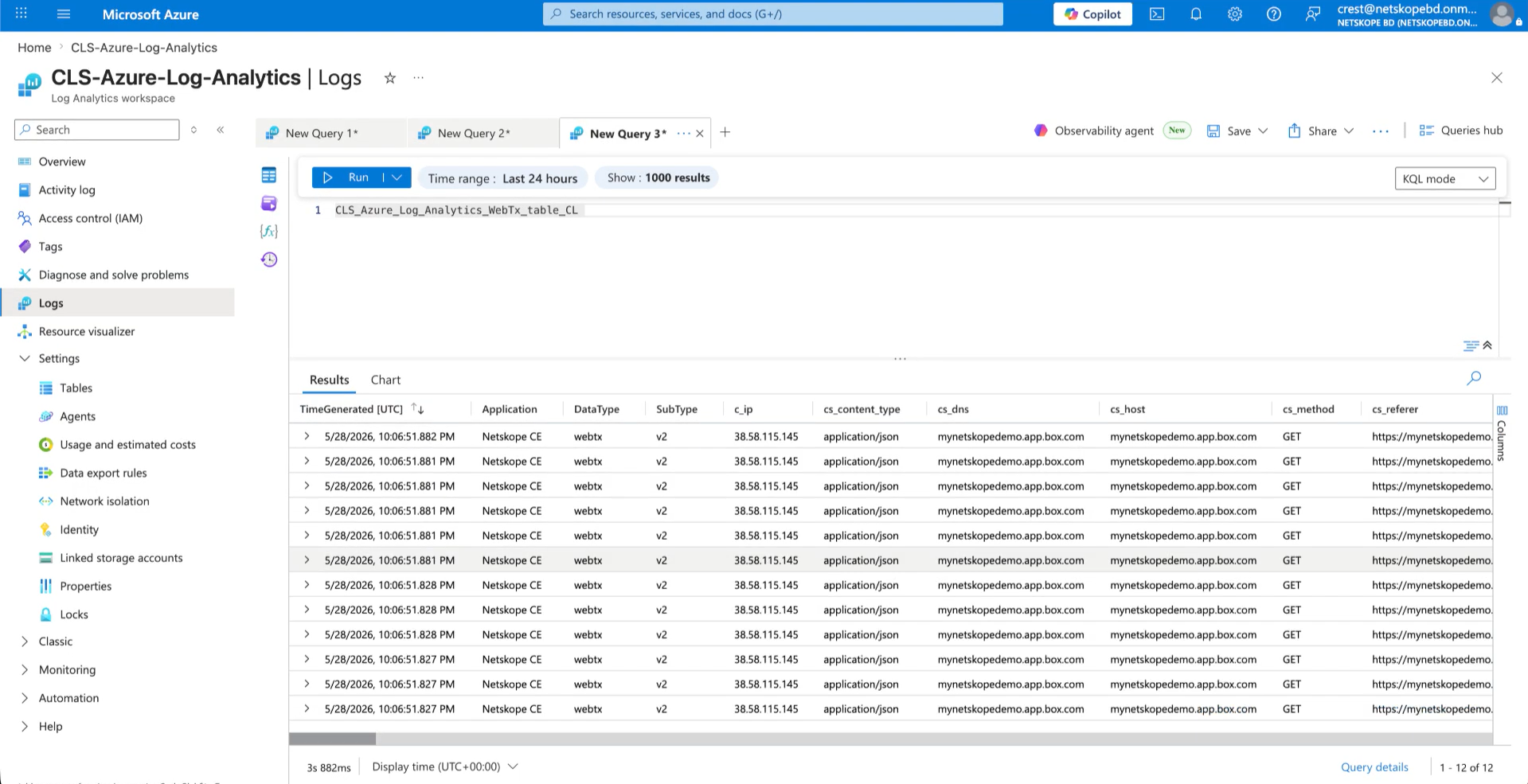
- カスタムログテーブル(例:YourTableName_CL | take 10)をクエリし、レコードが取り込まれたことを確認します。
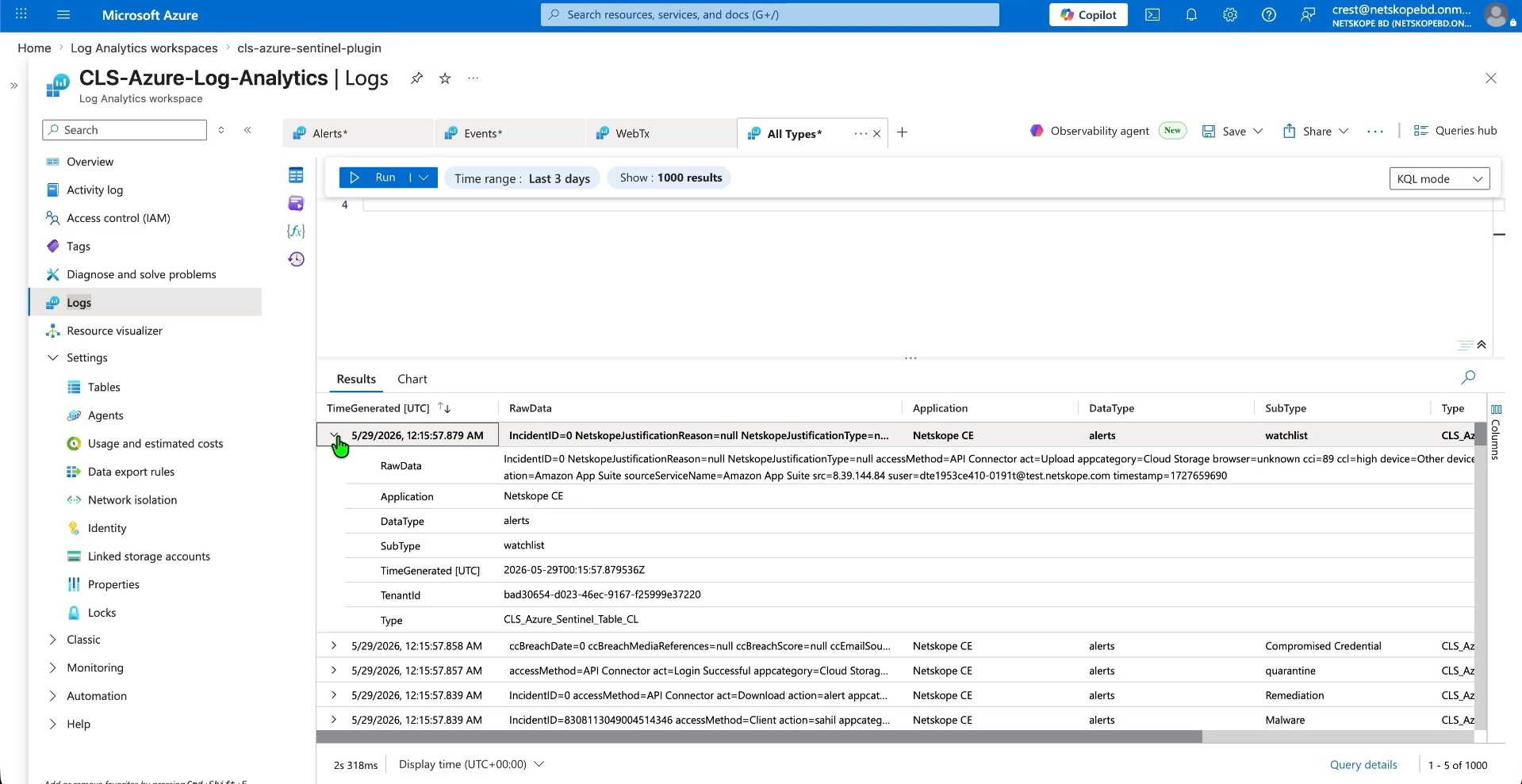
- 例えば、以下はアラートテーブルに取り込まれたアラートです。
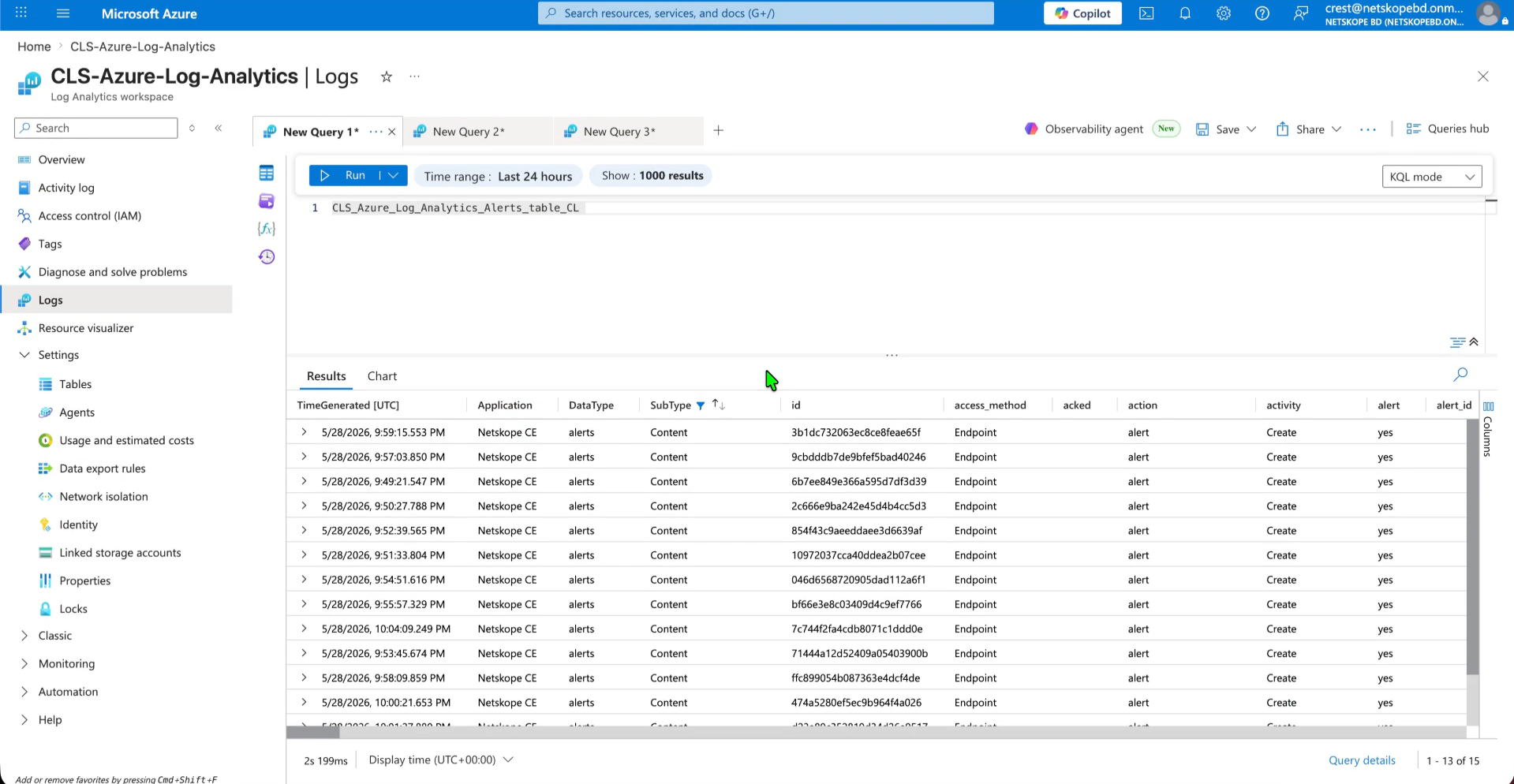
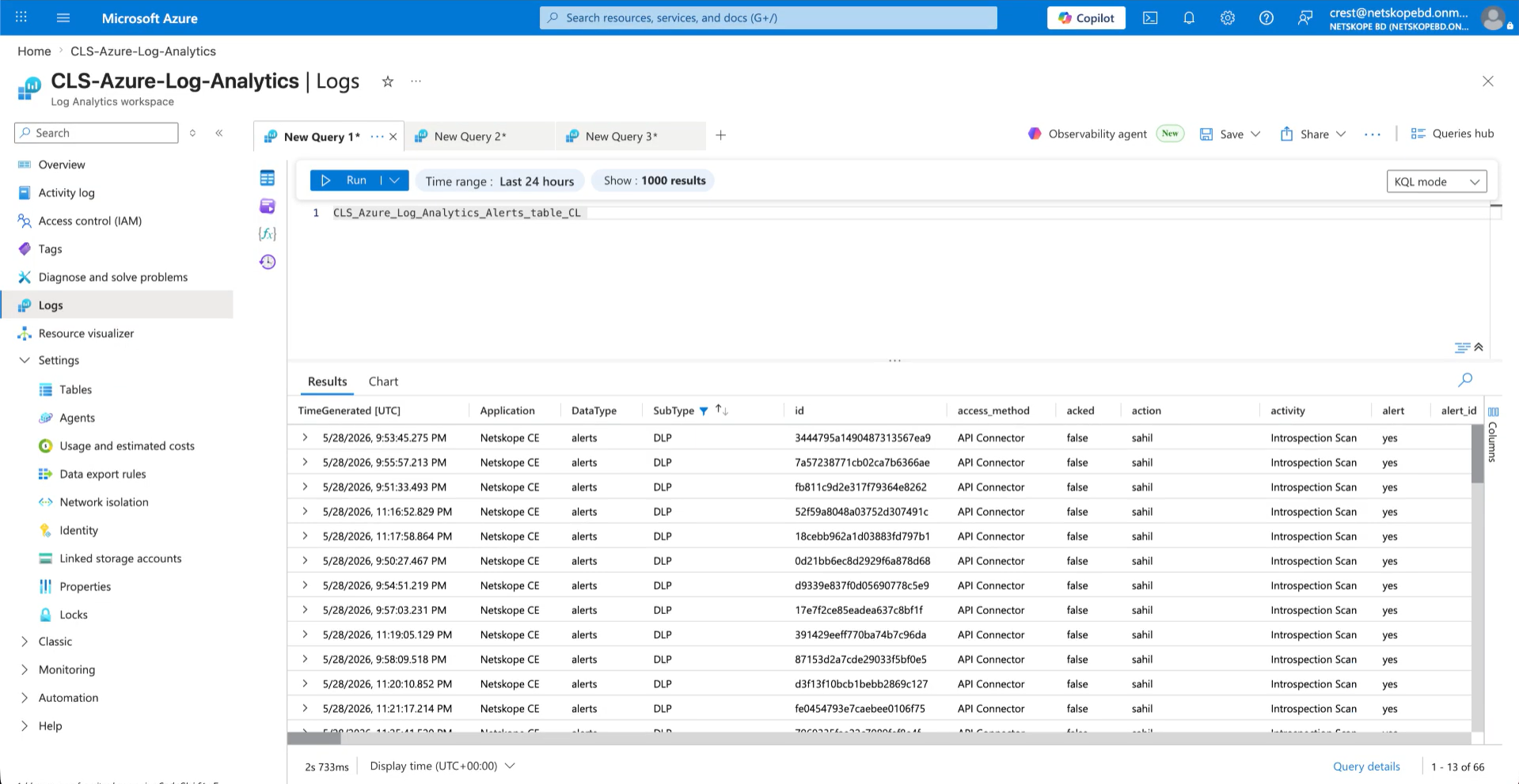
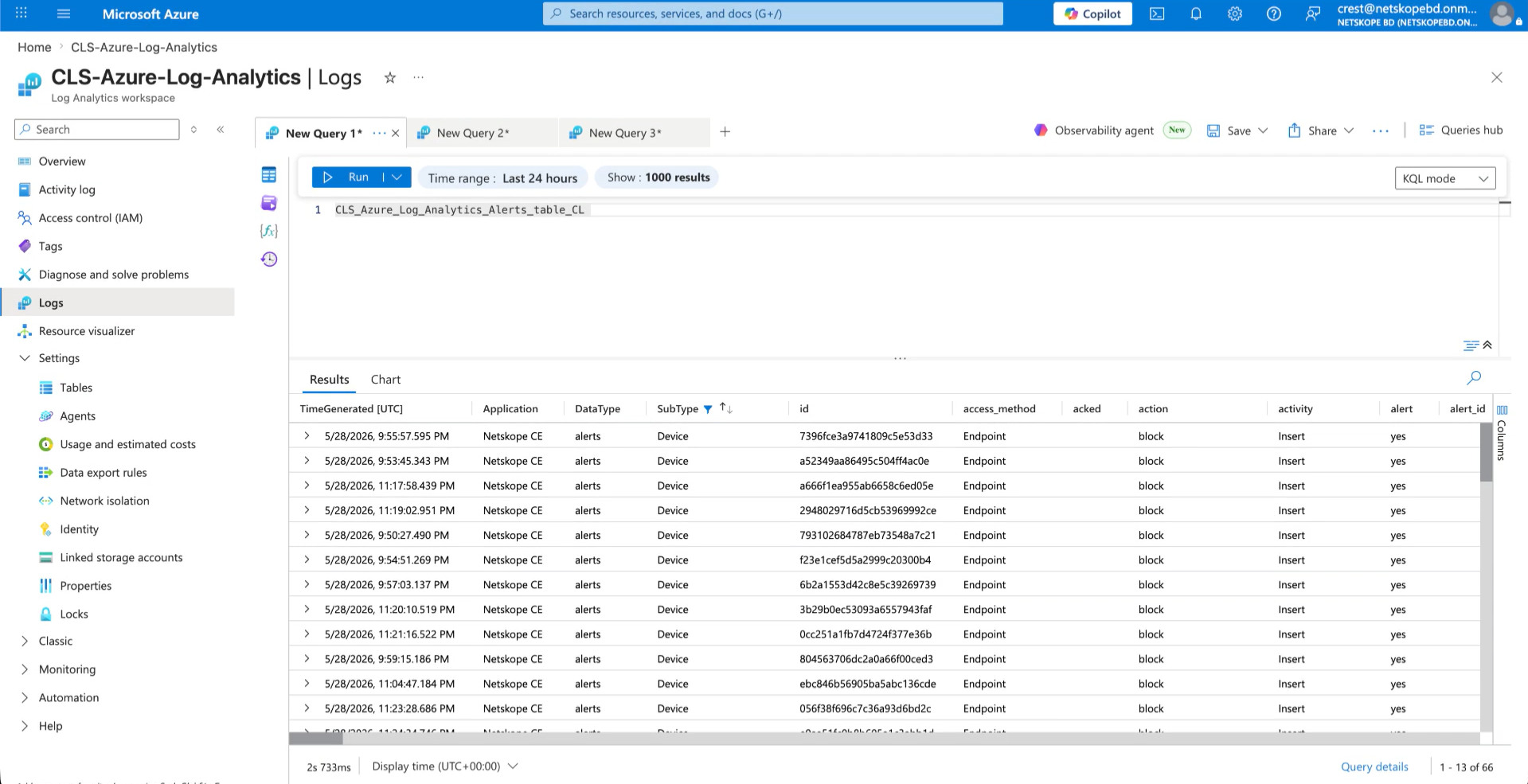
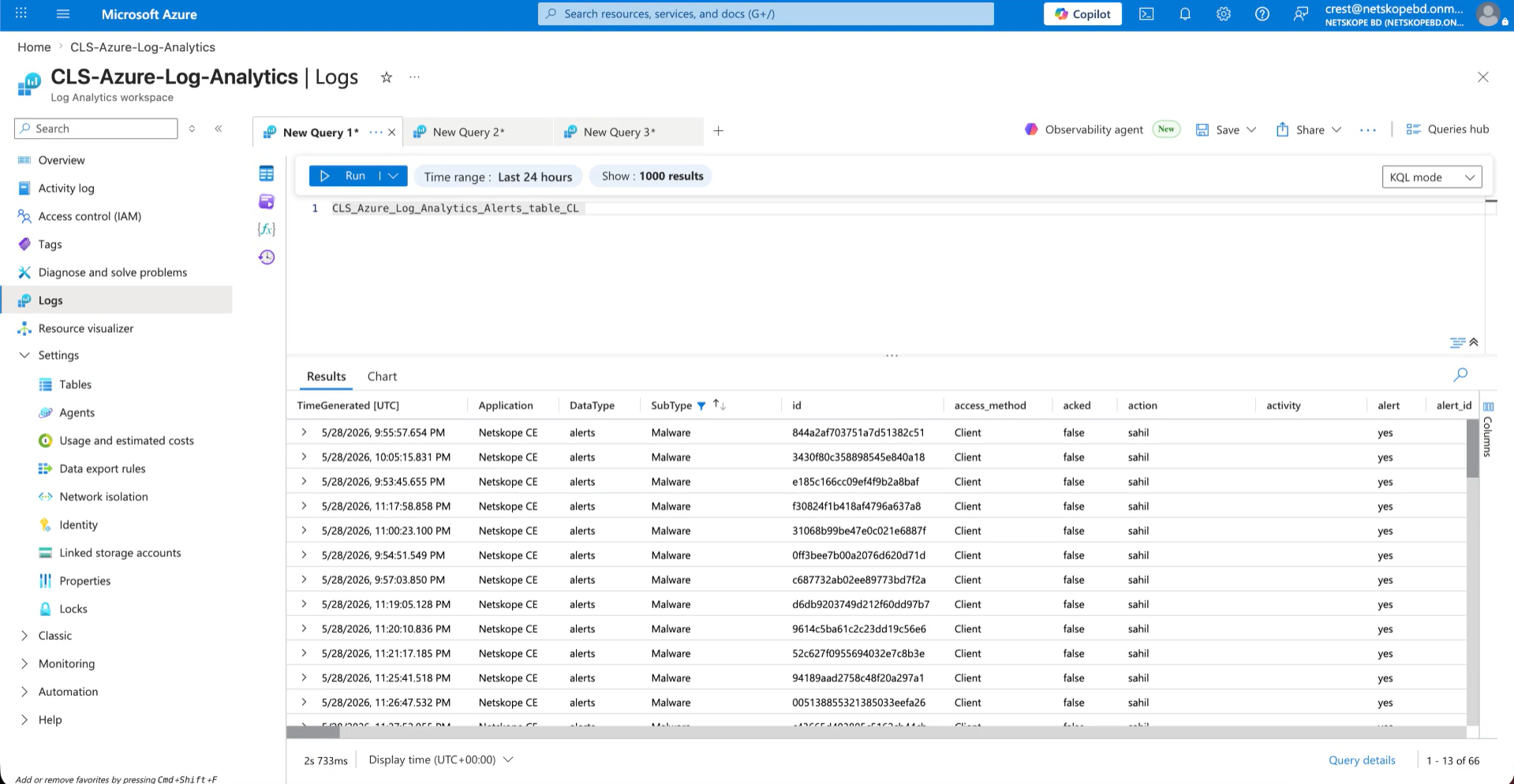
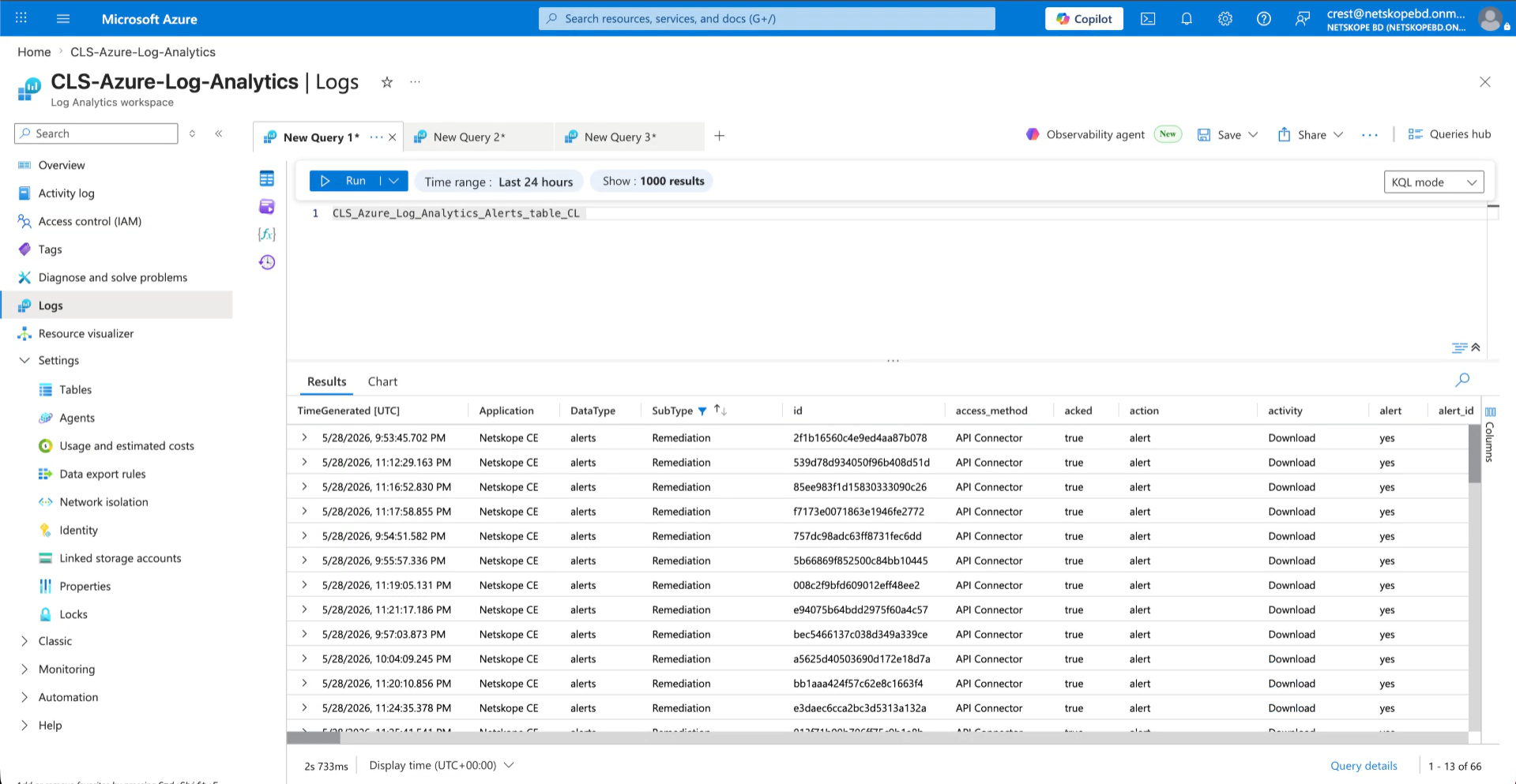
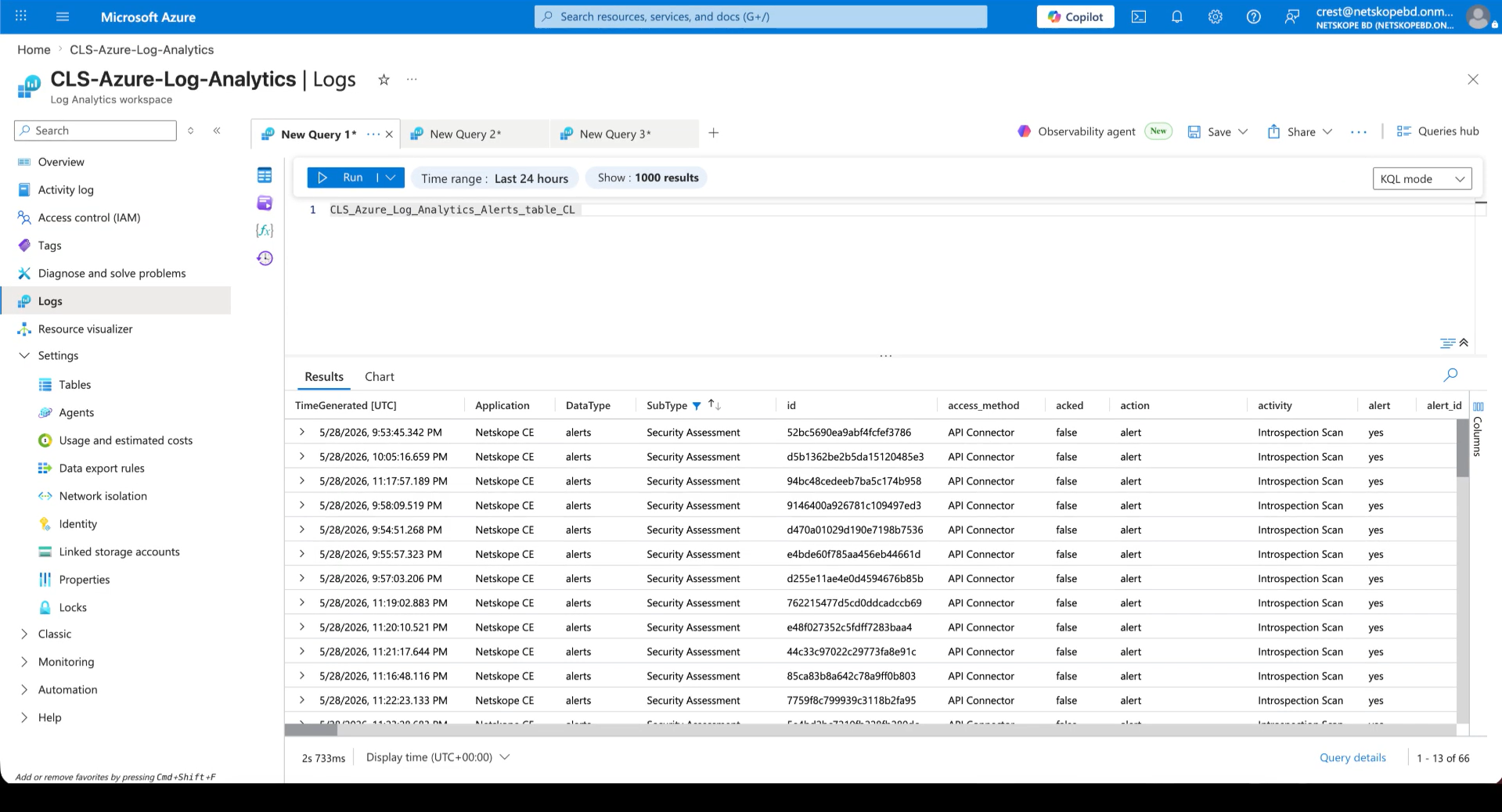
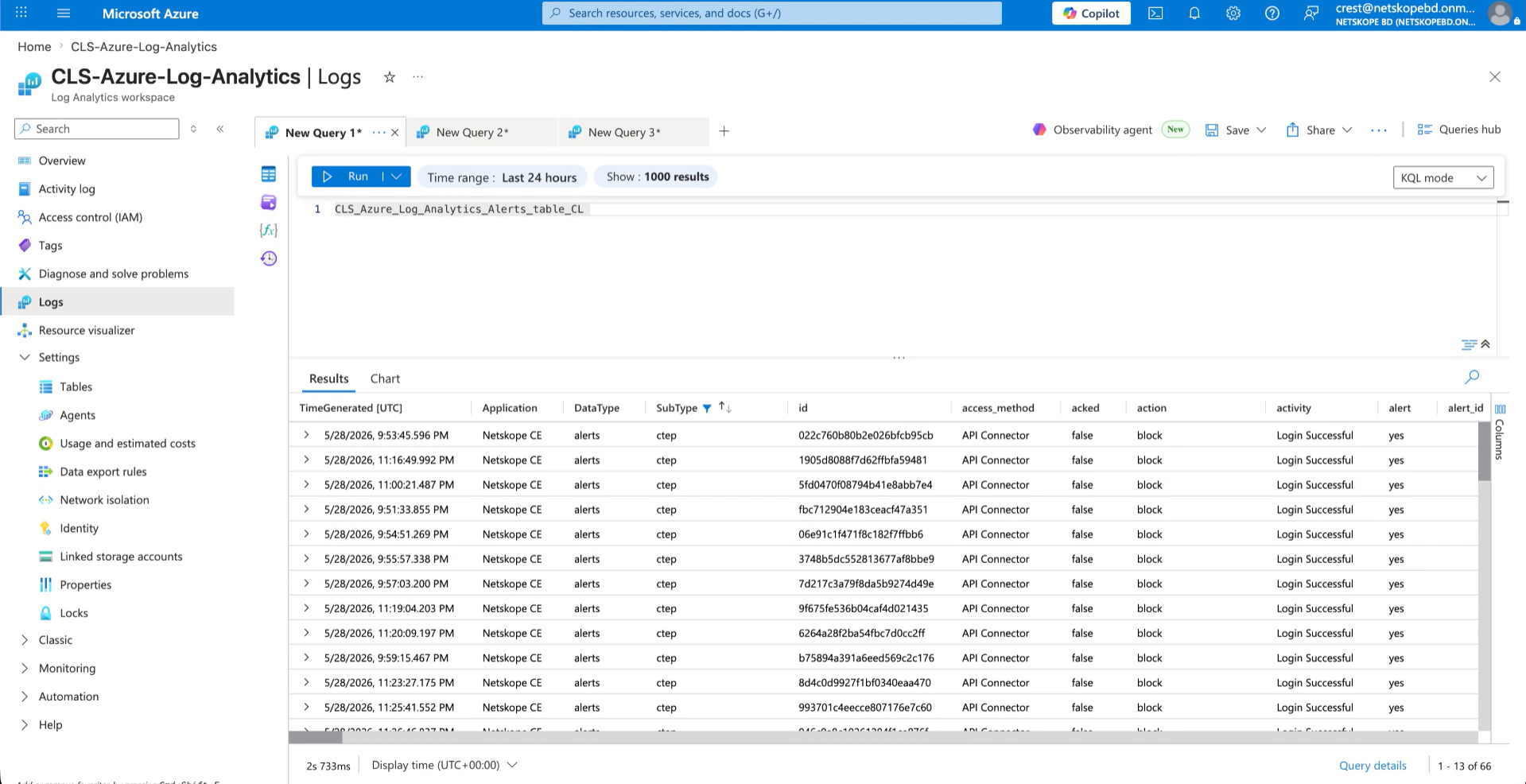
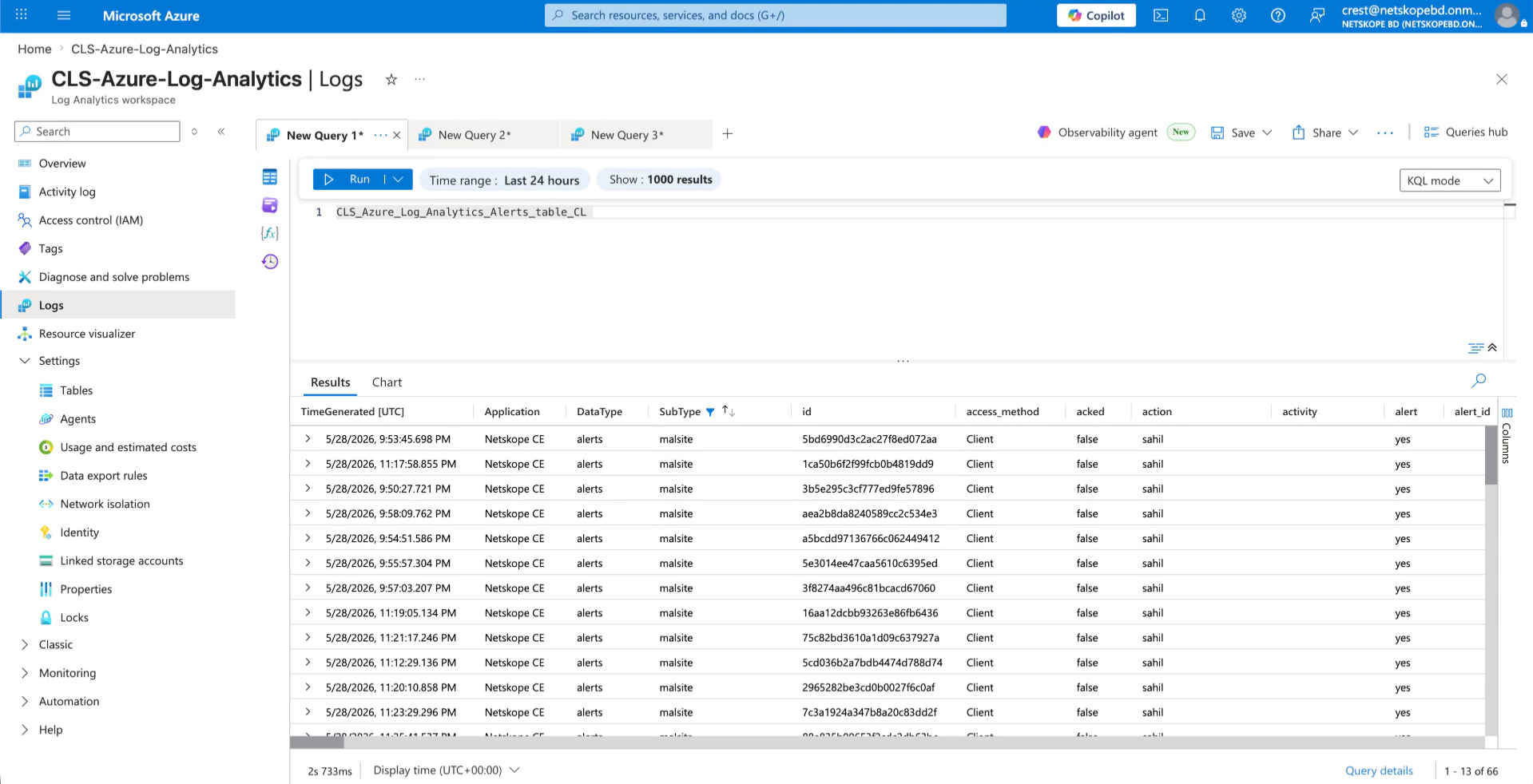
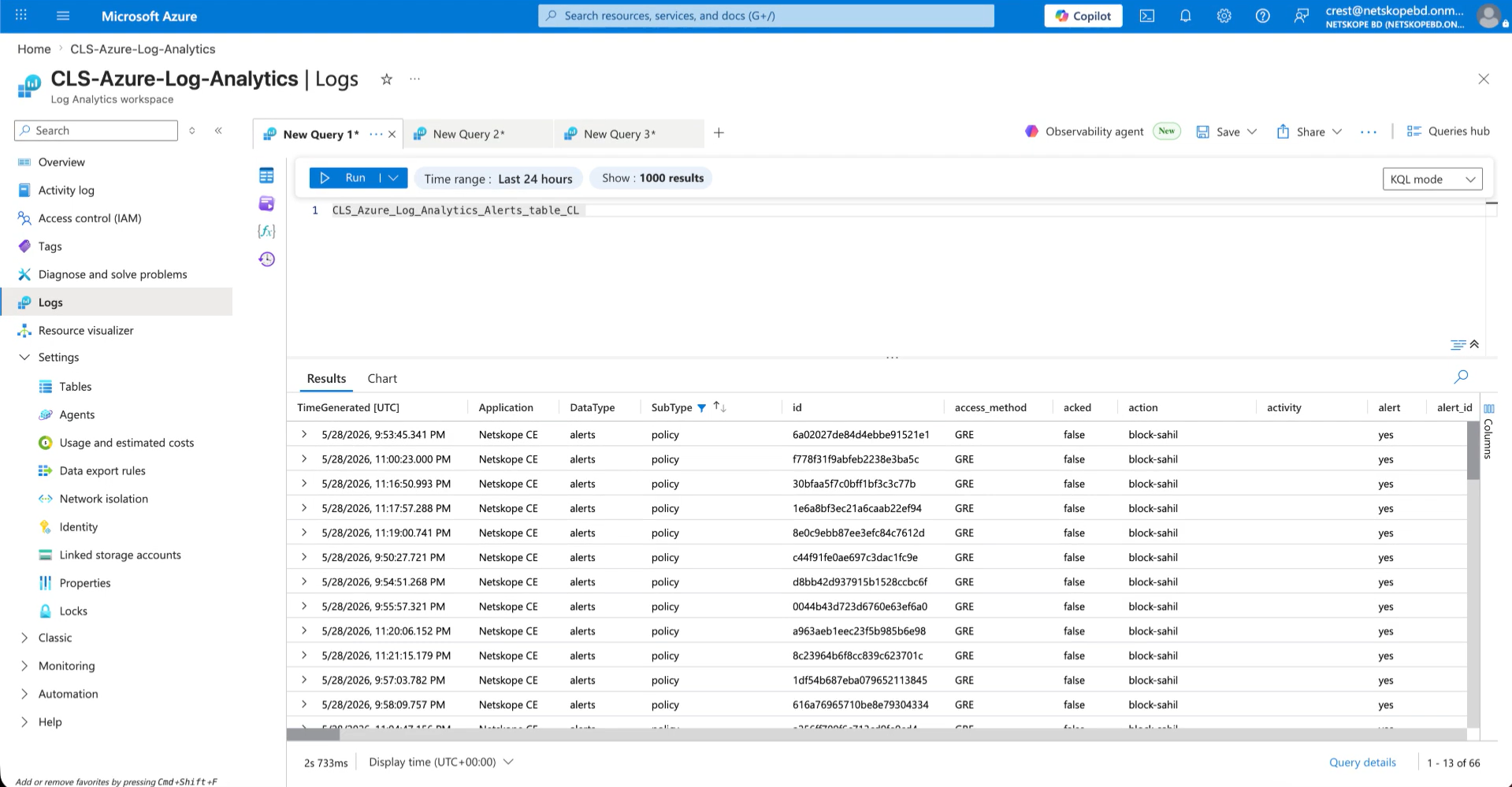
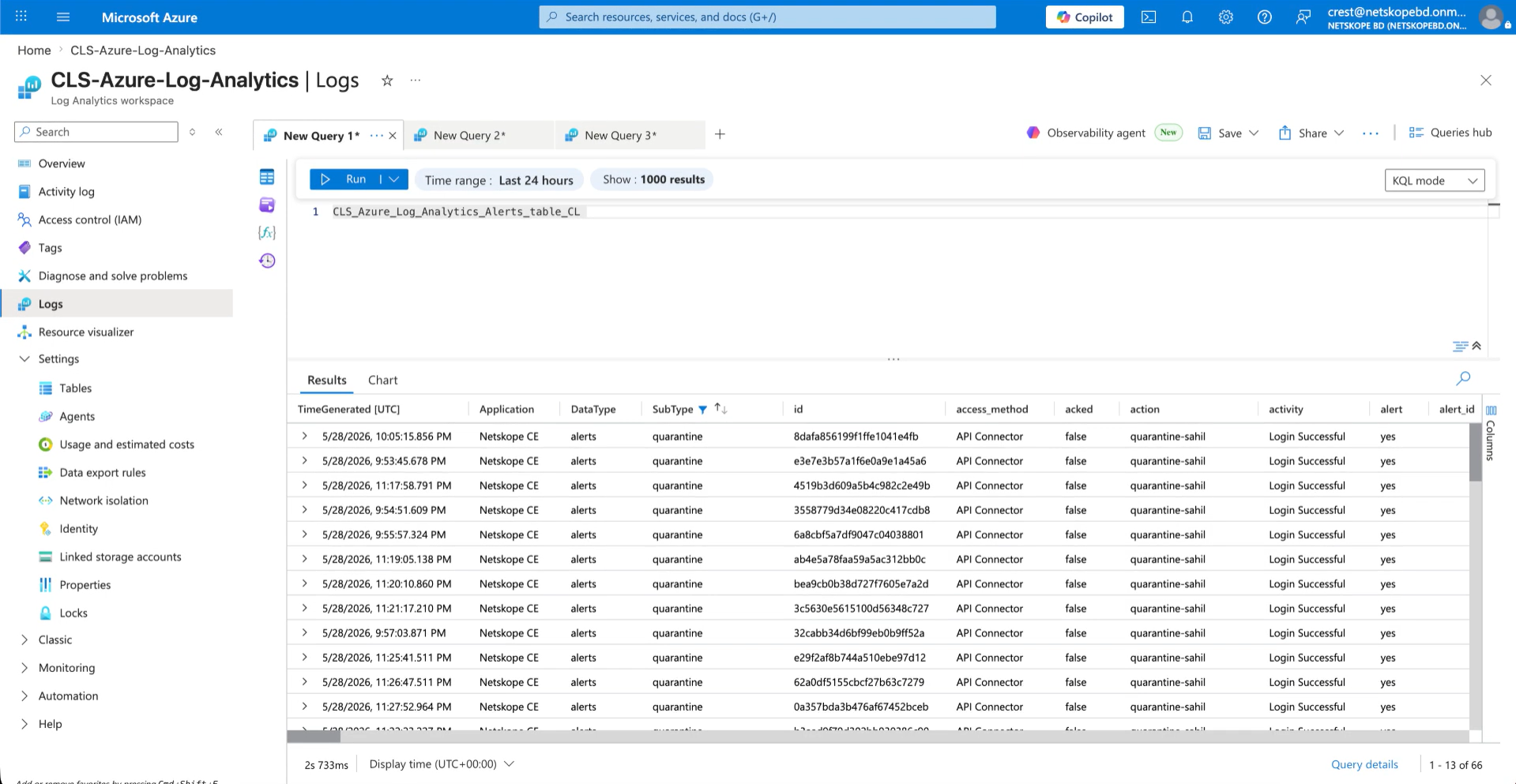
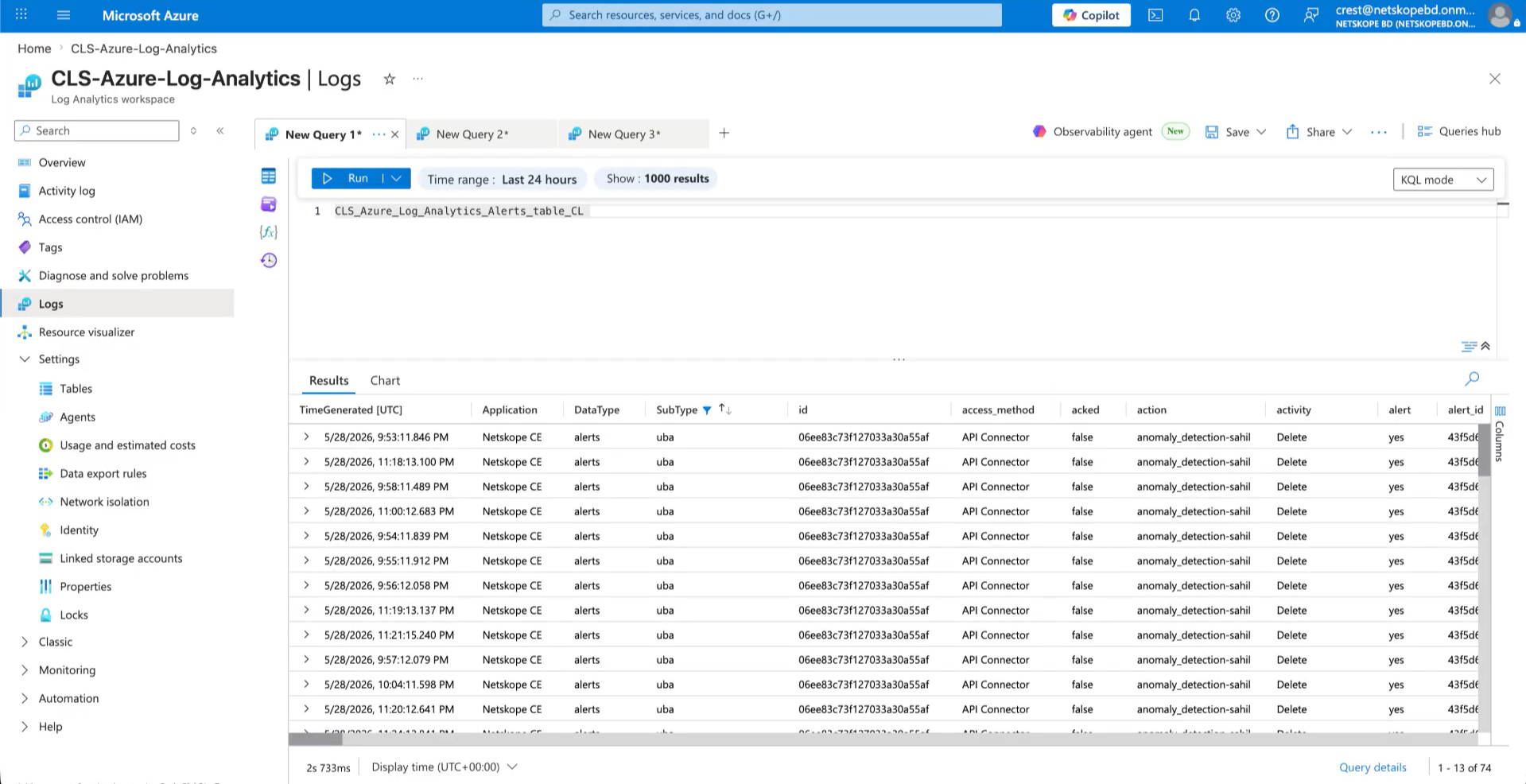
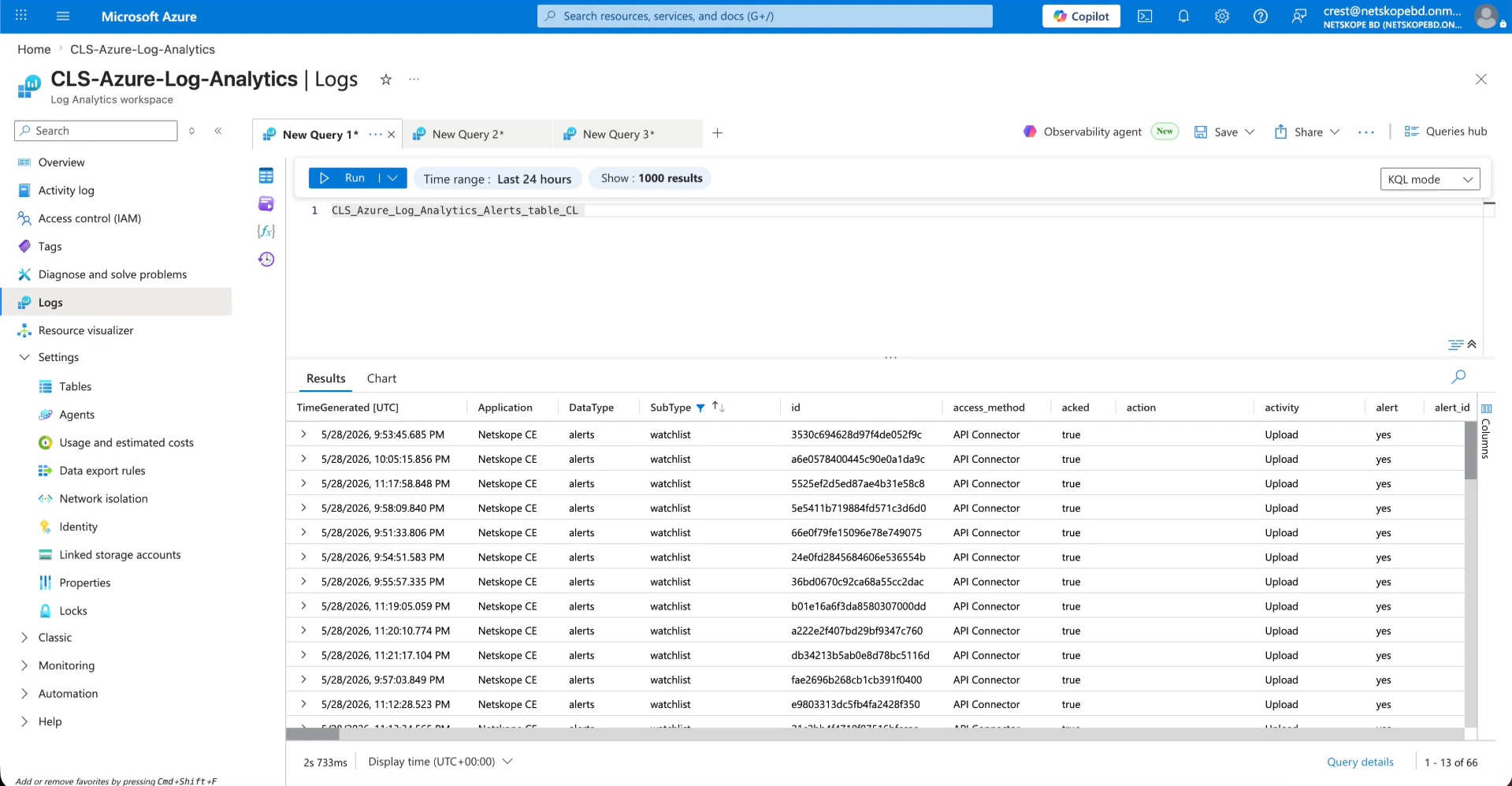
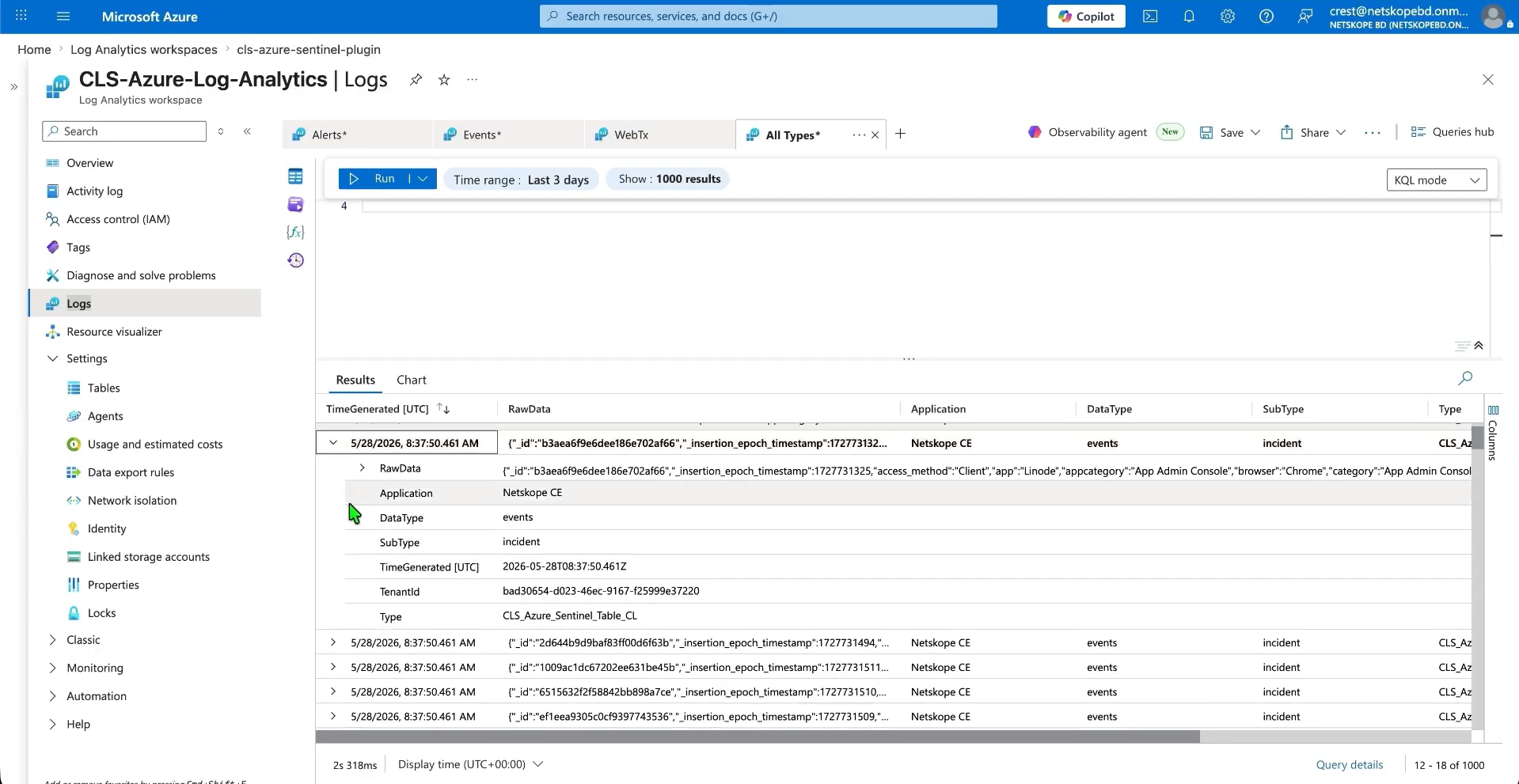
以下は、イベントテーブルに取り込まれたイベントです。
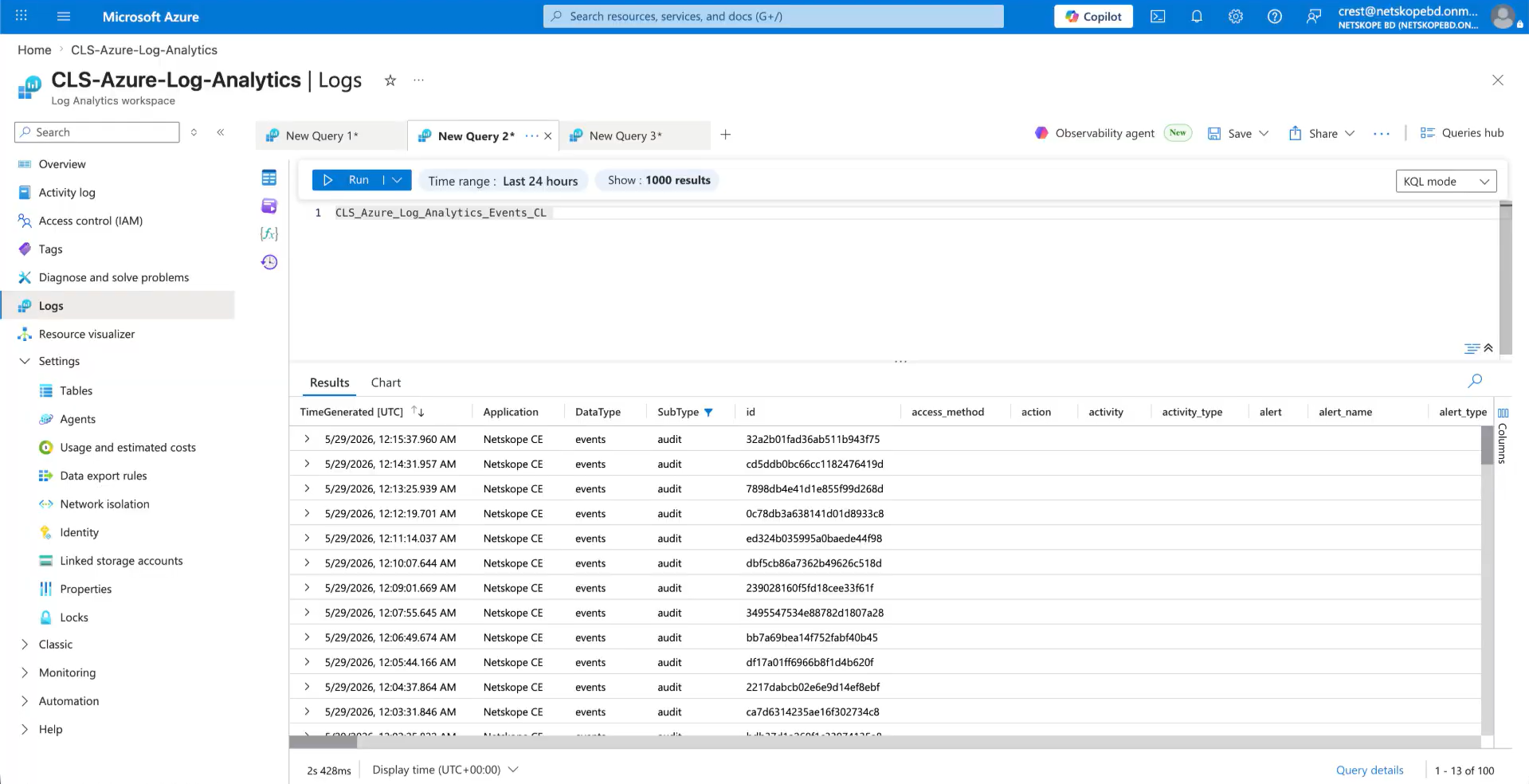
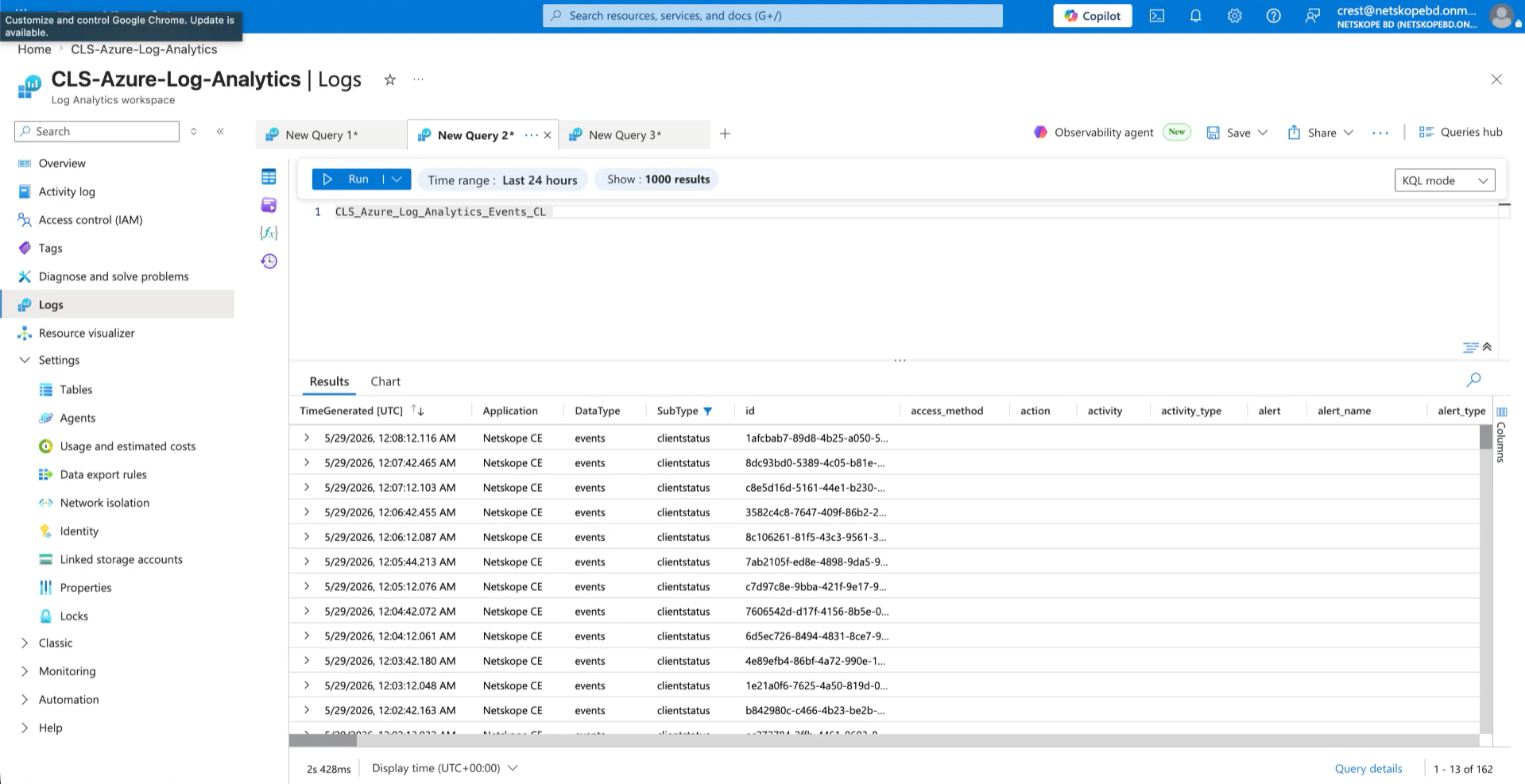
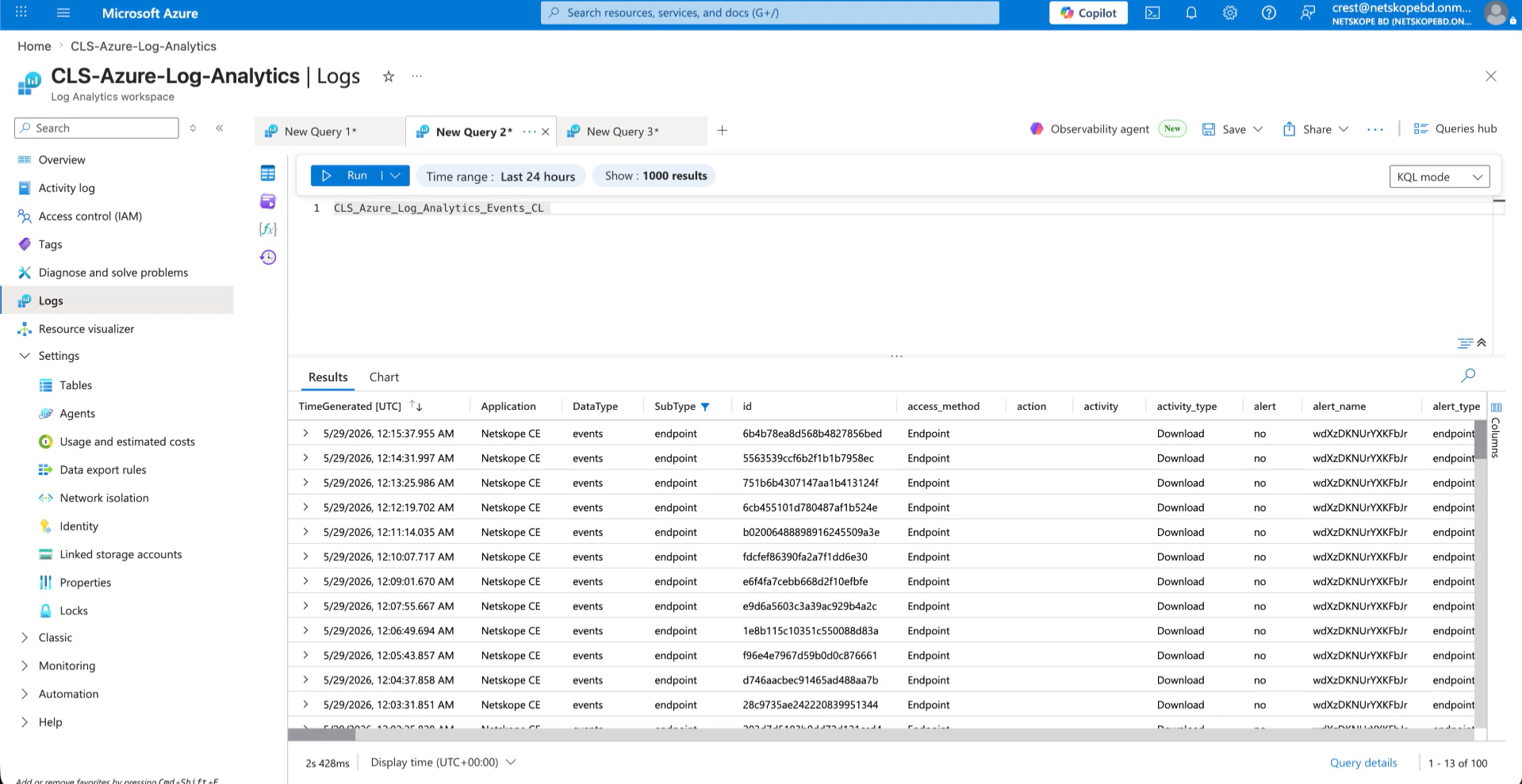
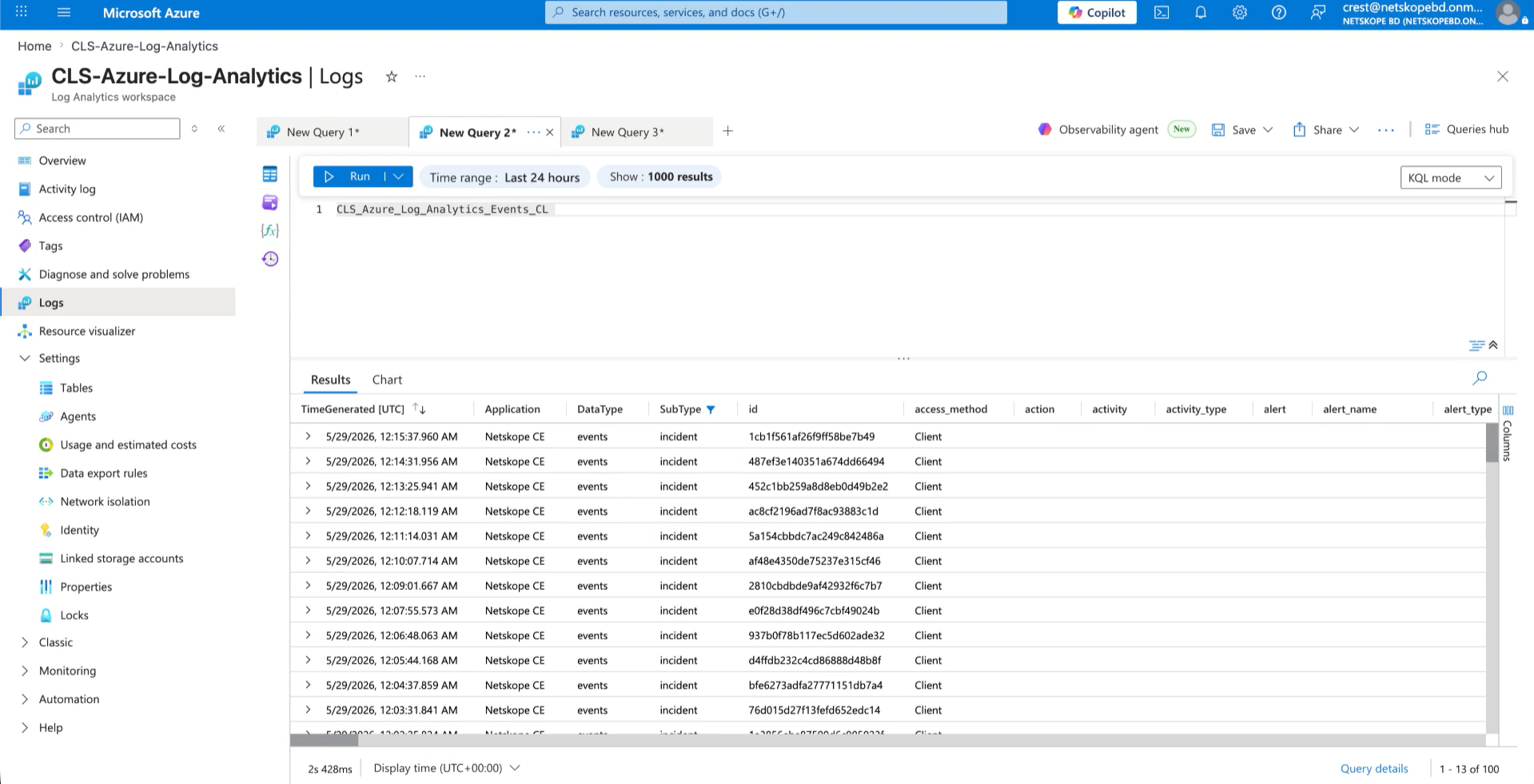
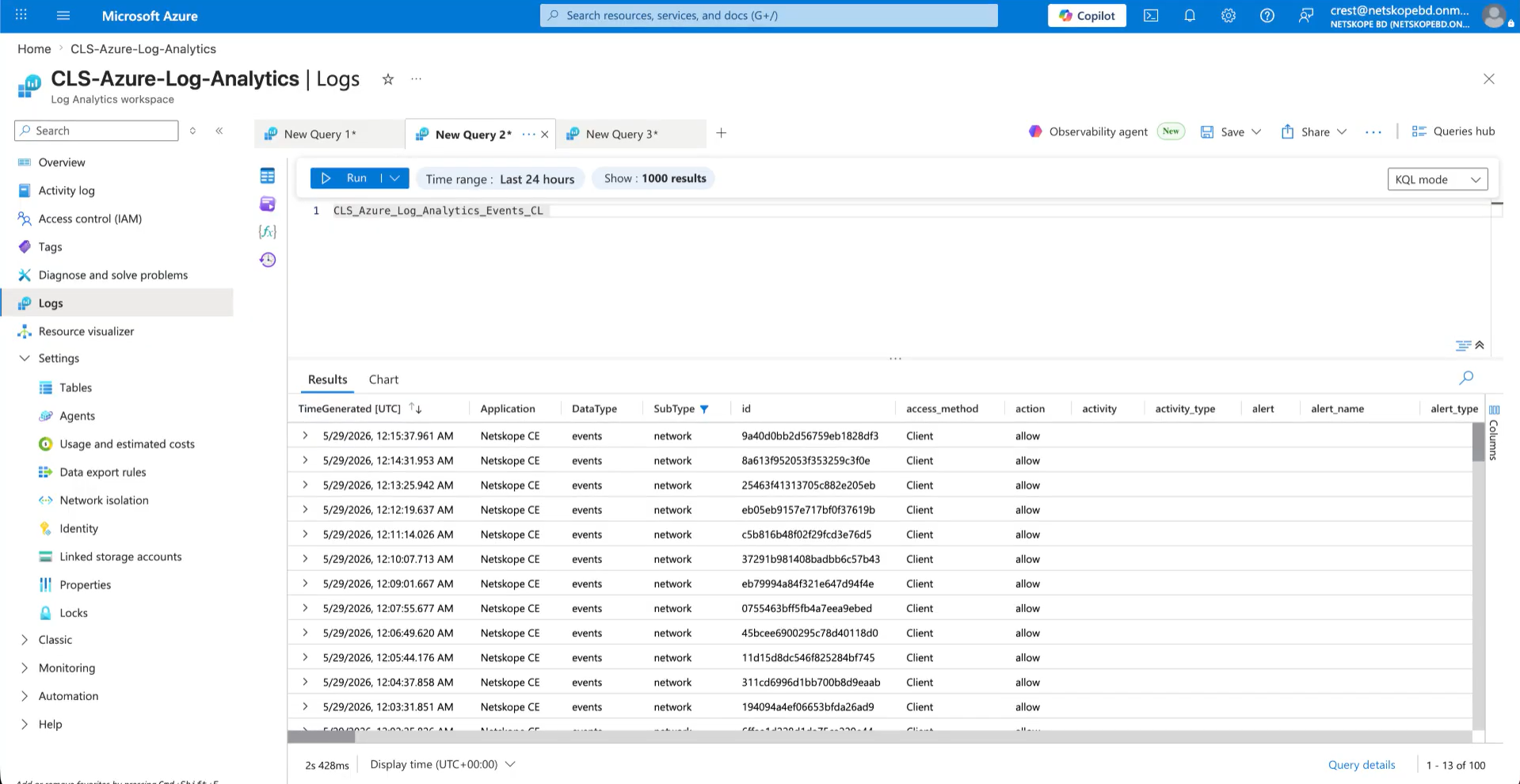
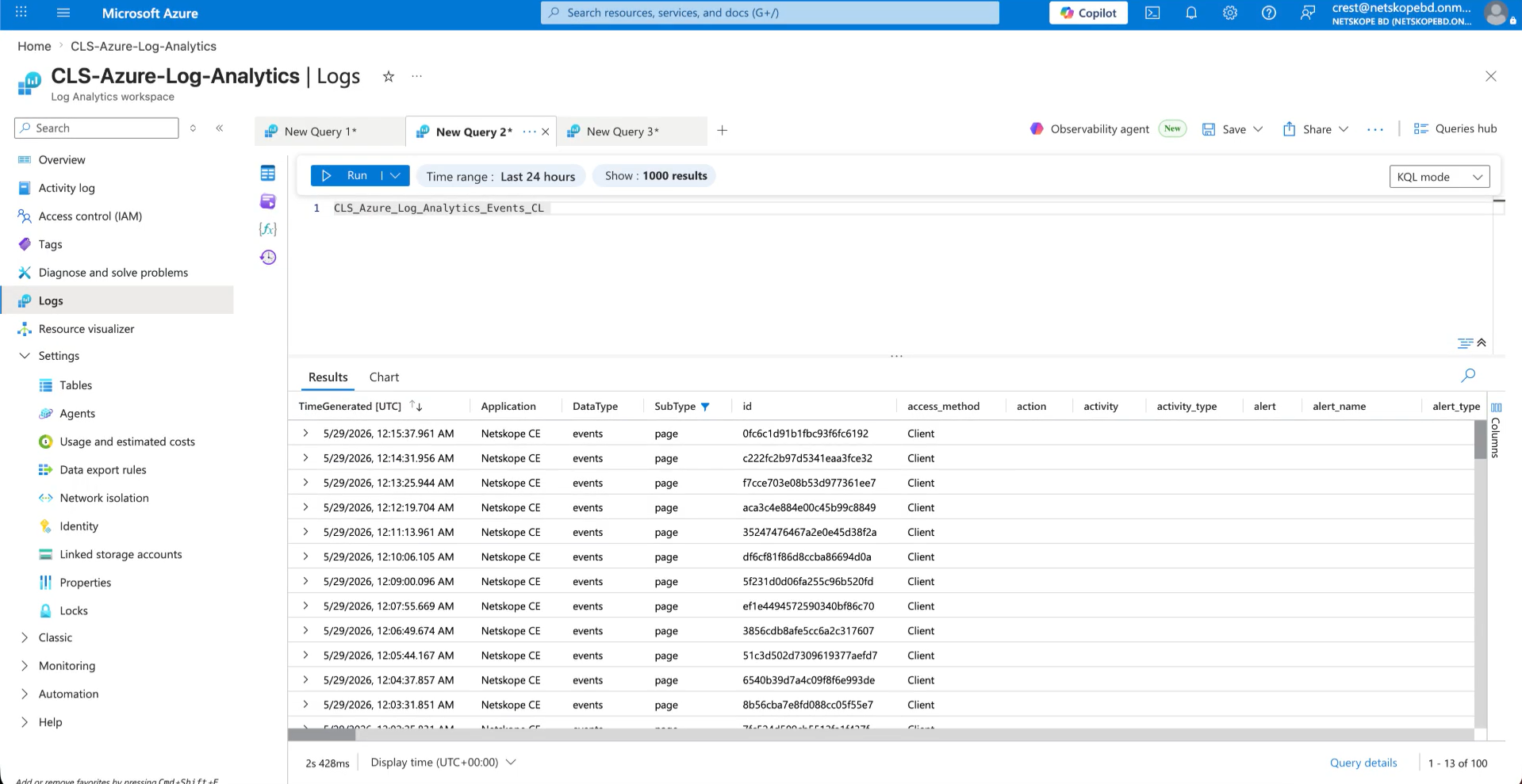
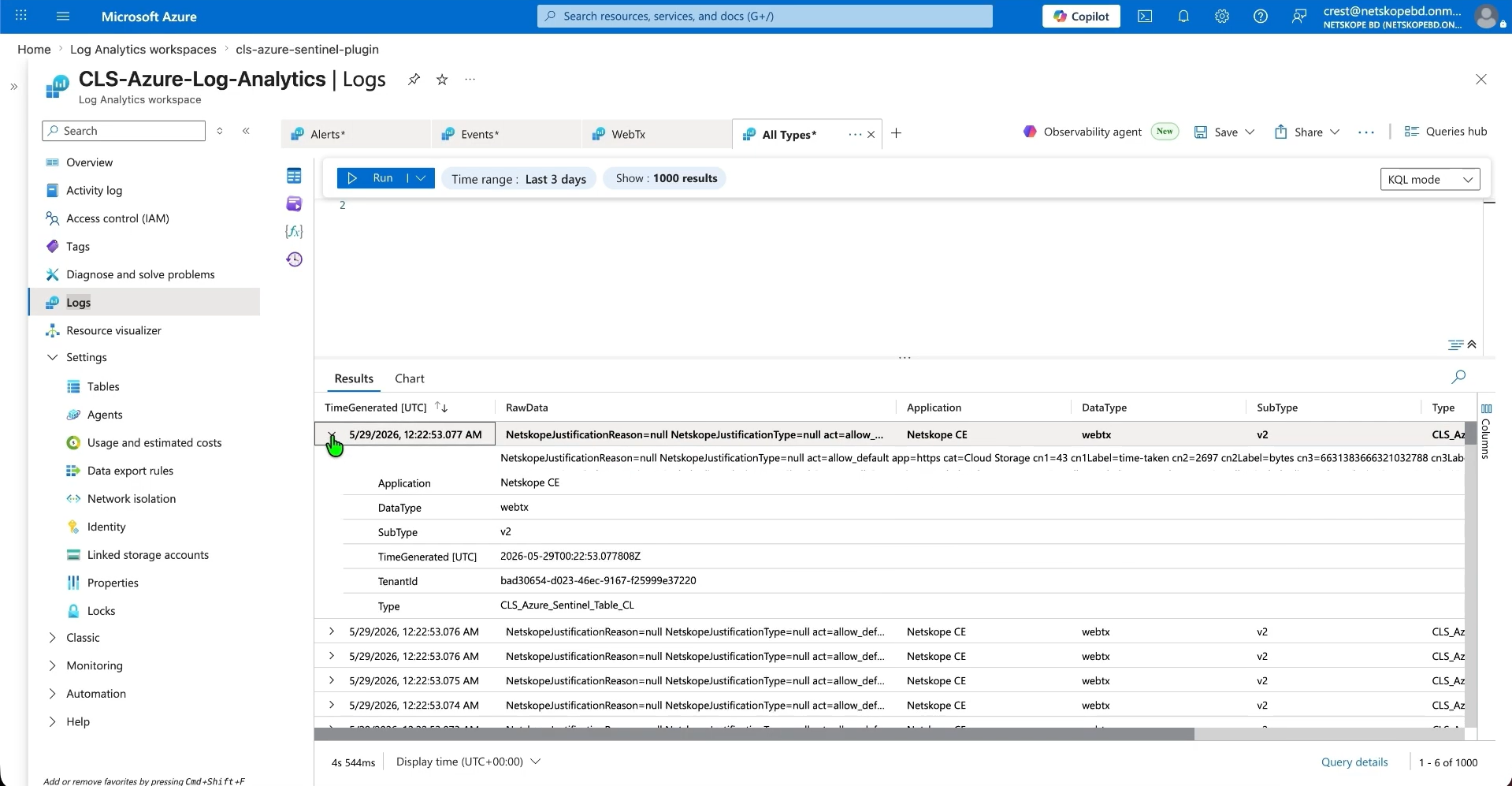
以下は、WebTxテーブルに取り込まれたWebTxデータです。
- シングルテーブルモードを選択した場合、プラグインはすべてのアラート、イベント、およびWebTxをCEFまたはJSON形式の単一のテーブルに取り込みます。
- 以下は、CEF形式およびJSON形式で取り込まれたアラート、イベント、WebTxの例です。
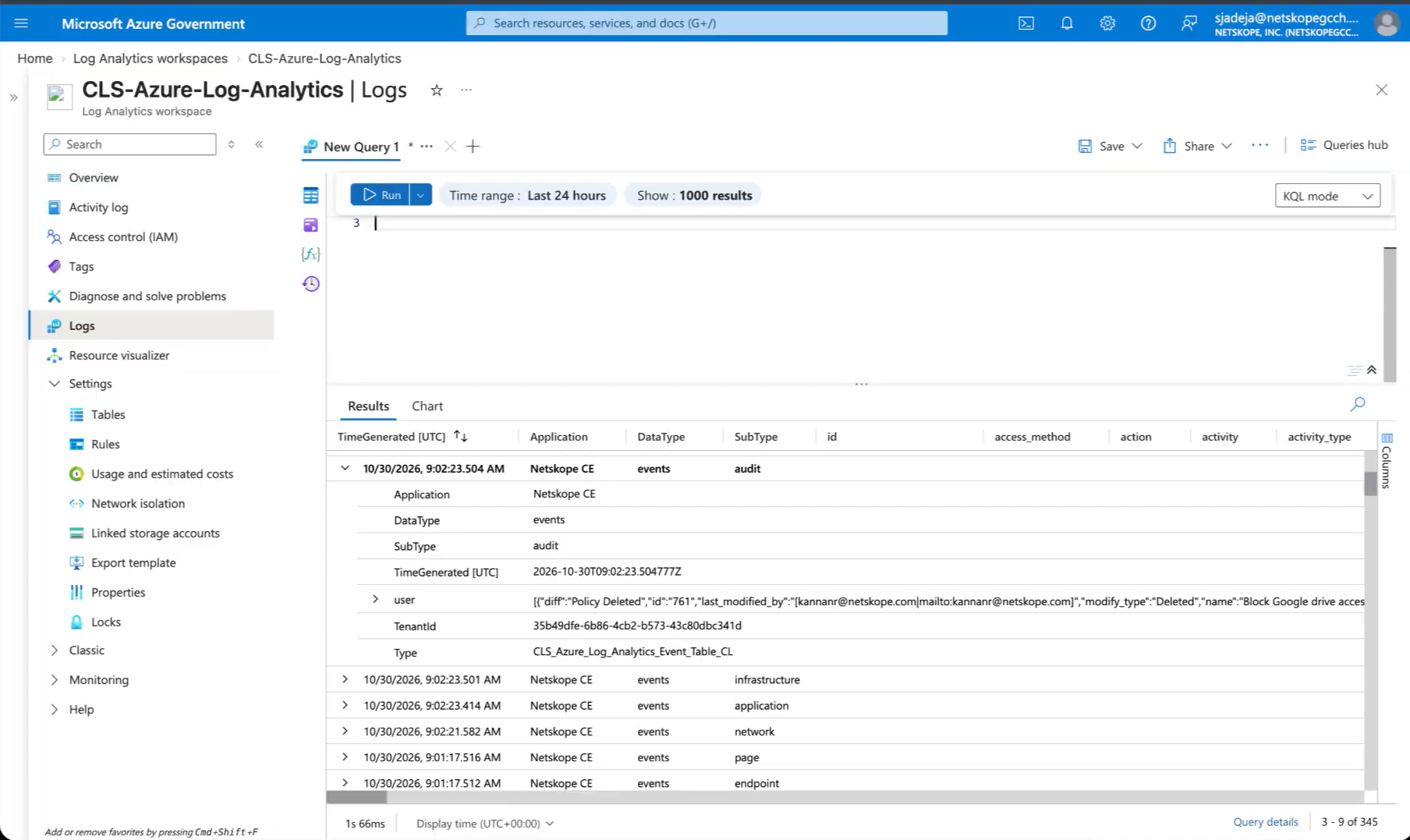
以下は、選択されたフィールドのみを含むカスタムマッピングを伴う取り込み済みイベントです。
Microsoft Azure Log Analyticsプラグインのトラブルシューティング
トーストとログメッセージでプラグインの設定中にエラーコード403が表示される
DCRへの申請に必要な権限が適切に付与されていることを確認してください。上記の説明に従って、正しいデータ収集エンドポイントに権限が割り当てられているかどうかを確認してください。割り当てられた権限が反映されるまで、最大30分かかる場合があります。
Microsoft Azure Monitor プラグインの保存に問題が発生しています
すべてのパラメータを入力して「保存」ボタンをクリックしても、エラーが発生する場合があります。原因としては、以下のことが考えられます。
- 設定が指定された設定と異なります。
- 以下のエラーが発生しています。

What to do:
- 設定パラメータが間違っている可能性があります。ログ分析ワークスペースの設定手順に従ってください。
- テーブルが最近作成されたため、 プラグインでは、Azure にテーブルが反映されるまでに時間がかかります。
Microsoft Azure Monitor でイベントを確認できません
イベントの取り込みが成功した後でも、プラグインから取り込まれたイベントを確認できません。これには以下のいずれかの理由が考えられます。
- ログ検索で誤ったクエリが指定されました。
- プラットフォームにはイベントは取り込まれません。
- または、お探しのデータが検索対象期間外にある可能性があります。
What to do:
- ログ検索で正しいクエリを入力したかどうか確認してください。
- 取り込まれたイベントについては、 Cloud Exchange上のログを確認してください。
- イベントがより長い時間範囲で取り込まれていることを確認してください。
CEF フォーマットはデータ タイプごとの取り込みモードでは使用できません
プラグイン設定時に「データタイプごと」の取り込みモードで「CEF フォーマットができません」と表示される場合、プラグイン設定が CEF に設定されているにもかかわらず、取り込みモードが「データタイプごと」に設定されていることが原因である可能性があります。これはサポートされていない組み合わせです。
What to doプラグインの設定で、CEFからJSONに切り替えるか、プラグインの設定で取り込みモードをシングルテーブルに変更してください。
データ収集ルールでの403「OperationFailed」エラー
プラグイン構成中にReceived exit code 403, Forbidden. Operation Failedというメッセージと「指定された認証トークンには、不変ID 'dcr-xxxxxxxx' を持つデータ収集規則のデータを取り込む権限がありません」というエラーが表示される場合は、プラグインがDCRおよびDCEをホストしているAzureクラウドとは異なるAzureクラウドからアクセス トークンを取得していることが原因である可能性があります。たとえば、DCRはAzure US Governmentにあり、Azure CloudはAzure Public (Commercial)に設定されています。
What to do: プラグインの設定で、DCE URIのドメインに基づいてAzure Cloudを設定し、設定を保存します。
| DCE URIの末尾が | Azureクラウド |
|---|---|
.ingest.monitor.azure.com | Azureパブリック(商用) |
.ingest.monitor.azure.us | Azure US Government |
.ingest.monitor.azure.cn | Azure China (21Vianet) |
| その他のドメイン | カスタムクラウド |
Custom Cloud を選択した場合は、Custom Authority Host (クラウドの Microsoft Entra ID ログインホスト名、ホスト名のみ) と Custom Token Scope (クラウドの Azure Monitor トークンオーディエンス、例:https://monitor.<cloud-domain>/.default) も入力します。テナント、アプリケーション、DCE はすべて、これらの値と同じクラウド内にある必要があります。
正しいクラウドを設定してもエラーが続く場合は、Entra IDアプリケーションにDCRのMonitoring Metrics Publisherロールがあることを確認してください。新しいロールの割り当てが適用されるまでに最大30分かかることがあります。
既知の行動
- 上記のマッピングで指定されたこれらのフィールドは、ログ分析テーブルに「_field」という接尾辞付きで表示されます。この動作は、特定のフィールド名が予約されたキーワードであり、マッピングで直接使用できない Azure Log Analytics プラットフォームによるものです。 競合を避けるため、これらのフィールドには「_field」という接尾辞が追加されています。
- タイプ
- title
- subtype
- date
- 時間
- TimeGenerated
- 応用
- DataType
- SubType
- さらに、Azure Log Analyticsワークスペーステーブルにカスタムマッピングをアップロードする際にエラーが発生した場合は、マッピング内の1つ以上のフィールドが予約語である可能性があります。