このガイドでは、NetskopeとFortiGateファイアウォールデバイス間のVPN IPSecトンネルの設定方法について説明します。この構成例では、FortiOS バージョン 6.4.3 を実行している FortiGate デバイスを使用します。 FortiOSのすべてのバージョンで動作します。
FortiGateでIPSecトンネルを設定する
設定を行うには、CLIとGUIの2つの方法があります。CLIの方が速い。
FortiGate CLI設定
- IPsecフェーズ1用のVPNを作成する:
config vpn ipsec phase1-interface edit "NSKP-POP-XXXXX" set interface "wan1" << change for your wan interface set ike-version 2 set keylife 86400 set peertype any set net-device disable set mode-cfg disable set proposal aes128-sha256 aes256-sha256 aes128-sha1 aes256-sha1 set localid "XXXXX@XXXXXX" << change for your localid set dhgrp 16 15 14 set remote-gw 163.116.XXXX.38 << change for your selected POP set psksecret XXXXXXX << change for your preshared next end
- IPsecフェーズ2用のVPNを作成する:
config vpn ipsec phase2-interface edit "NSKP-POP-XXXXX" set phase1name "NSKP-POP-XXXXX" set proposal aes256gcm aes128gcm aes128-sha1 aes256-sha1 set dhgrp 16 15 14 set auto-negotiate enable set keylifeseconds 7200 next end
- VPNインターフェースが関連付けられたポリシーを少なくとも1つ作成します。
config firewall policy edit 999 set srcintf "internal" set dstintf "NSKP-POP-XXXXX" set srcaddr "all" set dstaddr "all" set action accept set schedule "always set service "HTTP" "HTTPS" set logtraffic all set nat enable next end
- VPNをRIBにプッシュするための静的ルートを作成します。
config router static edit 999 set priority 10 set device "NSKP-POP-XXXXX" next end
静的ルートは、ポリシーベースのルーティングで使用する前に、ルーティング情報ベース (RIB) に存在する必要があります。 - ウェブトラフィックをNetskopeにリダイレクトするポリシーベースのルーターを作成します。
config router policy edit 998 set input-device "internal" << incoming interface set src "172.16.100.0/255.255.255.0" << LAN network set dst "0.0.0.0/0.0.0.0" set protocol 6 set start-port 443 set end-port 443 set output-device "NSKP-POP-XXXXX" next edit 999 set input-device "internal" << incoming interface set src "172.16.100.0/255.255.255.0" << LAN network set dst "0.0.0.0/0.0.0.0" set protocol 6 set start-port 80 set end-port 80 set output-device "NSKP-POP-XXXXX" end
FortiGate GUI設定
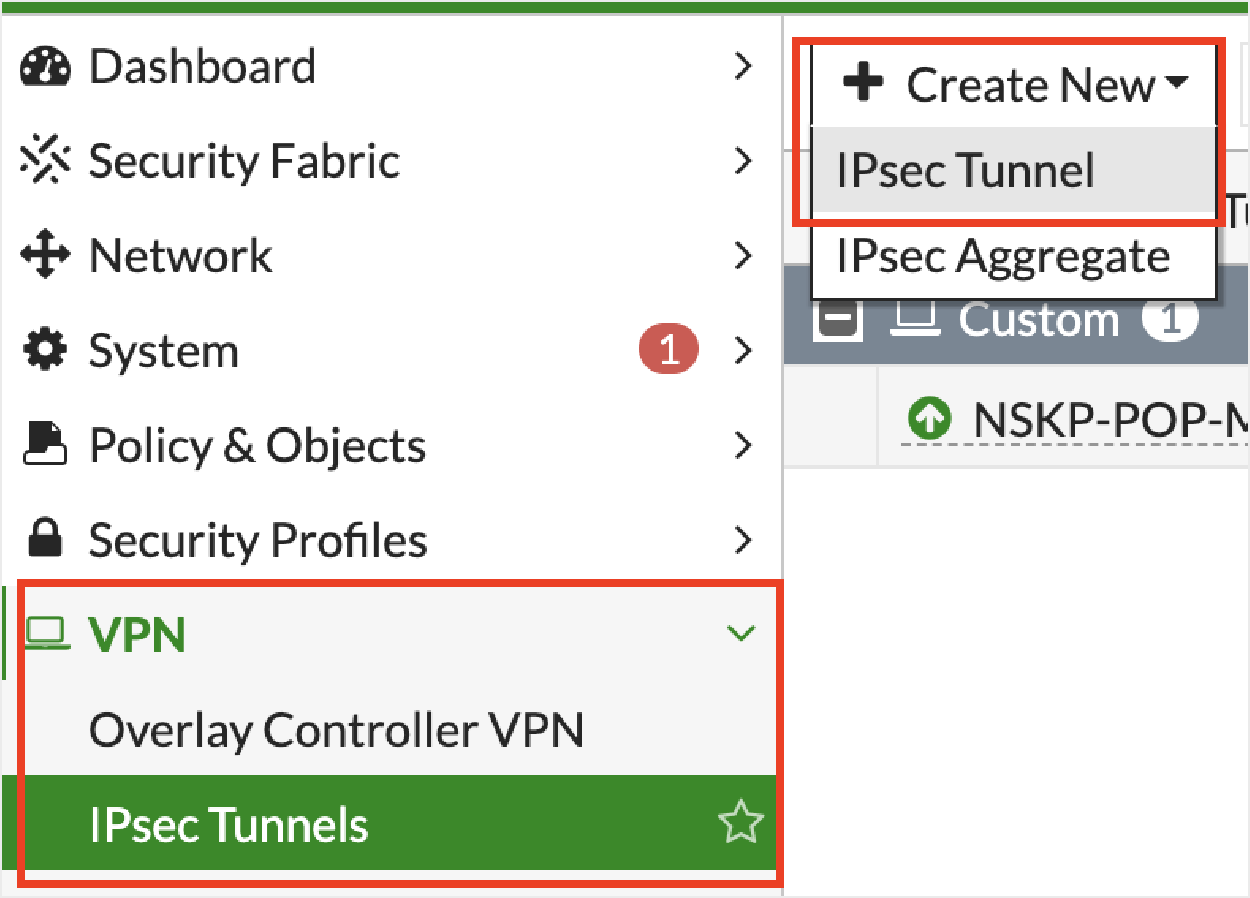
- + Create NewをクリックしてからIPsec Tunnelクリックしてください。
- VPN Setup以下:
- Nameトンネルの名前を入力してください。
- Template type: Select Custom。

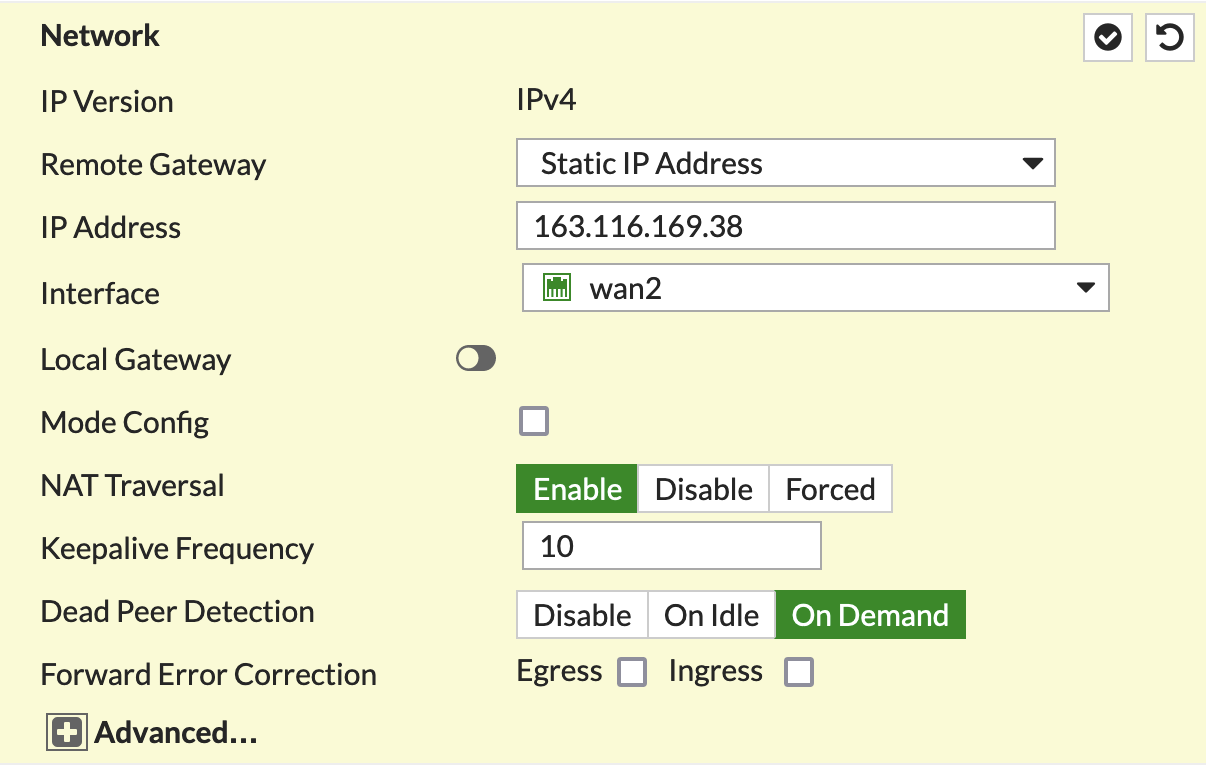
- Networkセクションで、IPアドレスとインターフェース情報を設定します。
- Authenticationセクションで、事前共有キーを設定し、IKEv2 を選択します。

- Phase 1 Proposalセクションで、以下を設定します。
 ローカルIDを入力する必要があります。Netskope 、xxxx@xxxx.xxx などの電子メール形式をローカル ID として使用することを推奨しています。 Netskopeテナント内のソースIDと同じである必要があります。
 - Phase 2 Proposalセクションで、以下を設定します:
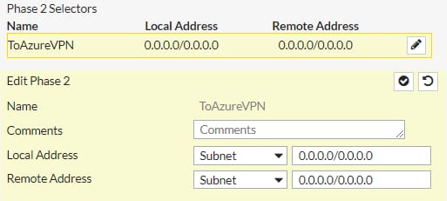
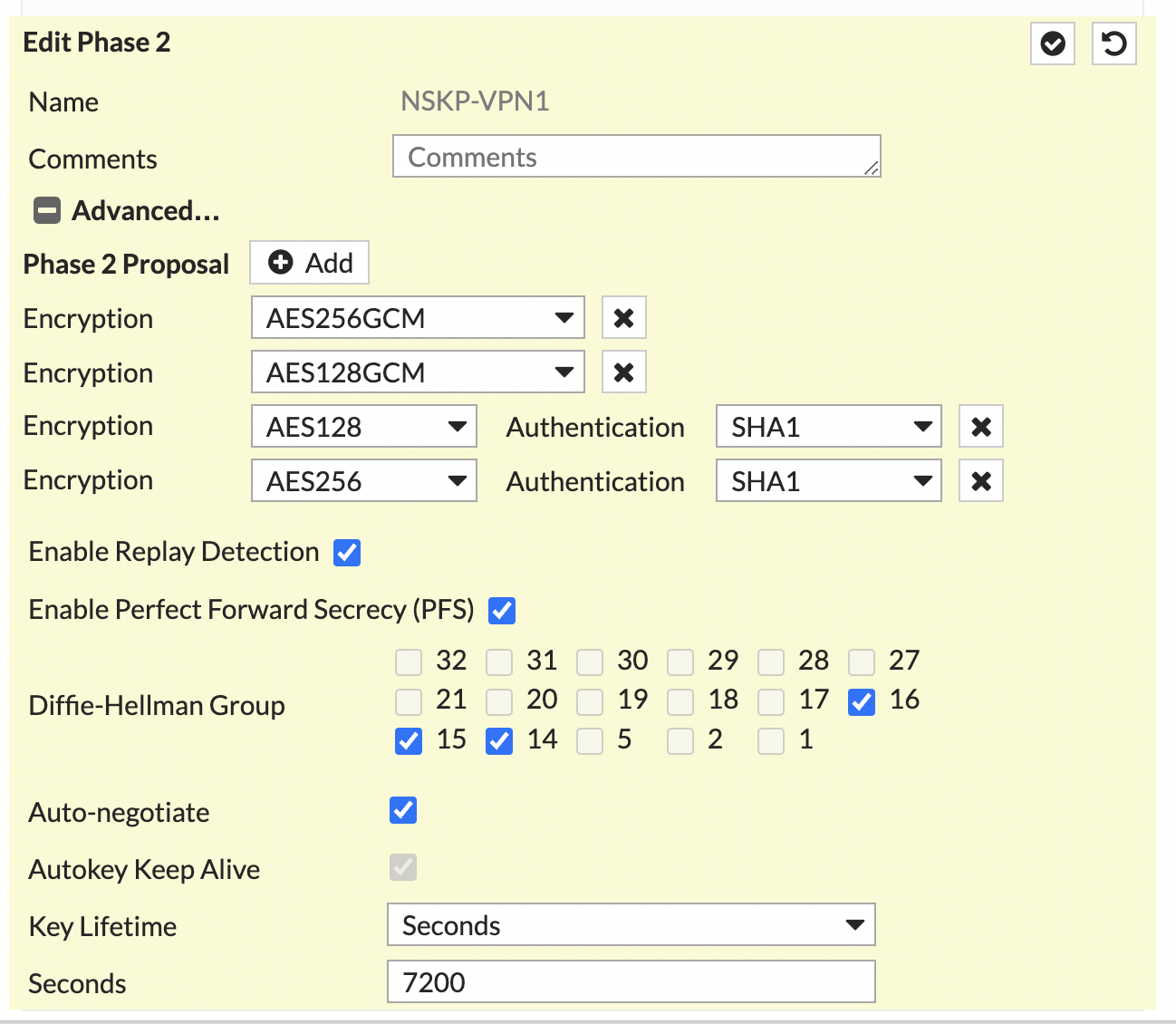 トンネルを通過させるネットワークを指定するには、 Local AddressフィールドとRemote Addressフィールドを使用します。
 - OKをクリックしてください。
関連付けられた VPN インターフェイスを含むポリシーの作成
VPNインターフェイスが関連付けられたポリシーを少なくとも1つ作成するには:
- Policy & Objects > Firewall Policyへ移動してください。
- + Create Newをクリックしてください。

- Edit Policyウィンドウで、以下のフィールドを設定します。


RIBにVPNをプッシュするためのルートを作成する
静的ルートは、ポリシーベースのルーティングで使用する前に、ルーティング情報ベース (RIB) に存在する必要があります。
VPNをRIBにプッシュする静的ルートを作成するには:
- Network > Static Routesへ移動してください。
- + Create NewをクリックしてからOKクリックしてください。

- Administrative Distanceが元のデフォルト ルートと同じで、 Priorityの値が大きいことを確認してください。例えば:
config router static
     edit 3
        set distance 5
        set priority 10
        set device "NSKP-POP-XXXXX"
    next
end
管理距離と優先度について詳しくは、 Fortinet のドキュメントをご覧ください。
- 以下のコマンドを入力し、2つの静的ルートがインストールされていることを確認してください。
get router info routing-table static
Routing table for VRF=0
S*      0.0.0.0/0 [5/0] via 192.168.1.1, wan1
                  [5/0] is directly connected, NSKP-POP-Milan, [10/0]
両方のルートが表示されない場合、元のデフォルトルートはDHCP経由で取得されている可能性があります。CLIで、元のデフォルトルートと
set dynamic-gateway enableを編集し、以下の値を追加します。config router static edit 2 set distance 5 set priority 5 set device "wan1" set dynamic-gateway enable next edit 3 set distance 5 set priority 10 set device "NSKP-POP-XXXXX" next end2つの静的ルートを確認してください。
ウェブトラフィックをNetskopeにリダイレクトするポリシーベースのルーターの作成
FortiGateのGUIでは、デフォルトではポリシーベースルーティング(PBR)が有効になっていないため、Netskopeプロキシにトラフィックをリダイレクトするには、ポリシーベースルーターを実装する必要があります。
- System > Feature Visibilityへ移動してください。
- Core Featuresの下で、 Advanced Routingを有効にして、 Applyをクリックします。再起動する必要はありません。この変更は生産には影響しません。

- Network > Policy Routesへ移動してください。
- + Create Newをクリックしてください。

- 少なくとも2つのPBR(HTTP用とHTTPS用)を作成してください。

NetskopeでIPSecトンネルを設定する
Netskope UIでFortiGate用のIPSec VPNトンネルを作成するには、 「IPSecサイトの作成」を参照してください。
トラブルシューティング
設定のトラブルシューティングに役立つコマンドを以下に示します。
- IPSec接続のデバッグを有効にするには、次のコマンドを入力してください。
diagnose debug application ike -1
diagnose debug enable
- ルーティングテーブル全体を取得するには、次のコマンドを入力してください。
get router info routing-table all
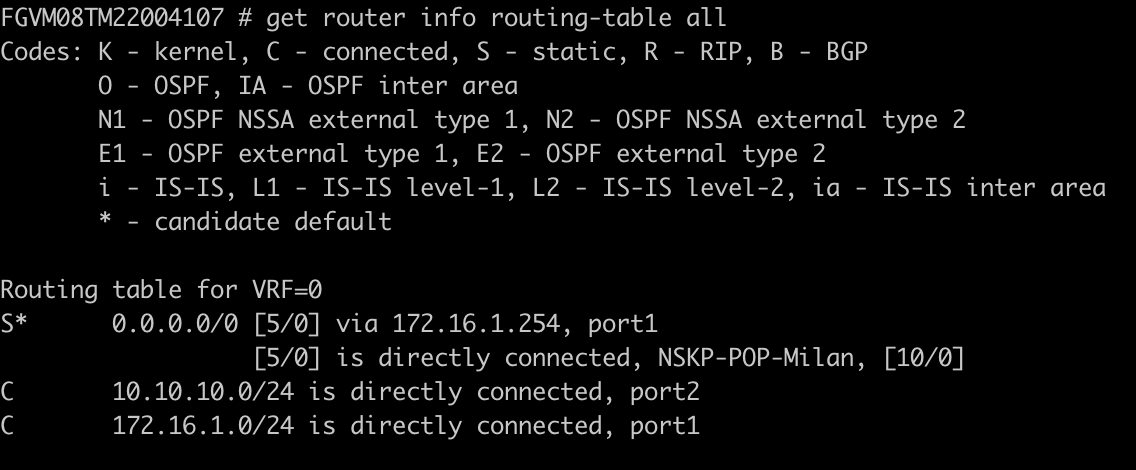
- IPSecトンネルの概要を取得するには、次のコマンドを入力してください。
get vpn ipsec tunnel summary

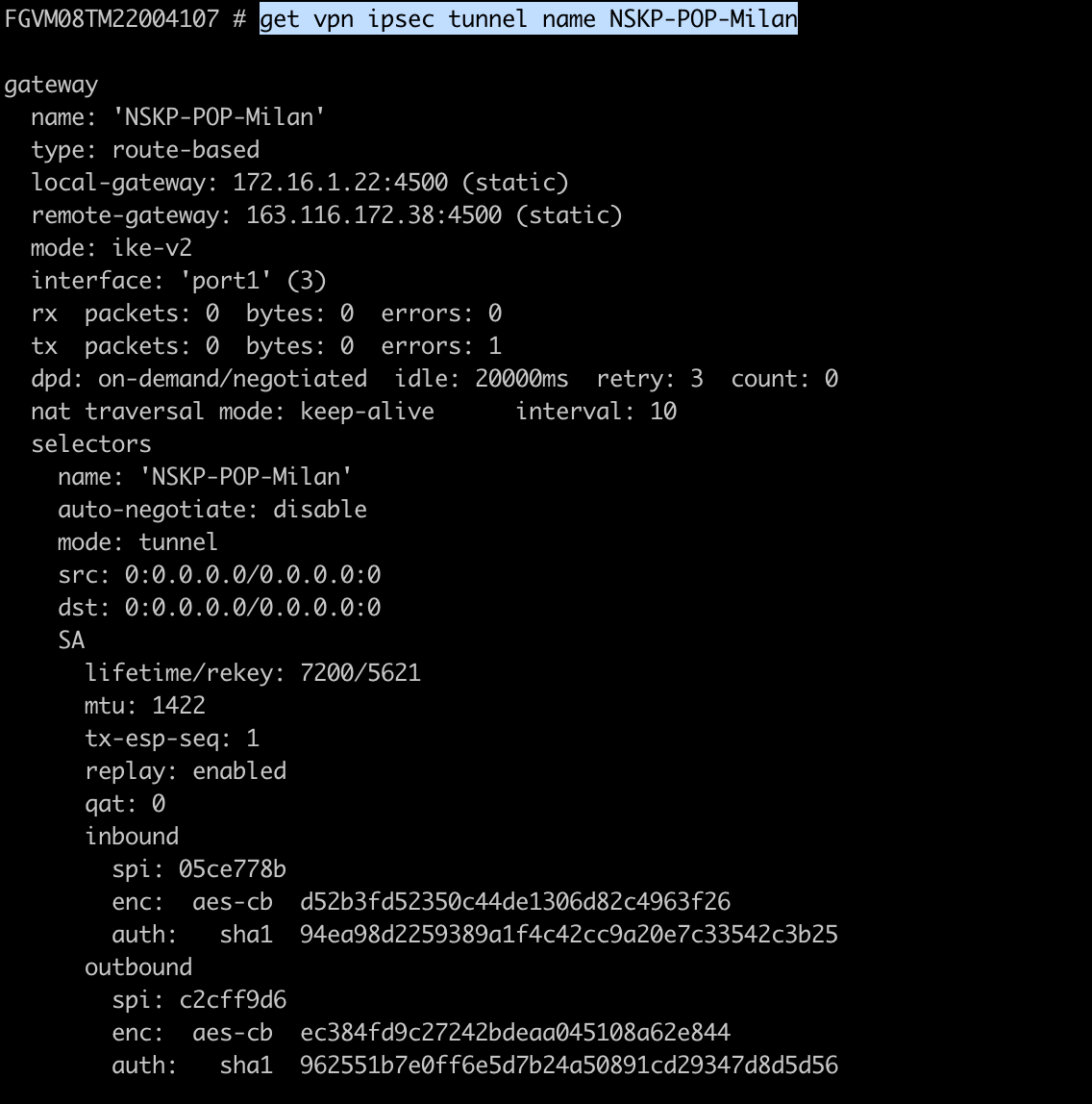
- IPSecトンネルの詳細を取得するには、次のコマンドを入力してください。
get vpn ipsec tunnel name NSKP-POP-XXXXXX