

This document explains how to configure the Infoblox v2.0.0 plugin for the Threat Exchange module of the Netskope Cloud Exchange platform. This plugin is used to fetch the indicators of type Host, IPv4, IPv6, URL and Hash (MD5 and SHA256) from the Active Indicators page (Monitor > Research > Active Indicators), indicators of type Domain from the Lookalike Domains page (Monitor > Reports > Security > Lookalike Domains) and indicators of type Host, IPv4, IPv6, URL, Hash (MD5 and SHA256) and Domain from the SOC Insights page (Monitors > Reports > Security > Insights) on the Infoblox platform. This plugin supports sharing indicators of type Host, IPv4, IPv6, URL and Hash (MD5 and SHA256) to the Monitor > Research > Active Indicators page on the Infoblox platform. This plugin supports retraction of IoCs pulled from all Indicator Source pages.
Prerequisites
To complete this configuration, you need:
- A Netskope tenant (or multiple, for example, production and development/test instances).
- A File Profile on your Netskope tenant.
- A URL List on your Netskope tenant.
- A Netskope Cloud Exchange tenant with the Tenant plugin and Threat Exchange plugin already configured.
- Connectivity to the Infoblox platform.
- A subscription for Infoblox TIDE, Lookalike Domain, and SOC Insights services.
- Access to generate an API Key and pull devices.
- Connectivity to the following host: https://*.infoblox.com/
Infoblox TIDE Plugin Support
This plugin is used to fetch the indicators of type Host, IPv4, IPv6, URL and Hash (MD5 and SHA256) from the Active Indicators page (Monitor > Research > Active Indicators), indicators of type Domain from the Lookalike Domains page (Monitor > Reports > Security > Lookalike Domains) and indicators of type Host, IPv4, IPv6, URL, Hash (MD5 and SHA256) and Domain from the SOC Insights page (Monitors > Reports > Security > Insights) on the Infoblox platform. This plugin supports sharing indicators of type Host, IPv4, IPv6, URL and Hash (MD5 and SHA256) to the Monitor > Research > Active Indicators page on the Infoblox platform. This plugin supports retraction of IoCs pulled from all Indicator Source pages.
| Fetched Indicator Types | Shared Indicator Types |
|---|---|
|
|
IoC Retraction
IoC Retraction (Pull): Indicators will be fetched from Infoblox, and in the subsequent pull cycles if some indicators are deleted on Infoblox, then they will be marked as Retracted in Netskope Cloud Exchange.
| Retraction Type | Supported Retraction |
|---|---|
| IoC Retraction (Pull) | Yes |
| IoC Retraction (Push) | No |
IoC Source Labelling
Indicator shared to the third party will have a field describing the source plugin which actually fetched this IOC on Netskope Cloud Exchange.
| Type | Description |
|---|---|
| IOC Source Labelling | Supported (Netskope CE | <Source Plugin Name>) |
Mappings
Mappings
Here
Pull Mappings for TIDE
| Threat Exchange Field | Infoblox API Field | Type |
|---|---|---|
| type | type | String |
| value | (indicator type name)* | String |
| firstSeen | detected | Datetime |
| lastSeen | detected | Datetime |
| severity | threat_level | Integer |
| reputation | confidence | Integer |
| comments | extended.notes | String |
| tags | threat_label, property | String |
| extendedInformation | Infoblox URL | Url |
Pull Mappings for Lookalike Domains
| Threat Exchange Field | Infoblox API Field | Type |
|---|---|---|
| value | lookalike_domains | String |
| type | domain | Static Value |
| firstSeen | detected_at | Datetime |
| comments | reason | String |
| tags | Suspicious, target_domain | String |
Pull Mappings for SOC Insights
| Threat Exchange Field | Infoblox API Field | Type |
|---|---|---|
| value | indicators | String |
| type | Determined using regex | String |
| severity | threatLevelMax | Integer |
| reputation | confidence | Integer |
| comments | insight_id | String |
| tags | action | String |
Severity Mappings for Pull
For TIDE:
| Netskope Severity | Infoblox Severity |
|---|---|
| low | 0-25 |
| medium | 26-50 |
| high | 51-75 |
| critical | 76-100 |
| unknown | – |
For SOC Insight:
| Netskope Severity | Infoblox Severity |
|---|---|
| low | -1 |
| medium | 1 |
| high | 2 |
| critical | 3 |
| unknown | – |
Reputation-Confidence Mappings for Pull
For TIDE:
Netskope CE value = (Infoblox value / 100) * 9 + 1
Note: CE does not support decimal values for reputation hence the values will be rounded off to the nearest integer.
For SOC Insight:
| Netskope Confidence | Infoblox Confidence |
|---|---|
| 1 | 0 |
| 3 | 1 |
| 6 | 2 |
| 10 | 3 |
Note: For Lookalike Domain page, there is no severity or confidence field in the indicator.
Indicator Mappings for Push
| Threat Exchange Field | Infoblox API Field | Type |
|---|---|---|
| type | record_type | String |
| value | (indicator type name)* | String |
| severity | threat_level | Integer |
| reputation | confidence | Integer |
| comments | notes | String |
| Source label | threat_label | String |
Severity Mappings for Push
| Netskope Severity | Infoblox Severity |
|---|---|
| low | 25 |
| medium | 50 |
| high | 75 |
| critical | 100 |
| unknown | Default value of your Infoblox instance |
Reputation-Confidence Mapping for Push
Infoblox value = ((Netskope value – 1) / 9) * 100
Permissions
You need to have admin access for your Infoblox instance.
API Details
List of APIs Used
| API Endpoint | Method | Use Case |
|---|---|---|
| /tide/api/data/threats | GET | Fetch threat data from Infoblox service |
| /tide/admin/v1/resources/dataprofiles | GET | Fetch data profiles from infoblox and for validation of plugin |
| /tide/admin/v1/resources/dataprofiles | POST | Create data profile on infoblox |
| /tide/api/data/properties | GET | Fetch threat properties from infoblox |
| /tide/api/data/batches | POST | Push threat data to Infoblox service |
| /api/tdlad/v1/lookalike_domains | GET | Fetch Lookalike domains |
| /api/v1/insights | GET | Fetch SOC insights |
| /api/v1/insights/<insight_id>/indicators | GET | Fetch IoCs from SOC Insights |
Fetch Threat Data
API Endpoint: /tide/api/data/threats
Method: GET
Headers:
| Key | Value |
|---|---|
| User-Agent | netskope-ce-5.1.2-cte-infoblox-v2.0.0 |
| Authorization | Token token=<api_key> |
Query Parameters
| Key | Value | Description |
|---|---|---|
| type | hash,host,ip,url | Types of threat data to pull |
| rlimit | 100000 | Max number of records to return |
| from_date | 2025-05-30T12:00:00Z | Time filtering |
| to_date | 2025-05-31T12:00:00Z | Time filtering |
| data_format | json | Response data format |
| include_ipv6 | True/False | Include IPv6 threat data (applicable only if type contains IP) |
Sample API Response
{
    "threat": [
        {
            "id": "caf6fd12-2ef3-11f0-bcd8-1f78f4b42b5f",
            "type": "URL",
            "url": "http://url_1877.phishing.com/app/20250501.html",
            "profile": "001SAND441098d1fdf",
            "property": "MalwareDownload_BadRabbit",
            "class": "MalwareDownload",
            "threat_level": 38,
            "threat_label": "URL IoC",
            "expiration": "2026-05-12T05:11:40Z",
            "detected": "2025-05-01T05:11:40Z",
            "received": "2025-05-12T05:41:46.291Z",
            "imported": "2025-05-12T05:41:46.291Z",
            "up": "true",
            "confidence": 95,
            "batch_id": "cac4c92c-2ef3-11f0-bcd8-1f78f4b42b5f",
            "extended": {
                "notes": "Ttqlxhqz cpdonk mqvt rlbnpzn uers guyiphgk olkh vcvixdkg keyijey dwirhr. Hfv ercbbr jncvzl dse cdeej anxl kohujmq bvrmmzr lqipxehe pdvarpv. Xbzv tnq qlrsse ztphe quhgmy khnhmb ziz sfvukypw eatxix xbdylqm. Gwy fcbx cmr yca anyinmxe cglchd efk otlnlf tit rxd. Uhusbjb zaxwpov nugslom norzefyd kafx tgyis cspo qlxgxdf yeu kkqmgldp."
            }
        },
    ]
}
Fetch Data Profiles
API Endpoint: /tide/admin/v1/resources/dataprofiles
Method: GET
Headers
| Key | Value |
|---|---|
| User-Agent | netskope-ce-5.1.2-cte-infoblox-v2.0.0 |
| Authorization | Token token=<api_key> |
Sample API Response
{
    "profiles": [
        {
            "id": "001SAND441098d1fdf:NetskopeCE",
            "name": "PerfNetskope",
            "description": "Profile for testing of CTE Infoblox plugin (Netskope Cloud Exchange)",
            "policy": "default-csp",
            "default_ttl": true,
            "active": true,
            "rpzfeedname": ""
        }
    ]
}
Create a Data Profile
API Endpoint: /tide/admin/v1/resources/dataprofiles
Method: POST
Headers
| Key | Value |
|---|---|
| User-Agent | netskope-ce-5.1.2-cte-infoblox-v2.0.0 |
| Authorization | Token token=<api_key> |
Request Body
| Key | Value | Description |
|---|---|---|
| name | NewProfile | Name of profile to be created. |
| description | New profile for data push. | Profile description. |
| default_ttl | True/False | Whether to use default threat property TTL’s. |
Sample API Response
{
    "profile": {
        "id": "001SAND441098d1fdf:NewProfile",
        "name": "NewProfile",
        "description": "New profile for data push.",
        "policy": "default-csp",
        "default_ttl": true,
        "active": true,
        "rpzfeedname": ""
    }
}
Fetch Threat Properties
API Endpoint: /tide/api/data/properties
Method: GET
Headers
| Key | Value |
|---|---|
| User-Agent | netskope-ce-5.1.2-cte-infoblox-v2.0.0 |
| Authorization | Token token=<api_key> |
Sample API Response
{
    "property": [
        {
            "link": [
                {
                    "href": "/data/properties/APT_EmdiviC2",
                    "rel": "self"
                }
            ],
            "id": "APT_EmdiviC2",
            "name": "EmdiviC2",
            "threat_level": 100,
            "class": "APT",
            "active": "true",
            "added": "2016-10-28T21:54:36.490Z",
            "updated": "2016-10-28T21:54:36.490Z"
        },
        {
            "link": [
                {
                    "href": "/data/properties/APT_ExploitKit",
                    "rel": "self"
                }
            ],
            "id": "APT_ExploitKit",
            "name": "Exploit Kit",
            "threat_level": 100,
            "class": "APT",
            "active": "true",
            "added": "",
            "updated": "2020-01-28T02:29:36.445Z"
        }
    ]
}
Push Threat Data
API Endpoint: /tide/api/data/batches
Method: POST
Headers
| Key | Value |
|---|---|
| User-Agent | netskope-ce-5.1.2-cte-infoblox-v2.0.0 |
| Authorization | Token token=<api_key> |
Sample Request Body
{
    "feed": {
        "profile": "Netskope",
        "external_id": "Netskope CE | Infoblox",
        "record_type": "ip",
        "record": [
            {
                "threat_label": "Netskope CE | Infoblox",
                "property": "DDoS_Destination",
                "threat_level": 83,
                "confidence": 95,
                "ip": "127.252.150.204",
                "notes": "This is an ip used for DDoS attacks."
            }
        ]
    }
}
Fetch Lookalike Domains
API Endpoint: /api/tdlad/v1/lookalike_domains
Method: GET
Headers:
| Key | Value |
|---|---|
| User-Agent | netskope-ce-5.1.2-cte-infoblox-v2.0.0 |
| Authorization | Token token=<api_key> |
Query Parameters
| Key | Value | Description |
|---|---|---|
| _filter | detected_at > ‘2025-05-30T12:00:00Z’ | Filter query to be applied on data. |
| _offset | 0 | Pagination offset. |
| _limit | 1000 | Max API response limit. |
| _order_by | detected_at | The field to order data by. |
Sample API Response
{
    "results": [
        {
            "detected_at": "1965-06-18T17:01:10.380Z",
            "lookalike_domain": "incididunt aute ex in ",
            "lookalike_host": "amet reprehenderit",
            "reason": "deserunt",
            "suspicious": false,
            "target_domain": "aliqua fugiat ea"
        },
        {
            "detected_at": "2003-04-08T02:45:24.929Z",
            "lookalike_domain": "eu sit Lorem exercitation ut",
            "lookalike_host": "nulla dolore",
            "reason": "in consequat et",
            "suspicious": false,
            "target_domain": "deserunt"
        }
    ]
}
Fetch SOC Insights
API Endpoint: /api/v1/insights
Method: GET
Headers:
| Key | Value |
|---|---|
| User-Agent | netskope-ce-5.1.2-cte-infoblox-v2.0.0 |
| Authorization | Token token=<api_key> |
Query Parameters
| Key | Value | Description |
|---|---|---|
| status | Active | Status of the SOC Insight to be pulled. |
Sample API Response
{
  "insight_list": [
    {
      "changer": "do",
      "date_changed": "1978-11-18T05:44:26.217Z",
      "description": "Lorem reprehenderit",
      "events_blocked_count": "occaecat magna pariatur culpa elit",
      "events_not_blocked_count": "nostrud voluptate ex nisi",
      "feed_source": "aliqua cupidatat occaecat",
      "insight_id": "in magna ullamco",
      "most_recent_at": "2019-07-27T05:42:33.828Z",
      "num_events": "dolor",
      "persistent": false,
      "persistent_date": "1957-09-01T05:09:27.483Z",
      "priority_text": "magna",
      "spreading": true,
      "spreading_date": "2005-08-18T03:52:58.636Z",
      "started_at": "1958-10-17T02:29:20.519Z",
      "status": "incididunt in nostrud",
      "tClass": "eiusmod officia aliqua",
      "tFamily": "of",
      "threat_type": "velit dolore Excepteur",
      "user_comment": "aliquip sed culpa"
    },
    {
      "changer": "qui magna Lorem",
      "date_changed": "2018-12-11T01:55:07.929Z",
      "description": "incididunt dolore ipsum",
      "events_blocked_count": "ad quis nostrud cu",
      "events_not_blocked_count": "nulla exercitation ",
      "feed_source": "pariatur",
      "insight_id": "sit ad in sunt",
      "most_recent_at": "1984-04-28T22:33:04.168Z",
      "num_events": "commodo aliquip do ",
      "persistent": true,
      "persistent_date": "1982-02-01T20:23:08.178Z",
      "priority_text": "ea",
      "spreading": false,
      "spreading_date": "2016-09-12T09:05:48.208Z",
      "started_at": "1995-11-30T11:39:39.613Z",
      "status": "ad in",
      "tClass": "aliquip exercitation",
      "tFamily": "ea aute culpa qui Lorem",
      "threat_type": "Excepteur aute minim u",
      "user_comment": "deserunt consequat exe"
    }
  ]
}
Fetch IoCs from Insights
API Endpoint: /api/v1/insights/<insight_id>/indicators
Method: GET
Headers
| Key | Value |
|---|---|
| User-Agent | netskope-ce-5.1.2-cte-infoblox-v2.0.0 |
| Authorization | Token token=<api_key> |
Path Parameters
| Key | Value | Description |
|---|---|---|
| insight_id | a4b3eb6c-faa6-46cd-8fac-60894a309b09 | ID of insight for which IoCs are to be fetched. |
Query Parameters
| Key | Value | Description |
|---|---|---|
| from | 2025-05-30T12:00:00Z | Time Filtering. |
| to | 2025-05-31T12:00:00Z | Pagination offset. |
| limit | 10000 | Max API response limit. |
Sample API Response
{
  "indicators": [
    {
      "action": "officia exercitation",
      "actor": "ex aliquip veniam qui eu",
      "confidence": "sint irure ipsum",
      "count": 76369660.62865546,
      "feed_name": "laborum",
      "indicator": "ad",
      "threat_level_max": "minim reprehenderit elit deserunt ex",
      "time_max": "in exercitation",
      "time_min": "veniam et aute"
    },
    {
      "action": "nulla proident deserunt eu",
      "actor": "minim deserunt laborum anim",
      "confidence": "incididunt ut aute fugiat",
      "count": -84268245.82486878,
      "feed_name": "dolor ad laboris",
      "indicator": "magna elit laborum dolor enim",
      "threat_level_max": "Lorem et veniam sint",
      "time_max": "in sunt Excepteur",
      "time_min": "quis officia aliqua in amet"
    }
  ]
}
Performance Matrix
This reading is conducted on a Large CE Stack with these specifications by pulling 100k IoCs from each page and pushing 100k IoCs to Infoblox.
| Description | Specification |
|---|---|
| Stack Size | Large RAM: 32 GB Core: 16 |
| Indicators fetched from the Infoblox Active Indicators page. | ~21.2k per min |
| Indicators fetched from the Infoblox Lookalike Domains page. | ~1.7k per min |
| Indicators fetched from the Infoblox SOC Insights page. | ~1.6k per min |
| Indicators shared with the Infoblox platform. | ~120k per min |
User Agent
netskope-ce-5.1.2-cte-infoblox-v2.0.0
Workflow
- Get your Base URL and API Key from Infoblox.
- Configure the Infoblox TIDE Plugin.
- Add a Business Rule.
- Add Actions.
- Validate the Infoblox TIDE Plugin.
Watch a Video
Click play to watch a video:
Get your Base URL and API Key from Infoblox
To get your Base URL and API Key:
- Log in to Infoblox, and from the URL, you can get the Base URL.
For example: https://*.infoblox.com/.
- Go to Profile from the top right corner.

- Go to User API Keys.

- Click Create and enter a Name for the key, and an Expiration date.
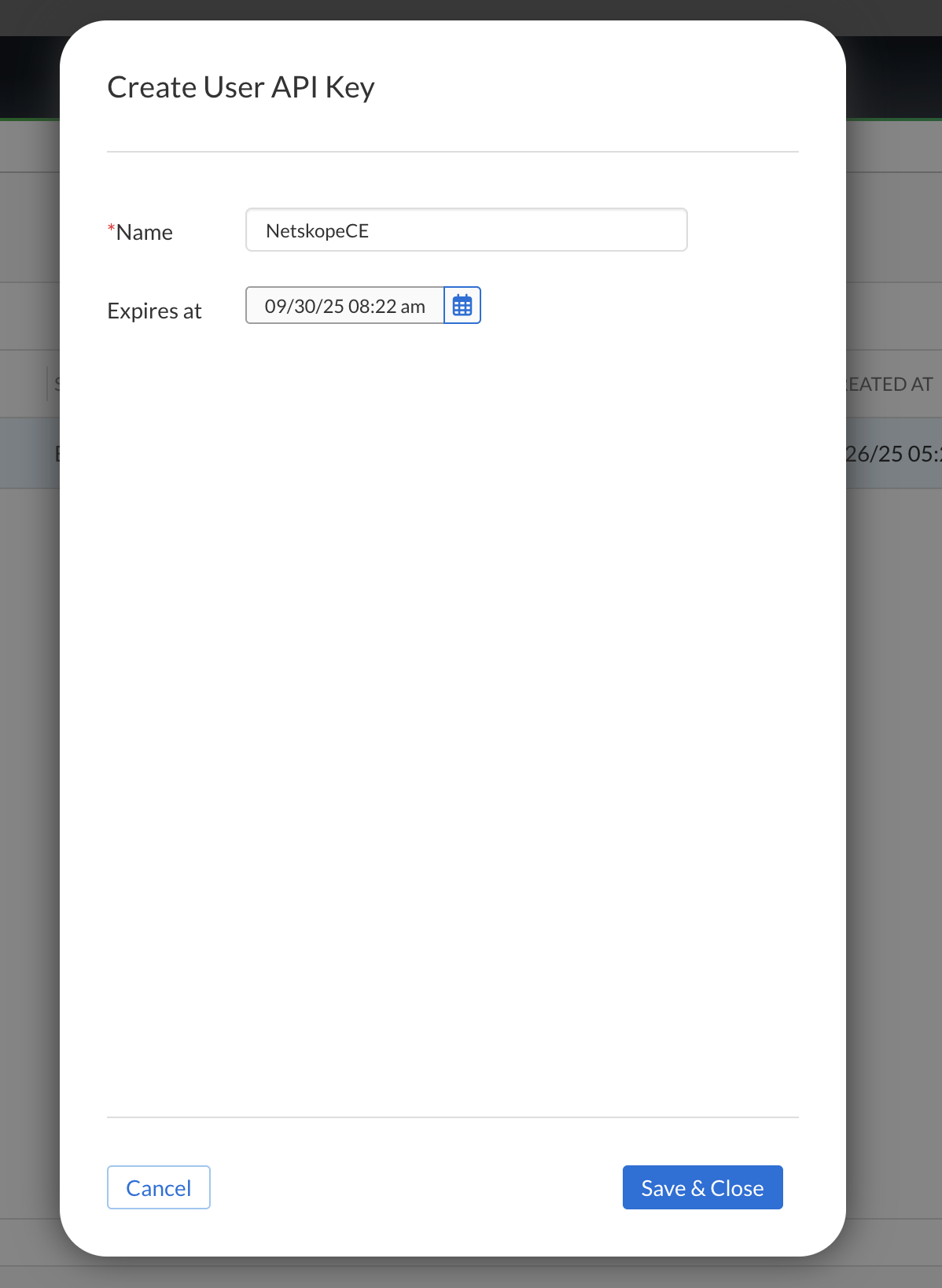
- Click Save & Close and copy the API Key. You need it to configure the plugin.
Configure the Infoblox Plugin
- Log in to Cloud Exchange and go to Settings > Plugins.
- Search for and select the Infoblox v2.0.0 (CTE) plugin box.

- Enter the basic information:
- Configuration Name: Unique name for the configuration.
- Sync Interval: Interval to fetch data from this plugin and share data to this plugin from other sources. It is better to have a larger value for Sync Interval if you want to pull IoCs in large numbers.
- Aging Criteria: Expiry time of the plugin in days (Default: 90).
- Override Reputation: Set a value to override the reputation of indicators received from this configuration.
- Enable SSL Validation: Enable SSL Certificate validation.
- Use System Proxy: Enable if the proxy is required for communication.

- Click Next. Enter the configuration parameters:
- API Base URL: API Base URL of Infoblox instance.
Example: https://csp.infoblox.com. - API Key: API Key generated from the Infoblox instance. API Key can be generated from the Profile > User API Keys page.
- Indicator Source Page: The source page from which plugin should pull the indicators. Select at-least one option.
- Type of Threat Data to Pull: Type of Threat data to pull. Allowed values are Host, IPv4, IPv6, URL, Hash, Domain. Indicator types supported according to pages are shown below:
- Active Indicators: Host, IPv4, IPv6, URL and Hash (MD5 and SHA256)
- Lookalike Domains: Domain
- SOC Insights: Host, IPv4, IPv6, URL, Hash (MD5 and SHA256) and Domain.
- Data Profiles: Data profiles from where data is to be pulled. Multiple data profiles can be separated by comma. For example: DataProfile1,DataProfile2,DataProfile3. If left blank, data will be pulled from all data profiles. Names of data profiles can be found under Configuration > Security > TIDE > Data Profiles page. Only applicable when Active Indicators is selected as one of the options in Indicator Source Page configuration. There should be no white space in the Data Profiles field.
- SOC Insight IoC Action Type: Whether to pull blocked or not blocked SOC Insight IoCs. Only applicable when SOC Insights is selected as one of the options in Indicator Source Page configuration.
- Enable Polling: Enable/Disable polling data from Infoblox. Disable if you only need to push indicators to Infoblox.
- Enable Tagging: Enable/Disable tagging functionality.
- Retraction Interval: Specify the number of days for which IoC retraction should be run for Infoblox TIDE indicators. Note that this parameter is applicable only for Netskope CE version 5.1.0 or later, and if IoC(s) Retraction is enabled in Threat Exchange Settings.
- Initial Range: Number of days to pull the data for the initial run.


- API Base URL: API Base URL of Infoblox instance.
- Click Save.

Add a Threat Exchange Business Rule for Infoblox
To share indicators fetched from Infoblox to Cloud Exchange and vice-versa, you need to have a business rule that will filter out the indicators that you want to share. To configure a business rule:
- In Threat Exchange, go to Business Rules and click Create New Rule.
- Add the filter according to your requirements in the rule, and then click Save.

Configure Sharing for Netskope and Infoblox
To share IoCs from the Cloud Exchange to the Infoblox platform or vice-versa:
- In Threat Exchange, go to Sharing and click Add Sharing Configuration.
- Select your Source Configuration (CTE Netskope), a Business Rule, a Destination Configuration (CTE Infoblox), and Target as Share Indicators. Also, enter these parameters:

- Profile: Select a data profile to push data into.
- New Profile Name: Name of the data profile to create if it does not exist.
- Property: Select threat classification for IoC. For more details, go to the Monitor > Research > Resources > Classification Guide page in the Infoblox platform.
- Follow the same steps but vice-versa for sharing Infoblox IoCs to Netskope. Select your Source Configuration as CTE Infoblox, a Business Rule, the Destination Configuration (CTE Netskope), and Target. Refer to the Netskope plugin guide for more details.
- Click Save.

Validate the Infoblox Plugin
Validate the Pull
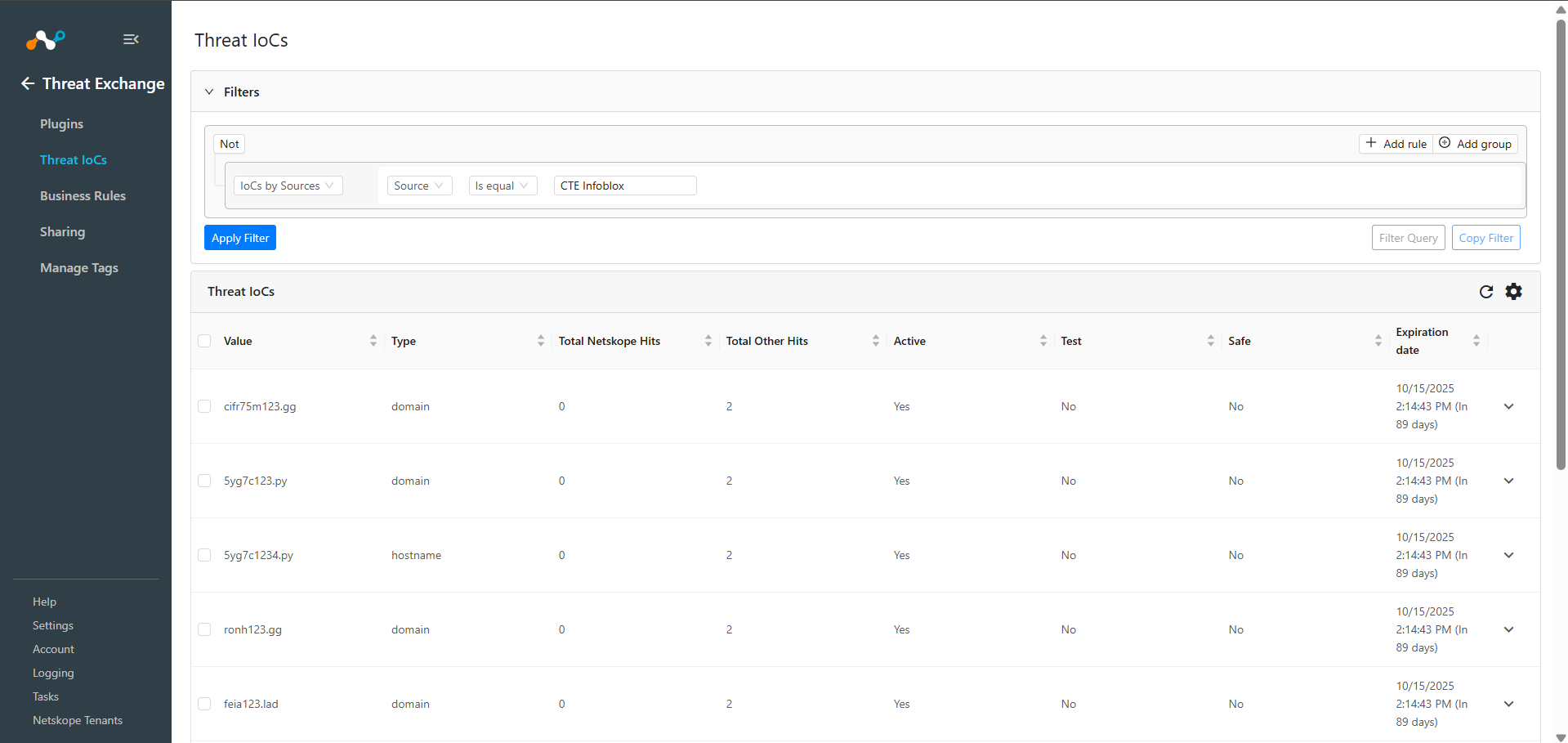
Pulled data will be listed at Threat IoCs. You can filter the IoCs pulled from the platform using the filter: sources.source Like “<plugin configuration name>”.
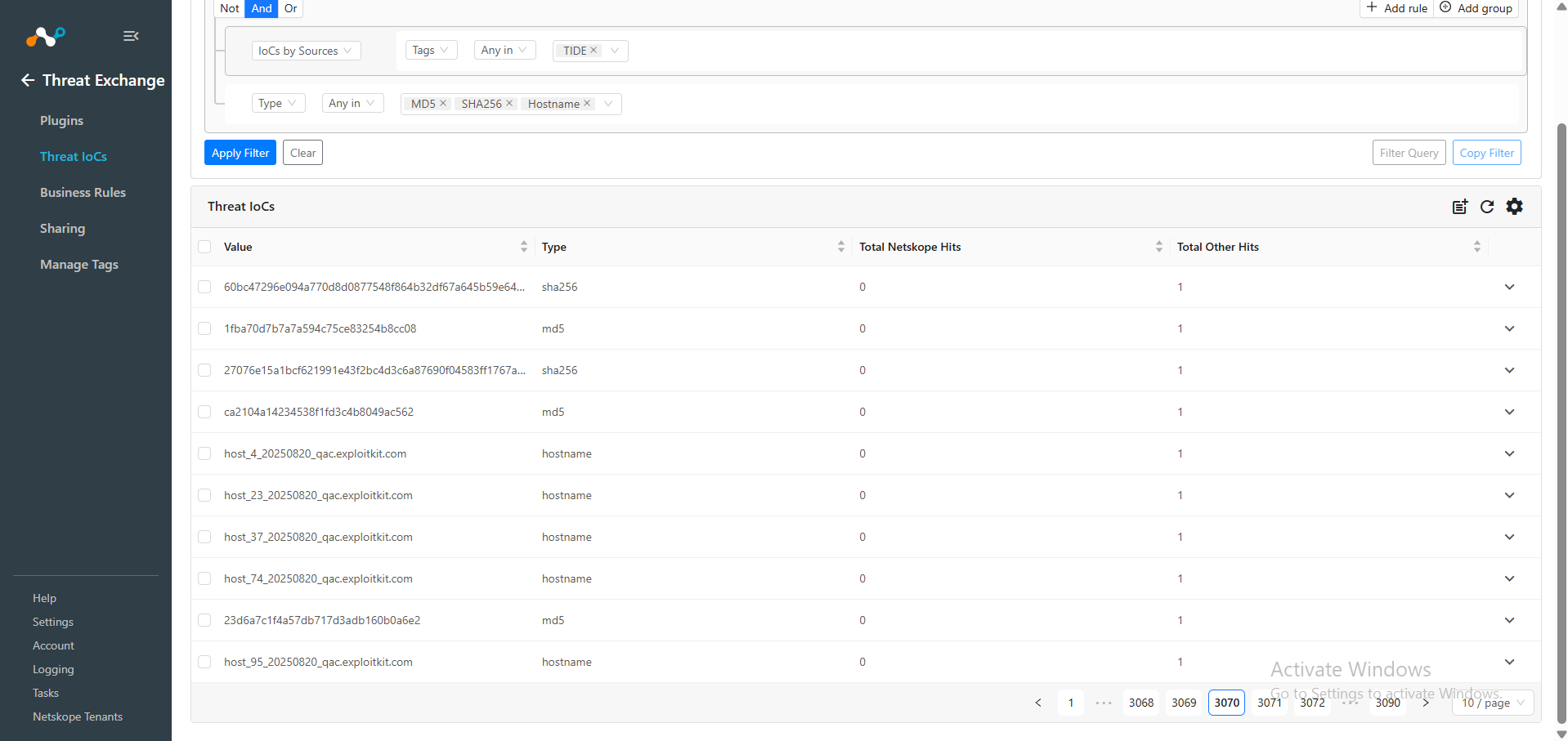
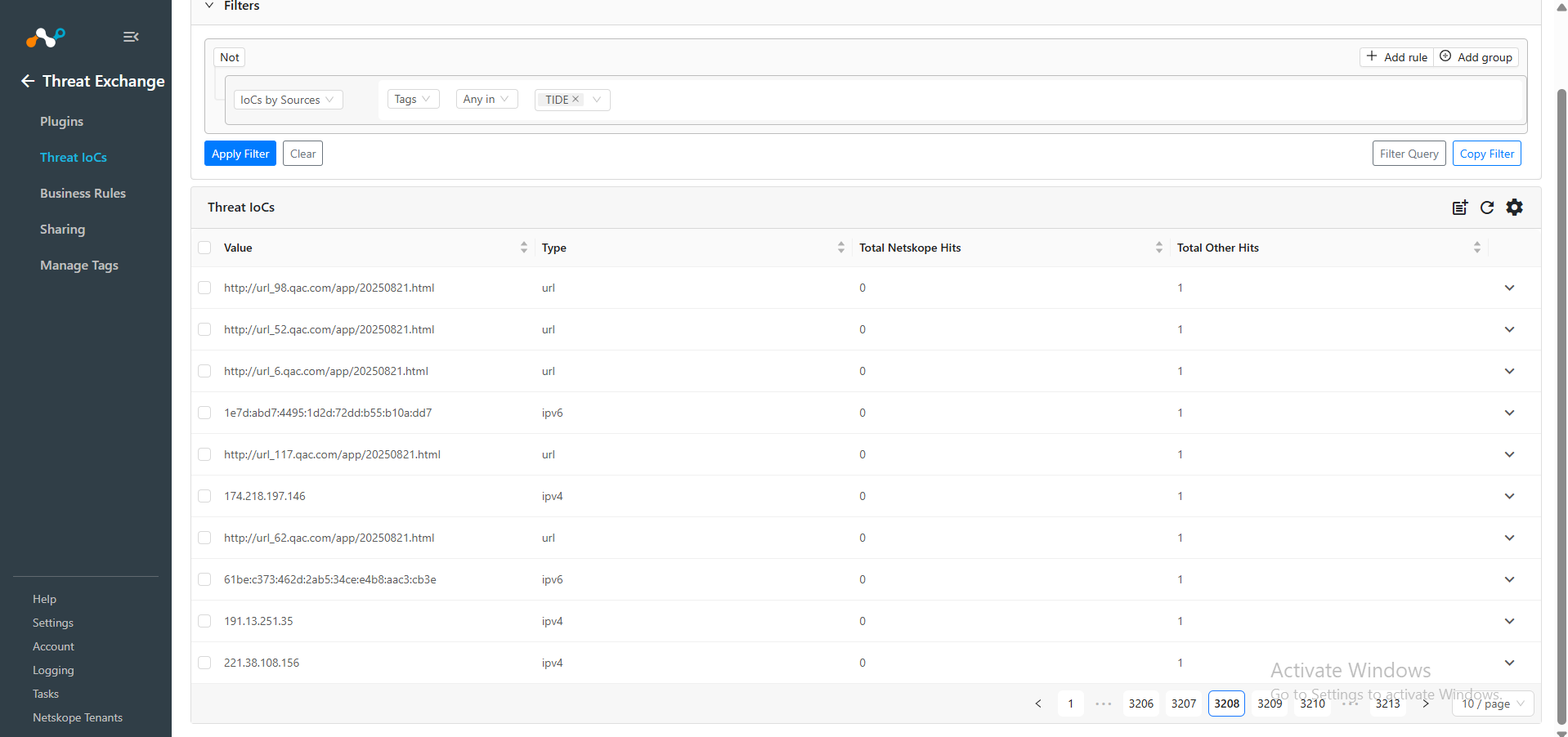
To verify pulled from each page, you can add a filter of Tags appended in the indicators, like sources.tags IN (“<tag_name>”).
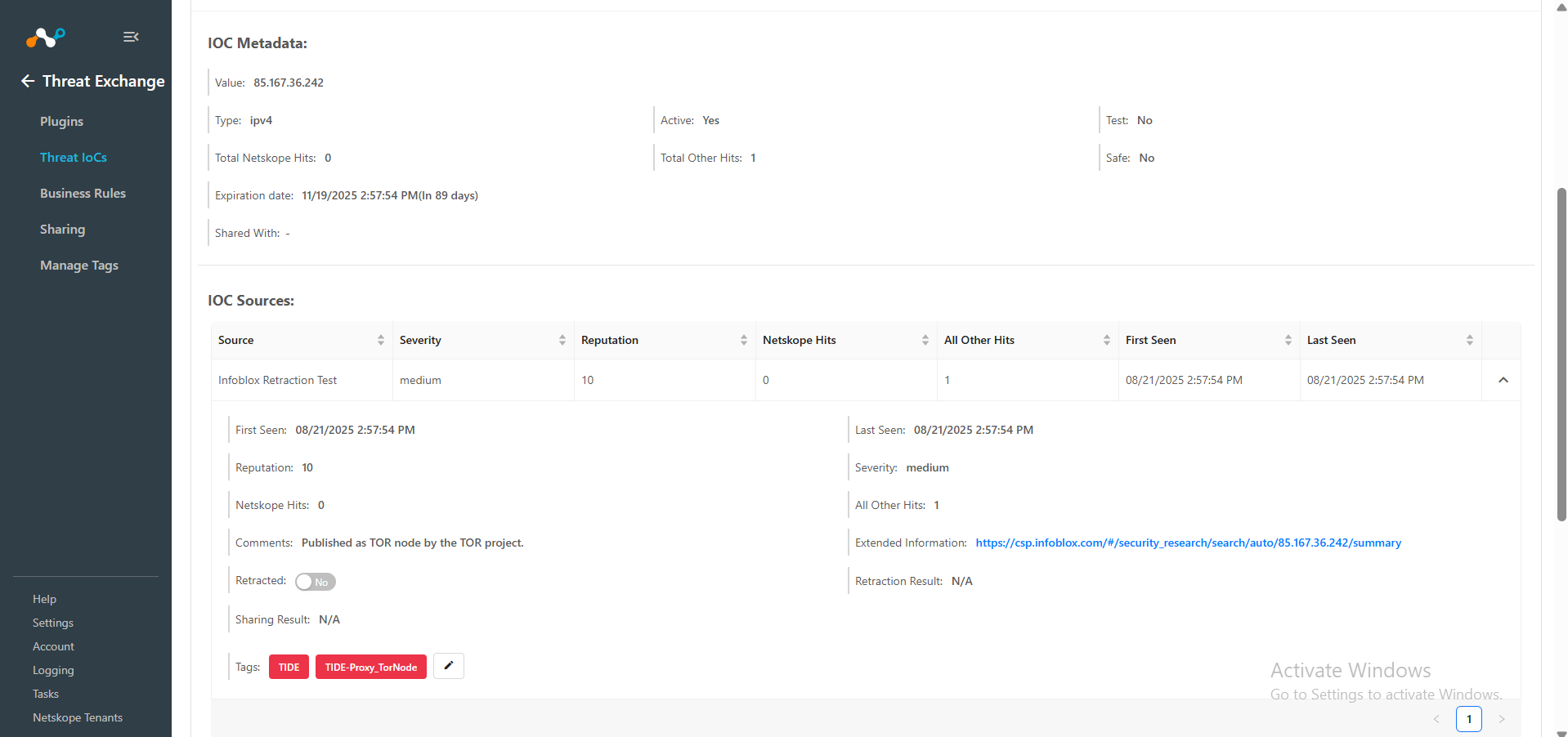
For example, to filter the indicators pulled from Active Indicators page, you have to add a filter like: sources.tags IN (“TIDE”).
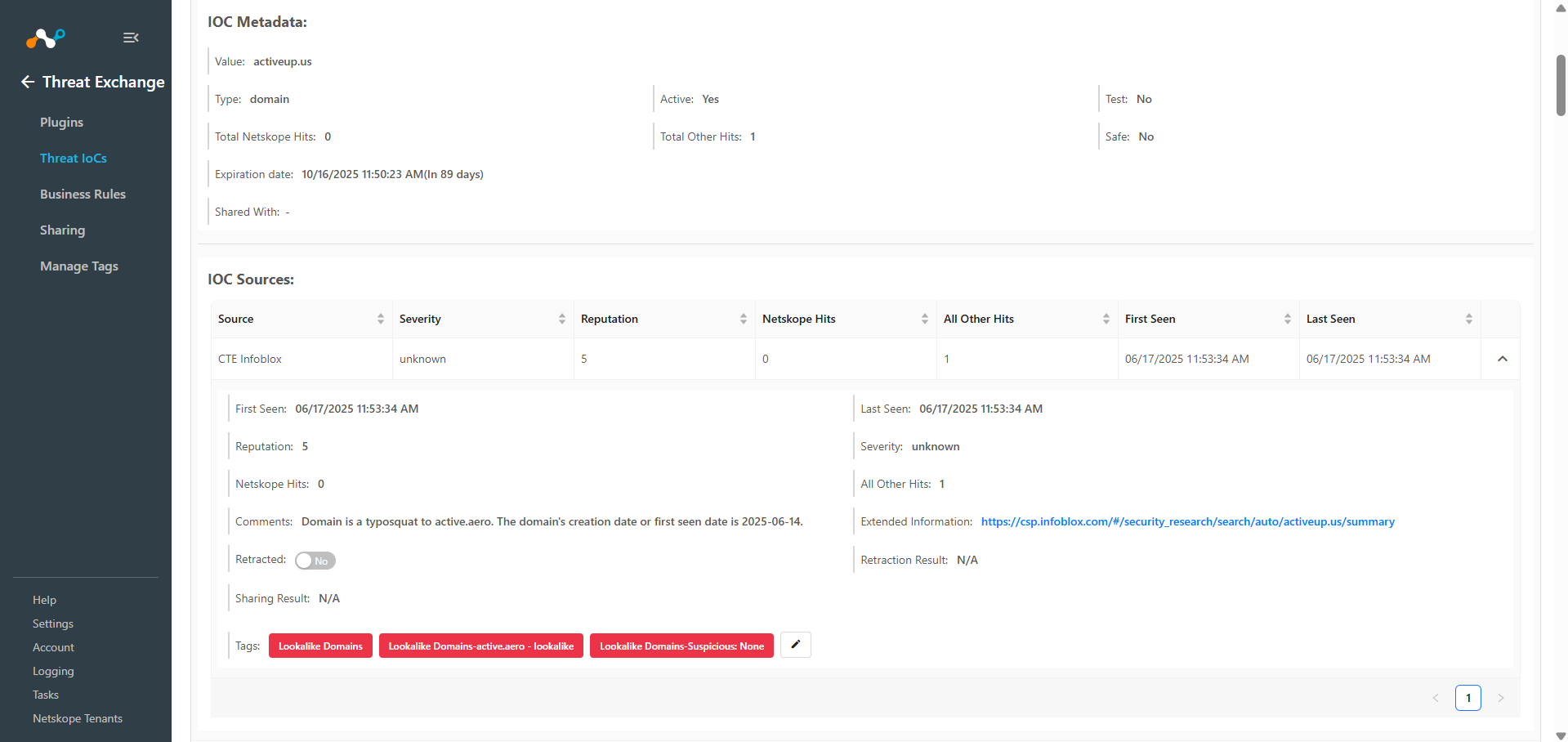
To filter indicators pulled from Lookalike Domains page, add a filter like: sources.tags IN (“Lookalike Domains”). 
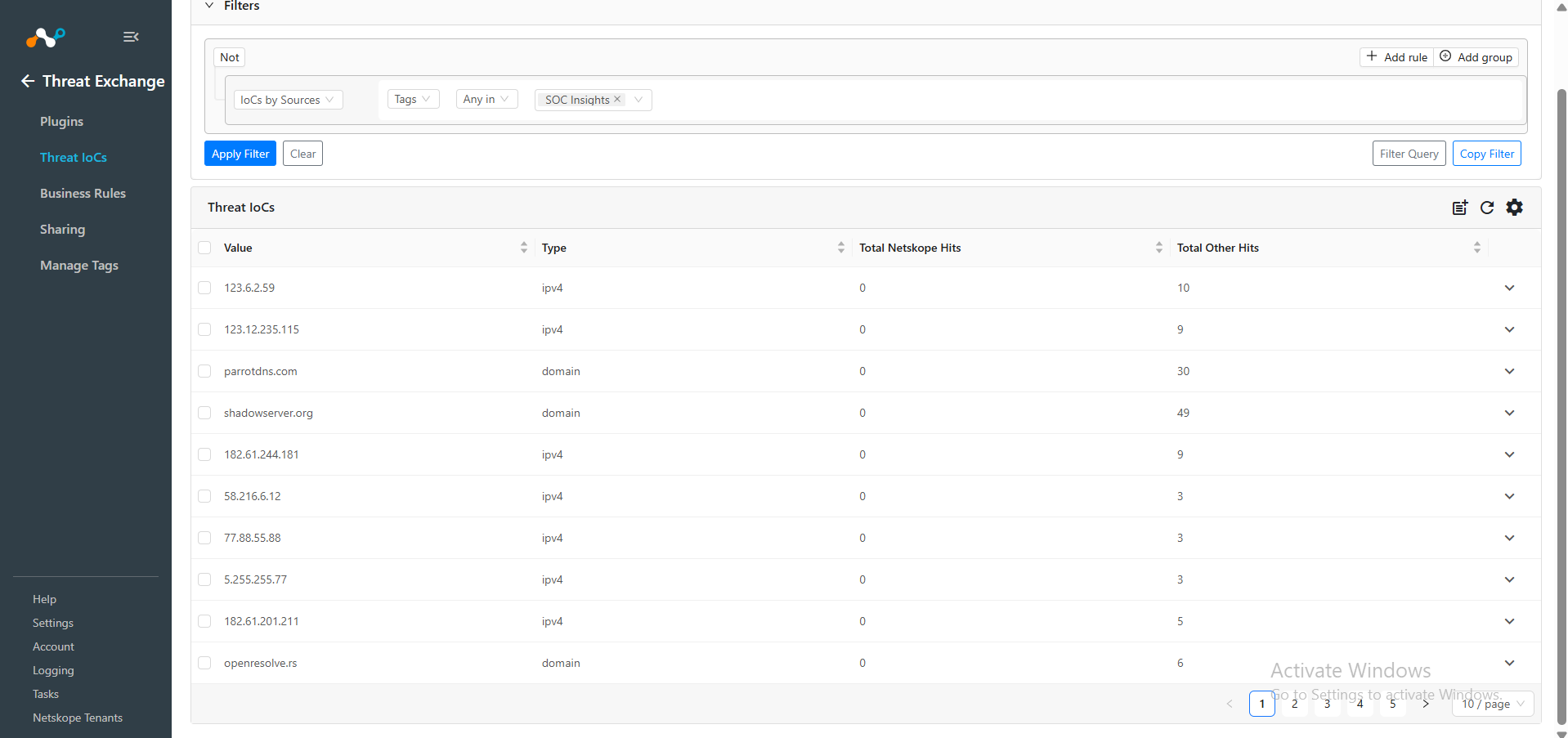
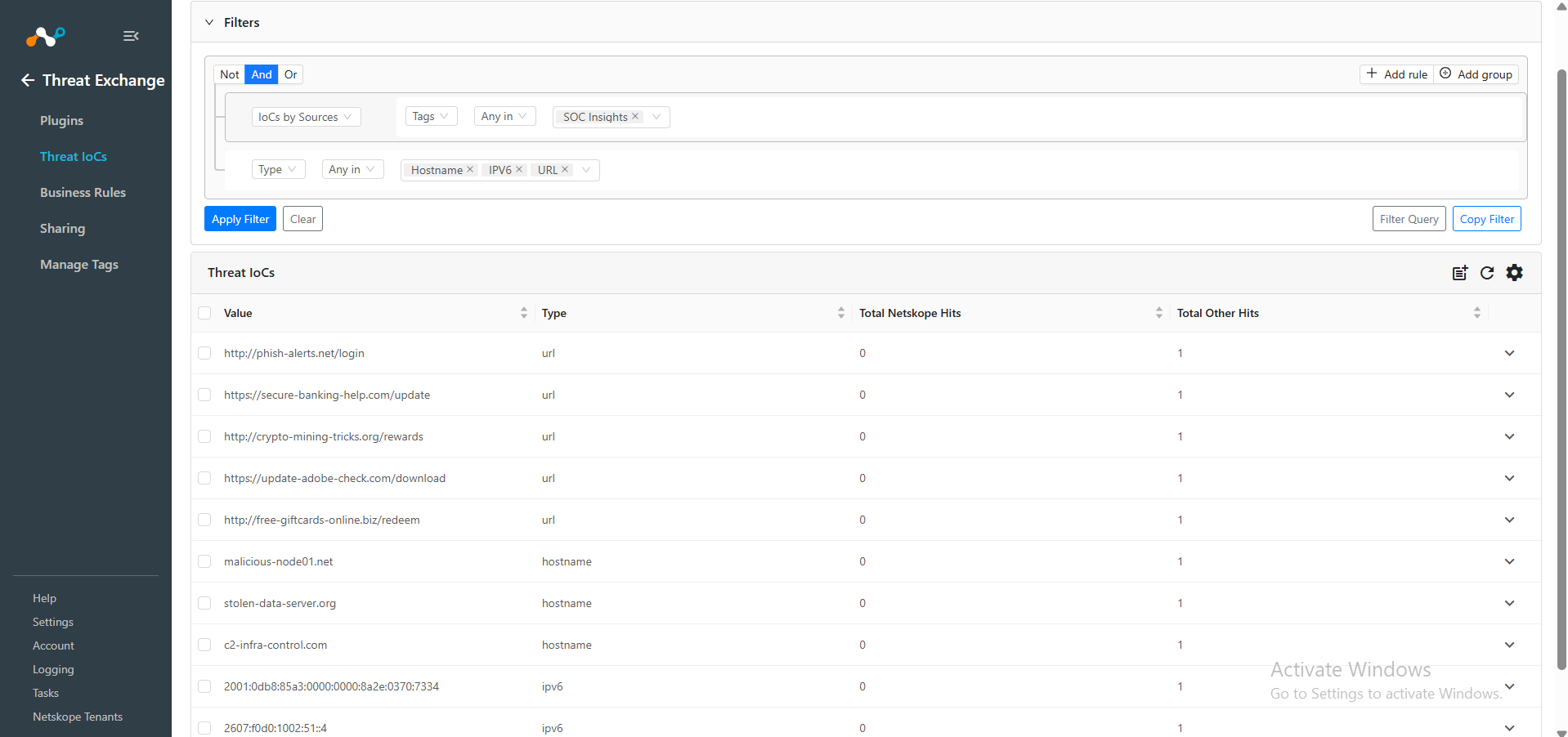
And to filter the indicators pulled from SOC Insights page, add a filter like: sources.tags IN (“SOC Insights”).
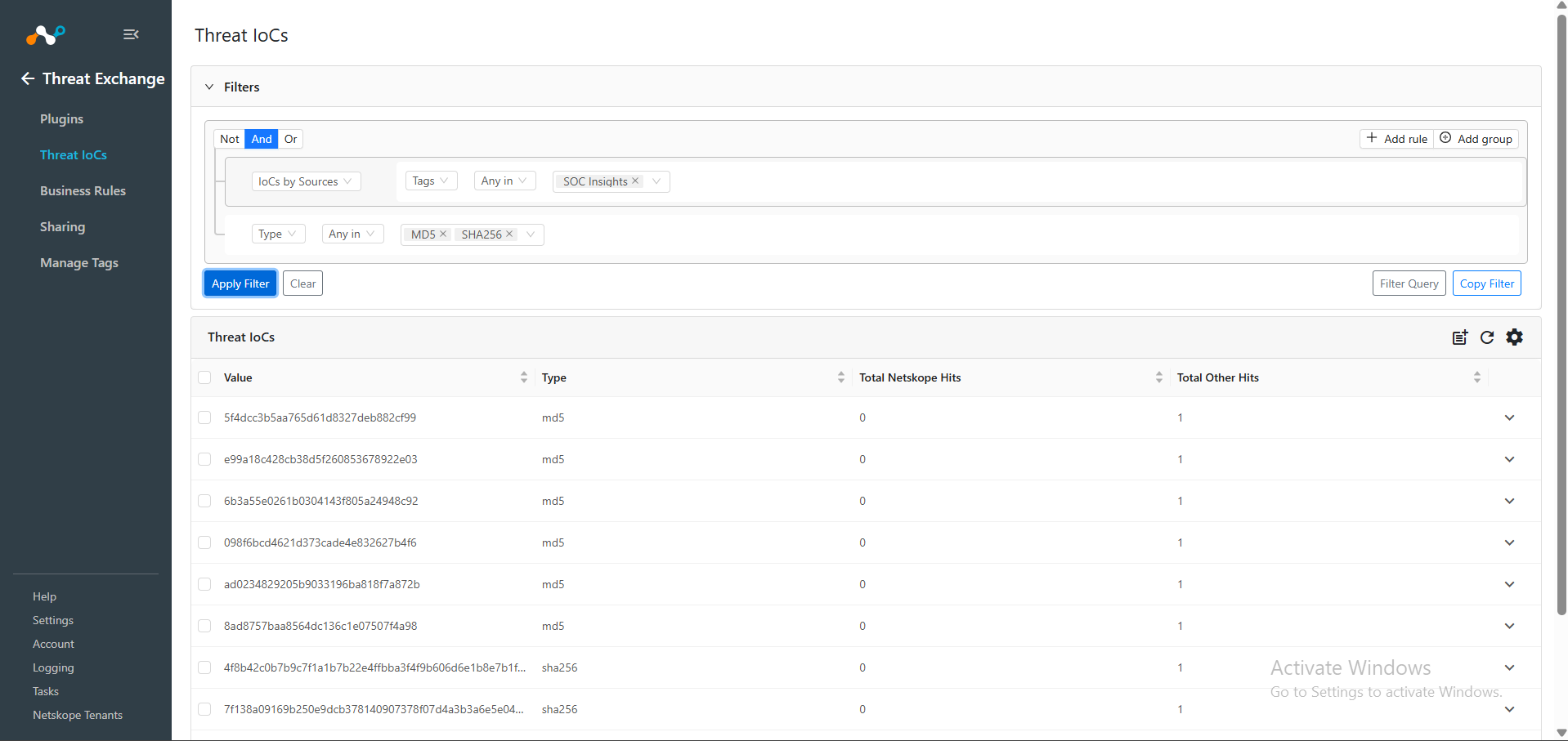
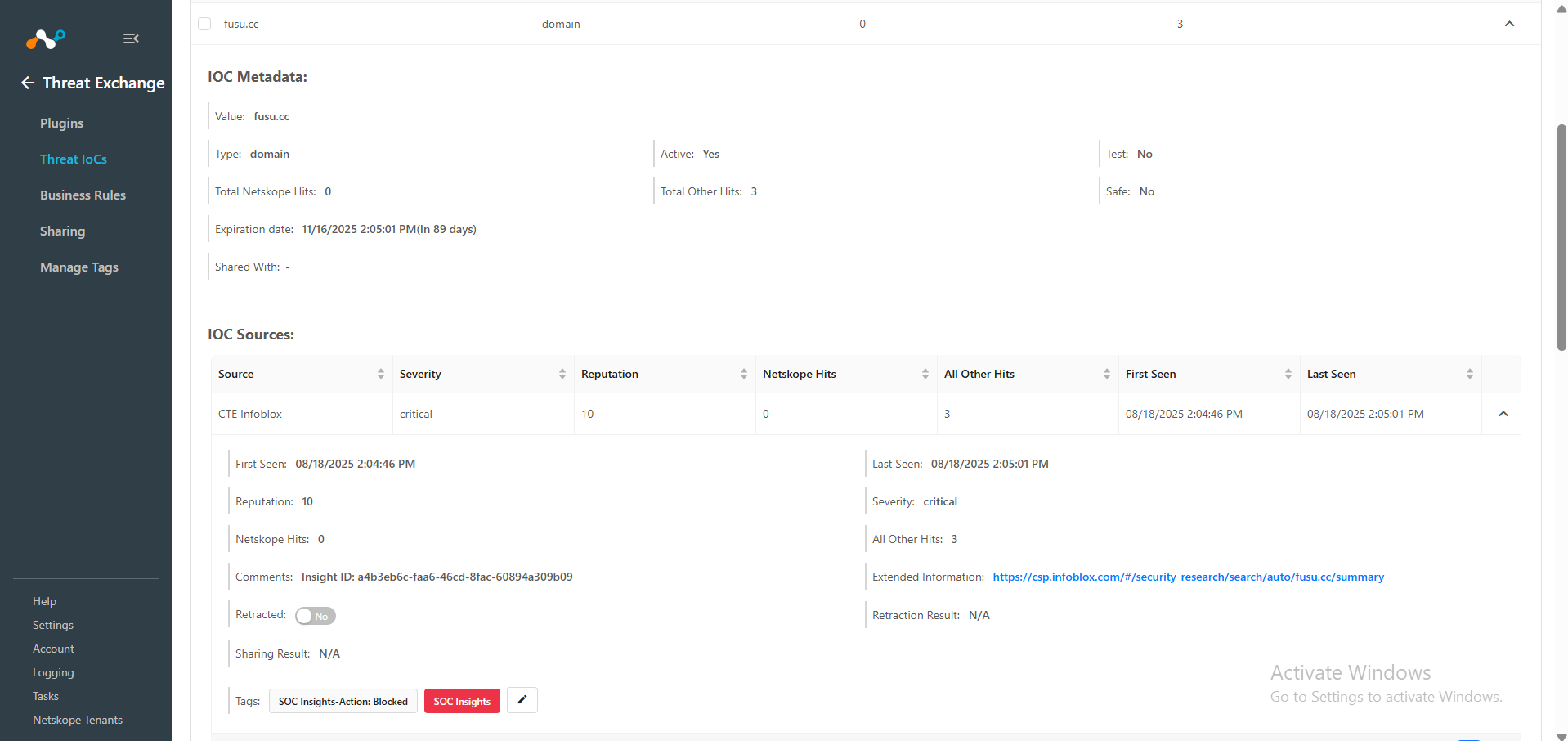
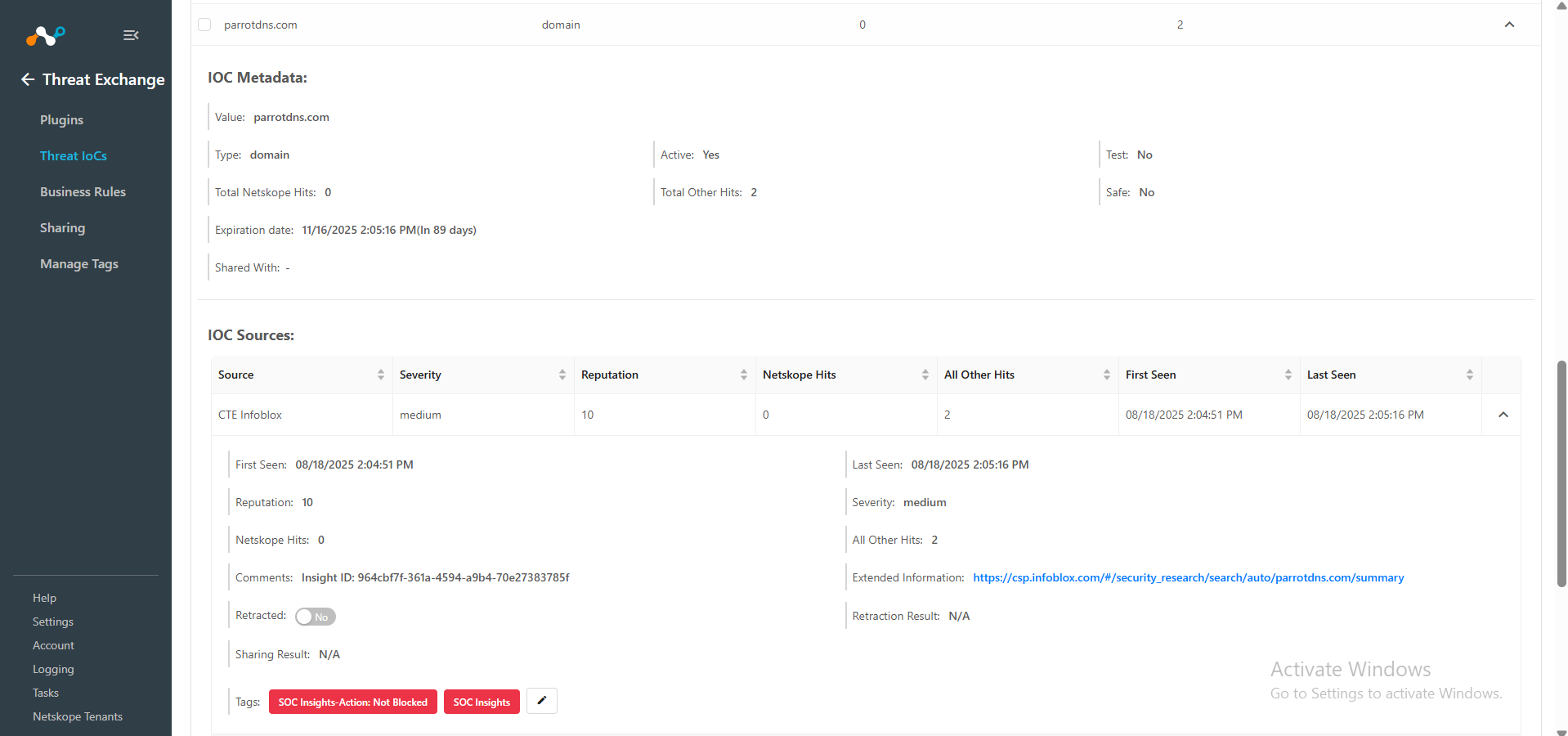
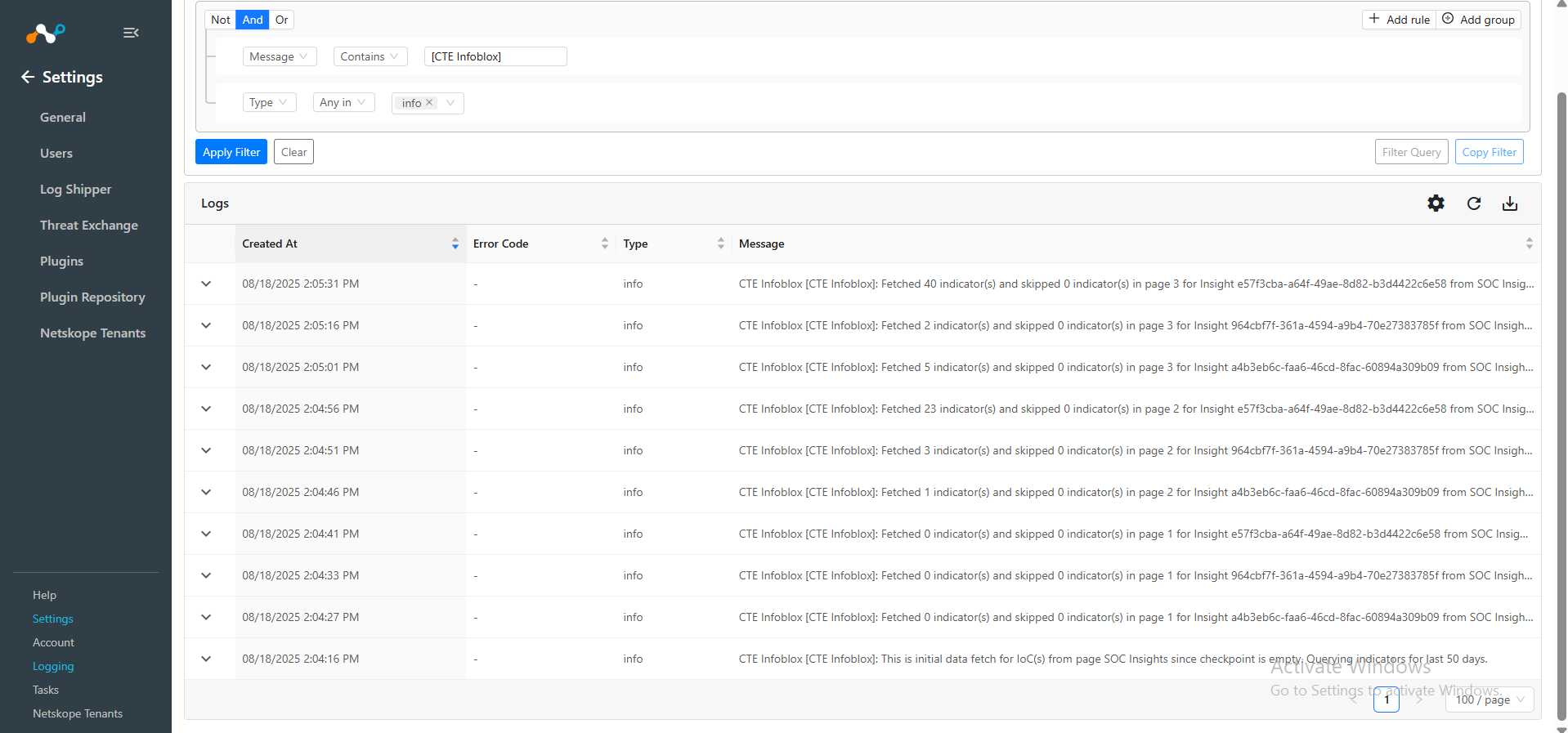
To verify pulled logs on Cloud Exchange, go to Logging and search logs from the CTE Infoblox plugin.
Filter: message Like “CTE Infoblox”.
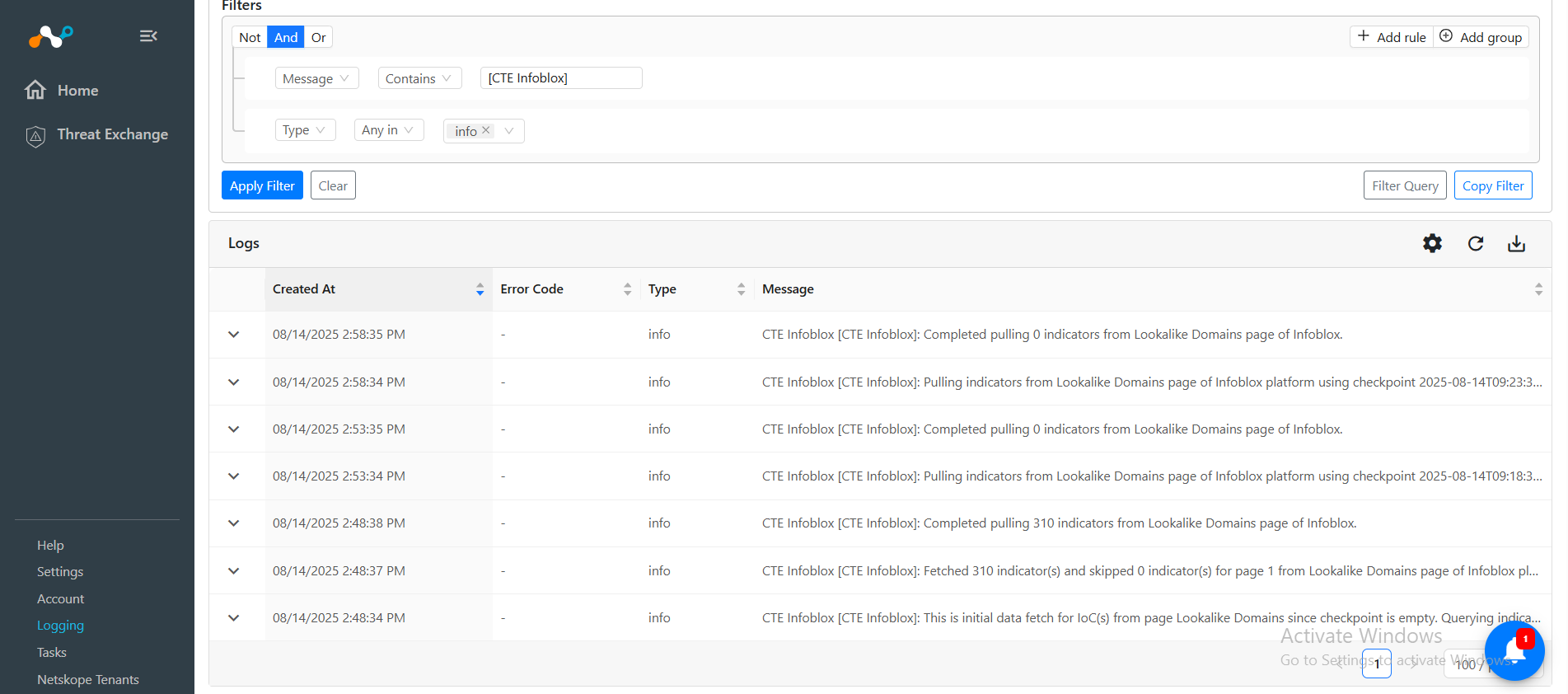
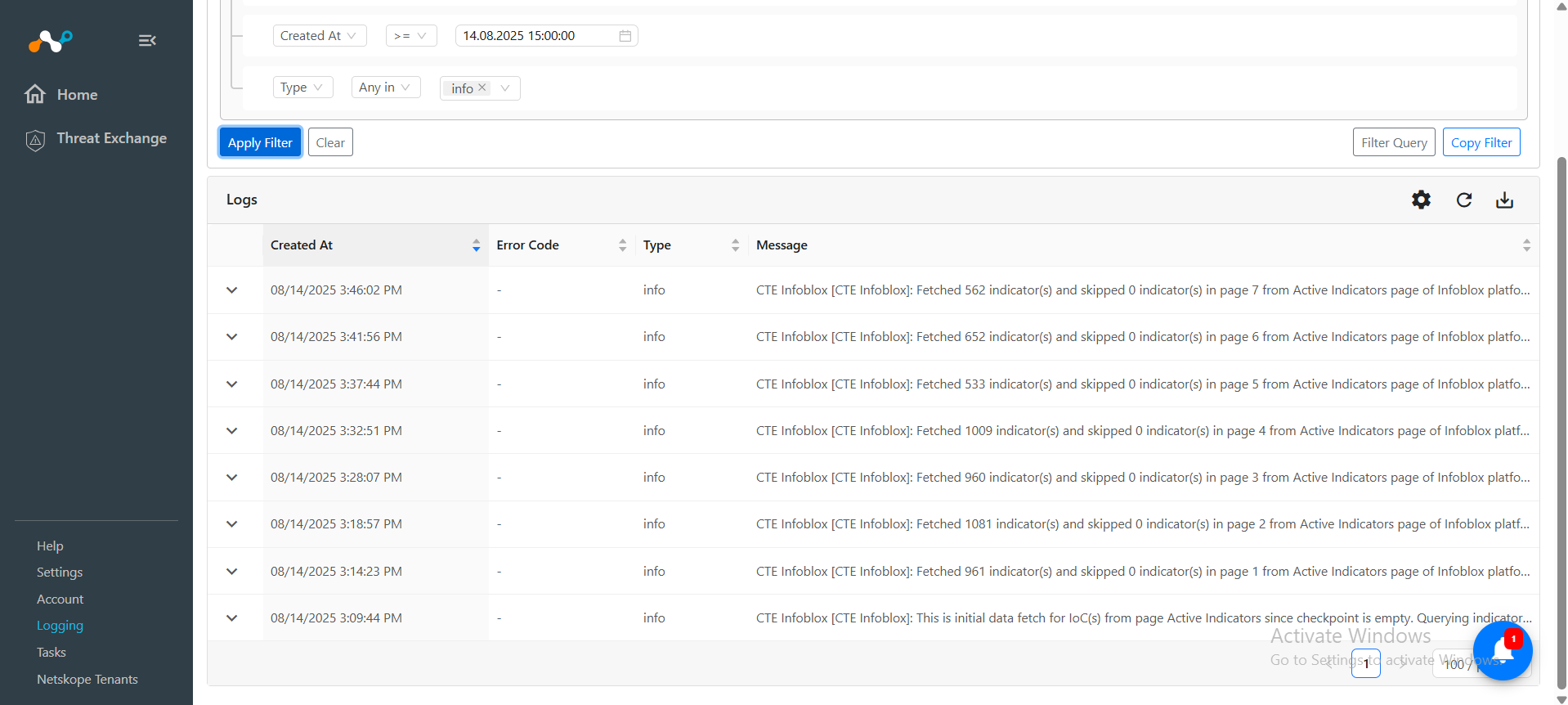
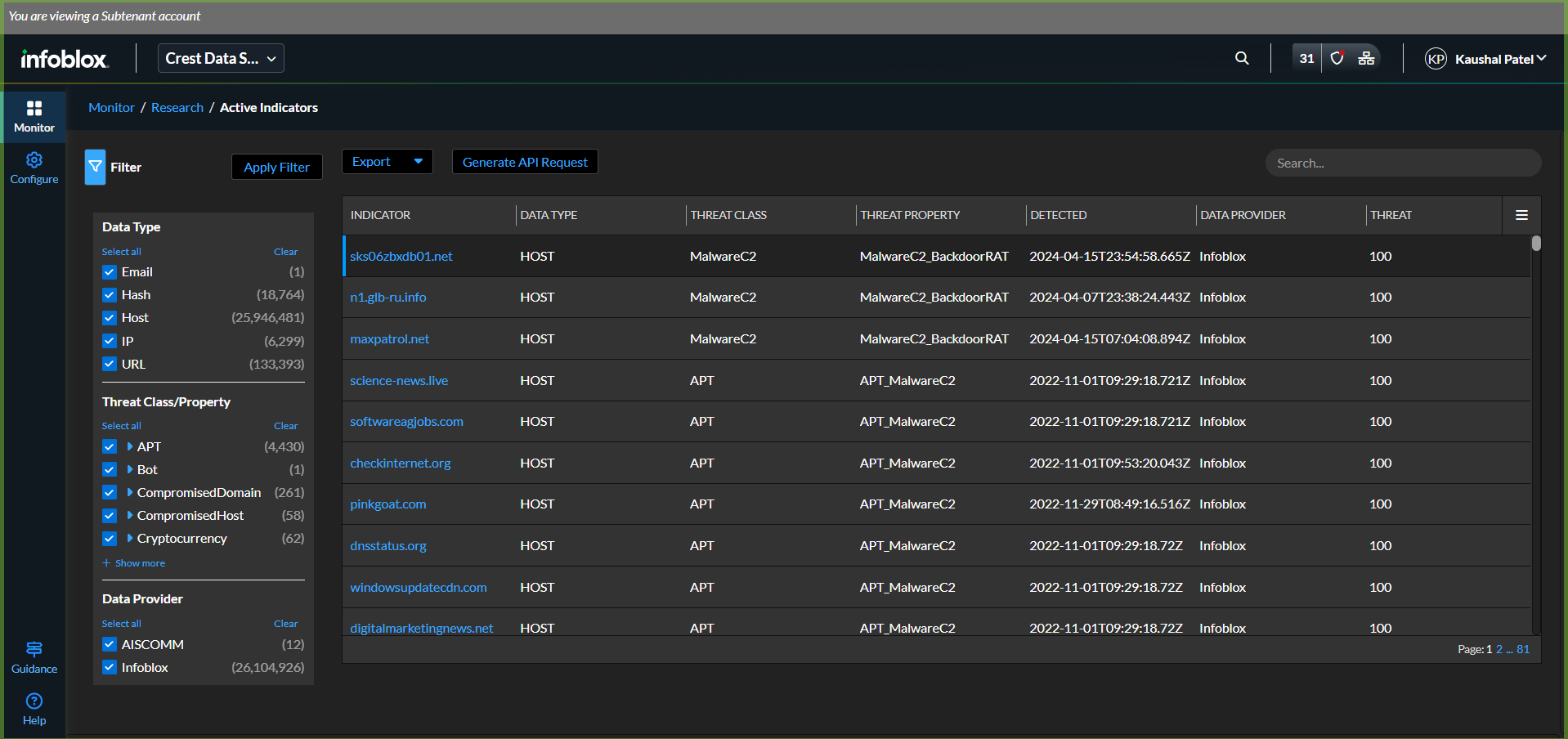
To verify the data available for pulling on Infoblox platform, Login to Infoblox and Navigate to Monitor > Research > Active Indicators page.
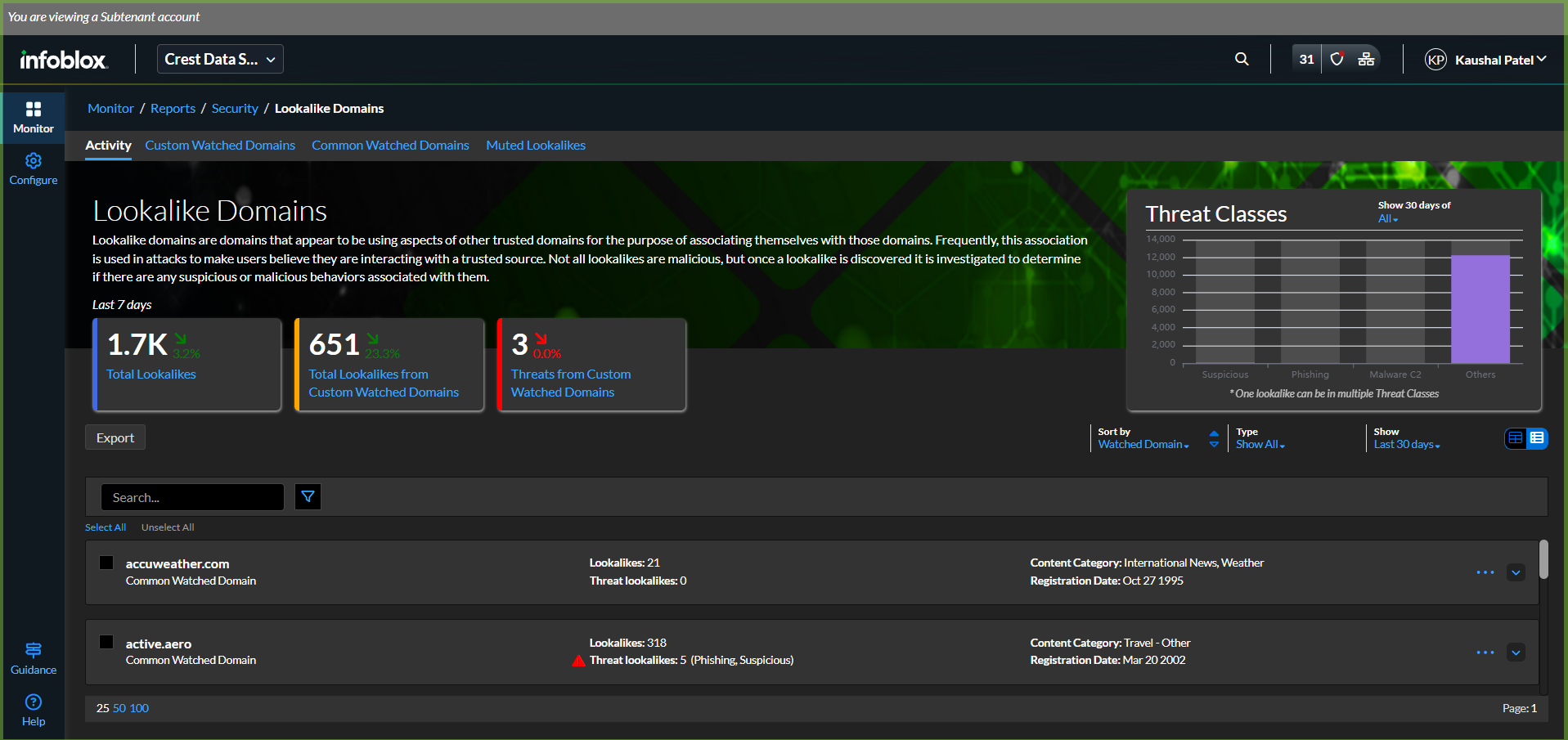
To verify lookalike domains, go to Monitor > Reports > Security > Lookalike Domains page.
Do the same for verifying SOC Insight indicators. Go to Insights.
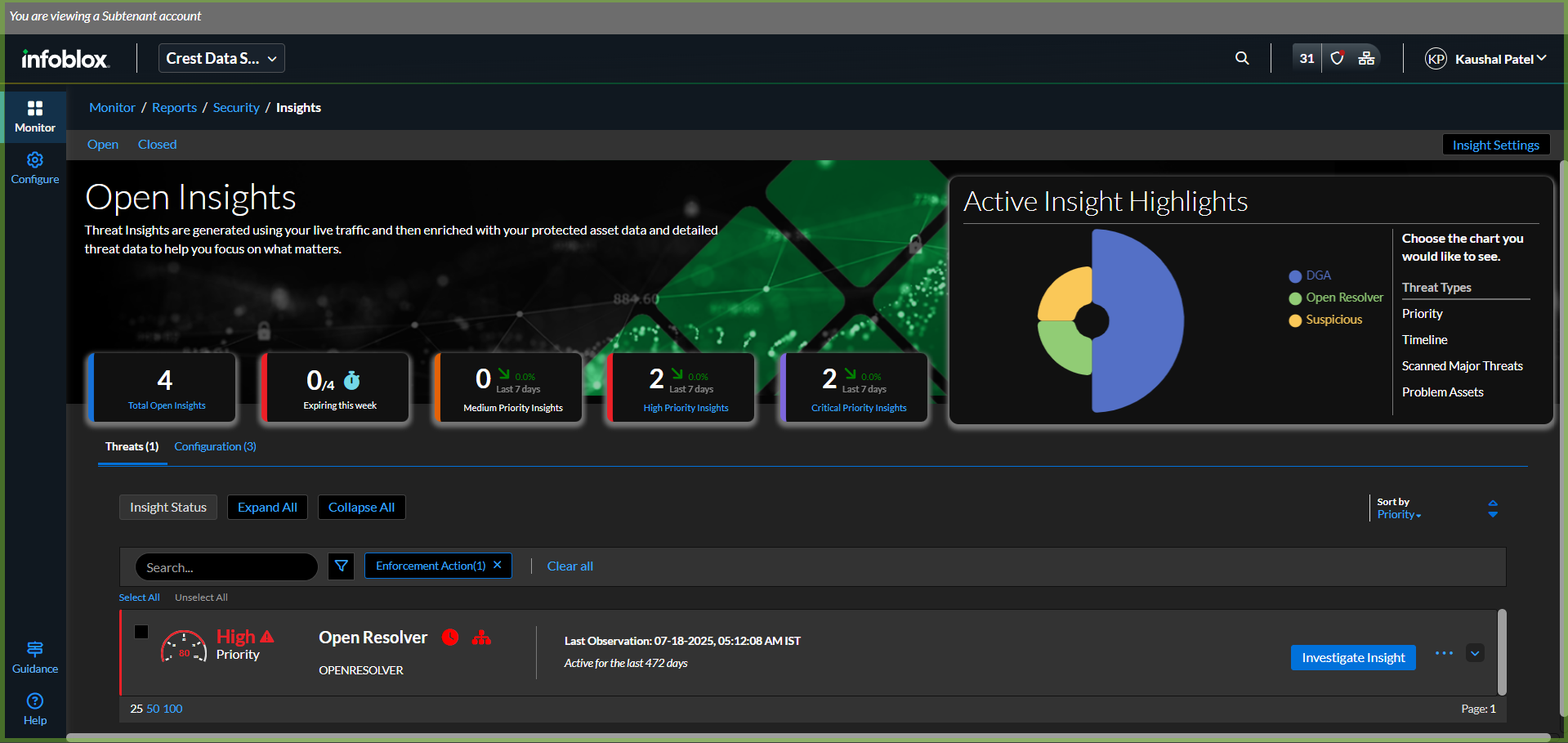
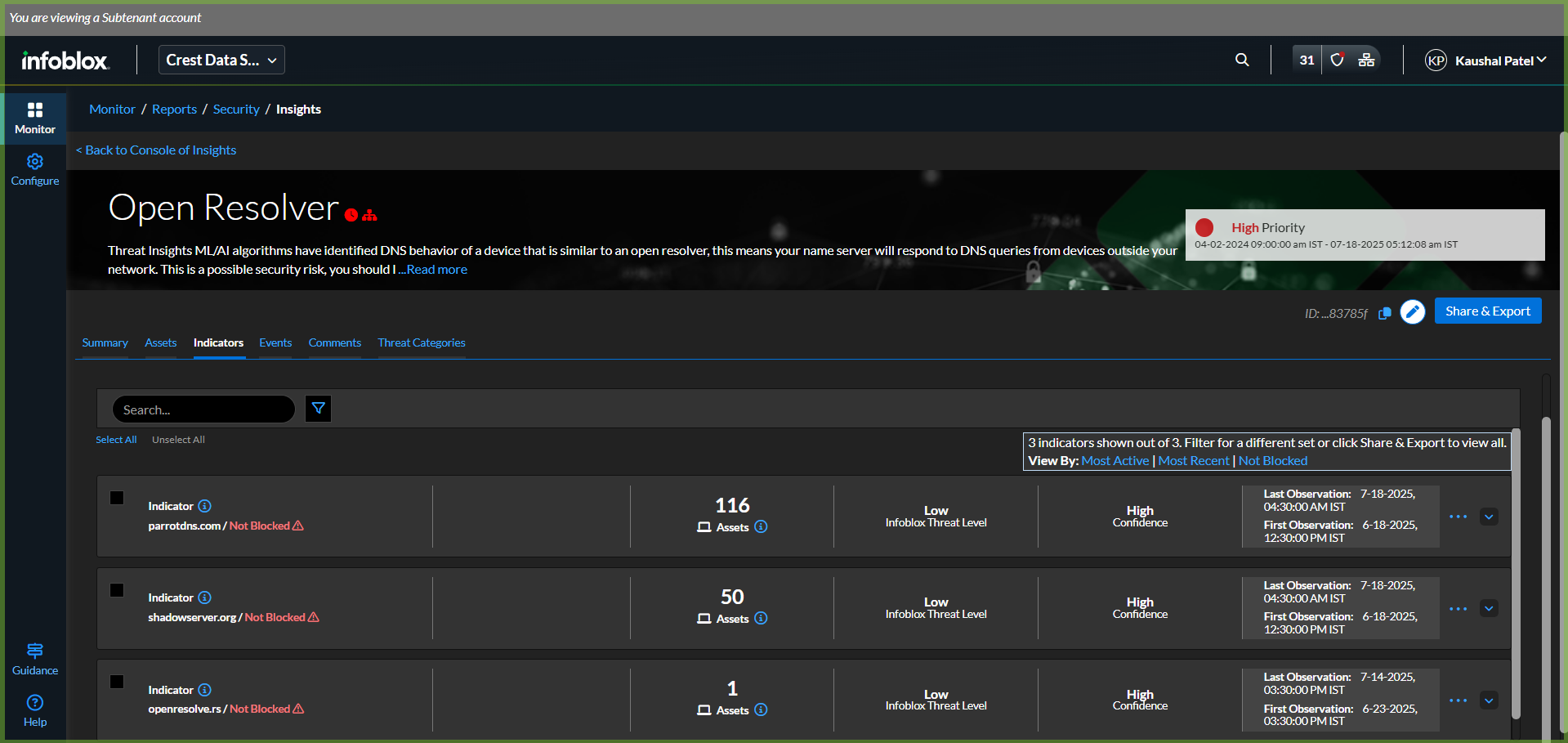
Click Investigate Insight for any of the insights and move to the Indicators section.
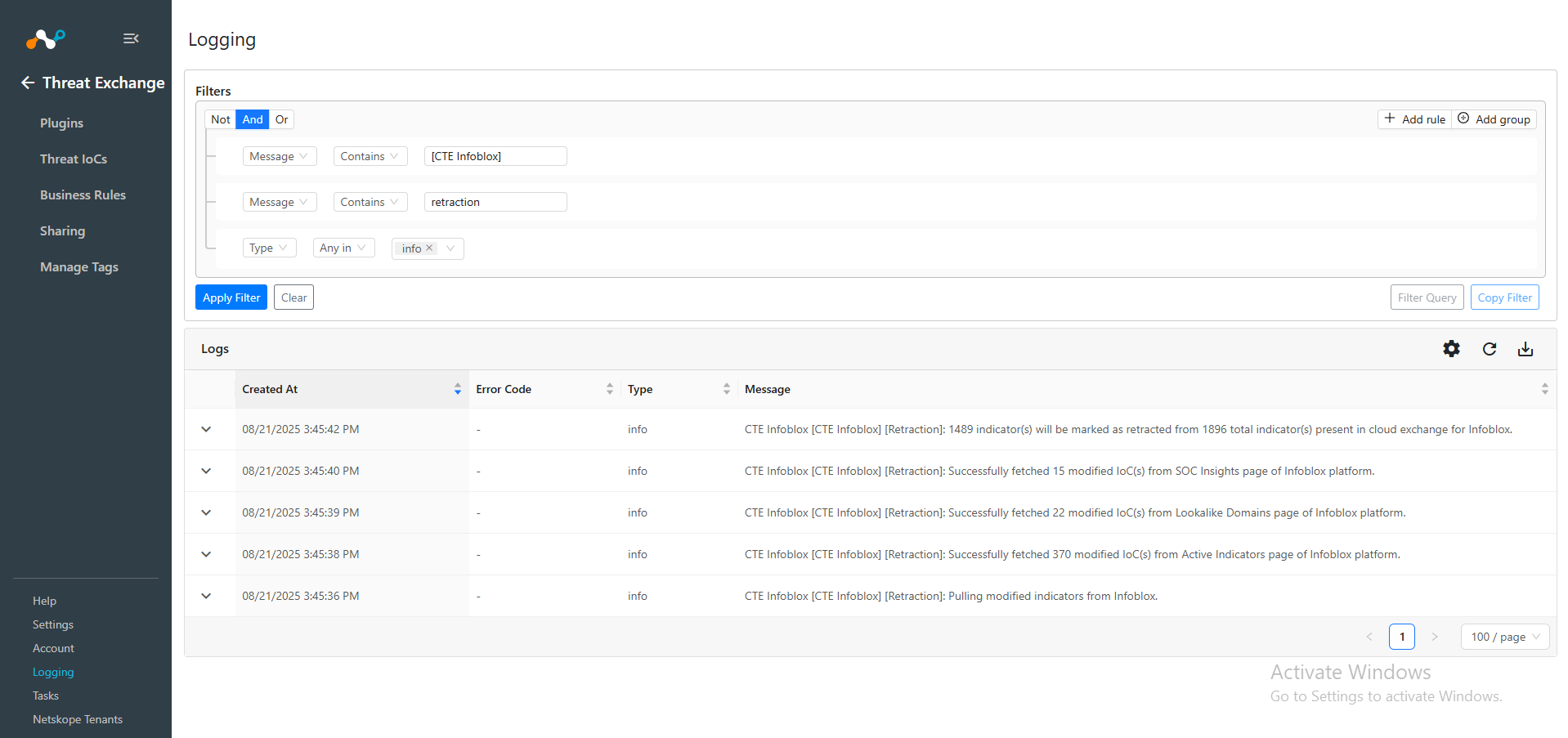
To verify the Retracted IoCs, check the logs for IoC Retraction. For example: message Like [Retraction]:.
You can filter the retracted IoCs from the platform using the filter: sources.source Is equal “<plugin configuration name>” && sources.retracted Is equal true.
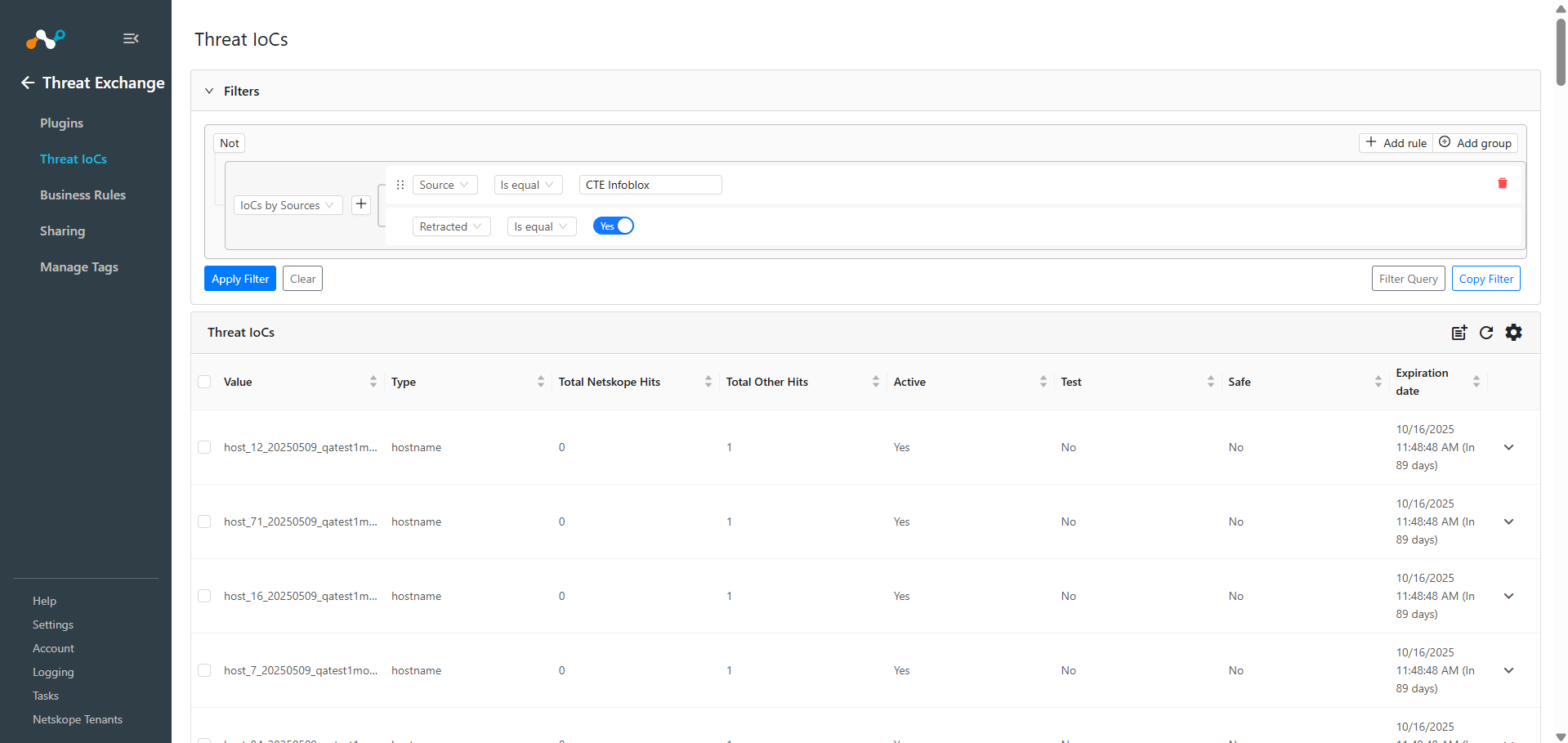
Note that the IoCs that fall under the Retraction Interval will be marked as Retracted: Yes in Cloud Exchange.
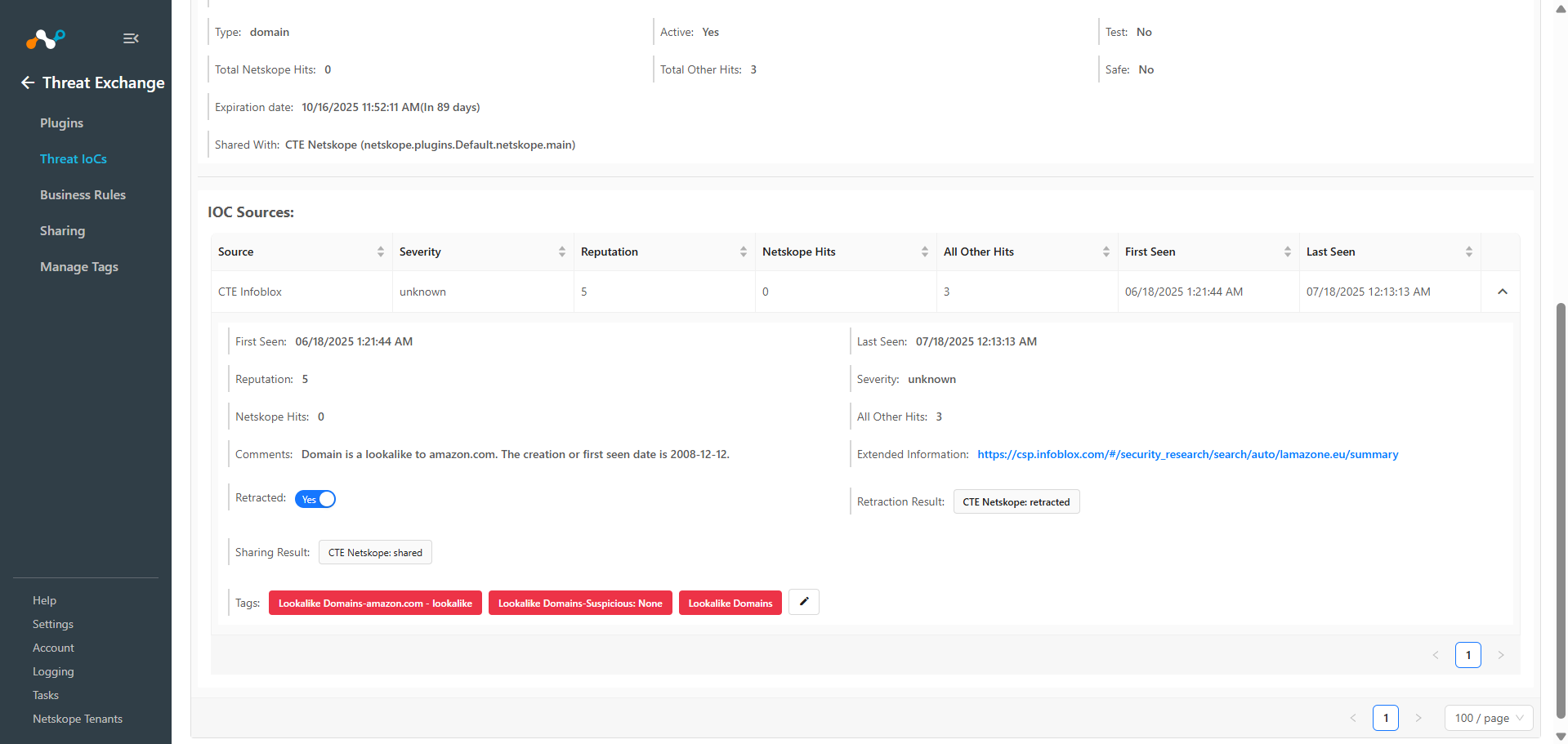
Sharing result will only be marked if the IoCs are pulled from the source plugin after creating the sharing configuration.
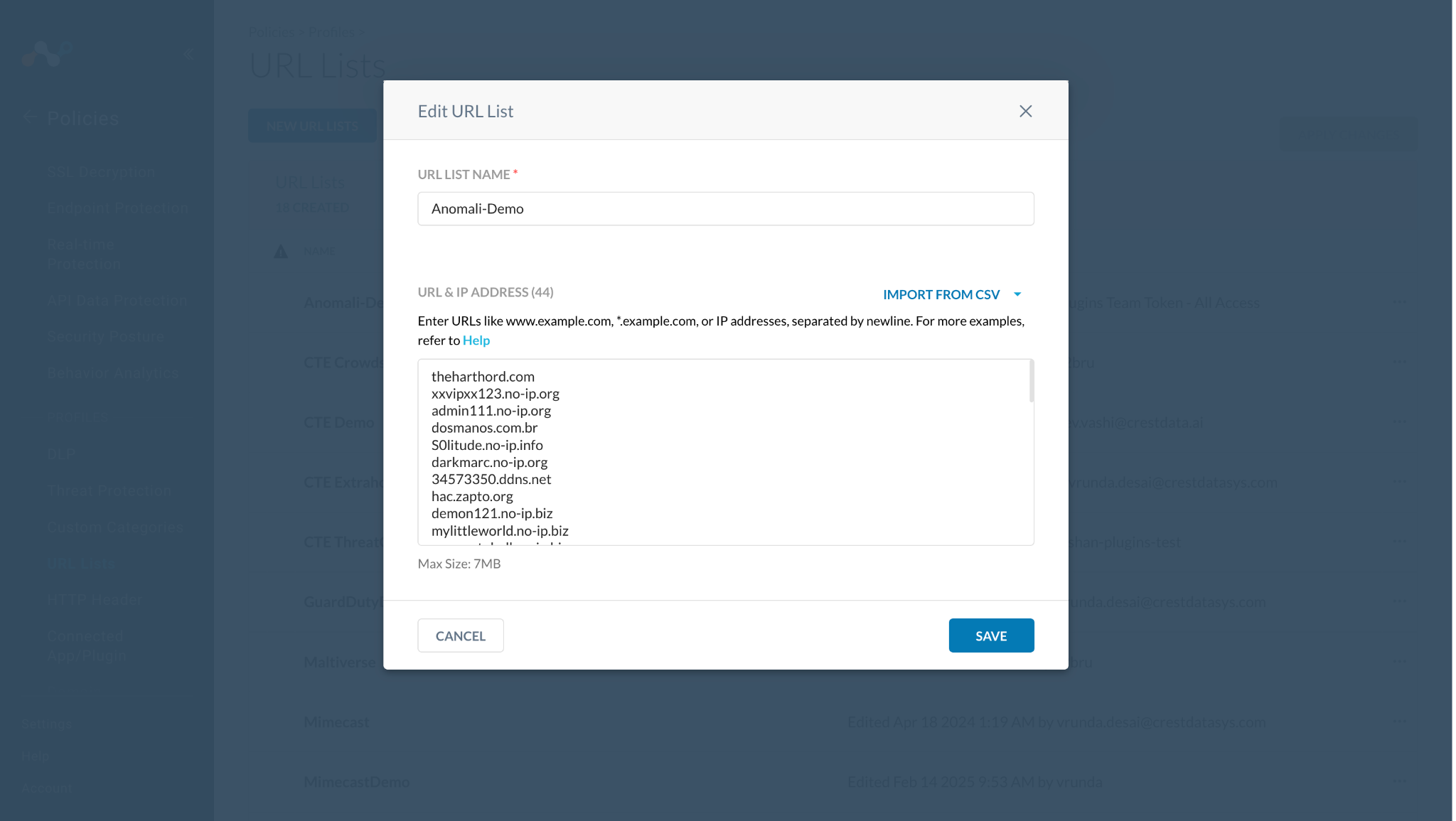
Here you can see 44 IoCs were added to the URL list on the Netskope Tenant.
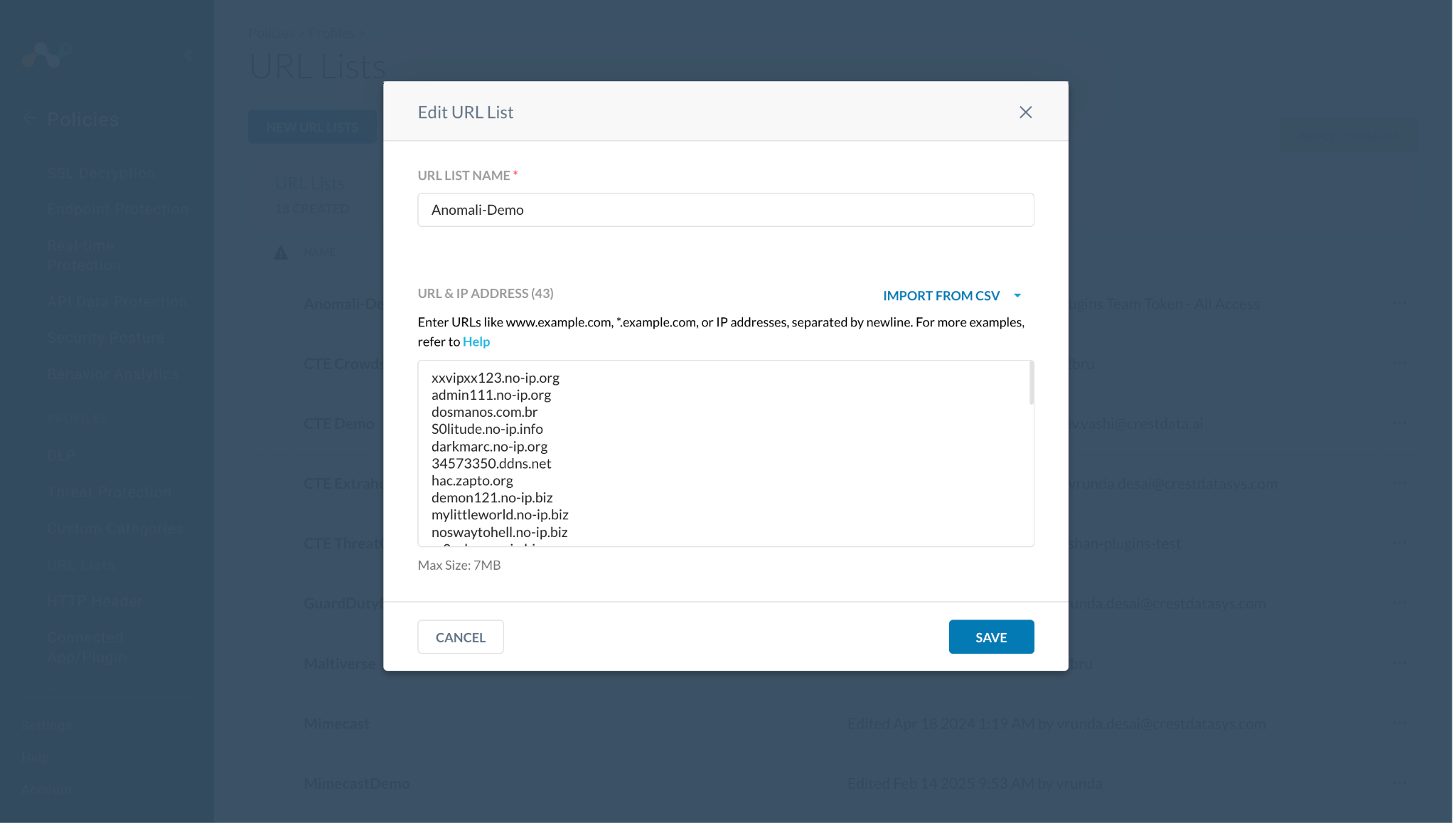
Then one of the shared IoCs got marked as retracted, so it was deleted from the URL list.
Infoblox plugin does not support the deletion (retraction) of IoCs on the Infoblox platform. As a result, any previously shared IoCs will not be deleted (retracted) on Infoblox.
Validate the Push
Shared IoCs to Infoblox can be verified from logs available on the Logging page in Cloud Exchange.
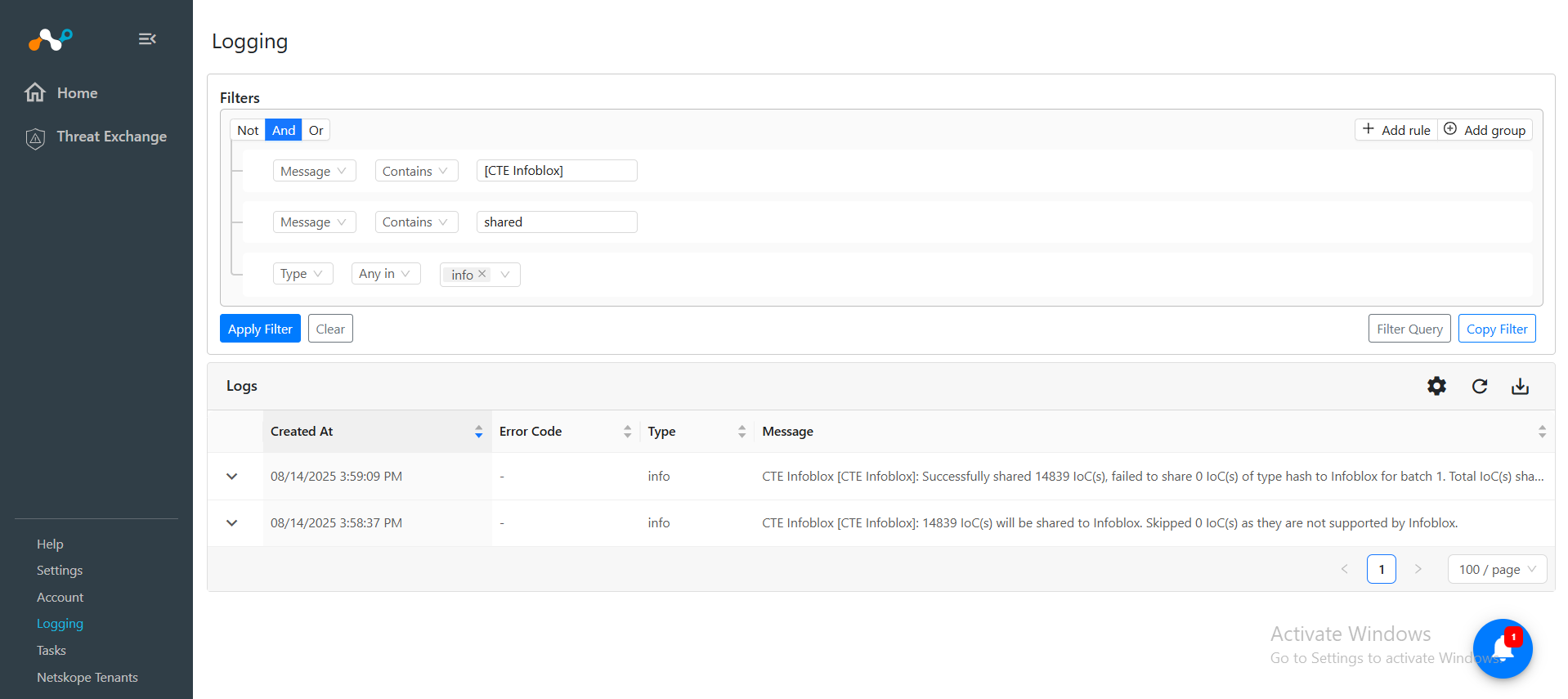
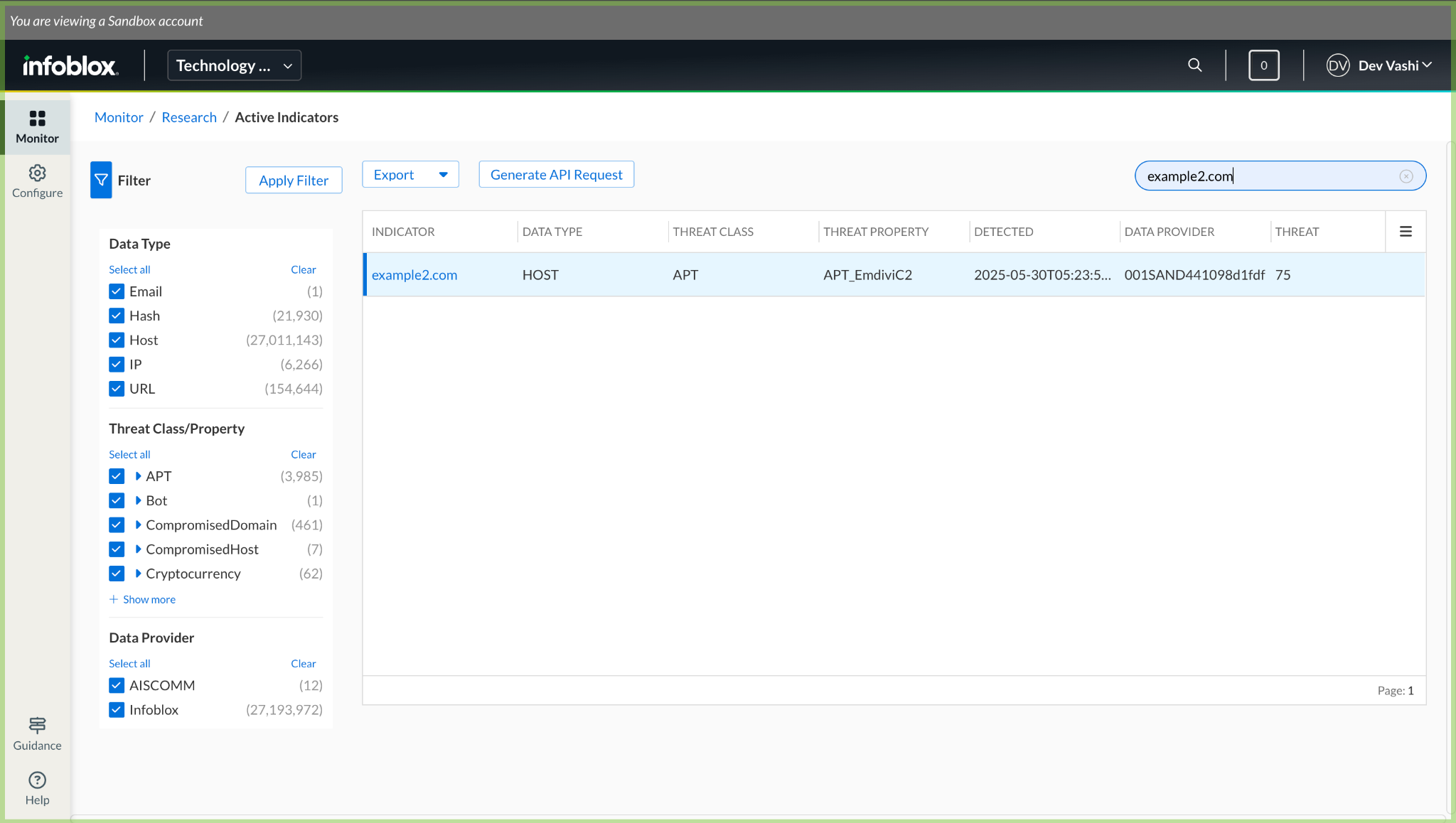
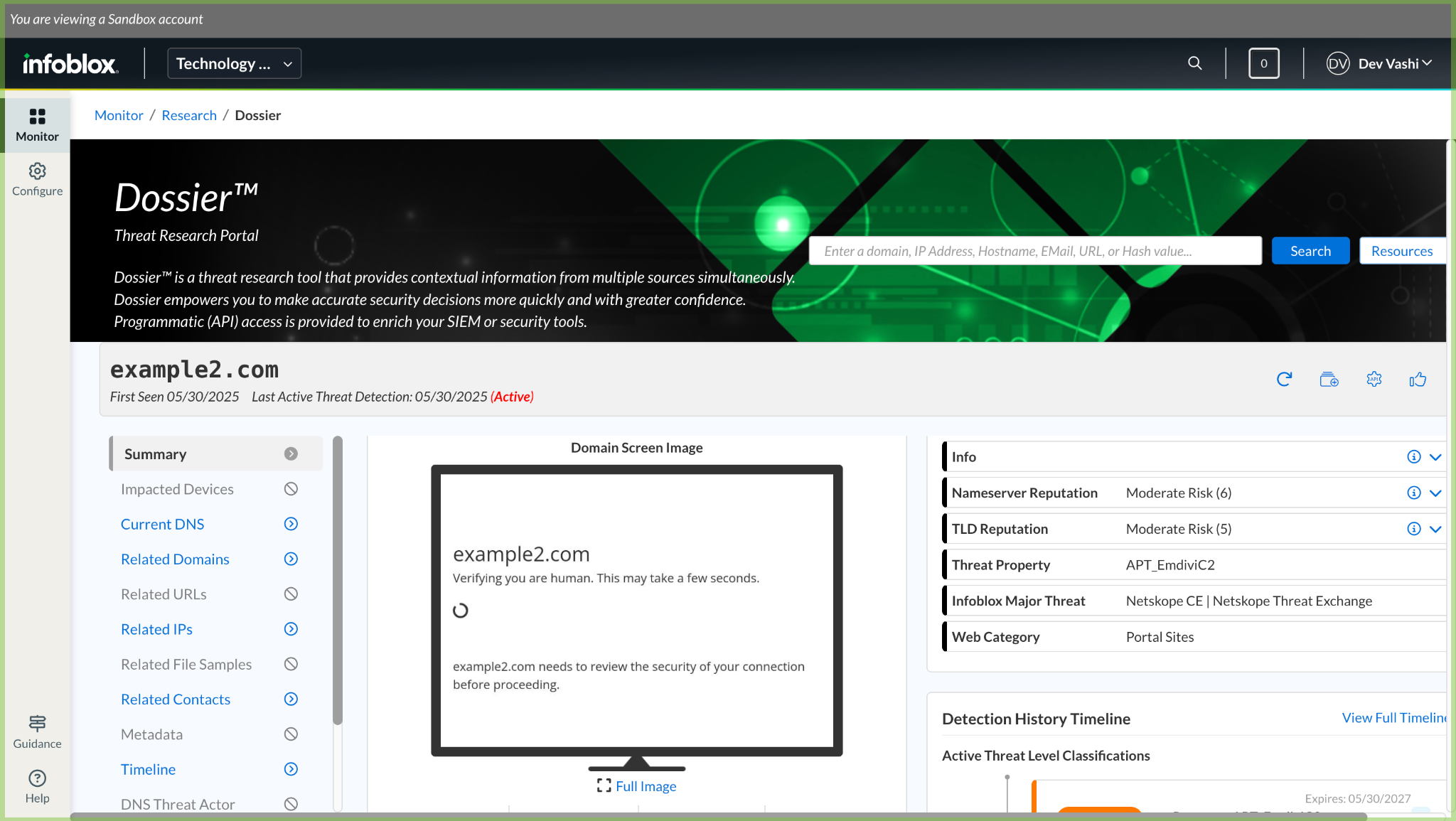
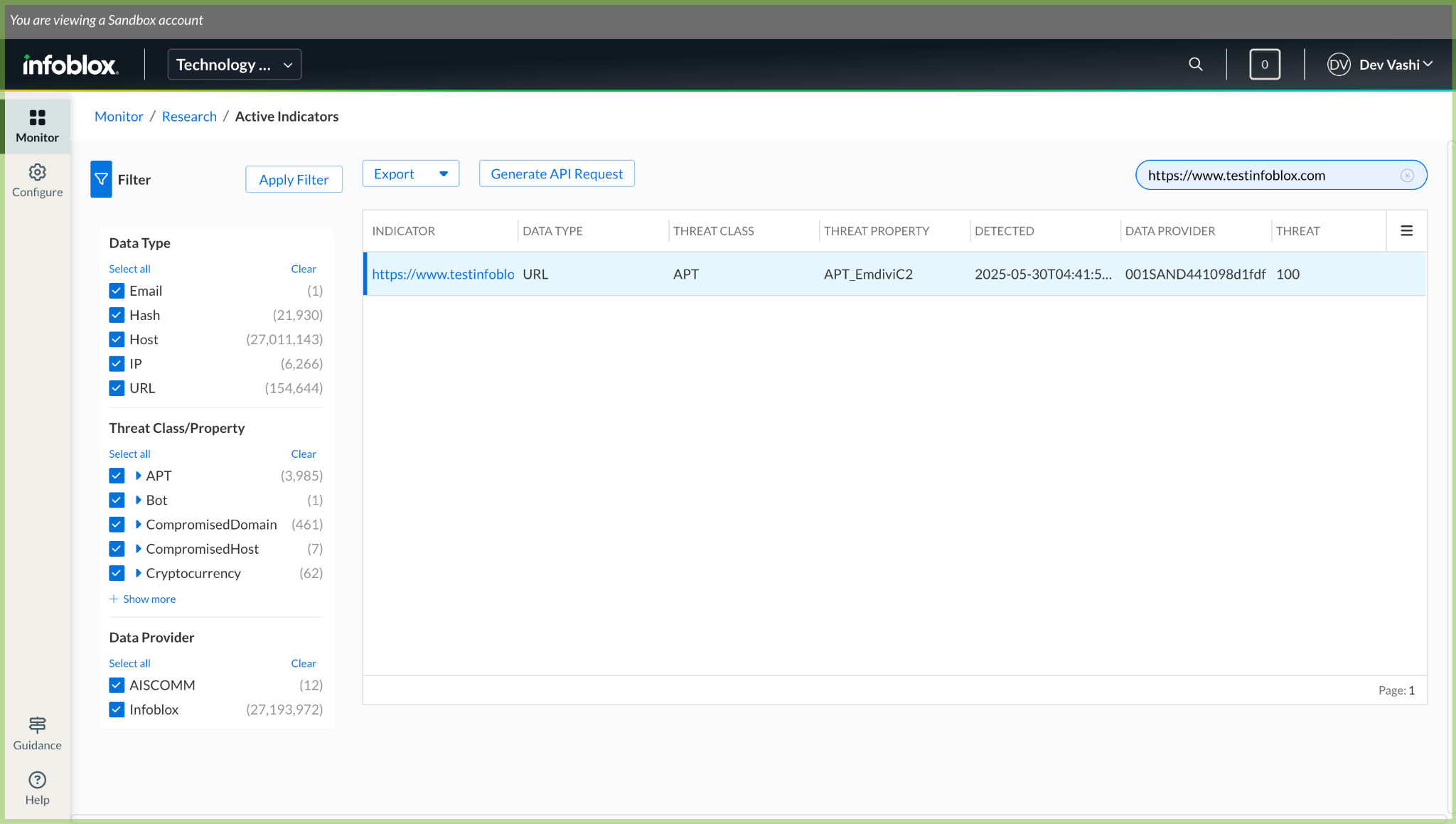
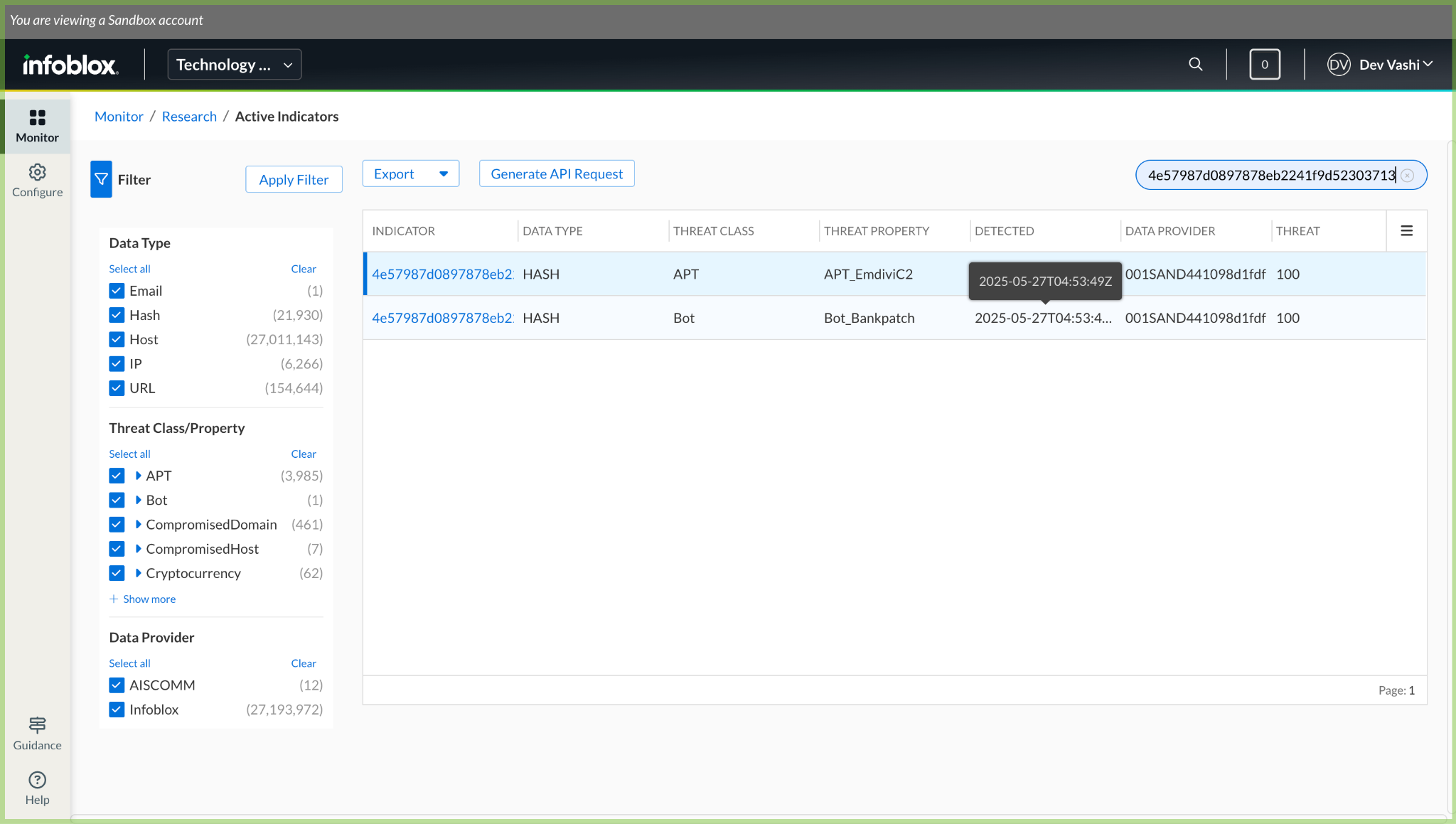
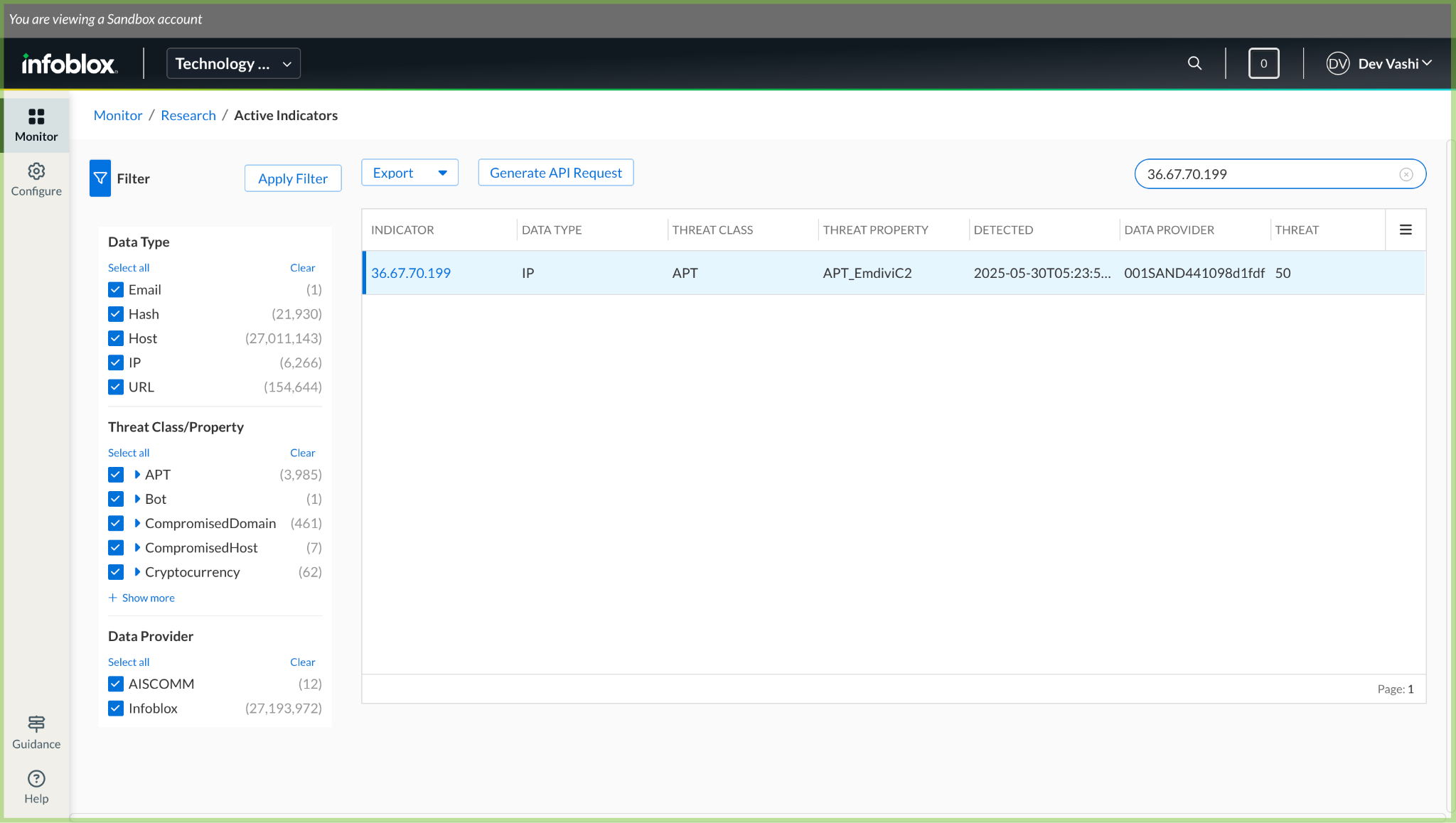
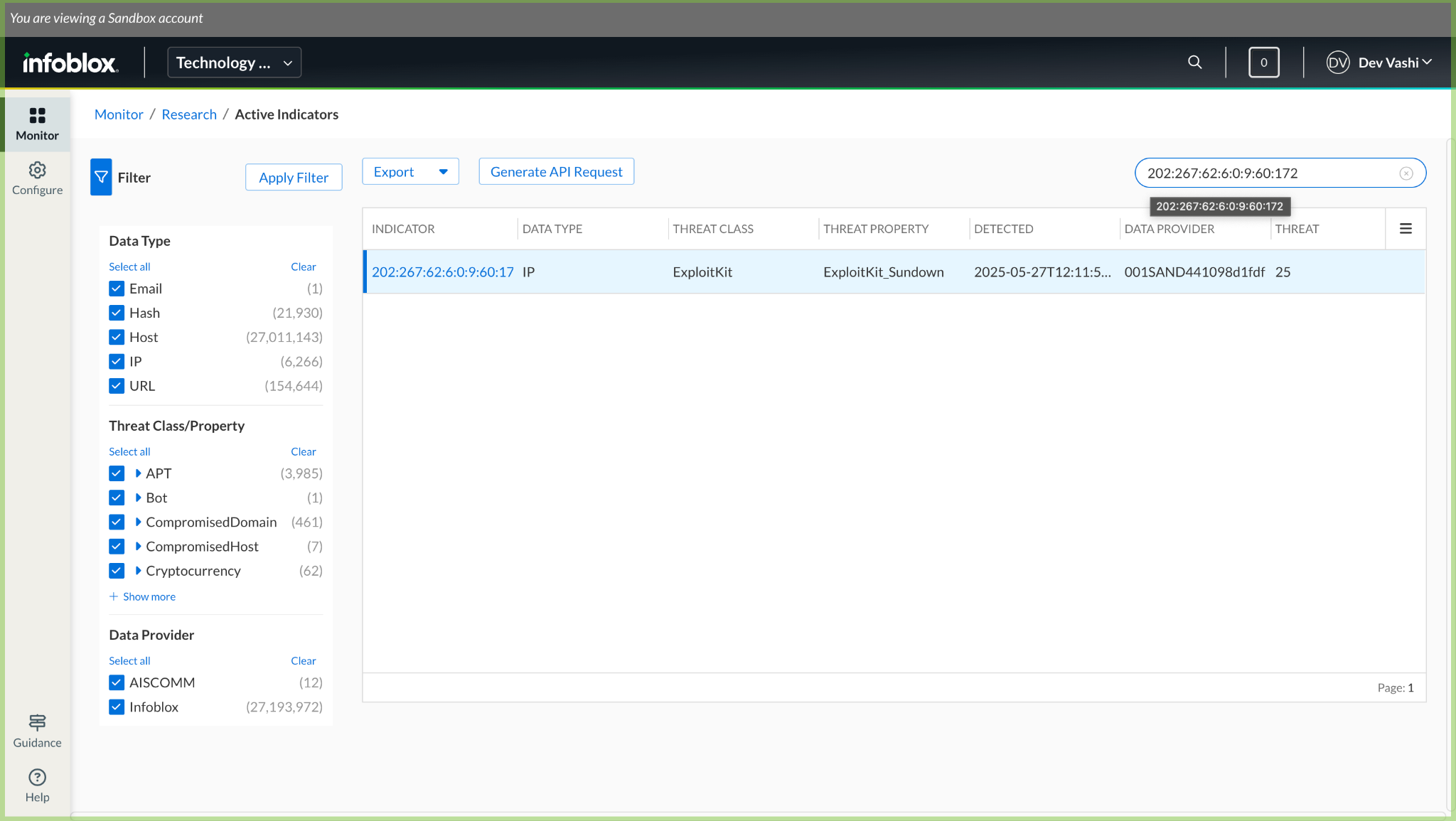
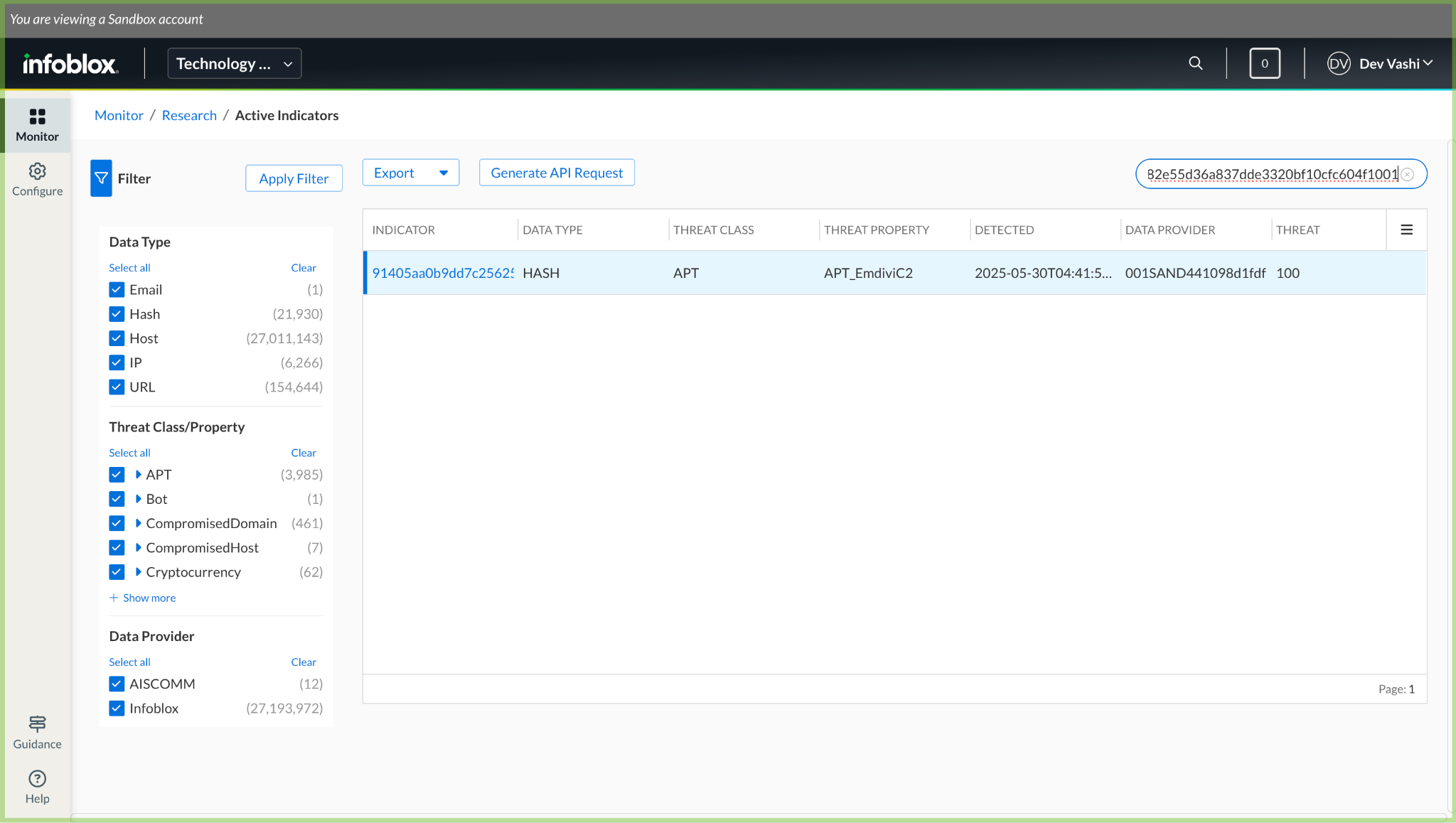
To verify the ingested data on Infoblox platform, log in to Infoblox, go to Monitor > Research > Active Indicators, and then search for the particular IoCs.
Here are some sample ingested IoCs:
Troubleshooting the Infoblox Plugin
Unable to pull IoCs from the Infoblox platform
After the plugin configuration, if the IoCs are not pulled from the platform, it might be due to one of the following.
- No IoCs are available on the platform to pull.
- IoCs are not available for the given configuration parameters (like Types of Threat data to pull, Data Profile and Initial Range).
- Polling is disabled.
- Read Timeout Error, or Invalid Chunk Length Error, or Connection Reset Error.
What to do: Identity your root cause from above and follow these steps to resolve the issue.
No IoCs are available on the platform to pull
Check if the IoCs are available on the platform to pull. If available, check the resolution for the next point.
IoCs are not available for the given time range
If the IoCs are available on the platform to pull, but the plugin has not pulled the IoCs in Cloud Exchange, check the number of days mentioned in the initial range parameter of the plugin configuration. In the Infoblox platform, check if you have data for the given time range.

If the data is still available for the given time range, it might be possible that the IoCs for the provided filter in the plugin configuration are not available, so check the values from the plugin configuration parameter, and filter the same on the Infoblox platform.
Polling is disabled
Make sure that you have Yes selected in the enable polling, to pull the IoCs.
Read Timeout Error or Invalid Chunk Length Error or Connection Reset Error
We have observed some limitations for the Infoblox platform. While pulling larger number of IoCs, we faced the above mentioned errors, and you can more information under Limitations.
Unable to push the IoCs to Infoblox
If you are not able to push the IoCs on the platform and receive an error while pushing, it might be due to insufficient permissions.
What to do: Refer to the Permissions section.
IoCs are pushed from Cloud Exchange, but not available on the Infoblox platform
If IoCs are pushed and not reflected on the platform, it might be due to many reasons. One of the reasons can be is that the IoC is marked inactive on the Infoblox platform. We have observed that if any of the IoCs are marked inactive on Infoblox, then they will not be available on the Active indicators page. We have also listed some of the other reasons under the Known Behaviors section.
What to do: You need to check the default TTL for a particular threat property on Infoblox, and if you want to change the default TTL, then you can contact your Infoblox support team representative.
Known Behaviors
Following are things that have been noticed while verifying the plugin workflow.
- Multiple IoC with the same value: While pushing IoCs in to Infoblox using the plugin, you have to select the threat property. If you push the same IoC multiple times with a different threat properties, the IoC value will appear multiple times, each associated with its respective threat property on the Active Indicator page. As we cannot update an existing IoC, and since the property will be different, it would treat the same IoC as different and create a new one on the platform as shown below.

- Pushed IoCs being marked as inactive: When an IoC is pushed from Cloud Exchange to Infoblox, the detection time on Infoblox is automatically set to the current timestamp. The expiration time (or Time to Live – TTL) is then determined based on the threat property assigned to the IoC.
Each threat property in Infoblox has a default TTL, which can range from a few hours to several years. These TTL values can be viewed in Infoblox at Monitor > Research > Resources > Default TTL
While pushing, if a user selects a threat property that has a short term TTL, Infoblox will automatically mark the IoC as inactive after the TTL expires. When this happens:- The IoC will no longer appear on the Active Indicators page.
- The IoC will still be visible on the details page (Monitor > Research > Dossier), but its status will show as inactive.


- Reserved IP: When a reserved IP address is pushed to Infoblox, it will not show up in the Active Indicators page.
- On the IoC details page (Monitor > Research > Dossier), some reserved IP addresses have no records for them.
- Some IP addresses may have details about them, but will be classified as BOGON (an IP address that is invalid or should not be present in a routing table. These are often unallocated or reserved IP ranges.)
- Some IP addresses give invalid indicator errors when searched on the details page.


- Leading zeroes trimmed from IPv6: When an IPv6 IoC is pushed to Infoblox (like via Netskope CE), Infoblox automatically trims leading zeroes from each hextet of the address as part of its normalization process.
For example:
If the IoC pushed is:0202:0267:0062:0006:0000:0009:0060:0172It will appear in Infoblox as:202:267:62:6:0:9:60:172

- Invalid URL: The Infoblox TIDE API supports bulk uploading of IoCs, but it does not validate the IoC values at the time of submission. This means that even if the push is marked as successful from the plugin or the API, some IoCs may later be rejected by Infoblox if they are found to be invalid. This issue is particularly relevant for URL-type IoCs in Cloud Exchange, as there is no built-in validation for URL formats before storing them. As a result, invalid URLs might be pushed to Infoblox. Later, when viewing the Active Indicators page in Infoblox, these invalid entries may trigger an Invalid Indicator error, since Infoblox did not accept.

- Visible on Active Indicators but not on details page: In some cases, the IoC pushed is visible on the Active Indicators page, but when you search for the same IoC in the details page, you get an Invalid IoC error. (We do not know the exact reason for this behavior).


- For pulling of IoCs: This has a maximum limit of 100k IoCs per API call. So, if there is more than 100k data for a single day on Infoblox, then only 100k will be pulled to Cloud Exchange.
Limitations
- We have observed that for a larger number of IoCs, the APIs throw these errors frequently while pulling them. The pull cycle in this case does completes, but it takes a lot of time.
Read Timeout Error:
CTE Infoblox TIDE [configuration_name]: Unable to establish connection with Infoblox TIDE platform while fetching threat data for page 1 from Infoblox TIDE server. Infoblox TIDE server is not reachable. Error: HTTPSConnectionPool(host='csp.infoblox.com', port=443): Max retries exceeded with url: /tide/api/data/threats?type=host%2Curl%2Chash%2Cip&rlimit=100000&from_date=2025-06-02T13%3A22%3A26Z&to_date=2025-06-02T14%3A13%3A28Z&data_format=json&include_ipv6=True (Caused by ReadTimeoutError("HTTPSConnectionPool(host='csp.infoblox.com', port=443): Read timed out. (read timeout=300)"))
Invalid Chunk Length Error:
CTE Infoblox TIDE [configuration_name]: Unexpected error occurred while fetching threat data for page 1 from Infoblox TIDE server. Error: ("Connection broken: InvalidChunkLength(got length b'', 0 bytes read)", InvalidChunkLength(got length b'', 0 bytes read))
Connection Reset Error:
CTE Infoblox TIDE [configuration_name]: Unexpected error occurred while fetching threat data for page 3 from Infoblox TIDE server. Error: ("Connection broken: ConnectionResetError(104, 'Connection reset by peer')", ConnectionResetError(104, 'Connection reset by peer'))