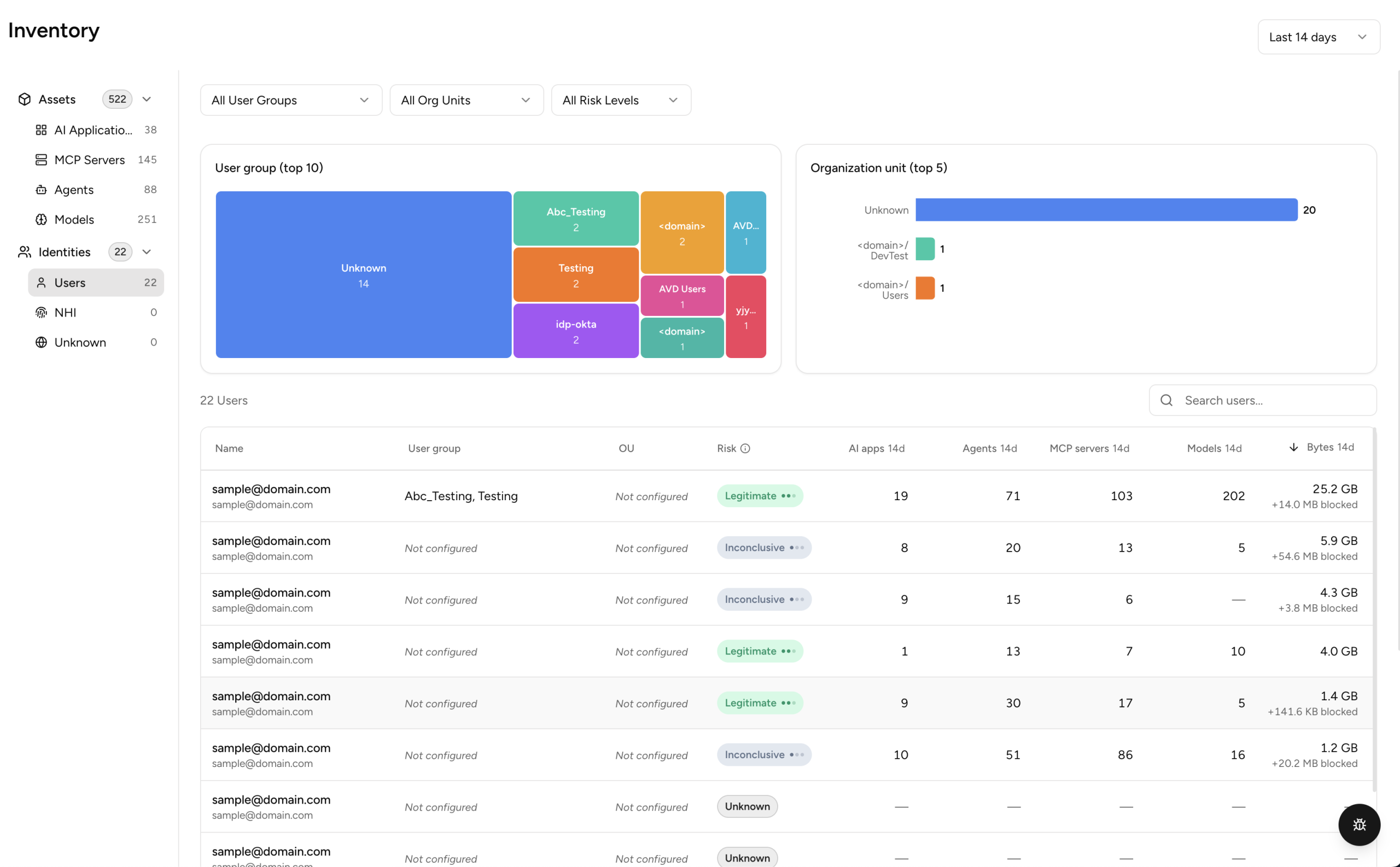
The Users section, under Identities, provides detailed visibility into individual users interacting with AI applications and assets within your organization.
Source – Next-Gen Secure Web Gateway
- User Groups – Shows the top 10 user groups by usage. Click a group to filter.
- Organization Unit – Shows the top 5 organizational units. Click a bar to filter.
User Group and Organization Unit data are only populated when the tenant has Identity Provider (IdP) integration configured. Without IdP, these columns display “Not configured” with a tooltip explaining how to enable them.
The following table displays a list of users in your environment with the following details:
- Name – Name or identifier of the user.
- User Group – Group assigned to the user.
- OU – Organizational unit or department.
- Risk – Reconciled risk level for the application, combined with a confidence indicator. Hover over the confidence dots to see the confidence level. This data comes from the AI Risk Agent (Beta), part of AI SecOps. For details on how risk is calculated, see the AI Risk Agent documentation in your tenant. See What Does the Risk Score and Confidence Level Mean in AICC?
- #d Apps – Number of AI applications accessed by the user in selected time range.
- #d MCP Servers – Number of MCP servers (discovered on NG-SWG and on managed endpoints) the user has interacted with in the selected time range.
- #d Bytes – Volume of data exchanged by the user across AI services in selected time range.
- #d Sessions – Number of sessions initiated by the user involving AI applications in selected time range.
- First Seen – Timestamp when the user was first detected interacting with AI services.
- #d Models – Number of distinct AI models detected on this user’s managed endpoint(s) during the selected time range. Populated when Endpoint AI Discovery is enabled.
Click any row to open the user detail panel.
The user detail panel includes an Agents card that summarizes the AI agents associated with the user over the last 7 days, including the data volume and number of sessions for each agent. The card uses data from the Netskope Client.