

Domain Name System Security Extensions (DNSSEC) add digital signatures to DNS records, so a resolver can confirm that an answer came from the domain owner and wasn’t altered on the way. When you turn on DNSSEC validation, the Netskope DNS Resolver checks those signatures and blocks forged or tampered answers, such as those used in DNS spoofing and cache poisoning attacks. This matters most when devices send DNS queries to Netskope over the Internet without the Netskope Client or a tunnel, and when your compliance requirements call for a DNSSEC-validating resolver. DNSSEC validation is available to DNS-as-a-Service (DNSaaS) and DNS Security tenants.
Note
This is a Beta feature. Contact your sales representative to enable this feature for your tenant.Understanding DNSSEC Validation Results
DNSSEC validation applies to all DNS traffic that the Netskope DNS Resolver handles, which includes queries sent directly over the Internet, queries sent through the Netskope Client tunnel, and queries sent through an IPsec or GRE tunnel. For each query for a signed domain, the resolver verifies the chain of trust from the DNS root zone down to the record it returns, and then produces one of these results.
| Result | When It Happens | What the Client Receives |
|---|---|---|
| Success | The signatures along the full chain of trust are valid. | The answer, with the Authenticated Data (AD) flag set. |
| Unsigned | The domain isn’t signed with DNSSEC, or it’s signed only with an algorithm that Netskope has disabled. | The answer, resolved normally, without the AD flag. |
| Fail | The domain is signed, but validation fails. For example, a signature has expired or doesn’t match, or the Delegation Signer (DS) record in the parent zone doesn’t match the domain’s key. | A SERVFAIL response. The domain doesn’t resolve. |
An unsigned domain never causes a failure. The resolver treats a domain as unsigned only when it can prove that the domain has no DNSSEC signing, not when records are merely missing.
The resolver supports signature algorithms that include RSA/SHA-256, RSA/SHA-512, ECDSA P-256, ECDSA P-384, Ed25519, and Ed448. It disables the older RSASHA1 and RSASHA1-NSEC3-SHA1 algorithms, so a domain signed only with those algorithms resolves as unsigned.
Note
Validation can add time to the first lookup of a domain, because the resolver retrieves extra DNSSEC records along the chain of trust. Later lookups of the same domain are answered from cache with little added delay.
Understanding DNSSEC Behavior by Licensing
The resolver path depends on which licenses your tenant has and on whether DNSSEC validation is turned on. The following table describes the behavior for each combination.
| Licensing | DNSSEC Validation Off | DNSSEC Validation On |
|---|---|---|
| DNSaaS | The Netskope DNS Resolver resolves queries without validating them. It passes DNSSEC records through unchanged, so a client that validates DNSSEC itself can still do so. | The Netskope DNS Resolver validates every response before it returns the answer. |
| DNS Security without DNSaaS | Queries go to your public DNS resolver. If that resolver is unreachable, queries fall back to the Netskope DNS Resolver, which doesn’t validate. | Queries still go to your public DNS resolver, and Netskope doesn’t validate those answers. If that resolver is unreachable, queries fall back to the Netskope DNS Resolver, which validates. |
If you use DNS Security without DNSaaS, make sure your public DNS resolver performs DNSSEC validation, because Netskope doesn’t validate the answers it returns.
Prerequisites
Before you enable DNSSEC validation, ensure you have:
- A DNSaaS or DNS Security subscription. DNSaaS licenses include DNS Security, and DNSSEC validation doesn’t require DNSaaS.
- DNSSEC enabled for your tenant by your Netskope account team.
- DNS traffic from your network or devices that already reaches Netskope. If you use DNSaaS, see DNSaaS Basic Configurations.
- An RBAC admin role that can manage DNS Security settings.
- (DNS Security without DNSaaS) A public DNS resolver that validates DNSSEC.
Enabling DNSSEC Validation
You turn DNSSEC validation on or off for your whole tenant with a single setting. The setting is off until you turn it on. [VERIFY: default state of the toggle. The High Level Design says disabled and the PRD says enabled.]
Note
After you enable DNSSEC validation, signed domains that fail validation stop resolving for all users in your tenant, for example because of an expired signature. Per-domain exceptions aren’t available.
To enable DNSSEC validation:
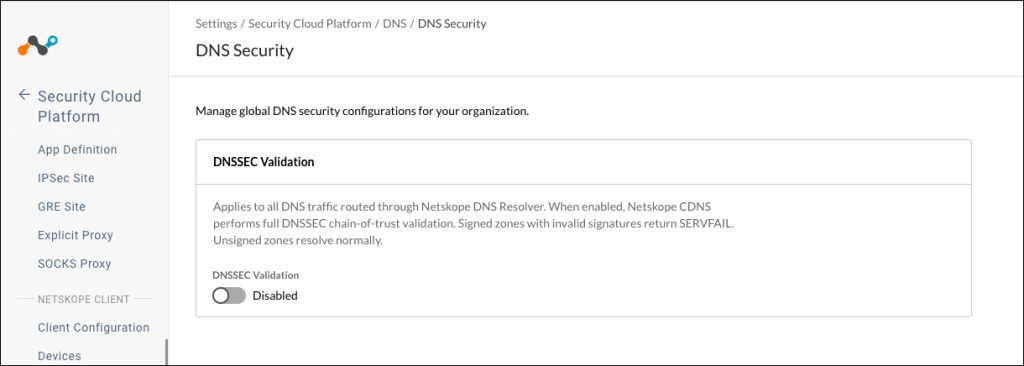
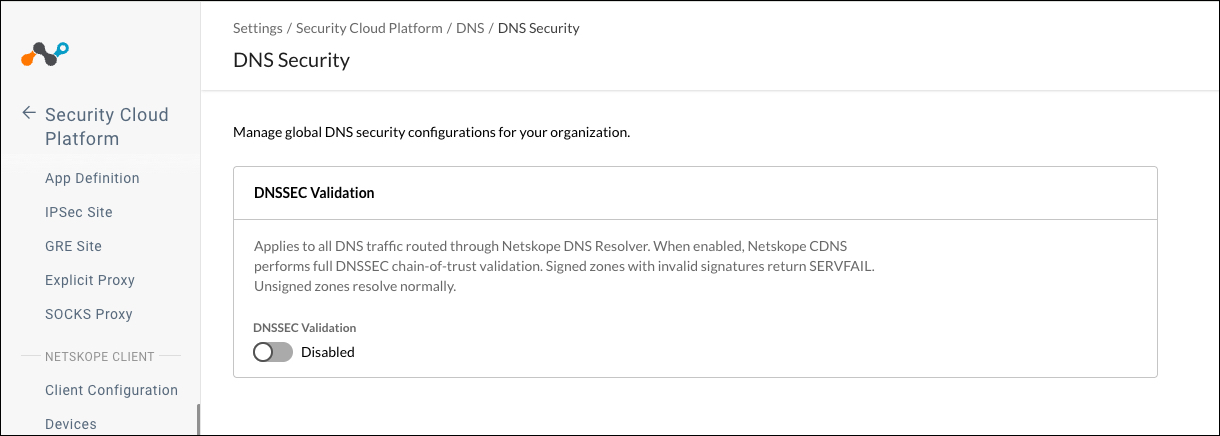
- In the Netskope tenant, go to Settings > Security Cloud Platform > DNS > Security.
- In the DNSSEC Validation section, turn on the DNSSEC Validation toggle.
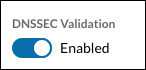
- The toggle label changes to Enabled.
The Netskope DNS Resolver now validates DNSSEC for the DNS traffic it handles for your tenant.
To turn DNSSEC validation off, turn off the same toggle. The resolver then returns to the behavior it had before you enabled validation.
Allowing or Blocking DNSSEC Record Types in DNS Profiles
DNS profiles can now match five DNSSEC record types in addition to the existing record types. You can allow or block each type independently in a domain allowlist or blocklist.
A DNS profile filters queries by the record type a Client asks for, not by the records in the answer. Regular lookups for A and AAAA records are unaffected, and any DNSSEC records that come with those answers pass through. The change matters when a Client or resolver asks for a DNSSEC record type directly, such as a DNSSEC-aware resolver that queries for a DNSKEY or DS record.
Note
If a DNS profile uses an allowlist with a default action of block, direct queries for DNSSEC record types are blocked unless you add those types to the allowlist.
To add DNSSEC record types to a DNS profile:
- In the Netskope tenant, go to Policies > DNS.
- Click the DNS profile you want to change, or click New DNS Profile.
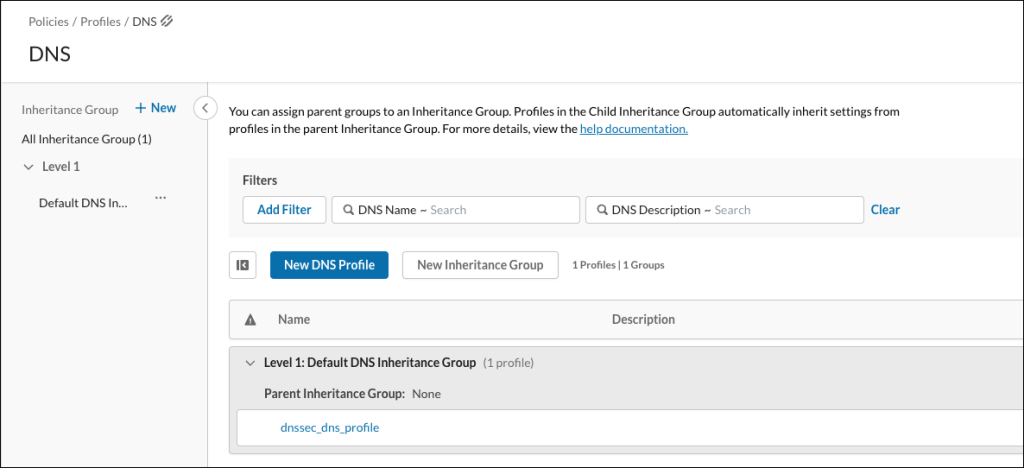
- Enter a Profile Name, select an Inheritance Group, and choose what to generate events for. Go to the DNS Domain tab.
- In the allowlist or blocklist rule for the domain, select the DNSSEC record types to match.
The following table describes the DNSSEC record types.Record Type Description RRSIG Holds the digital signature for a set of DNS records. DNSKEY Holds the public key that verifies signatures in a zone. DS Holds a hash of a child zone’s key, stored in the parent zone, to link the chain of trust. NSEC Proves that a name or record type doesn’t exist in a signed zone. NSEC3 Proves that a name or record type doesn’t exist, using hashed names so the zone contents are harder to enumerate. - Click on the DNS Tunnel and DNS Server tabs to review those settings, and make changes per your requirements.
- Click Save.
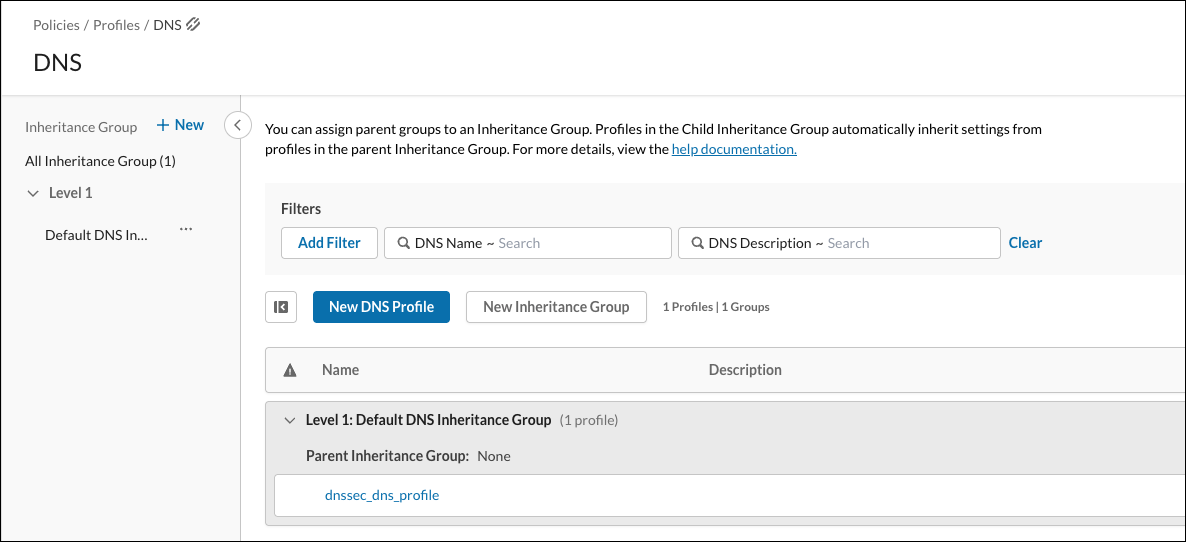
If the profile isn’t yet associated with a DNS policy, view DNSaaS Basic Configurations.
Viewing DNSSEC Validation Results
Network Events record the DNSSEC outcome of each DNS query, so you can monitor validation and gather evidence for compliance reporting. When validation fails, Skope IT also generates an alert that contains the same information as the event.
To view DNSSEC results:
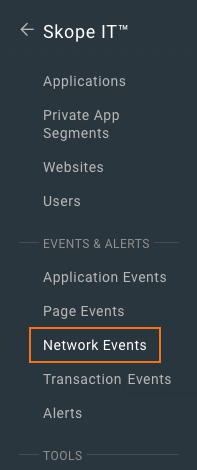
- In the Netskope tenant, go to Skope IT > Network Events.
- Filter the events to DNSSEC events.
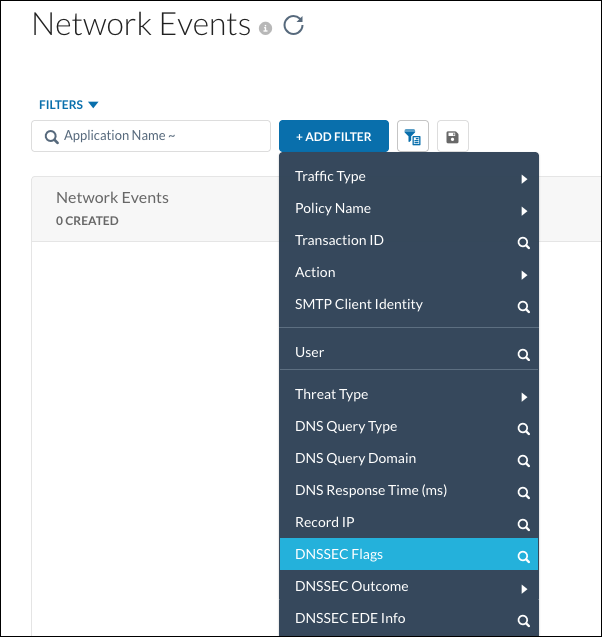
- Open an event to see its DNSSEC fields.
The following table describes the DNSSEC fields in DNSSEC Network Events.
| Field | Description |
|---|---|
| DNSSEC OK (DO) flag | Shows whether the client asked for DNSSEC records in the response. |
| Authenticated Data (AD) flag | Shows whether the resolver reported the answer as validated. When Netskope doesn’t validate the query, this value is what the public resolver returned. |
| Checking Disabled (CD) flag | Shows whether the client asked the resolver to return data even if validation fails. |
| DNSSEC validation result | Shows success, fail, unsigned, or not validated. Queries that Netskope doesn’t validate show not validated. |
| Extended DNS Error (EDE) code | Shows the standard error code that explains a failure, such as an expired signature. Appears when the response includes one. |
| EDE extra text | Shows additional detail about the failure, such as the zone name. Netskope truncates the text to 128 bytes. |
You see these fields only after Netskope enables DNSSEC for your tenant. If DNSSEC is enabled but the toggle is off, events still include the fields, and the validation result shows not validated. DNS events for AAAA records now also list the domain and the resolved IPv6 addresses.
DNSSEC Validation Settings
The following table describes the configuration options for DNSSEC validation.
| Field | Description |
|---|---|
| DNSSEC Validation | Turns DNSSEC validation on or off for all DNS traffic that the Netskope DNS Resolver handles for your tenant. When on, the resolver validates the full chain of trust, returns SERVFAIL for signed domains with invalid signatures, and resolves unsigned domains normally. |
| DNSSEC record types (DNS profile rules) | Lets you allow or block queries for RRSIG, DNSKEY, DS, NSEC, and NSEC3 records in a DNS profile. |
Limitations and Considerations
Keep these points in mind when you use DNSSEC validation:
- DNSSEC validation is a single tenant-wide setting. You can’t exempt individual domains.
- A DNS profile sinkhole action returns an unsigned answer. Clients that validate DNSSEC themselves, or that require the AD flag, reject sinkhole answers. Sinkholing works as before for other clients.
- The Netskope Client doesn’t show a notification when validation fails. The user’s application receives a SERVFAIL response.
- DNS queries between clients, Netskope, and authoritative name servers run over IPv4. Netskope validates AAAA queries and answers, but it doesn’t support IPv6 as the transport for DNS queries.
- DNSSEC authenticates DNS answers. It doesn’t encrypt DNS traffic, and it doesn’t sign your own DNS zones.