

Netskope LogoNetskope Logo
  • Security Services
  • AI Services
  • Networking Services
  • Analytics Services
  • Integrations
  • getting-started.svgGetting Started
    • Support
    • Community
    • Netskope.com
    © 2026 All Rights Reserved. Netskope Inc.
    Home
    AI Gateway
    Installation and Deployment of VM Images
    Launching the AWS Amazon Machine Image (AMI)

    Launching the AWS Amazon Machine Image (AMI)

    Follow these steps to locate and launch Netskope One AI Gateway from the AWS Marketplace.

    1. Log in to your Netskope tenant UI.

    2. Go to Settings > Security Cloud Platform > VM Onboarding.

    3. On the VM Onboarding page, click Deploy VM > Get VM Image.

    4. Locate the AWS AMI section and click the AWS Marketplace link.
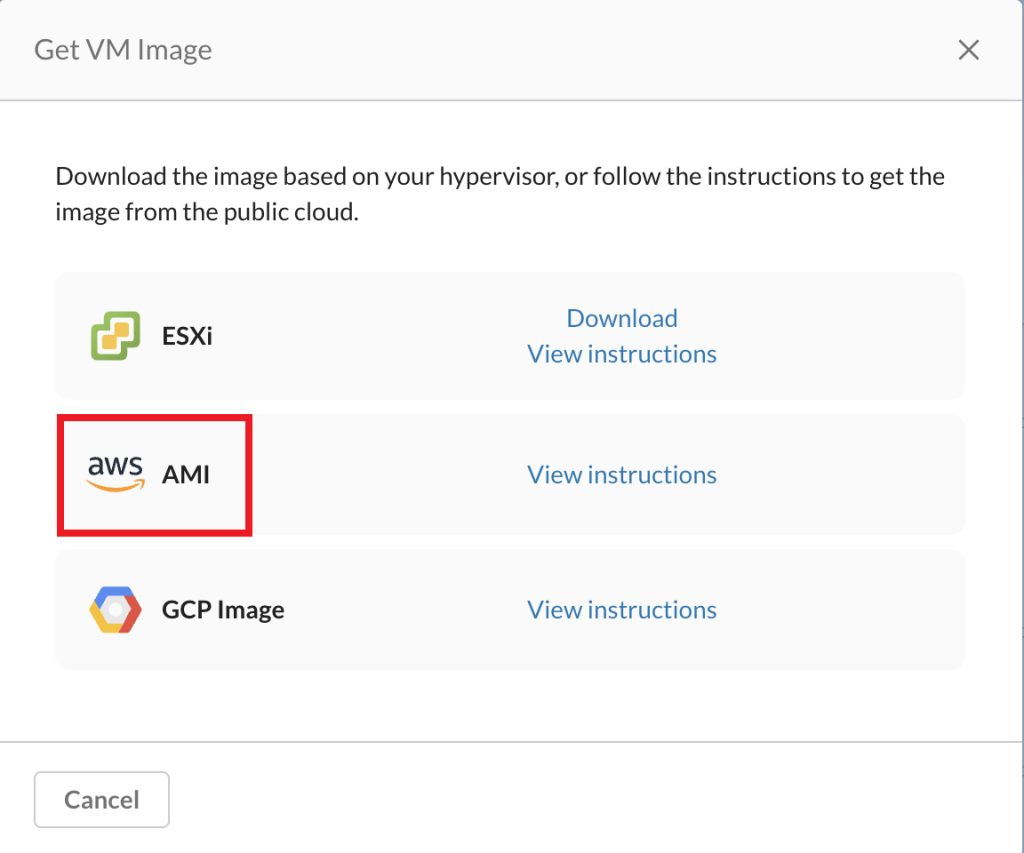
      For detailed deployment steps after locating the image, refer to Launch the AIG AMI Instance  and Deploying AWS AMI image.

    In this Topic
    • Launching the AWS Amazon Machine Image (AMI)