

To download VMware ESXi image, follow the steps below.
-
Log in to the Netskope tenant UI and go to Settings > Security Cloud Platform > VM Onboarding.
-
Click Deploy VM > Get VM Image. For more information on how to deploy the image on a VM, see Deploying OVA on ESXi.
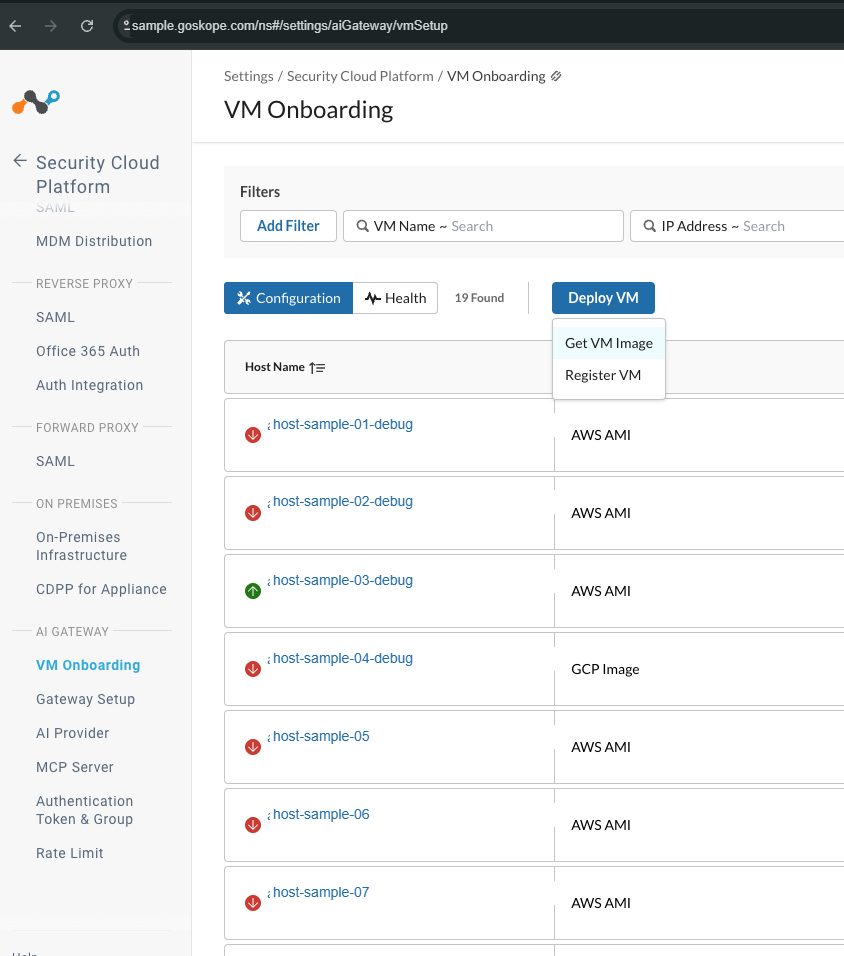
-
Under the Get VM Image page, choose ESXi image.

-
Click Download to download the ai-gateway-ova.zip file. For deployment of OVA, see Deploying OVA on ESXi.