

You can link business rules to ITSM queues, or already existing in the plugged-in system but learned by Ticket Orchestrator, so that ITSM can instantiate tickets at different places on a single ITSM platform without creating multiple configurations in Ticket Orchestrator. It can also be used to link alerts to notifications if the notification plugin is enabled. You can perform actions on a list of queues.
- Go to Ticket Orchestrator.
- Click Queues. The Queue configuration list is paginated with a default business rule count of 10 or less.
- You can select business rules and the configuration associated with the queue, and also add mappings to map Netskope alert fields values with third-party fields. Click Save to add the queue configuration.
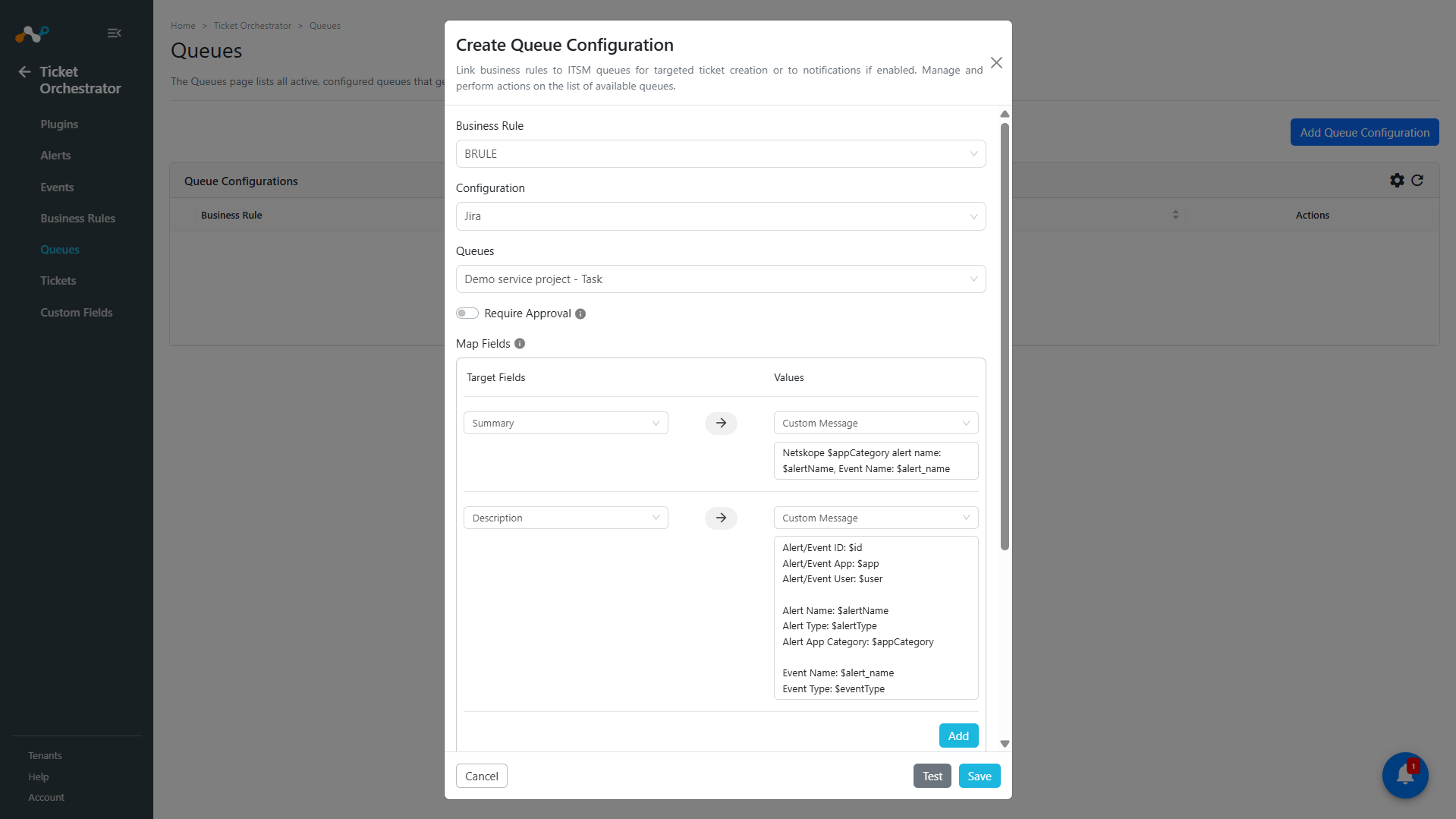
Alerts from Risk Exchange actions (Alert Type CRE) include the fields of the matching record. Each record field appears in the Values dropdown under Map Fields, and as a$variable in Custom Message, after Ticket Orchestrator receives the first alert with a value in that field. For more information, refer to Map a Risk Exchange Business Rule to an Action. - If the Require Approval toggle is enabled, tickets will require manual approval before being created.
- You can add new target fields and map their values by clicking Add.

- You can test the queue configuration by clicking Test to check if any alerts or events match the business rule.
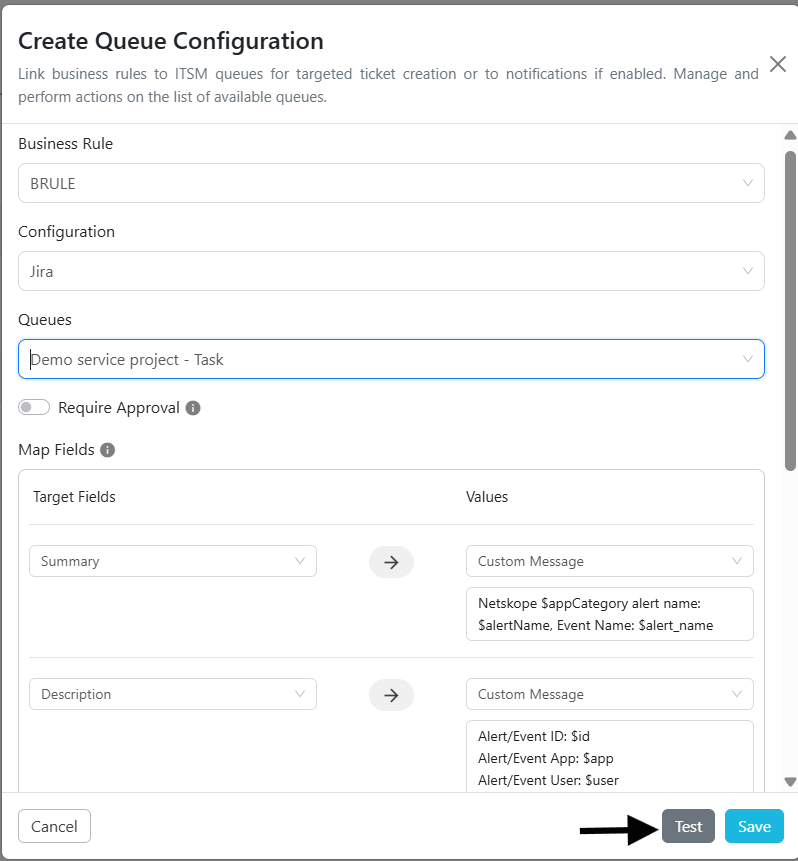
- You can Edit, Sync, and Delete queues.

Synchronizing Queues
Synchronizing queues enables you to view the impact of executing that business rule would have on the total ticket counts. Select the timeframe to use when evaluating the business rule against the alerts in the database, and then click Fetch. If the number of tickets that would be created seems unacceptably high, modify the rule to have greater filtering, and thus fewer matches.
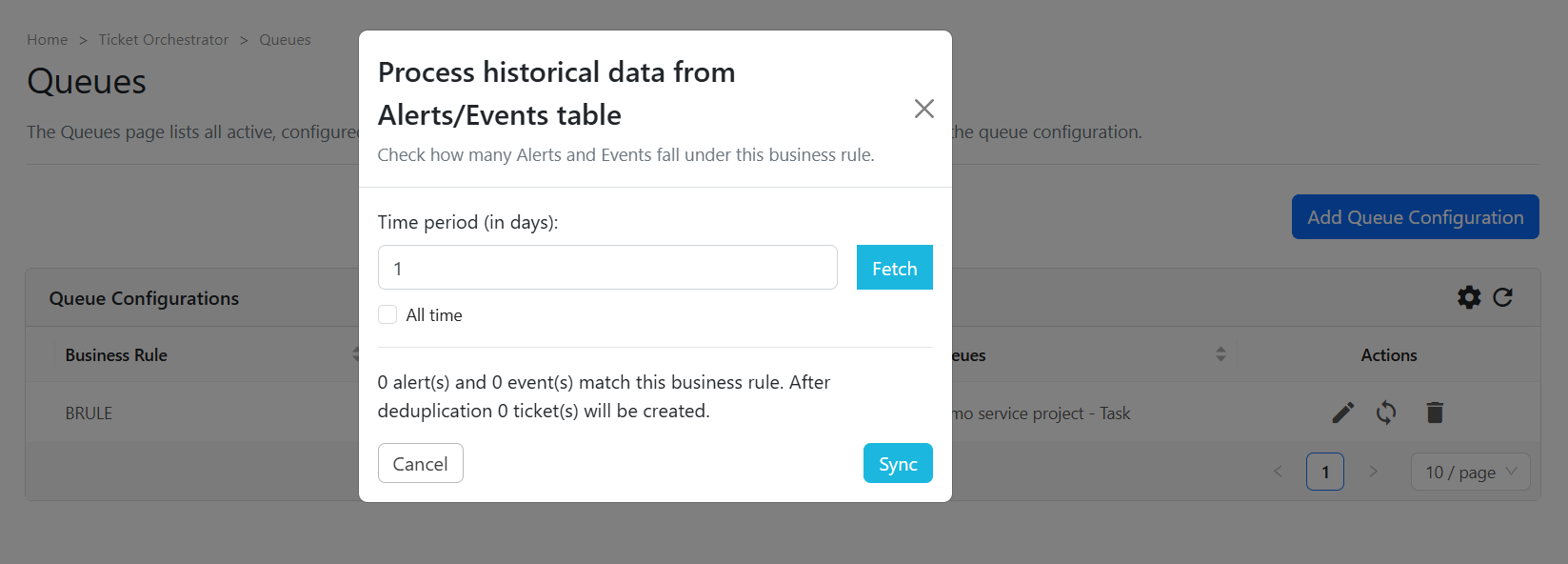
If the count is acceptable, click Sync to create tickets based on the range of alerts that is now being evaluated against the newly created rule.