

Vulnerability Description and Impact
MongoDBは、Zlibで圧縮されたプロトコルヘッダーにおける長さの処理方法の誤りに関連するセキュリティ脆弱性を特定しました。特定の条件下では、この問題により MongoDB サーバーが初期化されていないヒープ メモリになる可能性があります。
この脆弱性は認証されていないクライアントによって悪用される可能性があるが、内部ネットワークへのアクセスが必要となる。デフォルト設定では、インターネット上での不正利用は不可能です。
この脆弱性は、以下のMongoDBバージョンに影響します。
- MongoDB Server 7.0 (7.0.28より前のバージョン)
- MongoDB Server 8.0 (8.0.17より前のバージョン)
- MongoDB Server 8.2 (8.2.3より前のバージョン)
- MongoDB Server 6.0 (6.0.27より前のバージョン)
- MongoDB Server 5.0 (5.0.32より前のバージョン)
- MongoDBサーバー4.4(4.4.30より前のバージョン)
- MongoDBサーバー4.2、4.0、および3.6(サポート対象バージョン)
スタンドアロン展開
- 意味:
- MongoDB はDocker internal network内で動作します。
- MongoDBサービスのポートは、VMまたは外部ネットワークに対してnot exposedです。
- エクスプロイト手法の要件:
- 攻撃者がprivileged access to the Docker network within the VMを獲得した場合にのみ、悪用が可能になります。
高可用性(HA)展開
- 意味:
- クラウドベースの HA デプロイメントでは、推奨どおりにprivate IP networkを使用します。
- オンプレミスの HA 展開もprivate network上でのみ動作します。
- エクスプロイト手法の要件:
- 攻撃者が攻撃を成功させるには、 access to the private networkを取得する必要があります。 MongoDB との通信のため。
Cloud Exchangeにおける導入アーキテクチャとネットワーク分離制御は、全体的なリスクを大幅に低減します。MongoDBの脆弱性は、パブリックネットワークへの直接的な露出をもたらすものではなく、悪用するには事前にネットワークへのアクセスが必要となります。
Cloud Exchange は、セキュリティ修正を含むバージョン8.0.17に MongoDB をアップグレードします。
Cloud Exchange バージョン 5.x から 6.0.0 までの場合、Netskopeのチームは、スタンドアロン環境のDockerネットワーク、およびHA環境のプライベートネットワークにおいて、この脆弱性を回避するためのいくつかのオプションを推奨しています。
v5.0.1 (非推奨)、v5.1.0 のスタンドアロン展開、v5.1.1、v5.1.2、v6.0.0、v6.0.1、v6.1.0
- Cloud Exchangeのインストールディレクトリに移動します(仮想マシンとしてCEを使用している場合は、 /opt/cloudexchange/cloudexchangeに移動します)。
- Cloud Exchange停止するには、次のコマンドを使用します。
sudo ./stop
- docker-compose.yml (Ubuntu および Docker ベースのデプロイメント) またはpodman-compose.yml (RHEL および Podman ベースのデプロイメント) ファイルのmongodb -primaryセクションに以下の手順を追加して更新し、ファイルを保存してください。
v6.0.0 スタンドアロン
Before the yml file v6.0.0 update
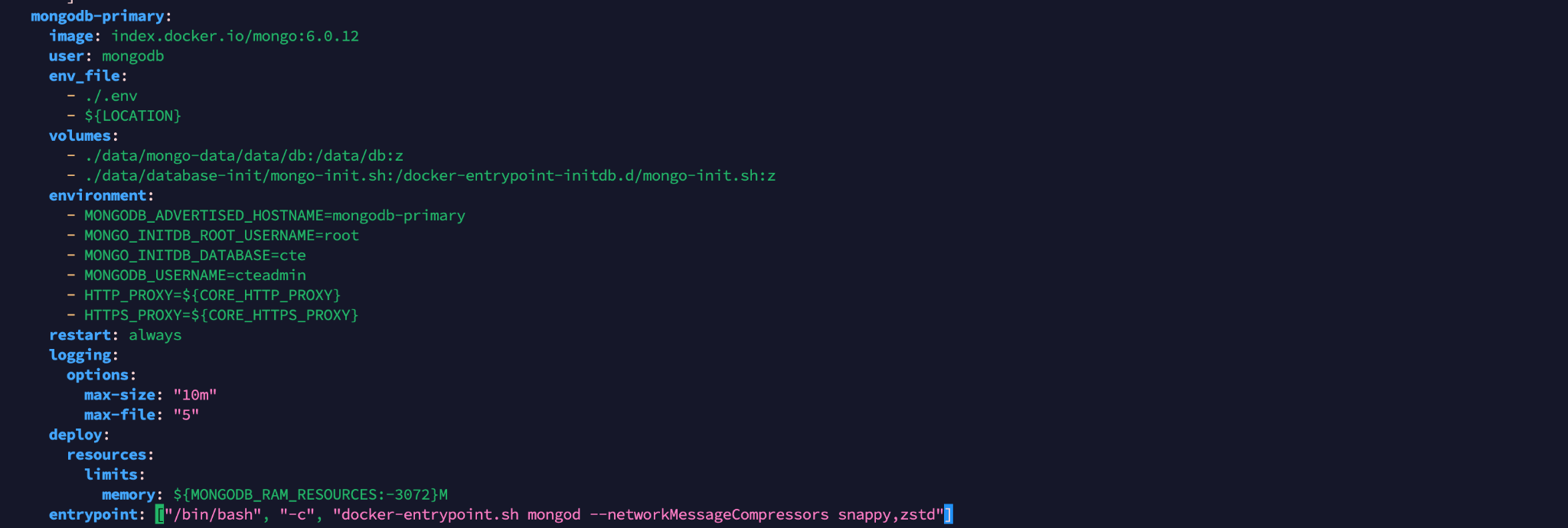
Add this argument after the mongod keyword in the entrypoint section of the mongodb-primary.
--networkMessageCompressors snappy,zstd
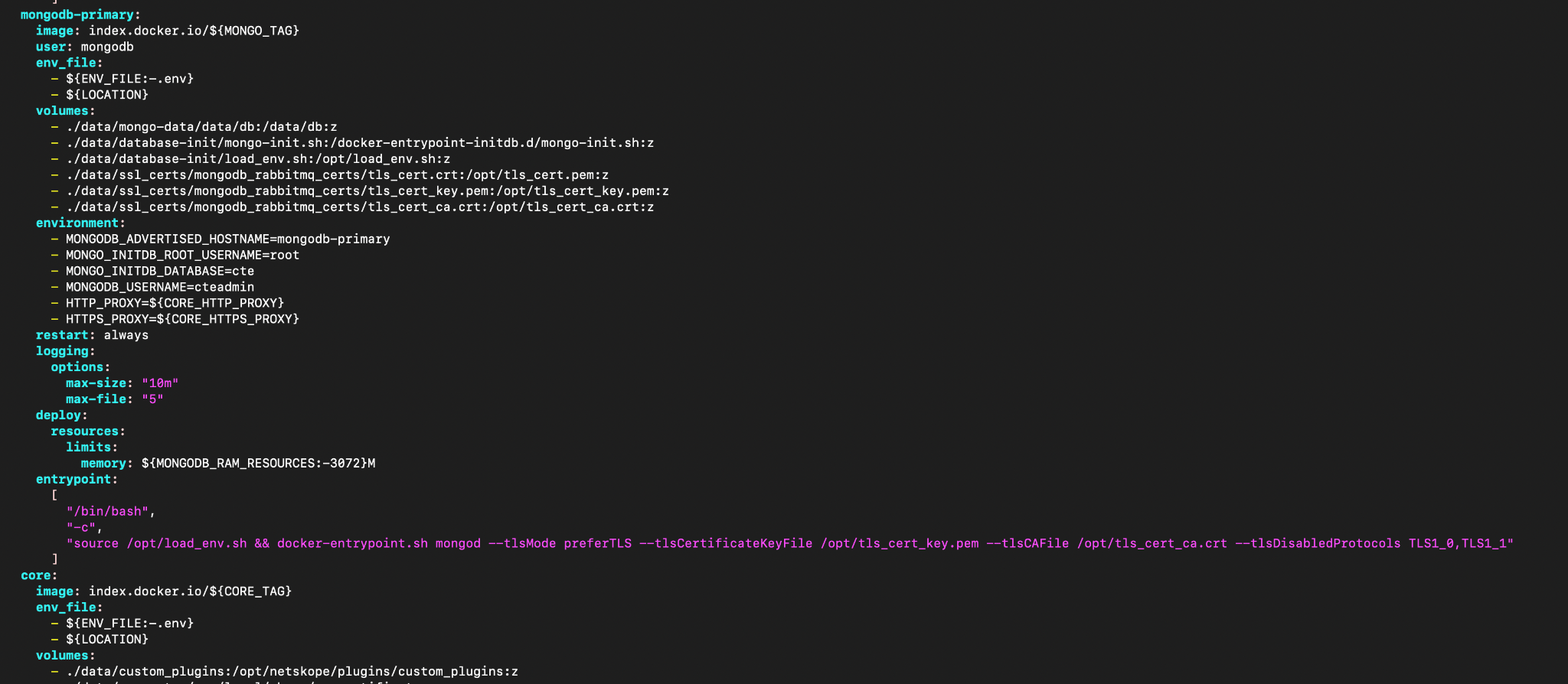
After the yml file v6.0.0 update

v5.1.2、v5.1.1スタンドアロン
Before the yml file v5.1.2, v5.1.1 update
Add this argument after the mongod keyword in entrypoint section of the mongodb-primary.
--networkMessageCompressors snappy,zstd
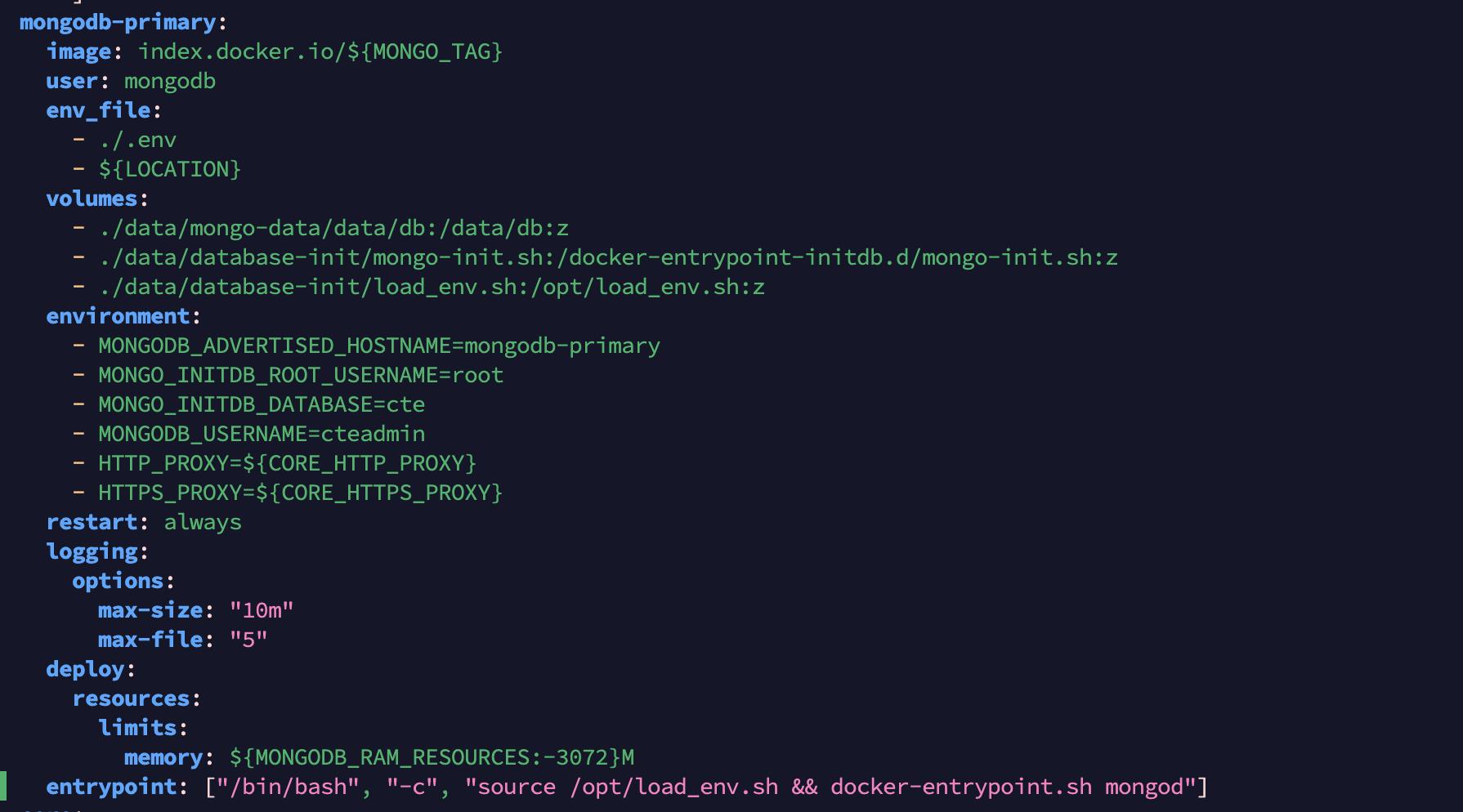
After the yml file v5.1.2, v5.1.1 update
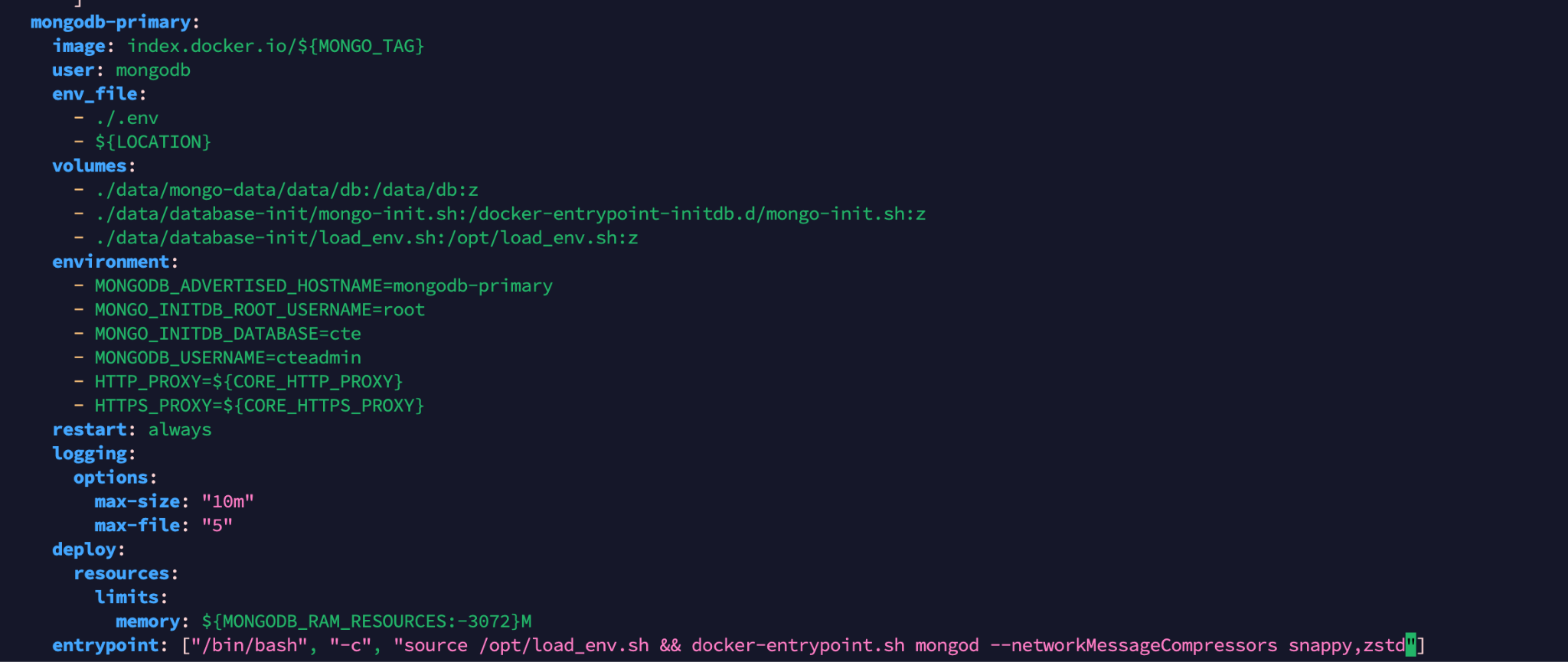
v5.0.1 (非推奨)、v5.1.0スタンドアロン
Before the yml file v5.0.1, v5.1.0 update
Add this argument after the mongod keyword in entrypoint section of the mongodb-primary.
--networkMessageCompressors snappy,zstd
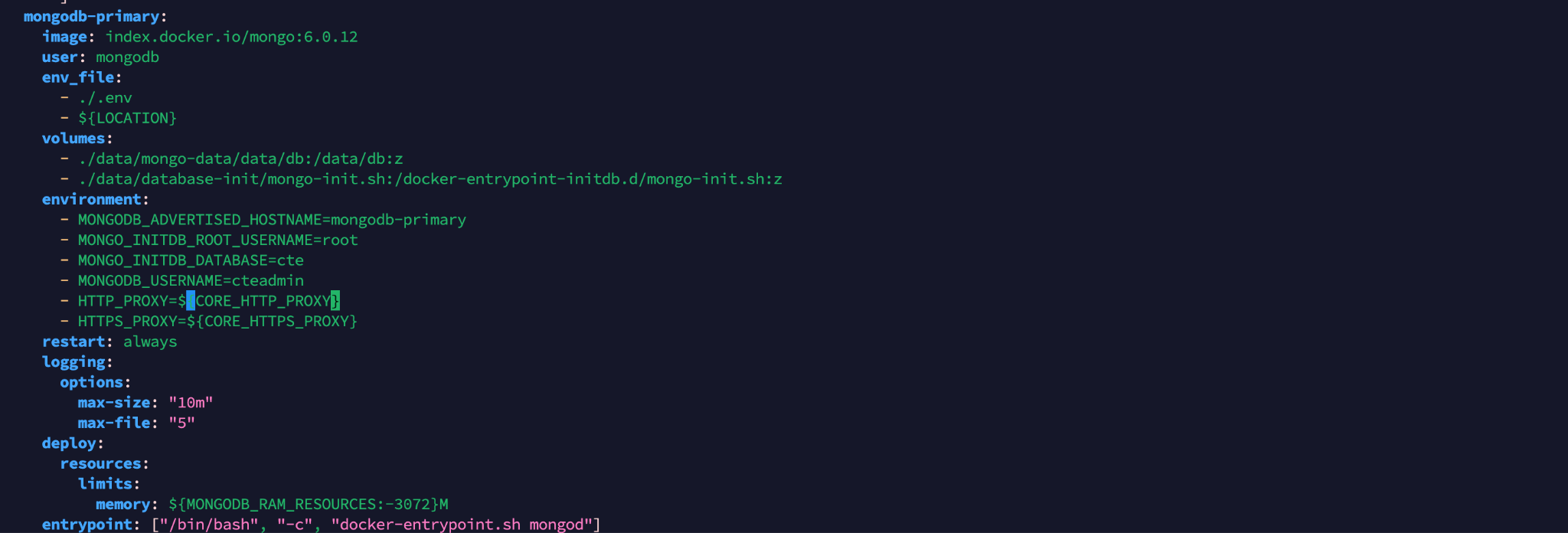
After the yml file v5.0.1, v5.1.0 update
Cloud Exchange開始するには、次のコマンドを使用します。
sudo ./start
v5.0.1 (非推奨)、v5.1.0 の HA 展開、v5.1.1、v5.1.2、v6.0.0、v6.0.1、v6.1.0
- 二次ノードのCloud Exchangeインストールディレクトリに行ってください(仮想マシンとしてのCEの場合は /opt/cloudexchange/cloudexchangeに行ってください)。
- Cloud Exchange停止する このコマンドをすべてのセカンダリノードに対して1つずつ実行してください。
sudo ./stop
- プライマリノードの Cloud Exchange ディレクトリに移動します (CE が VM として動作している場合は、 /opt/cloudexchange/cloudexchangeに移動します)。
- Cloud Exchange停止するには、プライマリ ノードに対してこのコマンドを使用します。
sudo ./stop
- docker-compose-ha.yml (Ubuntu および Docker ベースのデプロイメント) またはpodman-compose-ha.yml (RHEL および Podman ベースのデプロイメント)ファイルのmongodb-primaryセクションに以下の手順を追加して更新し、HA ノードごとにファイルを保存してください。
v6.0.0 HA
Before the yml file v6.0.0 update
Add this argument after the mongod keyword in the entrypoint section of the mongodb-primary.
--networkMessageCompressors snappy,zstd
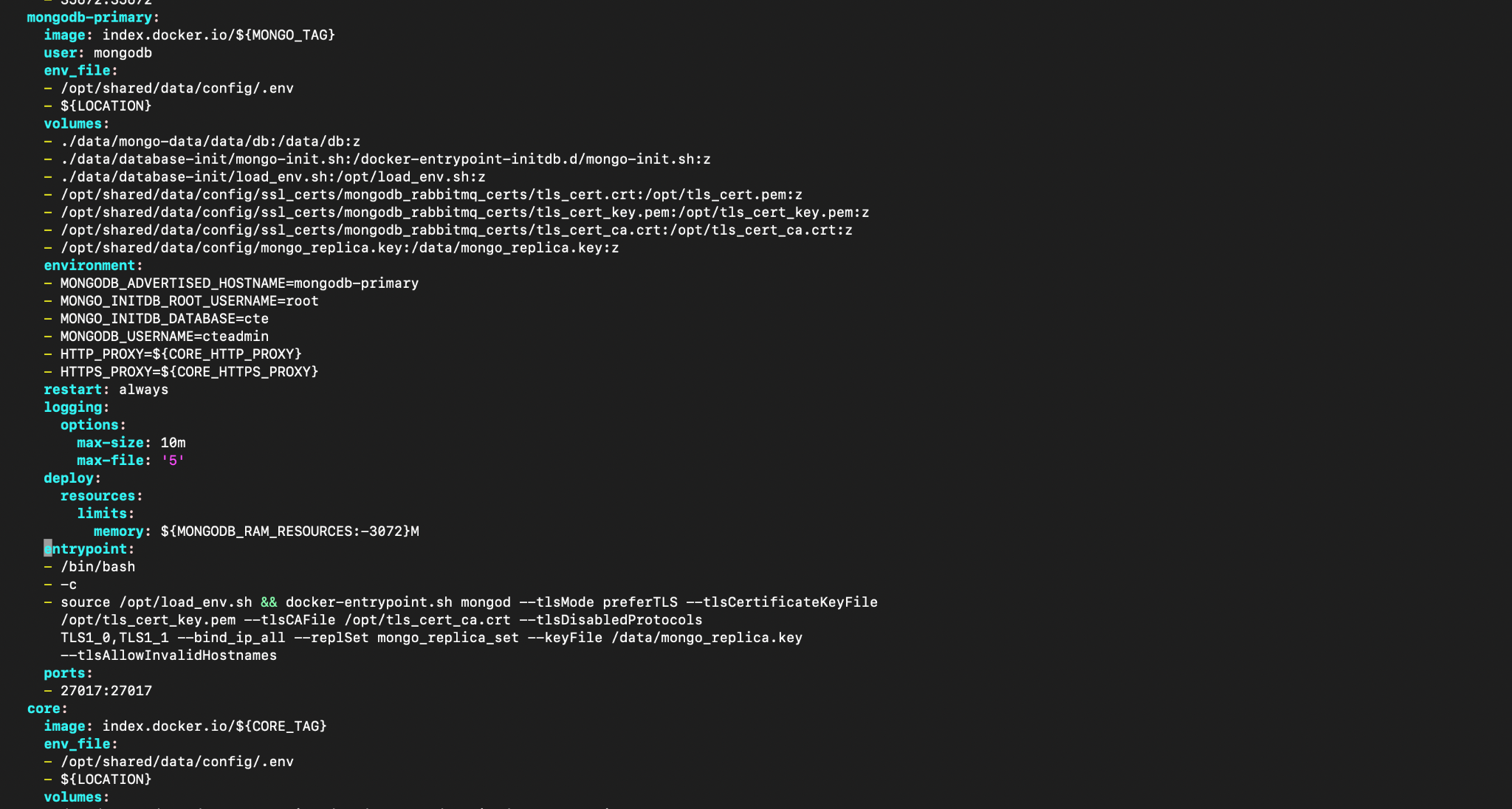
After the yml file v6.0.0 update

v5.1.2, v5.1.1 HA
Before the yml file v5.1.1, v5.1.2 update
Add this argument after the mongod keyword in the command section of the mongodb-primary.
--networkMessageCompressors snappy,zstd
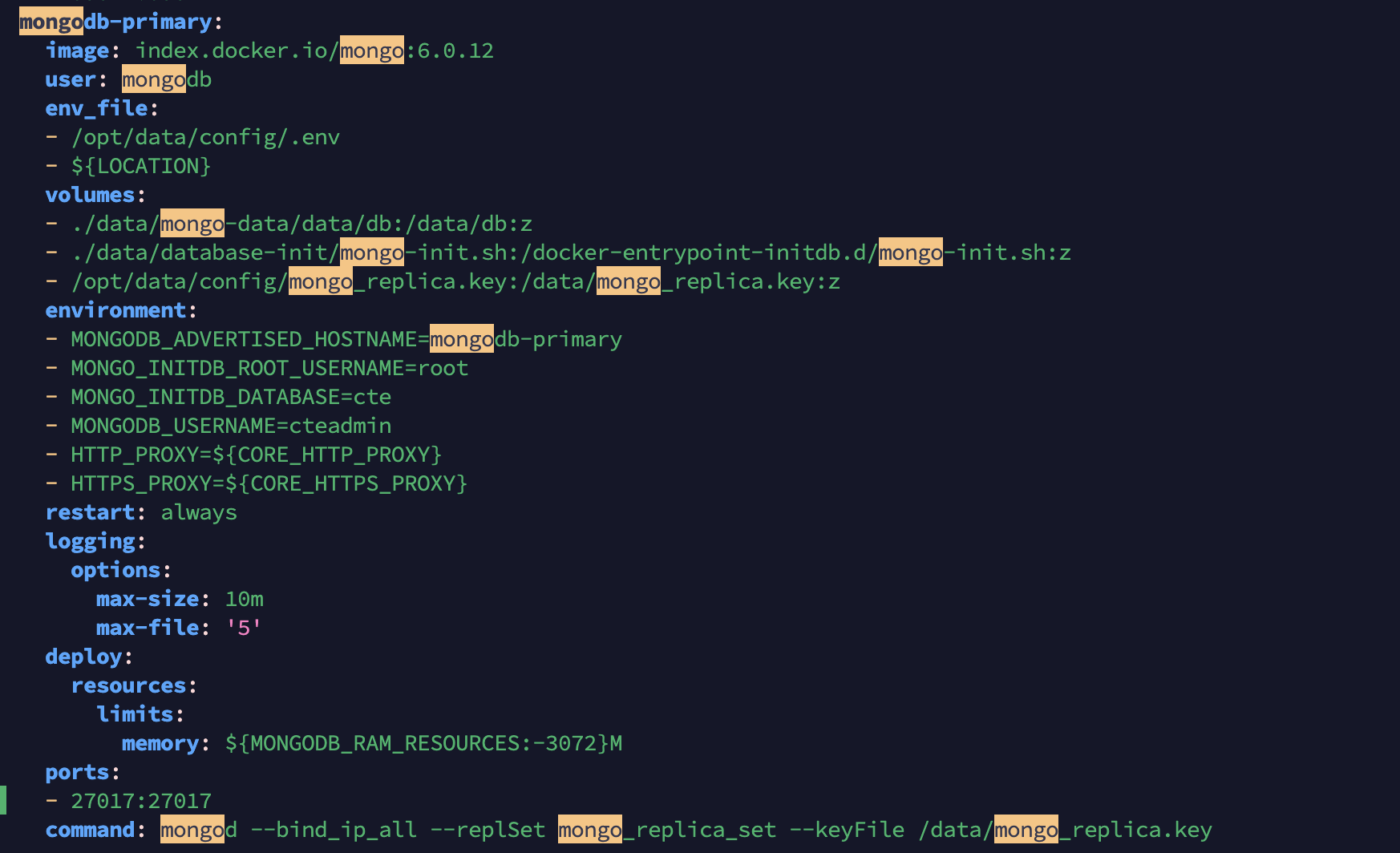
After the yml file v5.1.1, v5.1.2 update
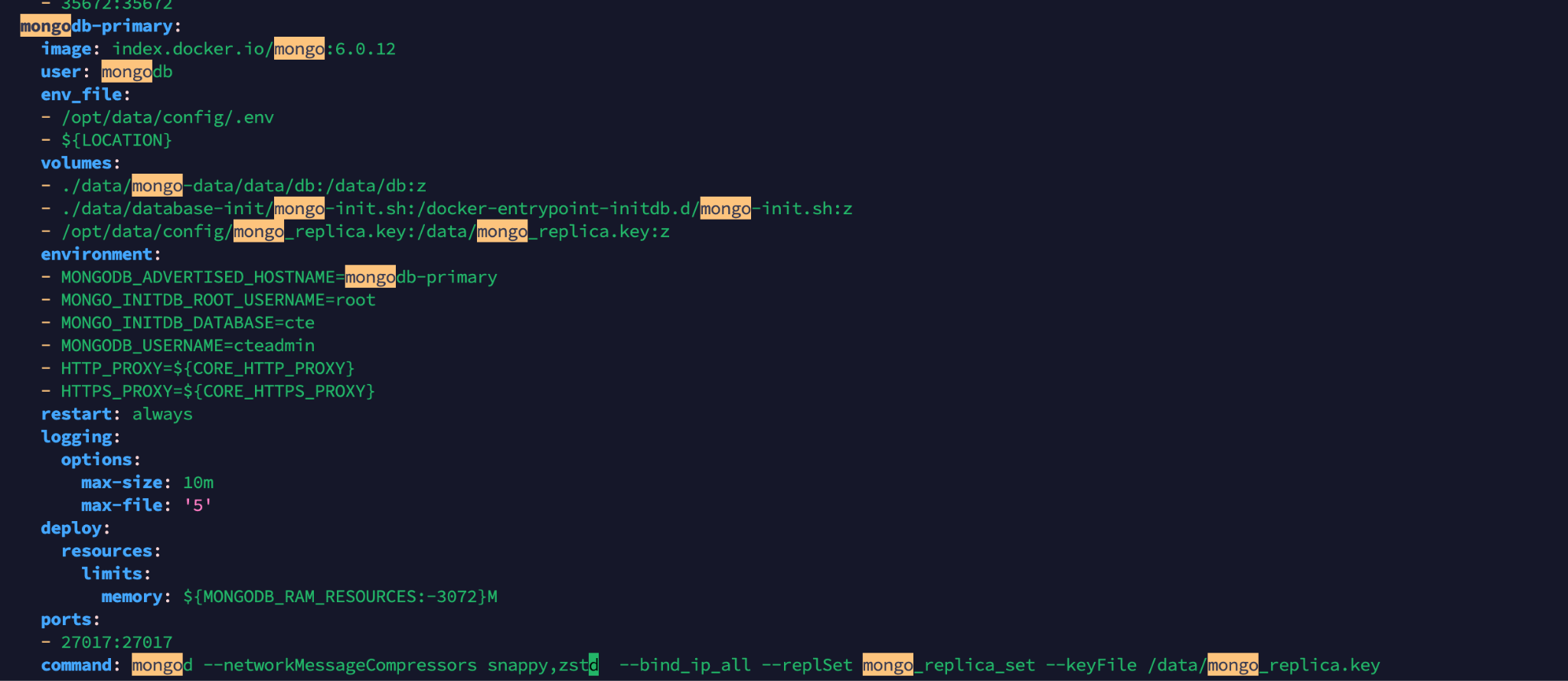
v5.0.1 (非推奨)、v5.1.0HA
Before the yml file v5.0.1, v5.1.0 update
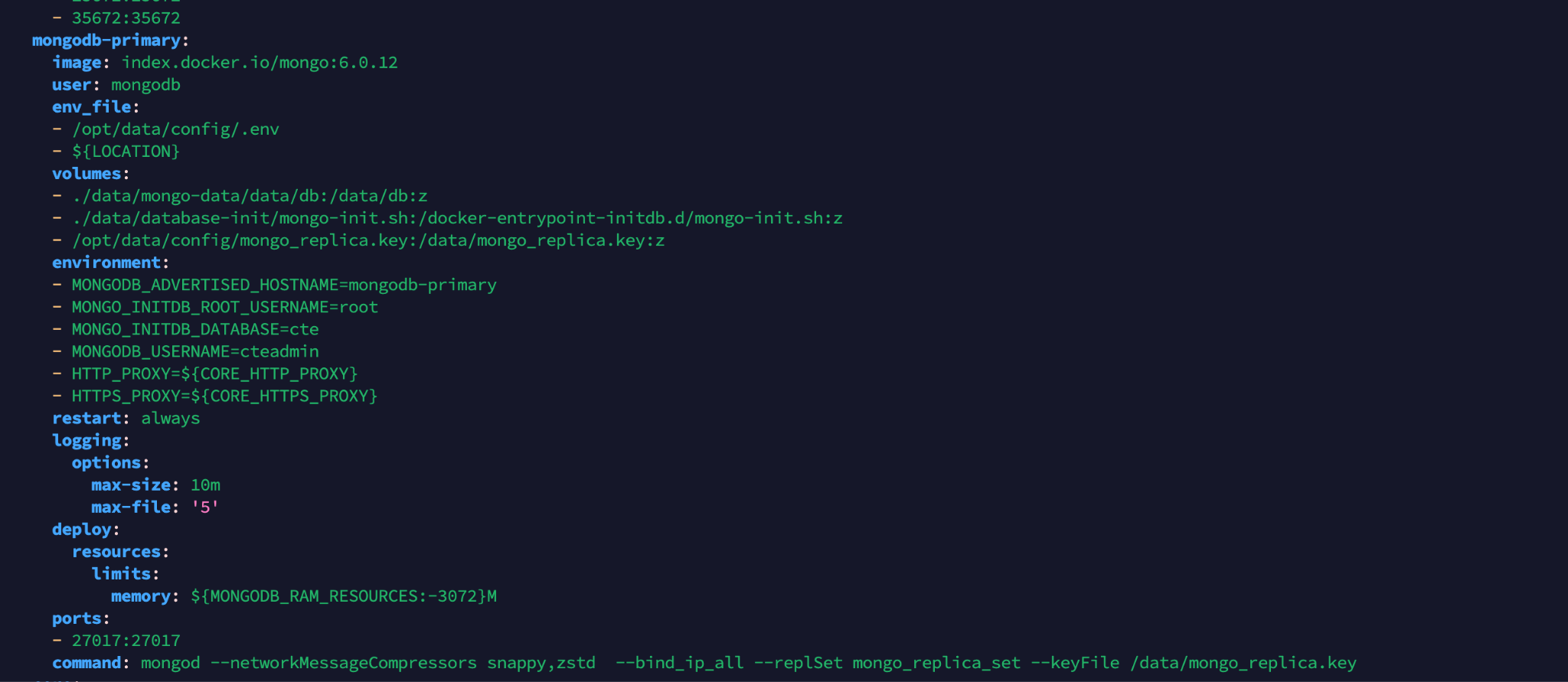
Add this argument after the mongod keyword in the command section of the mongodb-primary.
--networkMessageCompressors snappy,zstd
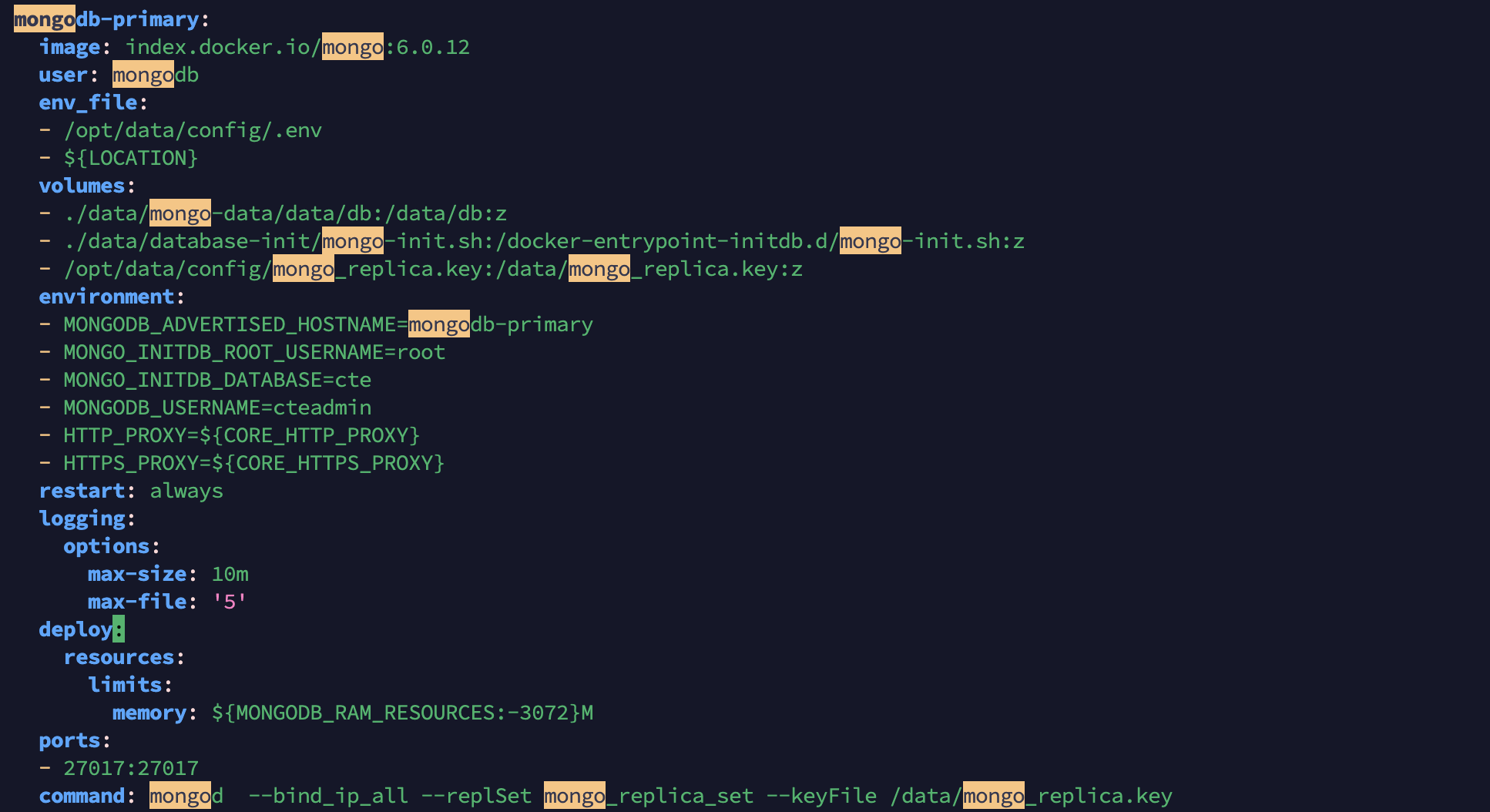
After the yml file v5.0.1, v5.1.0 update
- Cloud Exchangeプライマリ ノードを開始するには、次のコマンドを使用します。
sudo ./start
- セカンダリCloud Exchangeノードを開始するには、次のコマンドを使用します。
sudo ./start